
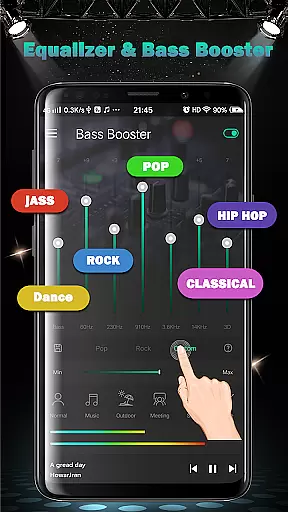
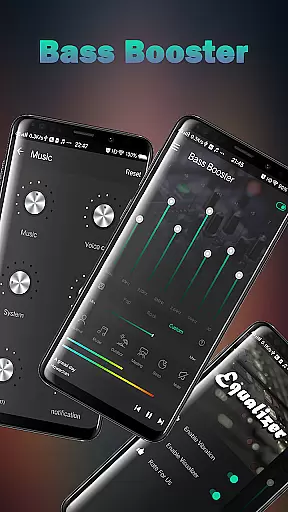
Equalizer FX Pro is a comprehensive audio enhancement application designed for Android users who seek to elevate their sound experience. This app combines equalizer, bass booster, and volume booster functionalities to optimize audio quality across all media players. Whether you're listening to music, watching videos, or engaging in voice calls, Equalizer FX Pro ensures superior sound output.
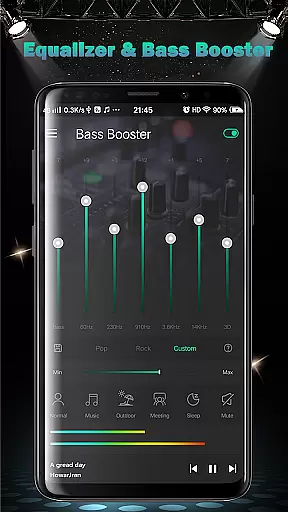
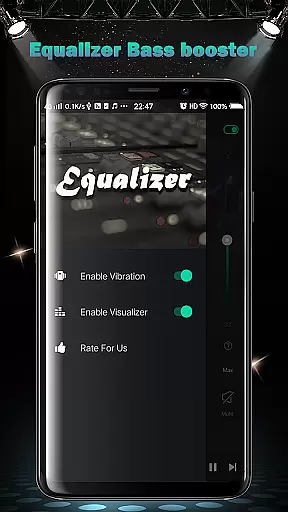
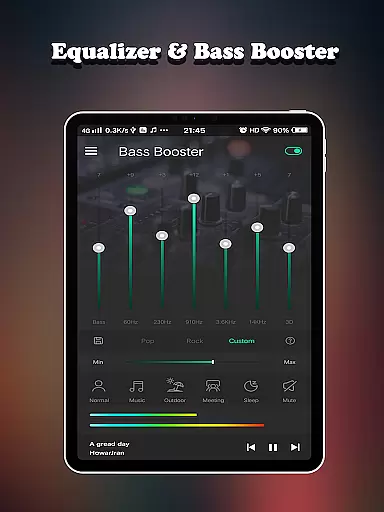
The app offers advanced features like 7-band equalizer with 10 presets, virtualizer effects, and 2 visual spectrums. It also provides practical volume control solutions through its 6 distinct volume modes and system-wide volume boosters. These features make it an essential tool for audiophiles and casual listeners alike, delivering professional-grade audio customization in a user-friendly interface.
Perfect for various scenarios, from personal music enjoyment to professional audio editing, Equalizer FX Pro adapts to different listening environments. Its ability to work seamlessly with any media player while providing precise control over sound parameters makes it invaluable for enhancing your device's audio performance.
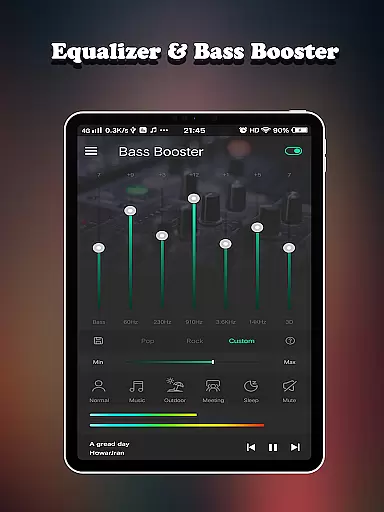
Equalizer FX Pro distinguishes itself through its sophisticated feature set that addresses multiple aspects of audio enhancement. The core functionality revolves around its powerful 7-band equalizer, which allows users to fine-tune specific frequency ranges. With 10 carefully crafted presets, users can quickly switch between optimized sound profiles tailored for different genres and media types.
Beyond basic equalization, the app incorporates advanced audio processing technologies. The bass booster feature adds depth and richness to low-frequency sounds, while the volume booster amplifies audio levels without distortion. The inclusion of virtualizer effects creates an immersive 3D audio experience, particularly noticeable when using headphones.
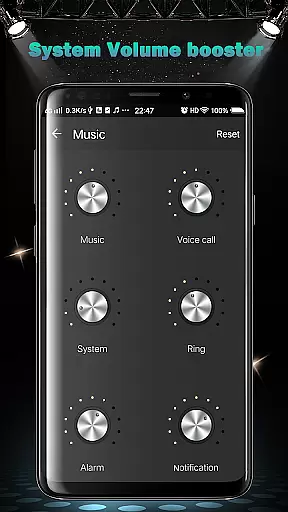
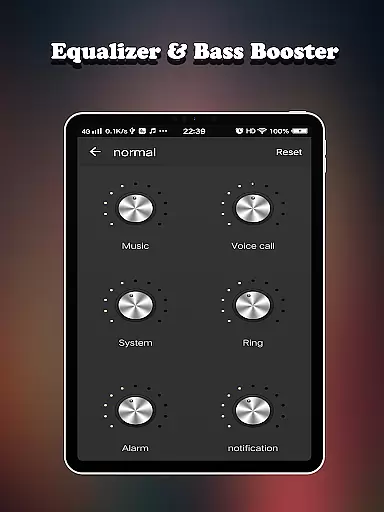
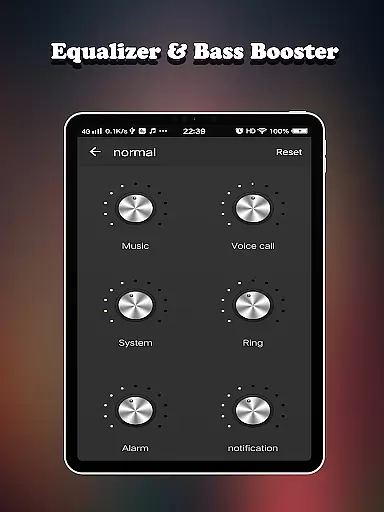
What sets Equalizer FX Pro apart is its comprehensive approach to volume management. The app provides six dedicated volume modes - normal, music, outdoor, meeting, sleep, and mute - each designed for specific usage scenarios. Additionally, users can independently control six different volume types including media, voice, system, ringtone, alarm, and notification volumes.
Equalizer FX Pro offers a comprehensive suite of audio enhancement features that work across all music and video players on your Android device. While the app doesn't maintain its own music library, it significantly enhances your existing collection.
The application provides ten professional equalizer presets that are carefully designed to optimize different music genres. These presets are developed based on industry-standard audio profiles, ensuring authentic sound reproduction that respects the original artistic intent.
Although the app doesn't directly handle copyrighted materials, it enhances your legally acquired music collection while maintaining strict compliance with copyright laws. The processing algorithms are designed to improve audio quality without altering the fundamental characteristics of the original recordings.
Users can enjoy enhanced audio experiences across their entire music library, regardless of its size or composition. The app's processing capabilities remain consistent whether you're working with a small personal collection or an extensive music library spanning multiple genres and artists.
Equalizer FX Pro excels in delivering superior audio quality through its advanced processing features. The app offers seven-band equalizer controls that allow precise adjustment of audio frequencies, enabling users to customize their listening experience with exceptional accuracy.
The inclusion of virtualizer effects creates an immersive 3D audio environment, particularly noticeable when using headphones. This feature expands the soundstage, providing a more natural and spatial listening experience that enhances both music and video content.
Two visual spectrum analyzers provide real-time feedback on audio output, helping users make informed adjustments to their sound settings. These visual tools assist in achieving optimal audio balance across different types of media playback.
With support for various audio enhancement modes including music, outdoor, and meeting modes, the app ensures optimal sound quality across different environments and use cases. Each mode is optimized to deliver the best possible audio performance based on specific listening conditions.
Comprehensive audio tools
User-friendly interface
Wide device compatibility
Professional-grade features
Stable performance
Premium version costly
Complex for beginners
Drains battery life
Occasional glitches
Limited free features

Performance-Synthesizer & Multi-Track-Sequencer, polyphonic + multi timbral!
 4.70
4.70
Listen to live FM radio stations, sports, music and news on global radios online
4.70
Brian Eno and Peter Chilvers’ acclaimed music app Bloom, radically reinvented.
4.80
Learn to play the piano using falling notes!
3.80
Simple mp3 and mp4 player with advanced features.
3.40
Slow music down without changing pitch.
3.70
Turn your Android phone into a professional audio analyser with up to 120 bands.
4.00
Responsive piano with great sounds, graphics, and songs
4.80
Be a true music maker: create beats, mix and make music like a real DJ!
4.30
JBL PartyBox APP works with 110/310/710/120/320/520/Encore/Encore 2/Encore Ess 2
4.80
Super Sound Editor, Song Maker & Mixer, Vocal Remover, Voice Recorder & Changer!
4.60
A complete sound package for the sound engineer or enthusiast
4.60
10-Band Audio Equalizer, Sound / Bass Booster for Spotify Users & Music Players
4.40
Help you quickly get started with Shokz headphones
4.40
Bass Booster Pro takes auto-equalizing to the next level!
4.30
Powerful 10-Band equalizer pro with sound booster improves Android audio quality
4.30
The alternative folder based music player.
4.20
MilkDrop for Android TV
3.00
Remove ads permanently from Music Visualizer
4.2


User Reviews