
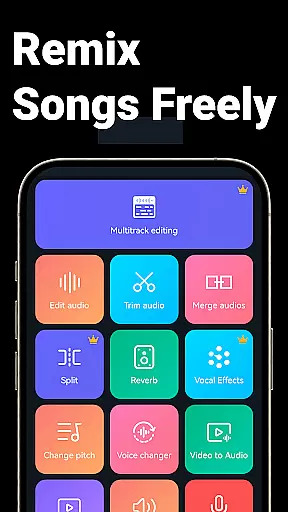
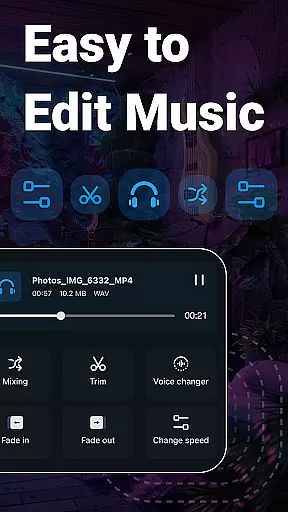
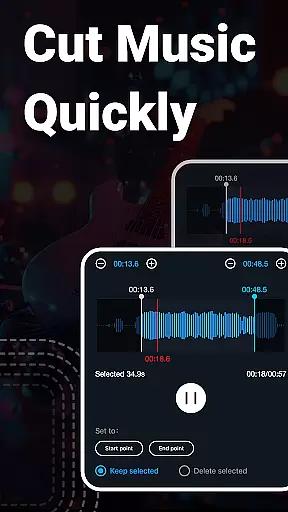
Super Sound is a comprehensive audio editing tool designed for both casual users and professionals on Android. This app allows you to cut, splice, mix, and convert audio formats with precision and ease. Whether you're looking to create custom ringtones or produce professional-grade audio projects, Super Sound provides the necessary tools. The app supports various audio manipulations including changing pitch, tempo, and volume, as well as removing vocals from songs.
In addition to its robust audio editing capabilities, Super Sound also offers video-to-audio conversion, voice recording, and multitrack editing. These features make it an all-in-one solution for audio production needs. With an intuitive interface and powerful functionality, this app is suitable for creating high-quality audio content for personal or professional use.
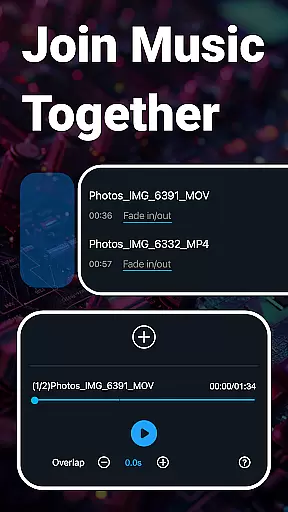
Super Sound stands out with its extensive range of audio editing features. Users can perform precise audio cuts in milliseconds, ensuring accuracy and efficiency. The app's multitrack editing allows for complex audio compositions by enabling multiple audio tracks to be mixed together seamlessly.
One of the innovative aspects of Super Sound is its ability to change sound pitches and tempos, offering creative flexibility. Additionally, the vocal remover feature lets users strip vocals from songs, leaving only the instrumental track. With support for batch processing and over 2000 royalty-free music tracks available for download, Super Sound caters to diverse audio editing requirements.
The app also includes practical utilities such as converting videos to audio, inserting audio into existing tracks, and adjusting equalizer settings. These functionalities ensure that users have all the tools needed to produce polished audio projects.
When it comes to music editing applications, the size and authenticity of the music library are crucial factors. Music Audio Editor, MP3 Cutter offers an extensive library that includes over 2000 royalty-free tracks, ensuring users have a vast selection to choose from for their projects. This expansive library not only enhances creativity but also guarantees that all audio materials are legally safe to use.
The app supports multiple audio formats such as mp3, aac, wav, flac, m4a, and amr, making it versatile for various user needs. Whether you're looking to create ringtones, cut mp3 files, or perform complex audio edits, the diversity in format compatibility ensures seamless integration into your workflow.
Moreover, the inclusion of a voice recorder and the ability to convert video to audio adds another layer of utility. Users can record their sounds or extract audio from videos, further expanding the creative possibilities within the app. These features collectively contribute to a robust music library that caters to both amateur enthusiasts and professional editors alike.
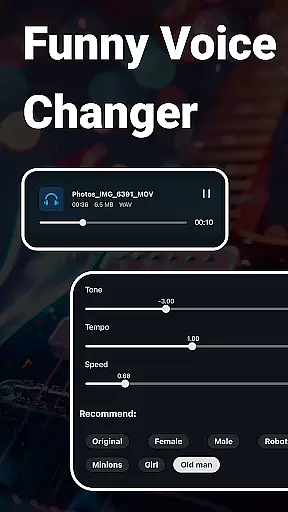
Audio quality is paramount when editing music, and Music Audio Editor, MP3 Cutter excels in providing top-notch audio quality options. The application allows users to adjust sound volume, change music tone and tempo, and even modify playback speed with precision. Such controls ensure that the final output meets the highest standards of audio fidelity, catering to audiophiles and professionals who demand excellence.
In addition to basic editing, the app offers advanced features like vocal removal and pitch changing. Users can remove vocals from songs while retaining background music, or alter the pitch of a song by raising or lowering octaves and semitones. These capabilities provide unparalleled control over the auditory experience, allowing for personalized and unique creations.
Furthermore, the app includes an equalizer with various preset parameters, enabling users to fine-tune their audio to perfection. Coupled with audio compression functionalities that let users select output sound channels, sample rates, and bit rates, Music Audio Editor, MP3 Cutter ensures that every piece of audio produced is optimized for sharing or professional use. This attention to detail in audio quality options sets the app apart in the realm of music and audio editing tools.
User-friendly interface
Extensive format support
Versatile editing options
Batch processing capability
Free to use
Limited advanced features
Occasional bugs reported
Ads may interrupt workflow
Interface could be outdated
Learning curve for beginners

Fun & Easy Voice Changer – Record, Edit & Add Hilarious Effects!
 4.50
4.50
Over 100 million tracks available for high quality streaming and download
4.60
Pay Once, no monthly payment
4.60
DJ Music Mixer Pro is a real DJ controllers and DJ Music Studio to remix DJ.
4.40
Simple & Intuitive Metronome
4.70
No wifi music app. Mp3 offline. Tuner radio, young radio music. Music downloader
4.20
A complete sound package for the sound engineer or enthusiast
4.60
Responsive piano with great sounds, graphics, and songs
4.80
Sing, record, and create music together — enhanced by smart voice tools.
4.00
Music, News & Sports Radio Tuner App. Tune in Live FM & AM Radio Stations.
4.80
Offline Music Player & MP3 Player.Powerful equalizer, Lyrics, Themes, Tag Editor
4.80
Most Advanced AI Song Generator and Music Creator. Rap, Pop, Rock, Gospel & more
4.70
Record, Mix & Master with all n-Track effects, 64-bit audio and Stem Separation.
4.70
Offline Music Player&MP3 Player with themes, equalizer, lyrics, music play mode
4.60
A synth that really lets you shape your sounds!
4.50
Enhance the sound quality of your devices, listen to what you want
4.50
Master Salsa Rhythm quickly and with a lot of fun!
4.30
The only true audiophile music player with Hi-Fi audio rendering and DSP engine
3.90
Remove ads permanently from Music Visualizer
4.1


User Reviews