

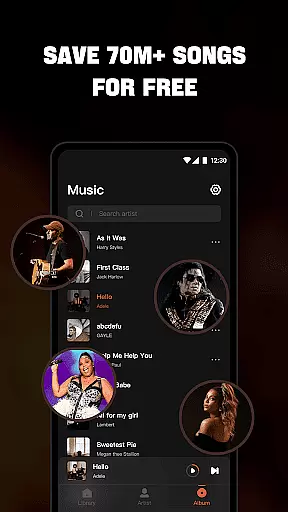


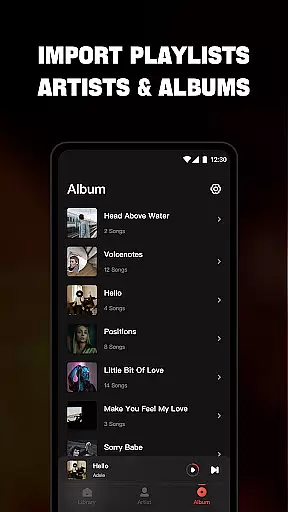
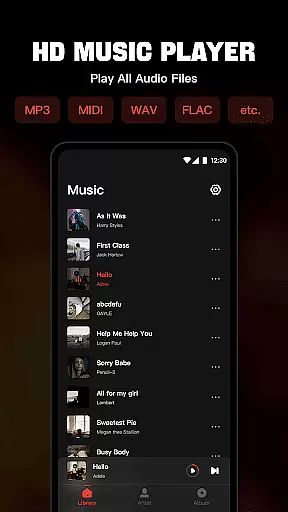
Mixtube is a versatile offline music player designed for audiophiles who value uninterrupted playback. This application supports all major audio formats including MP3, MIDI, WAV, FLAC, AAC, and APE, delivering high-quality sound without the need for an internet connection.
With its built-in equalizer, Mixtube enhances your listening experience by allowing you to customize audio output according to your preferences. Whether you're at home or on the go, this app ensures that your favorite tracks are always with you, even when multitasking across other apps or engaging in daily activities.
The app's user-friendly interface organizes your music library efficiently, enabling easy navigation through songs, artists, albums, and playlists. Additionally, features like lock screen controls, notification bar playback, and widget support make Mixtube a comprehensive solution for managing and enjoying your personal music collection.
Mixtube stands out with its robust feature set tailored for diverse listening needs. The app's ability to handle various audio formats ensures compatibility with virtually any music file you own. Its high-quality equalizer offers multiple presets, allowing users to fine-tune their audio experience to match different genres or moods.
One of Mixtube's key strengths is its seamless background playback functionality. This allows users to listen to music while performing other tasks on their device, making it ideal for studying, working, or doing household chores. The app also provides extensive organizational tools, such as sorting by folders, creating custom playlists, and marking favorite tracks.
Additional conveniences include lock screen controls for quick access to playback functions, persistent notification bar controls, and home screen widgets for instant player access. These features collectively create a premium listening experience that caters to both casual listeners and audio enthusiasts alike.
Offline Music Player offers an extensive music library that allows users to import and manage all their audio files seamlessly. The app supports a wide range of formats including MP3, MIDI, WAV, FLAC, AAC, and APE, ensuring high-quality playback for every song in your collection.
With the ability to organize tracks by songs, artists, albums, folders, and playlists, this app provides a structured approach to music management. Users can easily create custom playlists and mark favorite songs, enhancing personalized listening experiences without any limitations.
The app emphasizes copyright authenticity by allowing users to play only their personally owned files. This respects intellectual property rights while offering an uninterrupted, ad-free experience with premium features such as no ads interrupting music and videos.
One of the standout features of Offline Music Player is its top-quality equalizer, which elevates the sound listening experience to the next level. Users can customize audio settings to match their preferences, ensuring each track sounds as perfect as possible.
In addition to superior audio quality, the app provides lock screen controls and notification bar playback, making it convenient to manage music on the go. These features ensure that users have complete control over their listening experience without needing to unlock their device.
Furthermore, the widget support adds another layer of accessibility, allowing quick access to frequently used functions. Whether you're at home or out and about, Offline Music Player ensures that high-quality audio is always within reach, providing an unparalleled auditory experience.
User-friendly interface
High-quality audio playback
Extensive format support
Background music functionality
Customizable equalizer settings
No online music streaming
Premium version required for ad-free experience
Subscription automatically renews
Limited free trial period
Some features locked behind paywall

 4.70
4.70
SqueezePlayer turns your Android phone or tablet into a SqueezeBox on its own!
4.60
Your HD audio recorder on the go for music, meetings, ambience, animal sounds…
4.30
The Cubase remote control app
3.60
Gorgeous UI, Powerful music Search and Equalizer, the great choice for you!
4.70
The only true audiophile music player with Hi-Fi audio rendering and DSP engine
3.90
Record, Mix & Master with all n-Track effects, 64-bit audio and Stem Separation.
4.70
MilkDrop for Android TV
3.00
Customize Your Favorite Songs and Videos with booster.
4.70
24,000 free audio books and no ads!
4.90
Make songs with AI! Any genre, custom lyric, song generator for music creation!
4.80
Offline Music Player & MP3 Player.Powerful equalizer, Lyrics, Themes, Tag Editor
4.80
Listen to live FM radio stations, sports, music and news on global radios online
4.70
Over 100 million tracks available for high quality streaming and download
4.60
AI Music Maker: Generate And Compose AI Tunes & AI Songs & AI Music & AI Melody!
4.60
Let your Android device with the sound effects you want
4.50
Enjoy singing any song, no matter how high or low it is
4.30
The ultimate media player for Android devices
3.90
Make music anywhere. Turn your device into an instrument.
4.5


User Reviews