
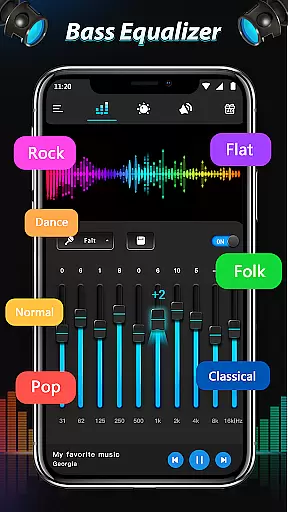
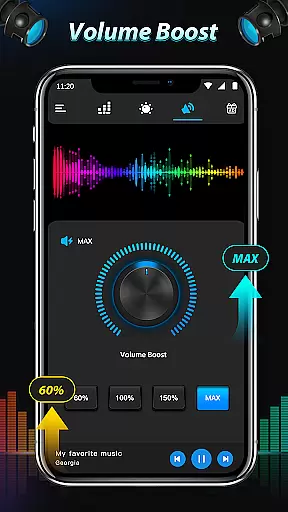
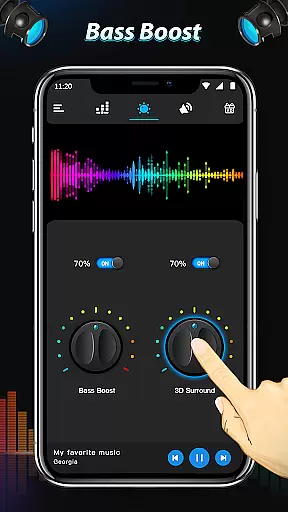
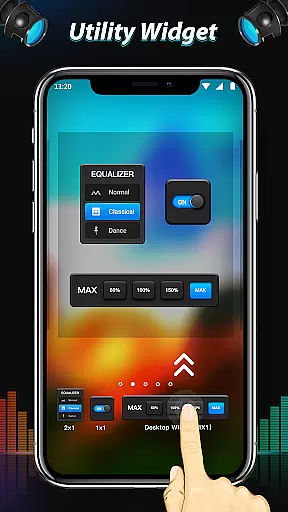
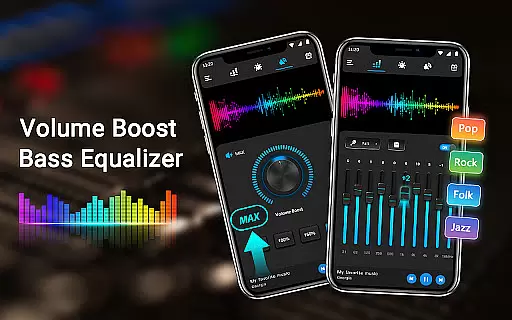
Equalizer & Bass Booster Pro is a premium audio enhancement application designed specifically for Android devices. This app allows users to significantly improve their device's sound quality through its advanced equalizer, bass boost, and surround sound features. Whether you're listening to music, watching videos, or enjoying radio broadcasts, the app ensures an unparalleled auditory experience.
The app provides a comprehensive suite of tools including a five-band equalizer, bass booster, virtualizer effects, and a live stereo VU meter. With 22 built-in equalizer presets and the ability to create custom settings, users can fine-tune audio output to match their preferences. Additionally, Equalizer & Bass Booster Pro offers seamless integration with most music and video players, making it versatile for various media consumption needs.
For optimal performance, using high-quality headphones is recommended. The app also includes convenient controls accessible from the notification bar, allowing users to easily adjust settings without interrupting their media playback. Whether you're an audiophile or simply looking to enhance your daily listening experience, this app delivers professional-grade audio adjustments at your fingertips.
Equalizer & Bass Booster Pro stands out with its robust feature set tailored for audio enthusiasts. At its core, the app offers a sophisticated five-band equalizer that lets users precisely adjust frequency levels. This granular control enables personalized sound profiles catering to individual tastes and audio equipment characteristics.
Beyond basic equalization, the app includes powerful bass boost and virtualizer effects. These enhancements add depth and dimension to audio playback, creating a more immersive listening experience. Users can choose from 22 preset configurations or craft their own custom settings, which can be saved for future use. The inclusion of a real-time stereo VU meter adds a visual element to sound adjustments, helping users achieve perfect balance.
Practical usability features round out the app's capabilities. A dedicated media volume slider provides quick access to volume control, while music playback controls allow track management directly from the app interface. The notification bar integration enables effortless toggling of effects and quick access to key functions. These thoughtful design elements make Equalizer & Bass Booster Pro not just powerful but also highly user-friendly.
Equalizer & Bass Booster Pro offers an extensive range of sound customization options that can be applied to your entire music library. Regardless of the size, the app ensures each track is enhanced with precision.
The application does not host or distribute music but rather provides tools to improve the listening experience of your personal audio collection. This means users can rest assured about the copyright authenticity of their music.
With over 22 Equalizer presets and the ability to create custom settings, you have unparalleled control over how your music sounds. The app supports most music players, ensuring that your entire library benefits from its advanced features.
Whether you're adjusting bass levels for electronic dance tracks or fine-tuning treble for classical symphonies, this app maintains the integrity and authenticity of your original files while delivering an improved auditory experience.
One of the standout features of Equalizer & Bass Booster Pro is its robust set of audio quality enhancement options. Users can adjust five different bands of equalization, providing granular control over their sound profile.
In addition to EQ adjustments, the app includes a Bass Boost effect that adds depth and richness to low-frequency sounds. This feature is perfect for music genres where bass is prominent, such as hip-hop or EDM.
The Virtualizer effect further enhances the listening experience by simulating a live performance environment. It creates a more immersive soundscape, especially when using headphones, making it feel like you're at a concert or in a studio.
For audiophiles who demand the best, Equalizer & Bass Booster Pro also allows saving custom presets. This means once you've dialed in the perfect settings for various types of audio content, those preferences are stored and easily accessible whenever needed.
Advanced equalizer controls
Customizable presets
Real-time VU meter
Wide app compatibility
Intuitive user interface
Premium price point
Device-specific issues
Limited free features
Occasional glitches
High battery usage

 4.70
4.70
Turn your phone into a musical instrument from the future!
3.90
Gorgeous UI, Powerful music Search and Equalizer, the great choice for you!
4.70
Enhance the sound quality of your devices, listen to what you want
4.50
The only true audiophile music player with Hi-Fi audio rendering and DSP engine
3.90
Record, Mix & Master with all n-Track effects, 64-bit audio and Stem Separation.
4.70
Super Sound Editor, Song Maker & Mixer, Vocal Remover, Voice Recorder & Changer!
4.60
Voice recorder - Audio recorder. Best recorder for recording
4.90
MilkDrop for Android TV
3.00
Walkout Song DJ is the most intuitive app to manage your sports music.
4.70
Listen radio AM / FM Stations. Live AM / FM Radio App Station. Radio Com.
4.70
Reverse your voice & songs instantly! Fun singing challenge with cool effects.
4.60
A synth that really lets you shape your sounds!
4.50
Full featured mp3 and audio player with Chromecast and Android Auto support.
4.40
Powerful 10-Band equalizer pro with sound booster improves Android audio quality
4.30
Network/Cloud Streaming, Visualization, Graphic Equalizer and Sound Effects.
4.20
Offline Tunes, Unlimited Vibes
3.90
The iconic iOS metronome app is now on Android.
3.70
The Cubase remote control app
3.60


User Reviews