
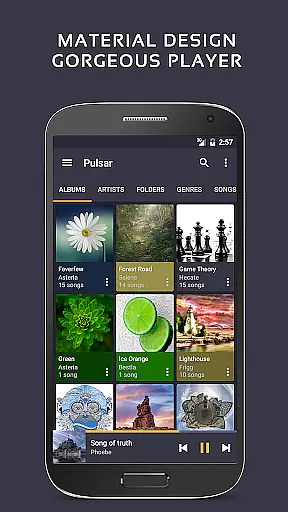
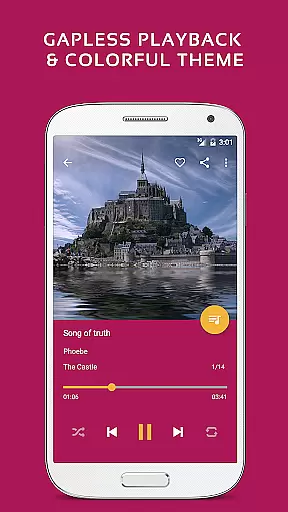
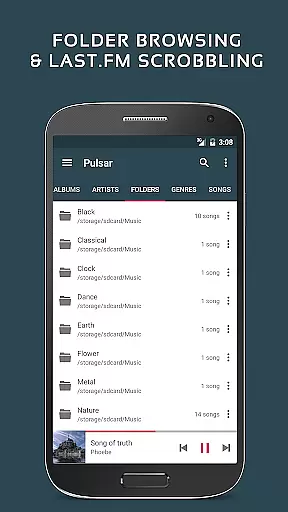
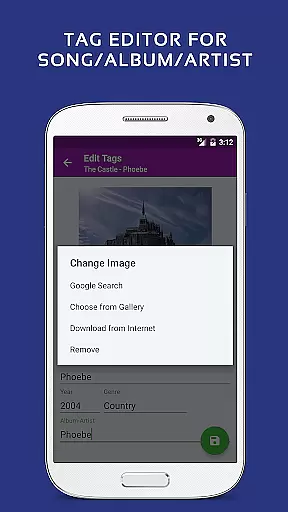
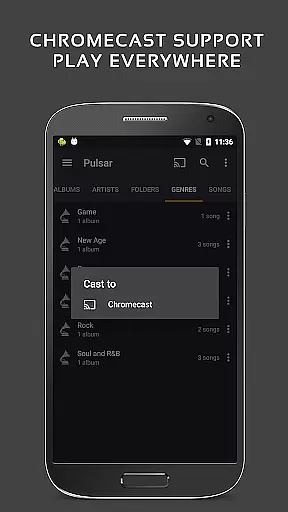
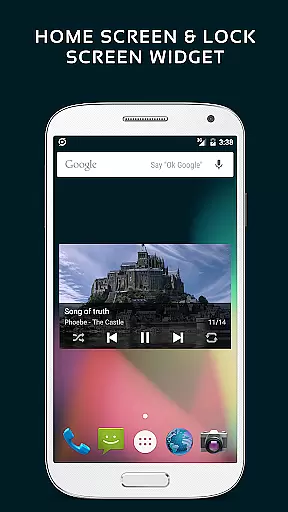
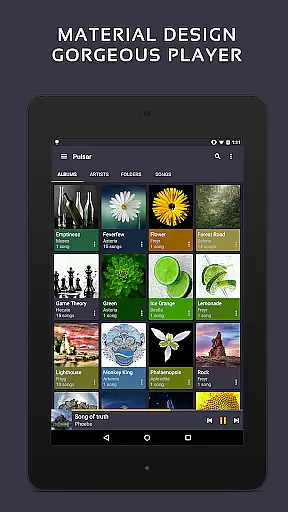
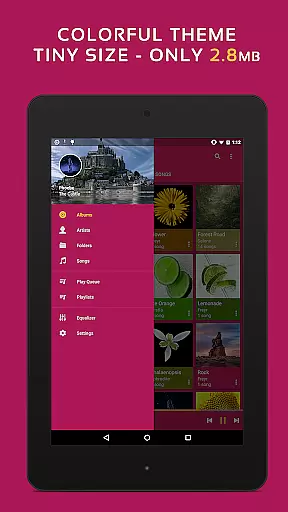
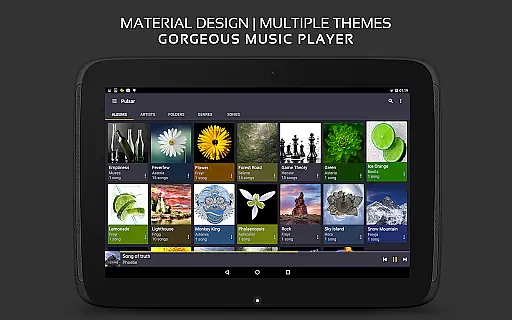
Pulsar Music Player Pro stands as a premium music application designed for Android users who appreciate high-quality audio playback without interruptions. This offline audio player boasts an ad-free experience and adheres to material design guidelines, offering a visually appealing interface. Pulsar is equipped with essential features such as gapless playback, lyrics display, crossfade, play speed adjustment, tag editing, last.fm scrobbling, Chromecast support, voice command, Android Auto compatibility, equalizer settings, music visualizer, audio balance controls, ReplayGain, and a sleep timer.
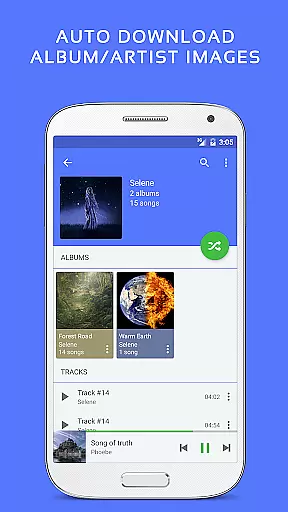
With its user-centric design, Pulsar allows music management and playback by album, artist, folder, and genre. It offers smart playlists, automatic syncing of album/artist images, fast search capabilities, and a resizable home screen widget. The Pro version further enhances the experience with additional themes, theme customization, a 5-band equalizer, pre-built equalizer presets, and advanced sound effects like bass boost and reverb.
Pulsar Music Player Pro is distinguished by its comprehensive feature set tailored for audiophiles and casual listeners alike. The app's design follows Google’s material design principles, ensuring a seamless and intuitive user experience. Its library management is robust, allowing users to organize and access their music through various categories such as albums, artists, folders, and genres. Smart playlists help users discover their most played, recently played, or newly added tracks effortlessly.
Advanced functionalities include gapless playback, crossfade support, and ReplayGain for volume normalization, which cater to those with discerning audio preferences. The built-in metadata tag editor supports multiple formats, while the lyrics display function enhances the listening experience. Integration with external services like Chromecast, Last.fm, and Android Auto extends the app's usability beyond the smartphone. Additionally, the Pro version unlocks a suite of customizable themes and a sophisticated equalizer with nine presets and sound effects, elevating the auditory experience to new heights.
Pulsar Music Player Pro boasts an extensive music library that supports a wide range of audio file formats including MP3, AAC, FLAC, OGG, and WAV. This ensures that users can enjoy their music collection without compatibility concerns.
The application takes copyright authenticity seriously by allowing users to manage and play music files they own legally. With features like built-in metadata tag editing for MP3 and other formats, users can maintain accurate information about their tracks.
Moreover, Pulsar's offline playback capability respects copyright laws by not requiring an internet connection to access owned music files. Users can be confident in the legitimacy of their music experience with this player.
With album images and artist information automatically synced, listeners are provided with a rich multimedia experience that respects both content creators and users through proper attribution and presentation.
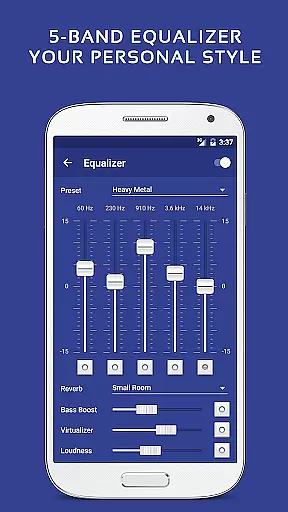
Audio quality is at the forefront of Pulsar Music Player Pro's feature set. The app includes a 5-band equalizer controller with 9 pre-built equalizer presets, allowing users to customize their listening experience according to their preferences or audio equipment specifications.
In addition to the equalizer, Pulsar offers advanced sound options such as bass boost, reverb effects, and ReplayGain volume normalization. These features ensure that all tracks play back at a consistent volume level without losing audio fidelity.
For audiophiles who demand the best sound possible, Pulsar supports gapless playback and crossfade, which are essential for maintaining audio integrity during transitions between tracks.
Furthermore, the adjustable play speed feature caters to those who wish to learn music or transcribe songs by ear, providing flexibility in how users interact with their music library while preserving original audio quality.
Ad-free experience
Gapless playback
Customizable themes
Advanced equalizer
Chromecast support
Paid version only
No cloud integration
Limited format support
Occasional bugs
High system requirements

Make music anywhere. Turn your device into an instrument.
 4.1
4.1
Music Streaming suite for Ampache, Nextcloud Music and compatible backends.
4.2
Record, Mix & Master with all n-Track effects, 64-bit audio and Stem Separation.
4.70
The alternative folder based music player.
4.20
Learn to play the piano using falling notes!
3.80
Learn the notes on the guitar fretboard fast with this easy and fun app
4.60
Manage your Sonos system directly from your home-screen!
4.40
Sing, record, and create music together — enhanced by smart voice tools.
4.00
Travel To The Music Universe
3.40
Offline Music Player & MP3 Player.Powerful equalizer, Lyrics, Themes, Tag Editor
4.80
Your song collections with lyrics and chords on Android smartphones and tablets.
4.80
Pay Once, no monthly payment
4.60
The best music and audio player, with beautiful UI, music search and equalizer.
4.60
Bass Booster & Volume Equalizer Pro improves your music and video sound quality
4.60
Let your Android device with the sound effects you want
4.50
Learn and play 2M+ music tabs & chords on guitar, ukulele, bass, and more
4.30
Master Salsa Rhythm quickly and with a lot of fun!
4.30
A sleek, no-frills player designed for true music lovers.
4.20
The iconic iOS metronome app is now on Android.
3.70


User Reviews