
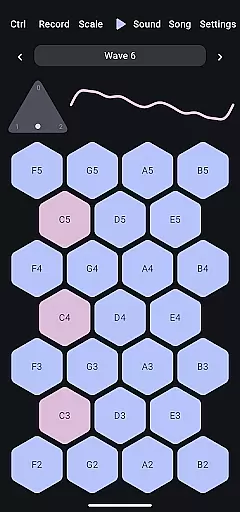
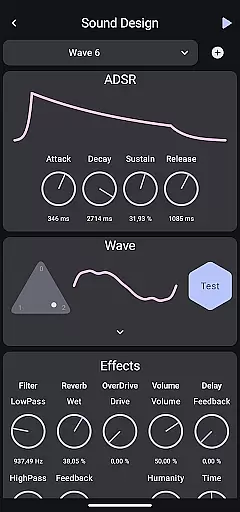
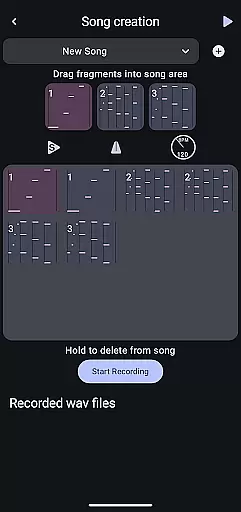
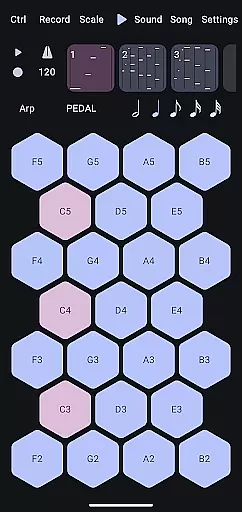
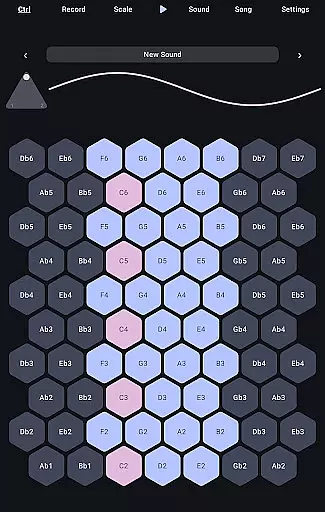
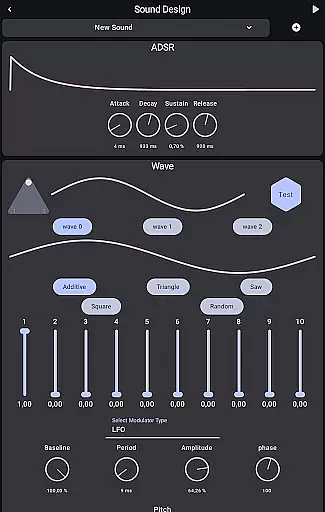
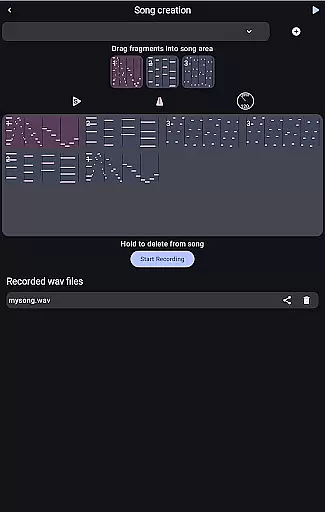
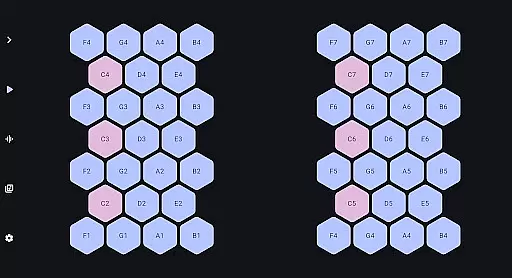
Wave 6 is a cutting-edge wavetable and additive synthesizer designed to transform your mobile device into a versatile musical instrument. This app allows musicians and hobbyists alike to create, record, and perform music on the go. With its ability to mix and morph between three customizable waveforms, Wave 6 empowers users to craft dynamic and organic sounds ranging from smooth ambient tones to bold electronic leads.
The app's intuitive interface makes it easy to compose songs, design unique textures, and even collaborate with friends in real-time. Whether you're an experienced producer or just starting out, Wave 6 provides all the tools necessary for unleashing your creativity and making music that moves with you.
Wave 6 stands out with its powerful wavetable and additive synthesis capabilities. The app offers three fully customizable waveforms that can be mixed and morphed to create complex, evolving sounds. These features allow users to produce both subtle ambient textures and striking electronic leads, catering to a wide range of musical styles and preferences.
In addition to its core synthesis engine, Wave 6 includes comprehensive recording and performance tools. Users can compose multi-track songs, experiment with various sound designs, and engage in live jam sessions with friends. The app's user-friendly interface ensures that all these advanced features are accessible to musicians of all skill levels, providing endless possibilities for creative expression.
Wave 6 offers a versatile music creation platform with an extensive library of customizable waves. This ensures users have access to a wide range of sound options, which is crucial for creating diverse musical compositions.
The app provides three customizable waves that can be mixed and morphed to create unique sounds. These features are developed in compliance with copyright laws, ensuring all audio components are original and legally usable by the creators.
With its rich library, Wave 6 empowers musicians to design everything from ambient tones to electronic leads without worrying about infringing on existing music copyrights. This makes it an ideal tool for both amateur and professional music producers.
Audio quality is at the heart of Wave 6's design philosophy. The app delivers high-quality sound output through advanced wavetable and additive synthesis techniques, ensuring every note is crisp and clear.
Users can adjust various parameters to refine their sound output, allowing for precise control over the final audio quality. This flexibility enables musicians to tailor their creations to meet specific audio standards or personal preferences.
Whether performing live or recording in a studio setting, Wave 6's superior audio quality options ensure that musicians can produce professional-grade music consistently. This reliability enhances the overall user experience and encourages creative exploration.
Intuitive interface
Powerful synthesis
Real-time collaboration
Versatile sound design
Accessible to beginners
Limited free features
High system requirements
No MIDI support
Few preset sounds
Occasional bugs

Your HD audio recorder on the go for music, meetings, ambience, animal sounds…
 4.30
4.30
Equalizer, Bass Booster and Volume Booster (Eq & Bass) improve sound quality
4.30
JBL PartyBox APP works with 110/310/710/120/320/520/Encore/Encore 2/Encore Ess 2
4.80
Walkout Song DJ is the most intuitive app to manage your sports music.
4.70
Advanced 10-Band Audio Graphic Equalizer Sound Booster Pro
4.30
24,000 free audio books and no ads!
4.90
The original SP-1200 experience on your iPad
4.20
Uninterrupted Tunes, Unmatched Vibes
3.90
Play your music offline without limits
4.80
Ultimate Sonos Controller
4.70
Listen to live FM radio stations, sports, music and news on global radios online
4.70
Over 100 million tracks available for high quality streaming and download
4.60
Pay Once, no monthly payment
4.60
DJ Music Mixer - DJ Remix: remix songs, make beat music & record mix of DJ.
4.40
Master Salsa Rhythm quickly and with a lot of fun!
4.30
Network/Cloud Streaming, Visualization, Graphic Equalizer and Sound Effects.
4.20
The alternative folder based music player.
4.20
A sleek, no-frills player designed for true music lovers.
4.20
Offline and always ad-free - stream in the highest quality available.
4.10


User Reviews