
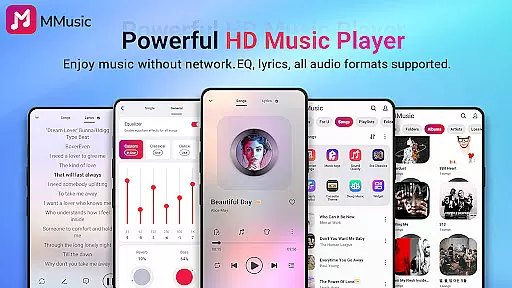
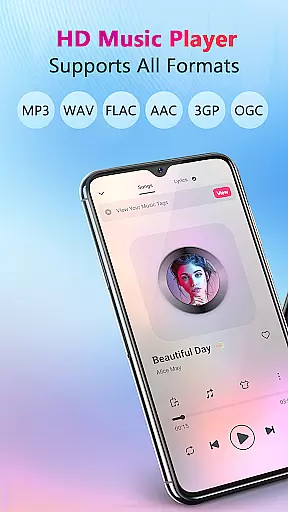
MMusic is a feature-rich offline music player designed for Android users who demand high-quality audio playback. This versatile application supports all mainstream audio formats including MP3, FLAC, WAV, and more, ensuring full compatibility with your music library. The app's advanced equalizer provides customizable sound presets, allowing users to tailor their listening experience across various music genres.
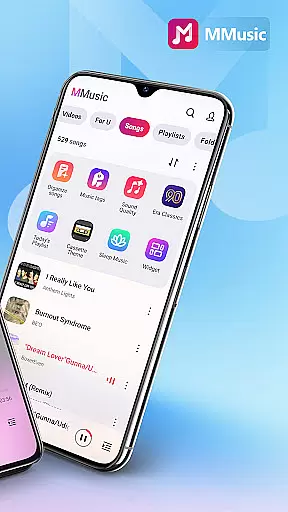
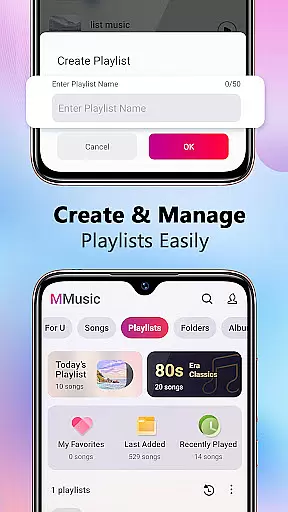
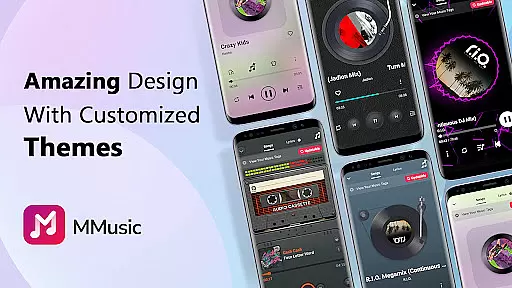
With its intuitive interface, MMusic offers multiple visual themes ranging from retro tape styles to modern minimalist designs. The intelligent music management system automatically organizes your audio files by artist, album, and folder while enabling quick playlist creation. Whether you're commuting or traveling, this offline player delivers exceptional sound quality without requiring an internet connection, making it perfect for music enthusiasts on the go.
MMusic distinguishes itself through its comprehensive feature set that caters to both casual listeners and audiophiles. The application's powerful equalizer includes specialized presets for different music styles, complemented by bass boost and reverb effects that enhance audio quality. Its deep scanning capability automatically detects and categorizes music files, maintaining an organized library with minimal user effort.
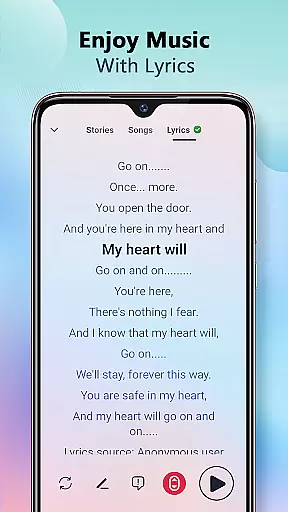
The player's offline functionality ensures uninterrupted music playback regardless of network availability. Users can enjoy synchronized lyrics display while listening, creating an immersive karaoke-like experience. Advanced playback options include shuffle, loop, and repeat modes, while smart playlists track your most played and recently played tracks. The app's elegant design extends to its practical features, including Bluetooth support and background playback, making it a complete solution for managing and enjoying your music collection.
MMusic offers an extensive music library that supports all mainstream audio formats including MP3, FLAC, WAV, MIDI, AAC, and APE. This ensures full compatibility and the best possible sound quality for every song in your collection.
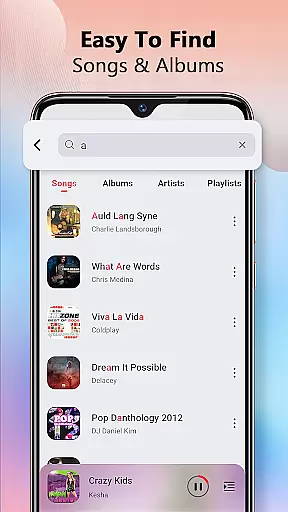
The app's deep scanning capability automatically refreshes and categorizes your music library, making it easy to manage your entire collection. With such comprehensive format support, users can enjoy an unlimited music experience without worrying about copyright restrictions or format incompatibility.
By providing high-definition sound quality and supporting various file types, MMusic guarantees that each track is presented authentically and with pristine clarity. This makes it an ideal choice for audiophiles who demand the highest standards in their listening experience.
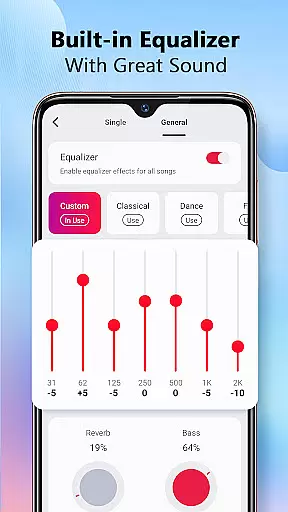
One of MMusic's standout features is its exceptional sound quality, enhanced by a robust built-in equalizer. This equalizer comes with presets for different genres like classical, dance, folk, and rock, allowing users to tailor their listening experience according to personal preferences.
With just one click, you can apply bass boosts, reverb effects, and virtualization options to elevate your music experience. These audio enhancements ensure that every note and beat is delivered with precision and depth, offering an immersive listening session every time.
Whether using Bluetooth or wired headphones, MMusic maintains top-notch audio fidelity. The app also supports background playback, ensuring uninterrupted enjoyment regardless of what other activities you might be engaged in on your device.
Full format compatibility
Advanced equalizer presets
Intelligent music sorting
Offline playback support
Stylish visual themes
Limited iOS availability
No cloud integration
Heavy storage usage
Occasional bugs
Ads in free version

Your HD audio recorder on the go for music, meetings, ambience, animal sounds…
 4.30
4.30
Pay Once, no monthly payment
4.60
DJ Music Mixer - DJ Remix: remix songs, make beat music & record mix of DJ.
4.40
Walkout Song DJ is the most intuitive app to manage your sports music.
4.70
Guzheng Master supports many playing techniques as an acoustic Guzheng
4.50
The official Sonos app
4.10
Play KORG’s revolutionary touch-based instrument on a variety of devices.
4.40
Sheet music reader, piano & music note player. Play music score & learn to read.
3.90
Responsive piano with great sounds, graphics, and songs
4.80
Voice recorder - Audio recorder. Best recorder for recording
4.90
JBL PartyBox APP works with 110/310/710/120/320/520/Encore/Encore 2/Encore Ess 2
4.80
Make songs with AI! Any genre, custom lyric, song generator for music creation!
4.80
Performance-Synthesizer & Multi-Track-Sequencer, polyphonic + multi timbral!
4.70
Listen radio AM / FM Stations. Live AM / FM Radio App Station. Radio Com.
4.70
Equalizer, Bass Booster and Volume Booster (Eq & Bass) improve sound quality
4.30
USB audio recording and playback finally possible on Android 3.1 or higher!
3.90
MilkDrop for Android TV
3.00
The Minimalistic Premium Music Player. Handmade with passion for music
2.20
Remove ads permanently from Music Visualizer
4.1


User Reviews