
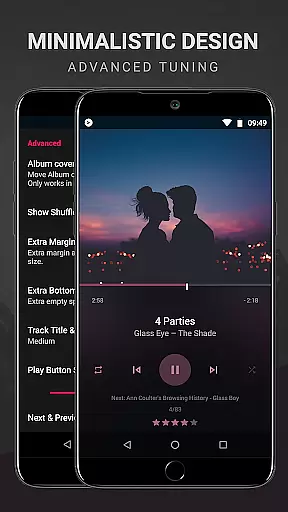
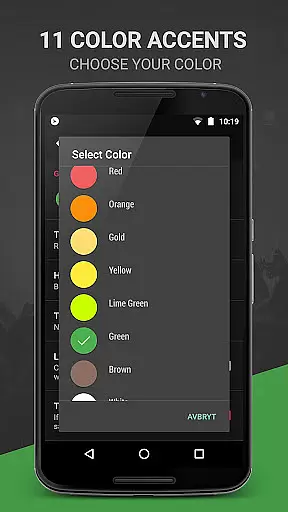
BlackPlayer EX is a premium music player designed for audiophiles who demand both quality and customization. This advanced application removes ads and offers an array of exclusive features, including light themes, Chromecast support, and customizable crossfading. With over 11 color accents and multiple now playing themes, users can tailor the interface to their personal style.
The app supports various audio formats like MP3, FLAC, and WAV while providing superior playback options such as gapless playback and a built-in equalizer. BlackPlayer EX also includes innovative functions like Zap for discovering music quickly and visualizer support for an immersive experience. Whether you're managing playlists or tracking monthly played tracks, this app delivers a comprehensive and customizable music management solution.
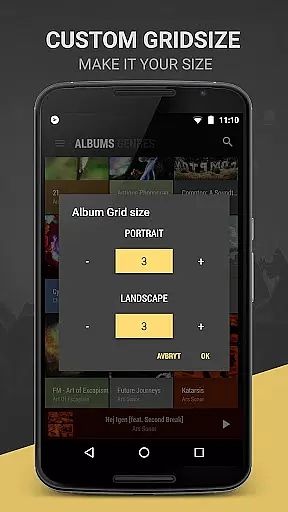
BlackPlayer EX stands out with its extensive customization options and premium features. Users can personalize their library pages by adding, removing, or sorting content. The app's ability to group music by year and composers, along with customizable grid sizes for artists and albums, provides a tailored browsing experience. Advanced functionalities like screen always-on and rotation lock enhance usability.
One of the key highlights is the visualizer feature, which allows users to customize their music experience further. The app also supports widgets and notifications customization, giving users control over their music interface. With additional text animations, transition effects, and the option to manually set artist images, BlackPlayer EX ensures a unique and engaging music experience. Its continuous updates and developer support guarantee that users receive new features and improvements regularly.
BlackPlayer EX offers an extensive music library that supports various formats including MP3, FLAC, and WAV, ensuring users have access to high-quality audio. The application focuses on copyright authenticity by allowing users to play locally stored music files, thus respecting the legal rights of artists and creators.
The customization options within BlackPlayer EX extend to its library management features, enabling users to group music by year and composers, add or remove library pages, and sort their collection according to personal preferences. This level of personalization ensures that users can tailor their music library to reflect their unique tastes while maintaining proper organization.
With the ability to manually search and set artist images, as well as blacklist folders and tracks, users are empowered to manage their music collection with precision. These features not only enhance the user's experience but also reinforce the app's commitment to providing a personalized yet respectful approach to music playback.
Furthermore, BlackPlayer EX provides advanced functionalities such as tracking played tracks monthly instead of weekly and offering a 'Zap' feature that lets users discover music quickly by playing random tracks for five seconds each. Such innovations ensure that users enjoy both depth and breadth in their music exploration while upholding the integrity of content usage.
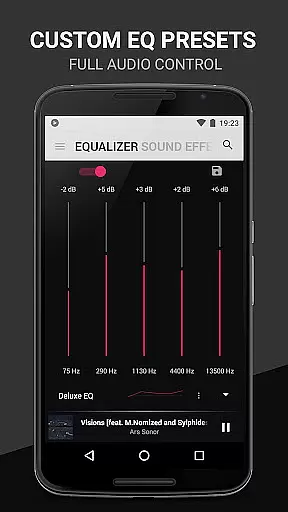
Audio quality is paramount in BlackPlayer EX, which includes a built-in equalizer, bass boost, virtualizer, and left/right sound balance to deliver an immersive listening experience. Users can fine-tune these settings to match their audio preferences, ensuring that every track sounds as close to the original recording as possible.
In addition to standard audio controls, BlackPlayer EX introduces gapless playback, a feature cherished by audiophiles who demand seamless transitions between tracks. This function eliminates any silence or disruption during song changes, preserving the intended flow of albums and playlists without interruptions.
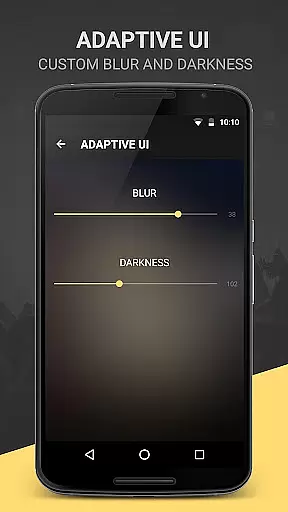
For those seeking further refinement, BlackPlayer EX allows customization of notification text color and background, enhancing the visual aspect of audio control widgets. With additional options like blur effects for lock screens or widgets and two extra text animations, users can create an interface that complements their auditory journey while maintaining focus on superior sound reproduction.
The inclusion of beta features such as a customizable visualizer underscores BlackPlayer EX's dedication to pushing boundaries in audio quality. By continuously updating and refining its offerings, this premium music player remains at the forefront of delivering exceptional sound fidelity alongside innovative user experiences.
Highly customizable
Ad-free experience
Chromecast support
Gapless playback
Regular updates
Paid version only
No cloud integration
Limited social features
Advanced settings may overwhelm
Beta features unstable

Control your MIDI USB or Bluetooth devices in app and avoid some trampling
 3.30
3.30
Taal player that lets you sing any Indian & Western song with Tabla & Tanpura
4.60
A High-Precision Audio Spectrum Analysis App
4.20
24,000 free audio books and no ads!
4.90
The official Sonos app
4.10
Learn the notes on the guitar fretboard fast with this easy and fun app
4.60
PowerAudio is a powerful offline music player.
4.20
Full featured mp3 and audio player with Chromecast and Android Auto support.
4.40
Offline Tunes, Unlimited Vibes
3.90
Voice recorder - Audio recorder. Best recorder for recording
4.90
Play your hearts out on TouchTunes jukeboxes & connect with fellow music lovers.
4.80 4.70
4.70
Simple & Intuitive Metronome
4.70
Fun & Easy Voice Changer – Record, Edit & Add Hilarious Effects!
4.50
Formerly known as Spotistats! View your top tracks, artists, albums and more!
4.40
Ringtone Maker is free app create ringtone from music files or your recording.
4.40
A sleek, no-frills player designed for true music lovers.
4.20
Sheet music reader, piano & music note player. Play music score & learn to read.
3.90
Simply convert wav to mp3. Clear. Reliable. Safe.
4.4


User Reviews