
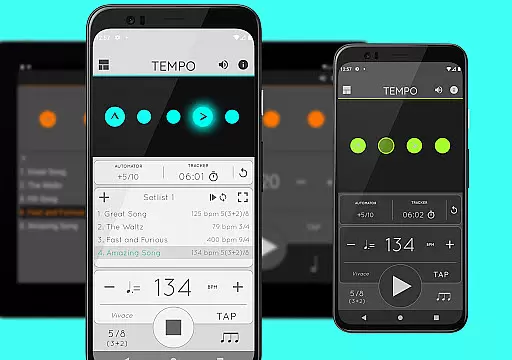
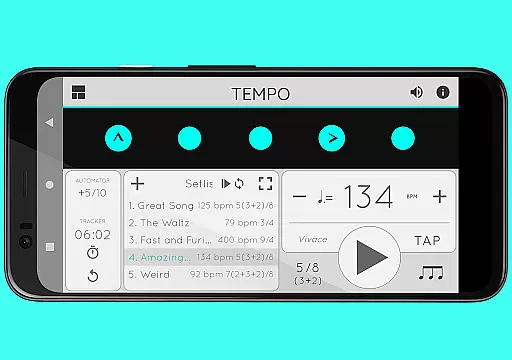
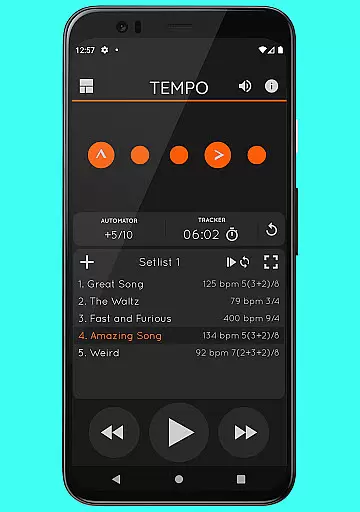
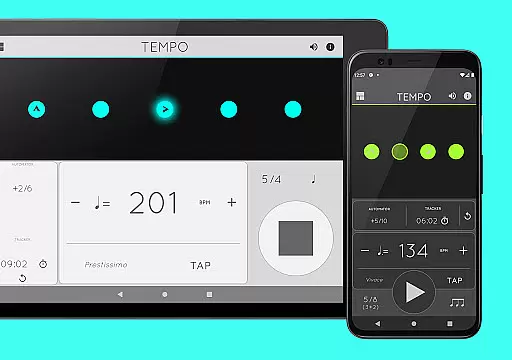
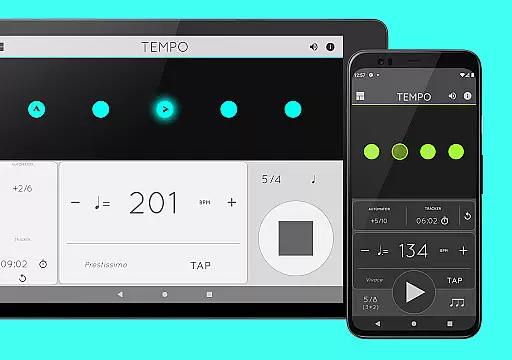
Tempo is a premier mobile metronome app designed for performing artists, teachers, students, and even athletes. It offers high accuracy and stability with an attractive single-screen interface. The app allows users to customize beats through intuitive LED buttons, save configurations as songs in setlists, and share them with others. Its innovative design morphs between five modes—Basic, Preset, Setlist, Practice, and Gig—each optimized for specific tasks.
Whether you're preparing for a gig, conducting a lesson, or training for a sport, Tempo provides the tools you need. With features like tap tempo, visual feedback through pulsating LEDs, and compatibility with iOS devices, it ensures a seamless experience across different platforms. This makes Tempo not just a metronome but a comprehensive tool for rhythm management in various professional and personal scenarios.
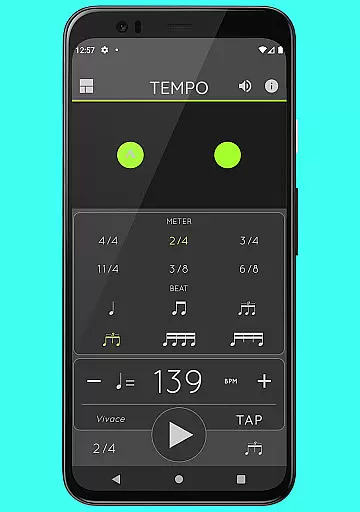
Tempo boasts a rich set of features that cater to both basic and advanced metronome needs. The app supports 30 different time signatures and various rhythm patterns for simple and compound meters, allowing users to create complex rhythms by customizing accents or turning beats off. A tap tempo function and tempo range from 10 to 400 ensure precision and flexibility.
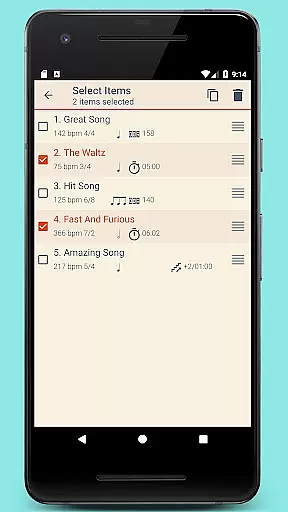
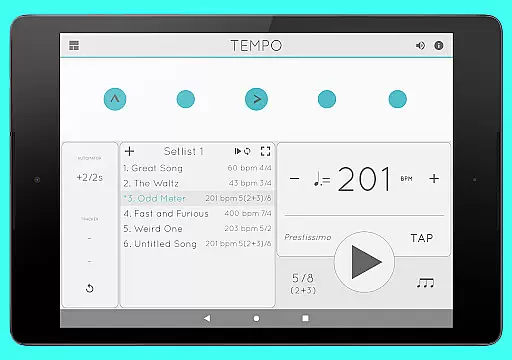
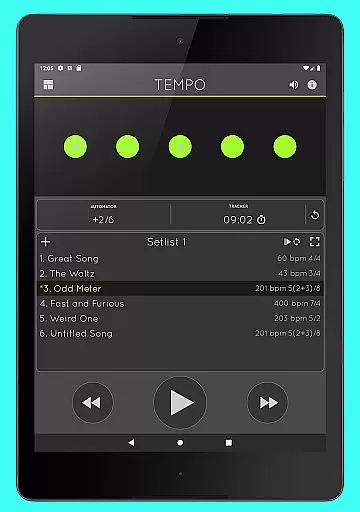
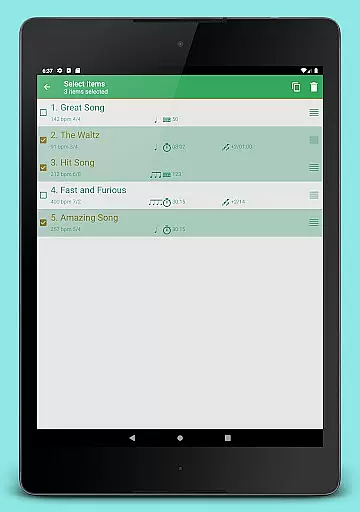
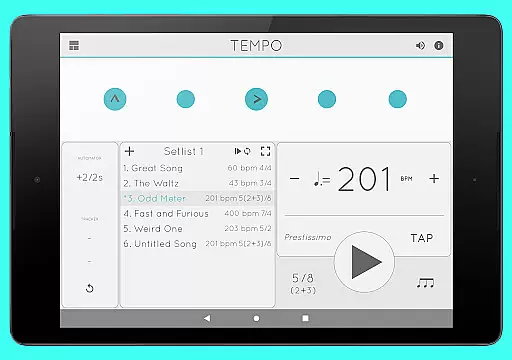
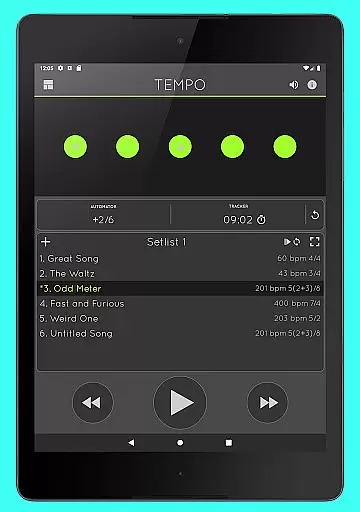
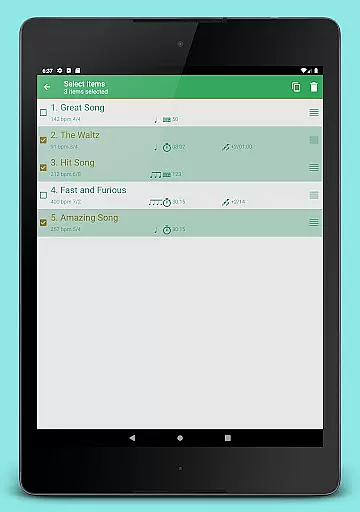
Setlist management is another highlight, enabling users to store presets in multiple setlists with advanced options like search, overwriting, copying, and multi-deletion. Quick editing and sharing via email are also supported. Additionally, Tempo includes tracker and automator functionalities for timing practices and automatically adjusting tempos. With 12 sound sets, volume control, and multitasking support, Tempo delivers a versatile audio experience while maintaining usability and performance.
When it comes to music and audio applications, the size and authenticity of the music library are crucial factors. Tempo offers an impressive collection of 30 different time signatures, ranging from simple meters like 1-13/2 and 1-13/4 to compound meters such as 3/8, 6/8, 9/8, and 12/8. This extensive library allows users to explore a wide variety of musical styles and tempos.
Moreover, the app provides six rhythm patterns for simple meters and three for compound meters, ensuring that users can find the perfect beat for their practice or performance needs. The ability to customize accents or turn beats off adds another layer of complexity, enabling musicians to create intricate rhythms tailored to their specific requirements.
The inclusion of a tap tempo function and tempo ranges from 10 to 400 further enhances the versatility of this music library. Whether you're a student practicing scales, a teacher conducting lessons, or a professional preparing for a gig, Tempo's comprehensive library ensures that all your musical needs are met with precision and authenticity.
Audio quality is paramount in any music application, and Tempo excels in providing users with top-notch sound options. With 12 distinct sound sets available, including one specifically optimized for live drumming click tracks, users can select the perfect audio accompaniment for their practice sessions or performances.
In addition to the diverse sound set options, Tempo also offers volume control, allowing users to adjust the audio levels to suit their environment. Whether you're in a quiet practice room or a noisy venue, you can ensure that the metronome's sound remains clear and audible.
Furthermore, Tempo supports multi-tasking, meaning playback continues even when the app is running in the background. This feature is particularly useful for musicians who need to switch between apps or perform other tasks on their device without interrupting their practice flow. Combined with visual feedback in the form of pulsating LEDs, Tempo delivers a robust and reliable audio experience that meets the demands of both amateur and professional musicians alike.
User-friendly interface
Highly customizable
Accurate tempo tracking
Versatile rhythm creation
Cross-platform compatibility
Limited free features
Occasional bugs
Advanced options may overwhelm beginners
Subscription cost
Complex UI for new users

SqueezePlayer turns your Android phone or tablet into a SqueezeBox on its own!
 4.60
4.60
Time Guru will strengthen your internal sense of musical time via random muting.
4.30
Equalizer, Bass Booster and Volume Booster (Eq & Bass) improve sound quality
4.30
Make music anywhere. Turn your device into an instrument.
4.5
Taal player that lets you sing any Indian & Western song with Tabla & Tanpura
4.60
Enhance the sound quality of your devices, listen to what you want
4.50
A High-Precision Audio Spectrum Analysis App
4.20
Listen radio AM / FM Stations. Live AM / FM Radio App Station. Radio Com.
4.70
Responsive piano with great sounds, graphics, and songs
4.80
Play your hearts out on TouchTunes jukeboxes & connect with fellow music lovers.
4.80
Brian Eno and Peter Chilvers’ acclaimed music app Bloom, radically reinvented.
4.80
Most Advanced AI Song Generator and Music Creator. Rap, Pop, Rock, Gospel & more
4.70
Over 100 million tracks available for high quality streaming and download
4.60
Bass Booster & Volume Equalizer Pro improves your music and video sound quality
4.60
Formerly known as Spotistats! View your top tracks, artists, albums and more!
4.40
The alternative folder based music player.
4.20
No wifi music app. Mp3 offline. Tuner radio, young radio music. Music downloader
4.20
PowerAudio is a powerful offline music player.
4.20
The Minimalistic Premium Music Player. Handmade with passion for music
2.20


User Reviews