
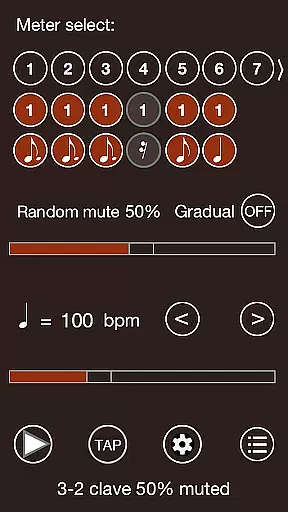
Time Guru Metronome is a sophisticated rhythm training tool designed specifically for musicians. This app stands out as the only metronome that can mute its sound randomly, in sequenced patterns, or both, helping users develop an internal sense of timing. With features like random beat muting and sequenced time signatures, it challenges musicians to maintain tempo independently, strengthening their rhythmic stability.
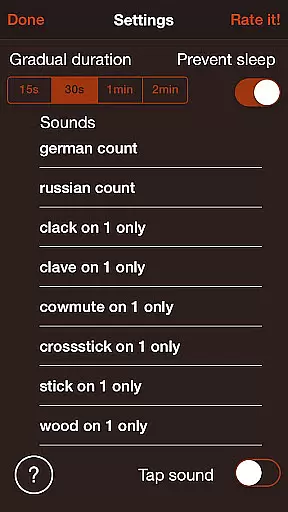
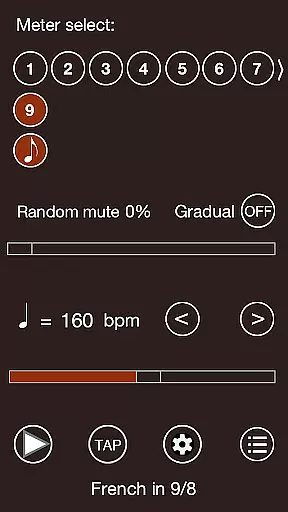
Beyond its unique muting capabilities, Time Guru offers advanced functionalities including customizable time signatures, drum-machine style patterns, and 35 distinct sound sets. The app also supports human or robot voice counting in multiple languages, making it an excellent teaching aid. Whether you're practicing complex rhythms or basic timing, Time Guru adapts to various musical needs, providing a comprehensive toolset for rhythm development.
Time Guru Metronome distinguishes itself through innovative features tailored for serious musicians. Its standout capability is the random and sequenced muting function, which periodically silences the metronome to help users strengthen their internal clock. This feature is particularly valuable when working with odd meters or complex rhythmic patterns.
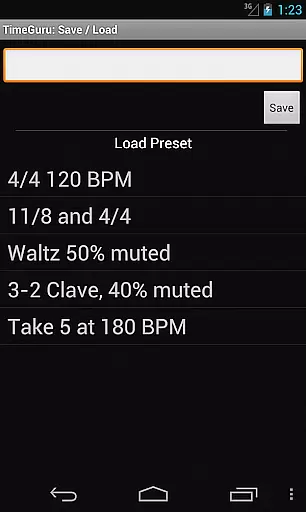
The app also enables musicians to create and save custom rhythmic patterns using different time signatures. Users can build intricate drum-machine like sequences while choosing from 35 high-quality sound sets. Additional features include tap tempo functionality (5-300 BPM), multi-language voice counting, and super-accurate timing through a customized audio engine. These professional-grade tools make Time Guru an essential practice companion for musicians at all levels.
Time Guru Metronome offers an extensive music library with 35 loud sound sets, providing a wide range of audio options for users. This vast selection ensures that musicians can find the perfect sound to match their practice or performance needs.
In addition to the variety of sounds, the app guarantees copyright authenticity, meaning all the sound sets are legally licensed and free to use without any risk of copyright infringement. This gives users peace of mind knowing they are accessing high-quality, legitimate content.
The inclusion of human or robot voice counting in multiple languages further enriches the library, making it not only a tool for practice but also for teaching. The multilingual feature supports educational purposes across different cultures and regions.
One of the standout features of Time Guru Metronome is its super accurate, rock-solid timing delivered through a customized audio engine. This ensures that every beat is precise, which is crucial for musicians who need reliable tempo tracking during practice sessions.
The app provides various audio quality options, allowing users to experience clear and consistent sound output. Whether you're playing with headphones or external speakers, the audio remains crisp and distortion-free at any volume level.
Furthermore, the ability to adjust BPM from 5 to 300 offers flexibility in audio settings, catering to both slow and fast musical pieces. This adaptability makes Time Guru suitable for a broad spectrum of musical genres and styles.
Unique muting feature
Multiple time signatures
35 quality sound sets
Multi-language support
Custom rhythmic patterns
Complex for beginners
Interface not intuitive
Limited visual feedback
No MIDI connectivity
Premium price point

Permanently backup Now Playing. Maps, filters & listening stats.
 4.00
4.00
Music Streaming suite for Ampache, Nextcloud Music and compatible backends.
4.1
Recording studio w/ 10k beats, pro vocal FX and a network of 20M rappers & fans!
4.60
Smart piano keyboard, Classical to Pop, Real-time multiplayer connection!
4.20
Offline Music Player & MP3 Player.Powerful equalizer, Lyrics, Themes, Tag Editor
4.80
PowerAudio is a powerful offline music player.
4.20
MilkDrop for Android TV
3.00
Ringtone Maker is free app create ringtone from music files or your recording.
4.40
Play your music offline without limits
4.80
Tune in to the greatest hits on UK Radio | The home of Capital, Smooth & Heart.
4.90
Performance-Synthesizer & Multi-Track-Sequencer, polyphonic + multi timbral!
4.70
Record, Mix & Master with all n-Track effects, 64-bit audio and Stem Separation.
4.70
Reverse your voice & songs instantly! Fun singing challenge with cool effects.
4.60
Your HD audio recorder on the go for music, meetings, ambience, animal sounds…
4.30
Bass Booster Pro takes auto-equalizing to the next level!
4.30
Turn your Android phone into a professional audio analyser with up to 120 bands.
4.00
Powerful beat maker & DJ mixer to remix tracks, make music, & perform DJ mix
3.70
The Minimalistic Premium Music Player. Handmade with passion for music
2.20
Remove ads permanently from Music Visualizer
4.1


User Reviews