
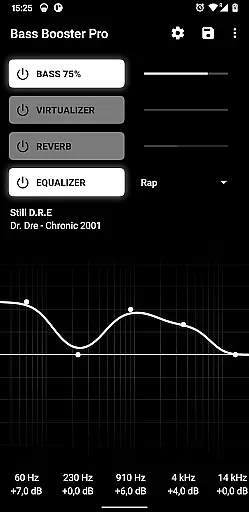
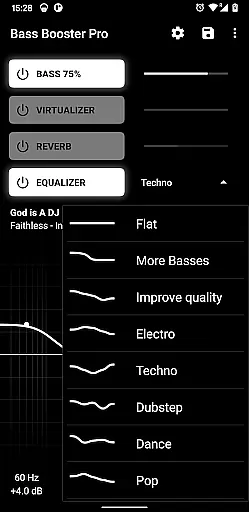
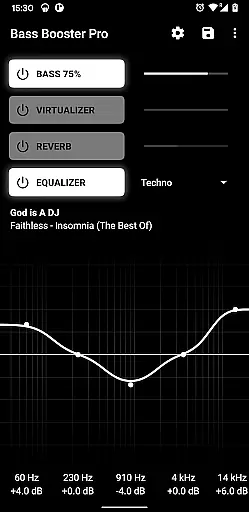
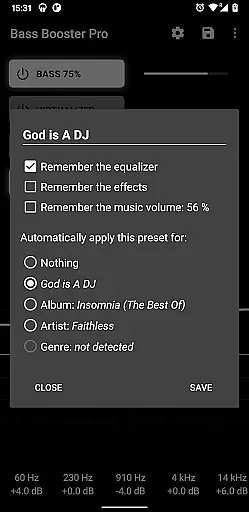
Bass Booster Pro is a powerful audio enhancement application designed for music enthusiasts who seek to elevate their listening experience. This app provides users with advanced equalizer settings, unlimited custom presets, and specialized features like automatic preset detection based on the music genre being played.
With its user-friendly interface, Bass Booster Pro allows you to create shortcuts on your homescreen for one-click access to your favorite audio settings. The app also includes a built-in visualizer, reverb effects (in beta), and supports integration with Tasker for automation enthusiasts. Whether you're enjoying rock, jazz, or electronic music, this app ensures optimal sound quality tailored to your preferences.
Ideal for audiophiles and casual listeners alike, Bass Booster Pro enhances your device's audio capabilities while offering seamless compatibility with popular media players. Its comprehensive feature set makes it an essential tool for anyone looking to get the most out of their mobile audio experience.
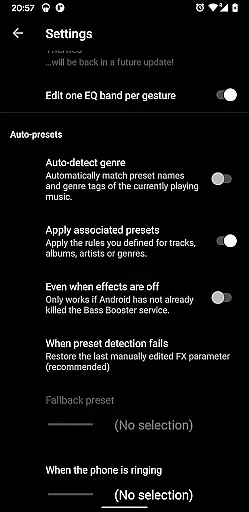
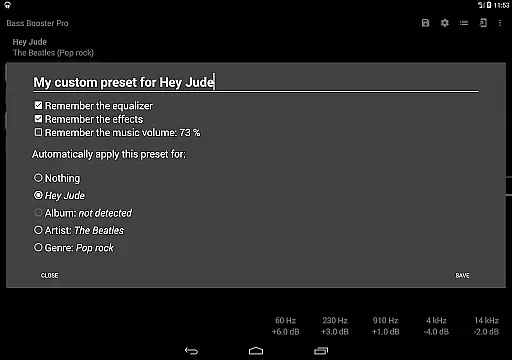
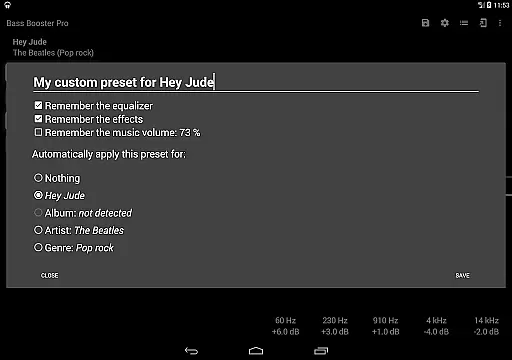
Bass Booster Pro stands out with its extensive range of professional-grade features. The app offers unlimited custom presets, allowing users to fine-tune audio settings to their exact specifications. These presets can be automatically detected and applied based on the music genre or specific tracks, thanks to the app's intelligent auto-detection system.
In addition to customizable audio profiles, the app includes a 2x1 widget for quick access to key functions directly from the home screen. Users can also create homescreen shortcuts that change audio settings instantly without opening the app. The inclusion of a music visualizer and experimental reverb effects provides an immersive auditory experience, although the latter may not work on all devices.
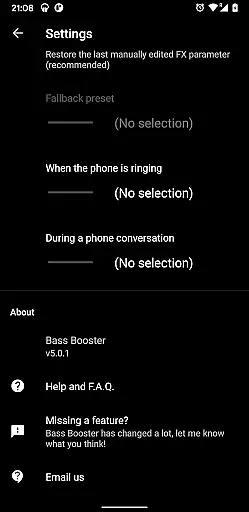
Advanced functionalities such as Tasker Plugin support and automatic profile switching during incoming calls demonstrate the app's versatility. With compatibility across various media players and support for locally stored audio files, Bass Booster Pro delivers a personalized and high-quality sound experience for every user.
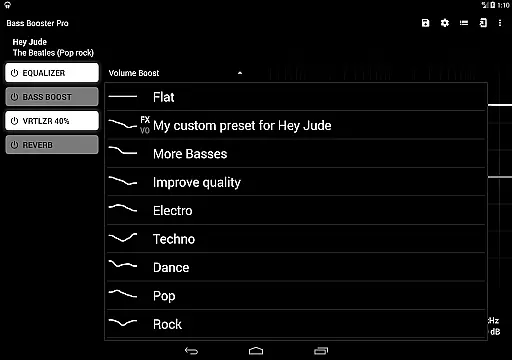
Bass Booster Pro offers an extensive music enhancement experience with over 20 built-in presets catering to various genres, ensuring users have access to a wide array of audio adjustments. These presets are crafted by experts and cover popular music categories, providing both variety and authenticity in sound modification.
The app's compatibility with numerous media players, including Google Play Music, Poweramp, and others, ensures that users can enjoy enhanced audio across different platforms. This broad integration demonstrates the app's commitment to delivering a comprehensive and legitimate music enhancement solution.
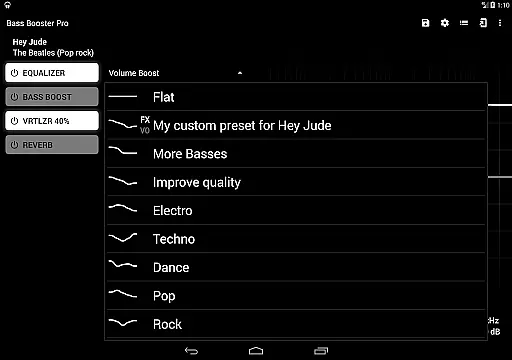
By allowing users to create unlimited custom presets, Bass Booster Pro supports personalized audio experiences tailored to individual preferences. The ability to save and switch between these presets enhances user engagement and provides a dynamic approach to music listening.
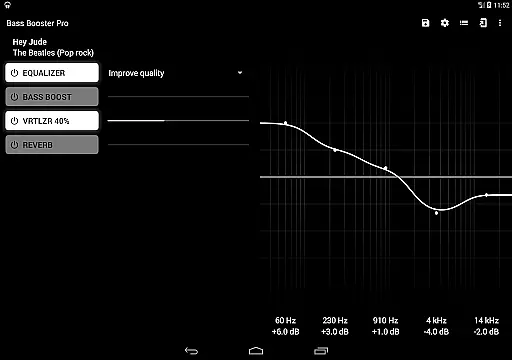
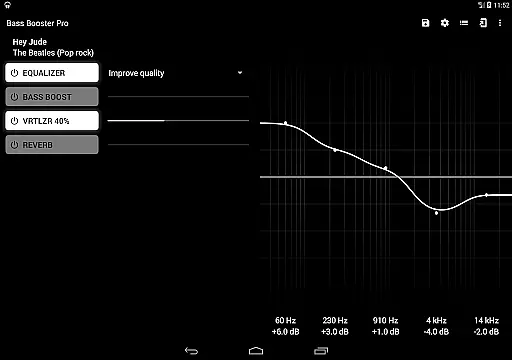
One of the standout features of Bass Booster Pro is its advanced audio quality options, which include a virtualizer, reverb effects (in beta), and a music visualizer. These tools collectively elevate the listening experience by adding depth and dimension to audio playback, making it more immersive for the user.
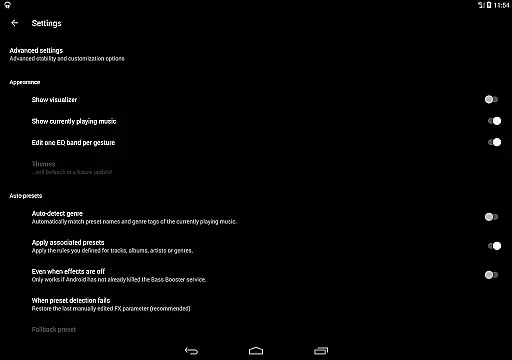
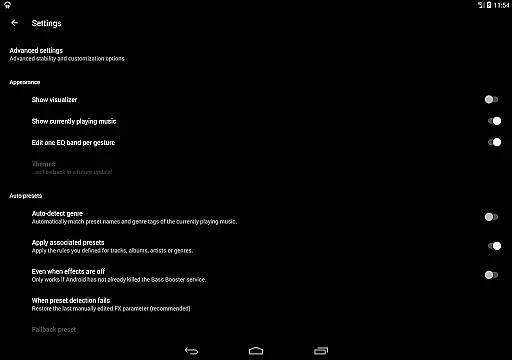
The app also includes a feature for automatic preset adjustment based on the genre of music being played. This intelligent system detects the type of audio content and applies the most suitable preset, ensuring optimal sound quality without manual intervention. Such automation showcases the app's dedication to enhancing audio fidelity effortlessly.
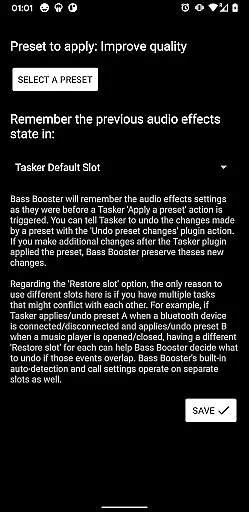
Additionally, the inclusion of a tasker plugin and homescreen shortcuts allows users to control audio settings conveniently. These features not only improve accessibility but also contribute to maintaining high-quality audio output by enabling quick adjustments, thus empowering users to manage their listening experience effectively.
Unlimited custom presets
Automatic preset detection
Tasker Plugin support
Music visualizer included
Wide player compatibility
Reverb feature in beta
Requires compatible players
No volume normalization
Paid version only
May drain battery faster

Equalizer, Bass Booster and Volume Booster (Eq & Bass) improve sound quality
 4.30
4.30
A synth that really lets you shape your sounds!
4.50
The ultimate media player for Android devices
3.90
Help you quickly get started with Shokz headphones
4.40
Let your Android device with the sound effects you want
4.50
Slow music down without changing pitch.
3.70
Learn the notes on the guitar fretboard fast with this easy and fun app
4.60
Travel To The Music Universe
3.40
One-tap booster for max volume - enjoy powerful sound with this audio booster
4.50
24,000 free audio books and no ads!
4.90
Full-featured, High-Quality Groovebox Workstation, perfect for Live Performance!
4.80
More downloads than any other metronome. Includes drum machine & tempo trainer.
4.80
SqueezePlayer turns your Android phone or tablet into a SqueezeBox on its own!
4.60
Super Sound Editor, Song Maker & Mixer, Vocal Remover, Voice Recorder & Changer!
4.60
AI Music Maker: Generate And Compose AI Tunes & AI Songs & AI Music & AI Melody!
4.60
Your HD audio recorder on the go for music, meetings, ambience, animal sounds…
4.30
A sleek, no-frills player designed for true music lovers.
4.20
Smart piano keyboard, Classical to Pop, Real-time multiplayer connection!
4.20
Offline and always ad-free - stream in the highest quality available.
4.10


User Reviews