
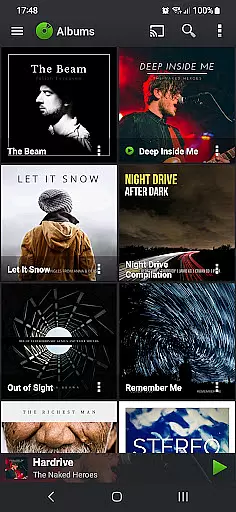
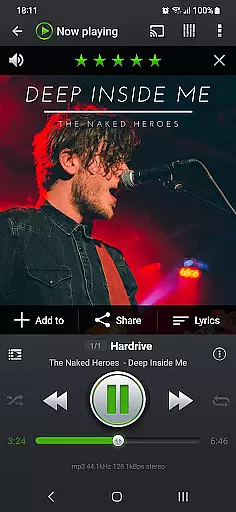
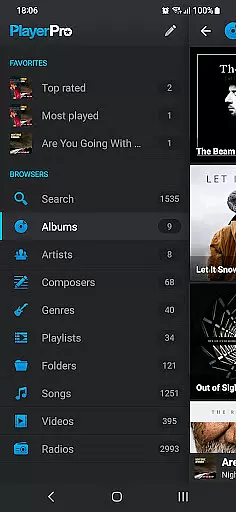
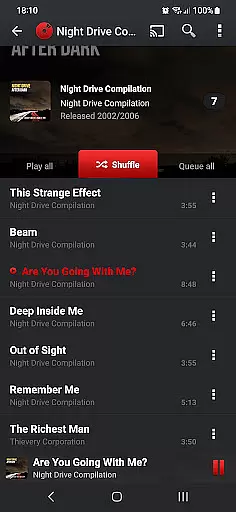
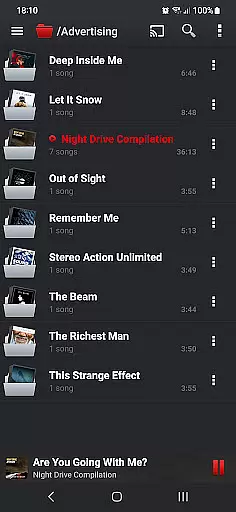
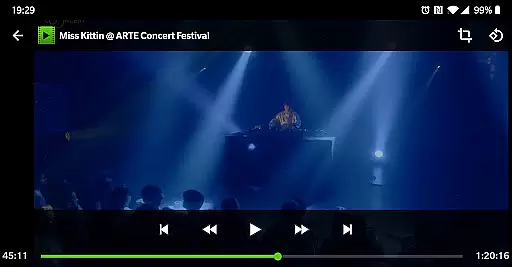
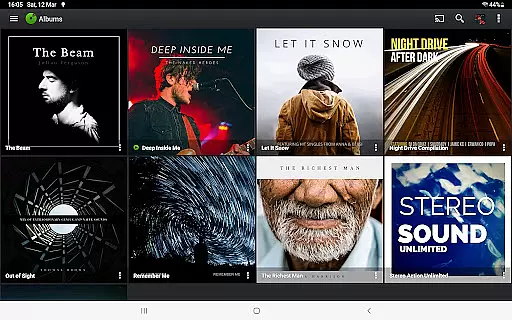
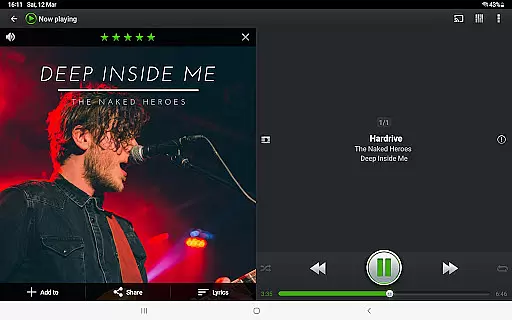
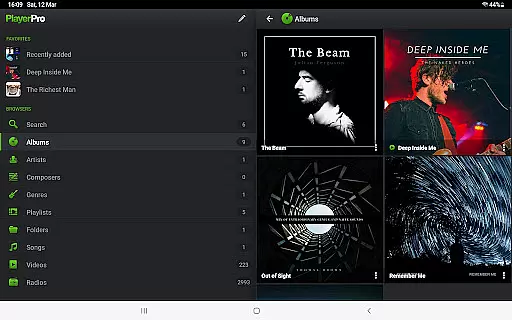
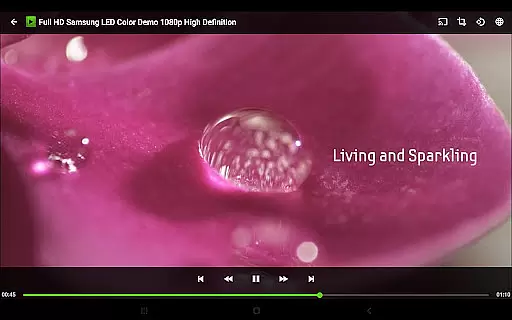
PlayerPro Music Player (Pro) is a premium music and video player for Android devices, offering an advanced audio experience with powerful customization options. The app features a sleek interface that allows users to browse and play media in multiple ways - by albums, artists, genres, playlists, folders, or songs.
One of the standout capabilities is its support for high-quality audio formats and advanced audio effects. Users can enjoy 5-band equalizers, stereo widening, and customizable DSP effects through an additional free plugin. The app also integrates with Android Auto and Chromecast, making it versatile for both driving and home entertainment setups.
This application is ideal for audiophiles who want complete control over their music library while enjoying visually appealing album artwork and artist information. Its comprehensive feature set makes it valuable for those seeking a professional-grade music management solution on their mobile device.
PlayerPro Music Player (Pro) stands out with its extensive feature set tailored for music enthusiasts. The app supports all major audio formats including MP3, FLAC, and WAV, while providing advanced ID3 tag editing capabilities for organizing music libraries efficiently.
Users can personalize their experience through various means - from choosing between grid or list views, installing custom skins, to configuring lock screen widgets with unique options like volume button controls and swipe gestures. The app also offers five different home screen widgets, each highly customizable with six skin choices and display preferences.
The inclusion of professional-grade audio effects sets this app apart from competitors. With the free DSP pack, users gain access to 10-band equalizers, pre-amp controls, and gapless playback. Additional notable features include smart playlist creation, Google Drive backup, scrobbler support, and integration with voice assistants, making it a comprehensive solution for managing and enjoying digital music collections.
PlayerPro Music Player (Pro) offers an extensive music library that supports all major audio formats including Mp3, Mp4, Ogg Vorbis, Flac, Wav, Aif, Dsf, Wma, Opus, and Speex. This ensures users can access their entire music collection without compatibility issues.
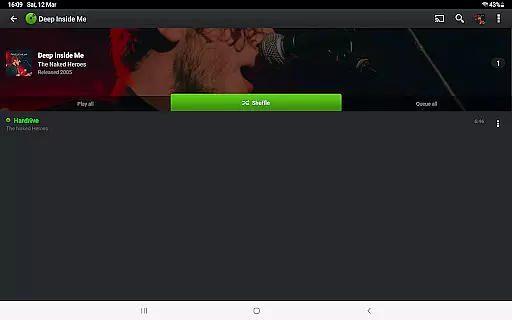
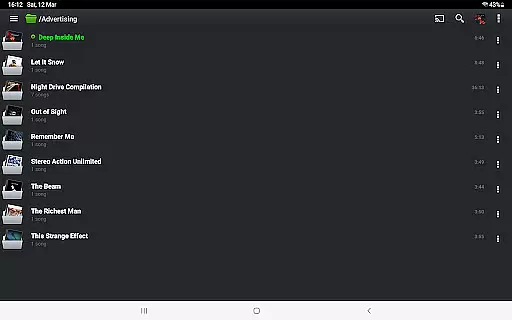
The app allows browsing and playing music in multiple ways such as by albums, artists, genres, playlists, folders, or individual songs. This comprehensive organization makes it easy for users to manage large music libraries efficiently.
In terms of copyright authenticity, PlayerPro respects ID3 tags and embedded artwork, ensuring that metadata from original music files is preserved and displayed accurately. Users can also edit these tags in single or batch mode, supporting up to 15 different tag fields.
With the ability to stream music to Chromecast Audio compatible devices and import/export music history and ratings from desktop players, PlayerPro provides a versatile solution for managing and enjoying legally purchased music collections.
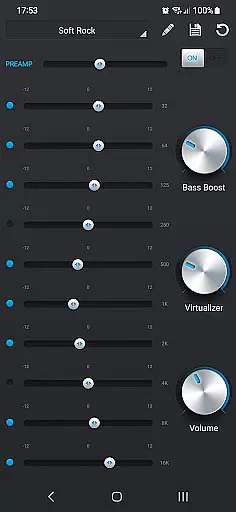
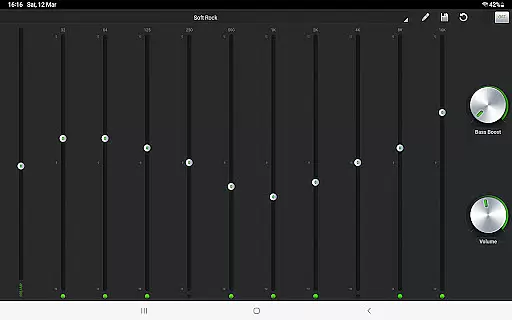
One of PlayerPro's standout features is its advanced audio configuration options. The app includes a default 5-band graphic equalizer with 15 presets, stereo widening effect, reverb effects, bass boost, and volume control, allowing users to customize their listening experience.
For audiophiles seeking even higher quality, PlayerPro offers a free DSP plugin that supports High-Res audio up to 32-bit/384kHz. This professional-grade plugin includes a 10-band equalizer with 20 presets, Pre-Amp control, bass boost, and stereo widening controls.
The app maintains gapless playback and offers manual/auto crossfade options, ensuring smooth transitions between tracks. The Replay Gain feature normalizes playback volume across different recordings, while the Audio Limiter prevents distortion at high volumes.
These sophisticated audio quality options make PlayerPro an excellent choice for users who demand the best possible sound quality from their digital music collection, whether they're listening through standard headphones or high-end audio equipment.
Advanced audio configuration
Customizable user interface
Comprehensive file format support
Professional DSP effects
Android Auto integration
Complex for beginners
High resource usage
Paid application
No cloud streaming
Limited video features

Gorgeous UI, Powerful music Search and Equalizer, the great choice for you!
 4.70
4.70
VB-AUDIO Software / VBAN-Receptor allows listening to any VBAN Streams
4.10
The alternative folder based music player.
4.20
Unleash your creativity! Turn simple prompts into full fledged songs.
4.70
A sleek, no-frills player designed for true music lovers.
4.20
No wifi music app. Mp3 offline. Tuner radio, young radio music. Music downloader
4.20
Sheet music reader, piano & music note player. Play music score & learn to read.
3.90
Get alarms that fit your lifestyle and wake up to the sounds you love.
4.80
Customize Your Favorite Songs and Videos with booster.
4.70
24,000 free audio books and no ads!
4.90
Offline Music Player & MP3 Player.Powerful equalizer, Lyrics, Themes, Tag Editor
4.80 4.70
4.70
Pay Once, no monthly payment
4.60
Formerly known as Spotistats! View your top tracks, artists, albums and more!
4.40
Play KORG’s revolutionary touch-based instrument on a variety of devices.
4.40
Ringtone Maker is free app create ringtone from music files or your recording.
4.40
Powerful 10-Band equalizer pro with sound booster improves Android audio quality
4.30
PowerAudio is a powerful offline music player.
4.20
Turn your phone into a musical instrument from the future!
3.90


User Reviews