
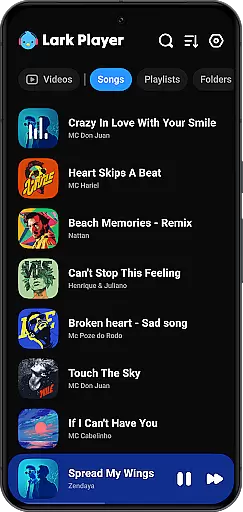
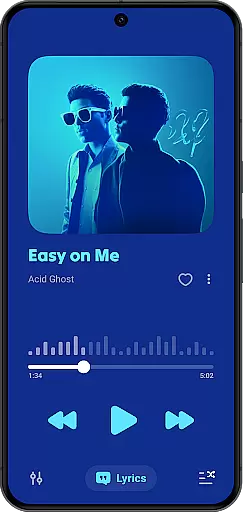
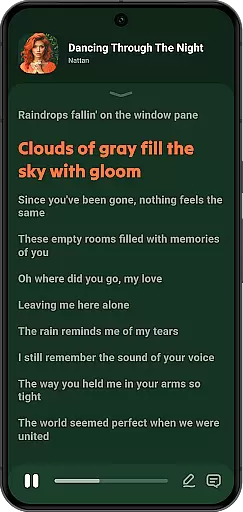
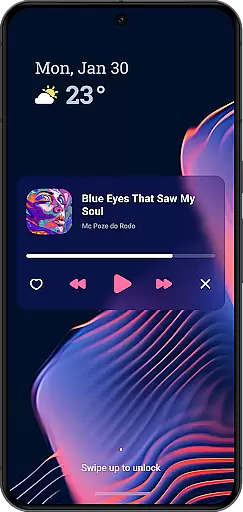
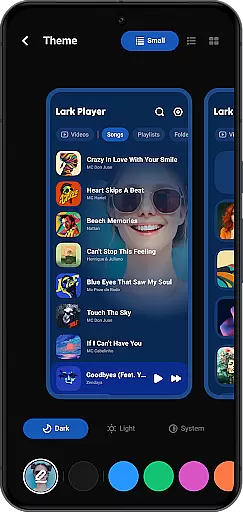
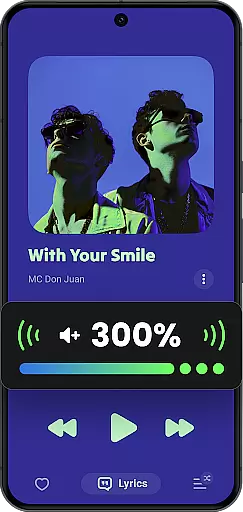
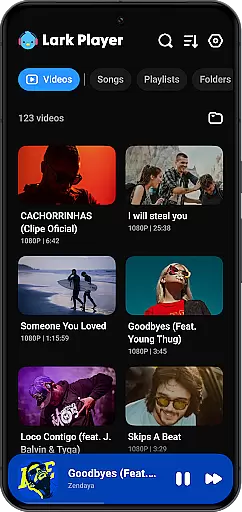
Lark Player is a versatile offline music and video player for Android, supporting all major audio and video formats. This free app features a powerful equalizer, customizable sound effects, and an intuitive user interface.
Users can manage files directly on their device, create playlists, and enjoy synchronized lyrics with their music. The floating player allows for multitasking while enjoying media, making it ideal for those who want to use their phone for other tasks without interrupting playback.
With over 100 million users worldwide, Lark Player offers a high-quality offline media experience, including support for various audio formats like MP3, WAV, and FLAC, as well as video formats such as MP4 and MKV.
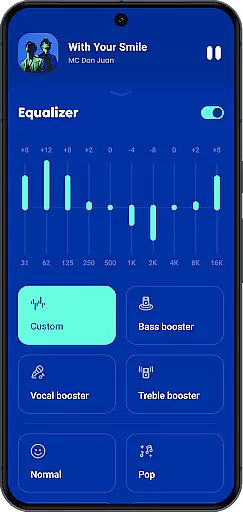
Lark Player stands out with its comprehensive feature set tailored for audiophiles and casual listeners alike. The app includes preset modes for different music genres, allowing users to customize their listening experience with ease.
Beyond basic playback, Lark Player supports advanced functionalities such as creating and managing playlists, setting sleep timers, and playing music in the background. Its ability to match lyrics with offline songs enhances the overall experience, letting users sing along to their favorite tracks.
The app's file management capabilities enable users to browse music by song, artist, album, or genre. Additionally, the floating video feature allows for adjustable window sizes, perfect for multitasking while enjoying media content.
Lark Player offers an extensive music library that supports all major audio formats including MP3, MIDI, WAV, FLAC, AC3, AAC, M4A, and ACC. This ensures users have the flexibility to play their music files without worrying about format compatibility.
While Lark Player is not a music downloader, it provides tools for managing your offline music collection effectively. You can organize your music by song, artist, album, or genre, and even create custom playlists to suit different moods or occasions.
The app's dedication to copyright authenticity is evident in its support for matching lyrics with offline songs from your device. This feature allows users to enjoy their favorite tracks with synchronized lyrics, enhancing the overall listening experience while respecting content creators' rights.
With over 100 million users worldwide, Lark Player has proven itself as a reliable platform for enjoying high-quality audio. The app's commitment to copyright compliance and its robust feature set make it a top choice for discerning music enthusiasts.
One of Lark Player's standout features is its powerful equalizer, which comes with preset modes for various music genres such as Classical, Dance, Hip-hop, Jazz, Pop, and Rock. These presets allow users to customize their sound experience and achieve optimal audio quality for different types of music.
The player also includes advanced audio enhancement features like bass boost, reverb settings, and sound field adjustments. These tools give users precise control over their listening experience, enabling them to fine-tune audio output according to their preferences and equipment capabilities.
For those who demand the best sound quality, Lark Player supports high-fidelity audio formats like FLAC and WAV. This ensures that audiophiles can enjoy their music collections in the highest possible quality, preserving the nuances and details of original recordings.
Additionally, the app offers practical features like background playback and notification bar controls, allowing users to maintain audio quality while multitasking on their devices. These thoughtful additions demonstrate Lark Player's commitment to delivering premium audio experiences across various usage scenarios.
User-friendly interface
Powerful equalizer settings
Supports multiple formats
Customizable playlists
Lyrics synchronization
No built-in music downloader
Limited social sharing options
Occasional ads in free version
Interface may feel cluttered
Advanced features need exploration

Your HD audio recorder on the go for music, meetings, ambience, animal sounds…
 4.30
4.30
Pay Once, no monthly payment
4.60
Gorgeous UI, Powerful music Search and Equalizer, the great choice for you!
4.70
DJ Music Mixer - DJ Remix: remix songs, make beat music & record mix of DJ.
4.40
Unleash your creativity! Turn simple prompts into full fledged songs.
4.70
Learn to play the piano using falling notes!
3.80
Listen radio AM / FM Stations. Live AM / FM Radio App Station. Radio Com.
4.70
Uninterrupted Tunes, Unmatched Vibes
3.90
One-tap booster for max volume - enjoy powerful sound with this audio booster
4.50
Make songs with AI! Any genre, custom lyric, song generator for music creation!
4.80
Simple & Intuitive Metronome
4.70
Bass Booster & Volume Equalizer Pro improves your music and video sound quality
4.60
Learn the notes on the guitar fretboard fast with this easy and fun app
4.60
A synth that really lets you shape your sounds!
4.50
Time Guru will strengthen your internal sense of musical time via random muting.
4.30
Time Trainer: accurate metronome w tools to help you develop your internal time!
4.20
Turn your Android phone into a professional audio analyser with up to 120 bands.
4.00
USB audio recording and playback finally possible on Android 3.1 or higher!
3.90
Sheet music reader, piano & music note player. Play music score & learn to read.
3.90


User Reviews