
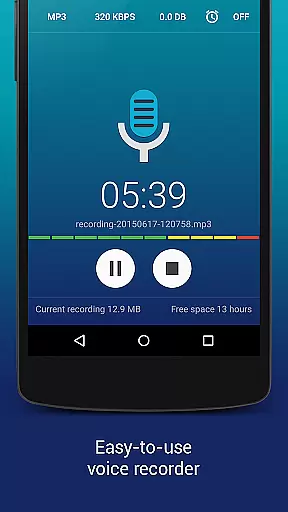
Hi-Q MP3 Voice Recorder (Pro) is a premier audio recording application designed for users who demand high-quality sound capture on their mobile devices. This app stands out with its professional-grade features, including 44 kHz audio sampling and customizable recording settings that cater to both casual and advanced users.
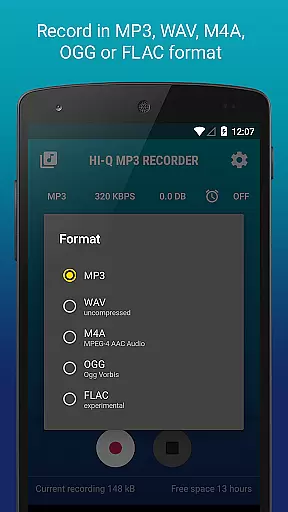
The application supports multiple formats such as MP3, WAV, OGG, M4A, and FLAC, ensuring compatibility across various platforms. Its intuitive interface allows users to effortlessly record anything from personal voice notes to live concerts. With dedicated functionalities like Discretion Mode, Gain Control, and Wi-Fi Transfer, Hi-Q MP3 Voice Recorder (Pro) delivers an exceptional recording experience tailored to diverse needs.
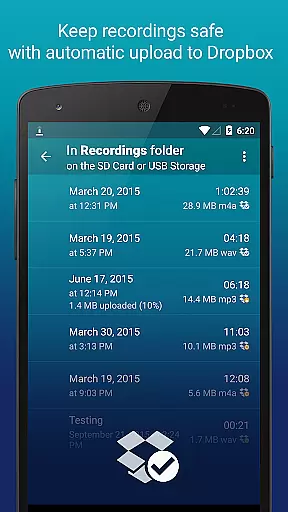
Whether you're a student capturing lectures, a musician recording demos, or a professional managing meeting notes, this app provides the tools necessary to produce clear and reliable audio files. The automatic cloud upload feature ensures your recordings are safely stored on Google Drive or Dropbox, offering peace of mind and easy access.
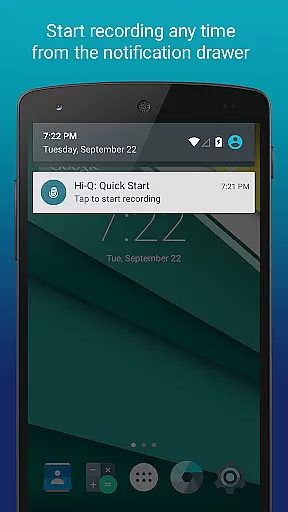
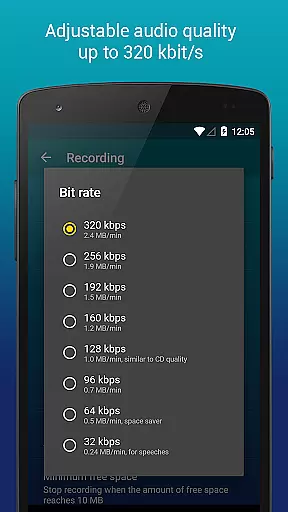
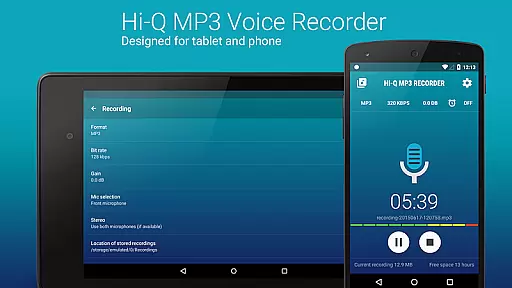
Hi-Q MP3 Voice Recorder (Pro) boasts an impressive array of features that enhance the recording process. One standout capability is the Discretion Mode, allowing users to subtly start recordings without drawing attention. Additionally, the app offers high bitrate options up to 320 kbps, ensuring superior audio fidelity for every recording session.
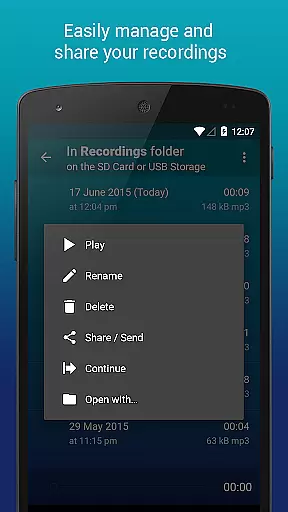
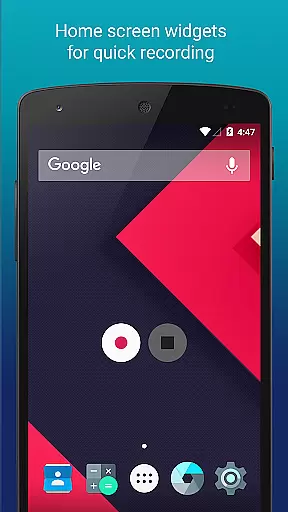
For added convenience, Home Screen Widgets enable quick access to recording controls directly from the device's home screen. Users can also benefit from automatic uploads to cloud services like Google Drive and Dropbox, which helps manage storage space efficiently. The app's Clip Management system allows for easy organization, sharing, and playback speed adjustments without affecting pitch.
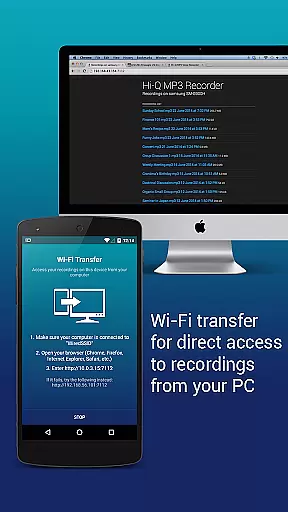
Another innovative feature is the Wi-Fi Transfer functionality, enabling wireless file transfers to computers and other devices. Moreover, the ability to control input gain levels in real-time ensures optimal recording quality in any environment. These robust features collectively make Hi-Q MP3 Voice Recorder (Pro) a versatile tool for all audio recording needs.
Hi-Q MP3 Voice Recorder (Pro) offers an extensive music library through its recording capabilities, allowing users to create and store a vast collection of audio files in various formats including MP3, WAV, OGG, M4A, and FLAC. This versatility ensures that users can record anything from personal voice notes to high-fidelity music sessions.
The app's commitment to copyright authenticity is evident in its support for multiple file formats and bit rates up to 320 kbps. By providing customizable quality settings, users can ensure their recordings are both legally compliant and of professional standard. The ability to record in lossless formats like FLAC further enhances the credibility of the content created.
With automatic upload features to cloud services such as Google Drive and Dropbox, users can safely store their recordings while maintaining proper documentation of their work. This feature not only protects intellectual property but also facilitates easy sharing and collaboration with others.
By offering advanced features like Wi-Fi transfer and input gain control, Hi-Q MP3 Voice Recorder (Pro) empowers creators to manage their audio library efficiently while ensuring all content meets industry standards for copyright and authenticity.
One of the standout features of Hi-Q MP3 Voice Recorder (Pro) is its superior audio quality options. With the ability to record in high-fidelity 44 kHz audio sampling, this app delivers crystal-clear sound that surpasses standard recording apps. Users can customize their recording experience by selecting bit rates up to 320 kbps, ensuring optimal audio clarity for every use case.
The app supports multiple audio formats including MP3, WAV, OGG, M4A, and FLAC, giving users flexibility in how they store and share their recordings. Whether capturing a live concert or a simple voice memo, these format options allow for both compressed and lossless recordings, catering to different needs and preferences.
Additionally, Hi-Q MP3 Voice Recorder (Pro) provides input selection functionality, enabling users to choose between front and back microphones based on sensitivity and clarity requirements. This feature ensures that recordings are captured with the highest possible quality, regardless of the environment or device used.
For those seeking professional-grade recordings, the app's real-time gain control allows precise adjustments to input levels, optimizing sound capture across varying noise conditions. These robust audio quality options make Hi-Q MP3 Voice Recorder (Pro) an essential tool for anyone serious about achieving exceptional sound fidelity.
High-fidelity recording
Multiple format support
Cloud integration
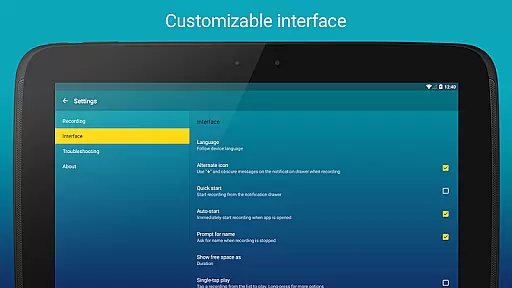
User-friendly interface
Discretion mode
No phone call recording
SD card widget limitation
Premium price tag
Complex for beginners
Limited free version

Save hundreds of dollars for a physical strobe tuner and instead use this app.
 4.50
4.50
The best music and audio player, with beautiful UI, music search and equalizer.
4.60
The alternative folder based music player.
4.20
Recording studio w/ 10k beats, pro vocal FX and a network of 20M rappers & fans!
4.60
AI Music Maker: Generate And Compose AI Tunes & AI Songs & AI Music & AI Melody!
4.60
Listen radio AM / FM Stations. Live AM / FM Radio App Station. Radio Com.
4.70
Enjoy singing any song, no matter how high or low it is
4.30
Play your music offline without limits
4.80
Melody Beat: Great for travel, workouts, offline vibes, play your tunes anytime.
4.10
Full-featured, High-Quality Groovebox Workstation, perfect for Live Performance!
4.80
Pay Once, no monthly payment
4.60
A complete sound package for the sound engineer or enthusiast
4.60
Guzheng Master supports many playing techniques as an acoustic Guzheng
4.50
Equalizer, Bass Booster and Volume Booster (Eq & Bass) improve sound quality
4.30
Permanently backup Now Playing. Maps, filters & listening stats.
4.00
The ultimate media player for Android devices
3.90
Powerful beat maker & DJ mixer to remix tracks, make music, & perform DJ mix
3.70
The Skullcandy App Experience
3.20
MilkDrop for Android TV
3.00


User Reviews