
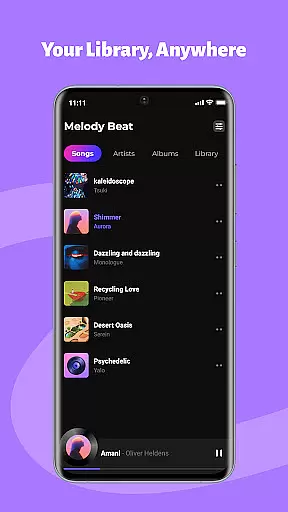
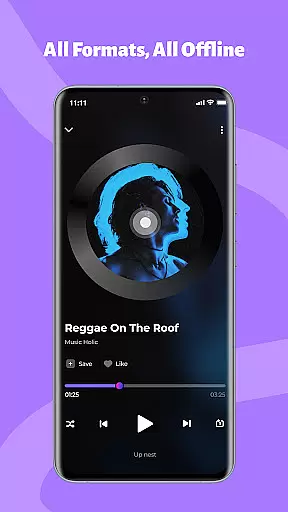
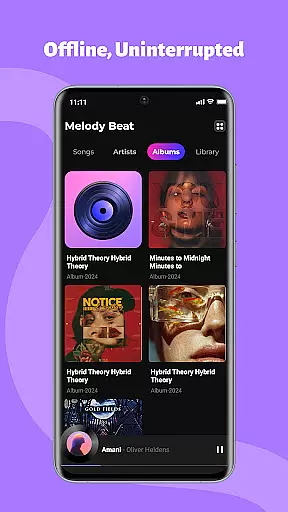
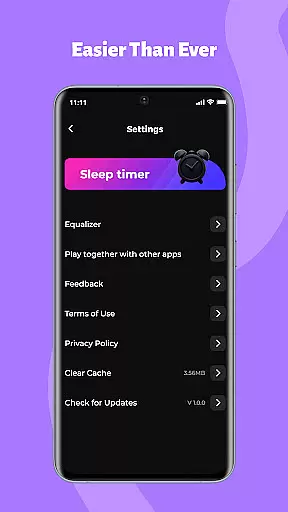
Melody Beat is a premier offline music player tailored for audiophiles who appreciate high-quality sound and seamless playback. This application supports over 30 audio formats including MP3, FLAC, and WAV without the need for conversion, ensuring lossless audio quality.
Designed with smart library management, Melody Beat automatically categorizes your music collection by artist, album, genre, or folder, making it effortless to find your favorite tracks. The inclusion of an advanced equalizer, bass boost, and virtualizer allows users to customize their listening experience across various genres like Pop, Rock, Jazz, and Classical.
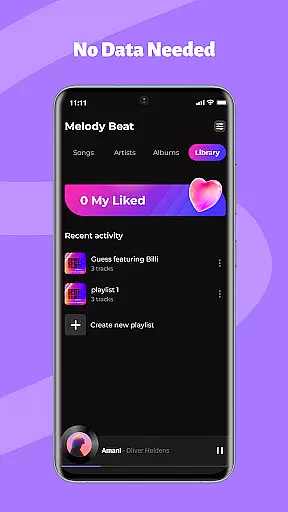
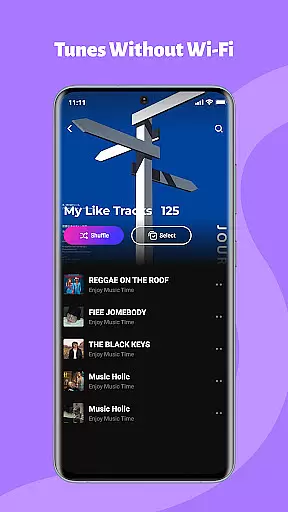
Perfect for travelers, gym enthusiasts, and daily commuters, this app provides uninterrupted music enjoyment in any scenario where internet access is limited or non-existent. With its privacy-first approach, all music files are stored locally, giving users complete control over their data.
Melody Beat stands out with its universal format support, accommodating more than 30 audio file types without compromising on quality. This ensures that users can enjoy their music collection in its original fidelity, whether they're listening to compressed MP3s or high-resolution FLAC files.
The app's smart library management system simplifies music organization. It automatically sorts audio files and includes features like quick filters and lyrics support, enhancing the user's ability to search and enjoy their music. Additionally, the professional-grade equalizer offers multiple presets and customization options, allowing users to fine-tune their audio experience according to their preferences.
Background and lockscreen playback controls make Melody Beat versatile and user-friendly. Users can manage their music directly from the notification bar or lockscreen, which is particularly useful during workouts or commutes. The app's dedication to privacy and local-only storage reassures users that their music files remain secure and private.
Music library size and copyright authenticity are crucial for any music application. Melody Beat ensures users can access a vast array of locally stored audio files, supporting over 30 formats including MP3, FLAC, WAV, and AAC without the need for conversion. This extensive format support guarantees that users can enjoy their existing music collection without worrying about compatibility or quality loss.
The app's smart library management automatically organizes music by artist, album, genre, or folder, making it effortless to search and filter through extensive collections. With lyrics support included, even without an internet connection, users can sing along to their favorite tracks. This feature highlights the app's commitment to providing a rich, immersive experience while respecting user privacy and copyright laws.
By focusing on local-only storage, Melody Beat ensures that all files remain on the user's device, reinforcing its dedication to data privacy and security. There is no cloud storage or data tracking, which means your music library is entirely under your control. This approach not only enhances user trust but also aligns with legal standards regarding digital content usage.
Audio quality options are essential for delivering an exceptional listening experience. Melody Beat offers a professional equalizer, bass boost, virtualizer, and pre-set modes tailored for various music genres such as Pop, Rock, Jazz, and Classical. These features allow users to customize their sound according to personal preferences, ensuring every track sounds as good as the artist intended.
Background and lockscreen playback further enhance the user experience by enabling control directly from the notification bar or lock screen. Whether you're working out, commuting, or simply relaxing, uninterrupted playback ensures that your music seamlessly integrates into your daily routine. The convenience of managing music playback without unlocking your device adds a layer of practicality and ease.
Melody Beat's dedication to high-quality audio extends to its offline capabilities. Perfect for travelers, gym enthusiasts, and daily commuters, the app allows pre-downloading albums and playlists, ensuring smooth playback in low-signal areas. By prioritizing audio quality and user-centric design, Melody Beat elevates the standard for offline music players, offering a premium listening experience without interruptions or buffering.
Supports 30+ formats
Smart library organization
Advanced equalizer settings
Offline playback capability
User-centric design
Limited online features
No cloud integration
Basic UI design
Few social sharing options
Heavy on storage

Fun & Easy Voice Changer – Record, Edit & Add Hilarious Effects!
 4.50
4.50 4.70
4.70
Make music anywhere. Turn your device into an instrument.
4.5
Most Advanced AI Song Generator and Music Creator. Rap, Pop, Rock, Gospel & more
4.70
JBL PartyBox APP works with 110/310/710/120/320/520/Encore/Encore 2/Encore Ess 2
4.80
Walkout Song DJ is the most intuitive app to manage your sports music.
4.70
More downloads than any other metronome. Includes drum machine & tempo trainer.
4.80
Recording studio w/ 10k beats, pro vocal FX and a network of 20M rappers & fans!
4.60
Play your music offline without limits
4.80
Responsive piano with great sounds, graphics, and songs
4.80
Simple & Intuitive Metronome
4.70
Pay Once, no monthly payment
4.60
Taal player that lets you sing any Indian & Western song with Tabla & Tanpura
4.60
Offline Music Player&MP3 Player with themes, equalizer, lyrics, music play mode
4.60
A synth that really lets you shape your sounds!
4.50
Enhance the sound quality of your devices, listen to what you want
4.50
Learn and play 2M+ music tabs & chords on guitar, ukulele, bass, and more
4.30
The ultimate media player for Android devices
3.90
Remove ads permanently from Music Visualizer
4.2


User Reviews