


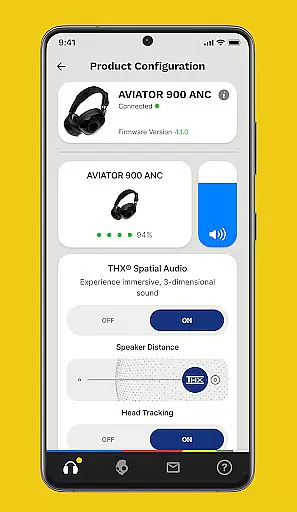


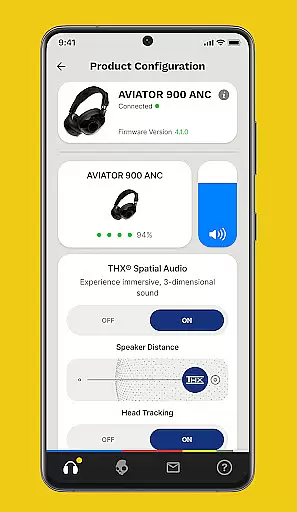


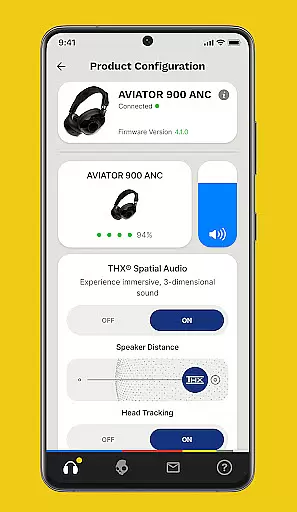
The Skullcandy App is designed to enhance and customize your audio experience. It allows users to control product features and settings directly from their mobile devices. With options like Personal Sound profiles, Equalizers, and firmware updates, it ensures optimal performance of Skullcandy products.
Users can take a hearing assessment to create a personalized sound profile, offering an unmatched listening experience. The app also provides access to user guides and support, ensuring that customers can maximize the potential of their Skullcandy devices. Available on Android, this app bridges the gap between personalization and product functionality.
Skullcandy App offers several standout features including Personal Sound customization, where users can undergo a hearing test to tailor their audio experience. This feature sets the app apart by allowing users to hear music in a way that's specifically tuned to their unique hearing profile.
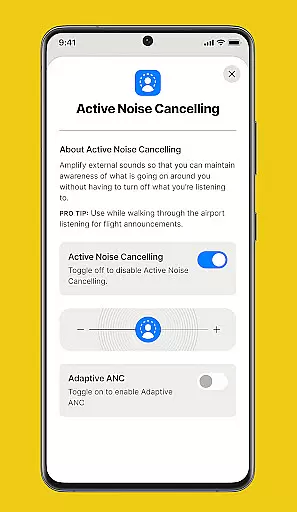
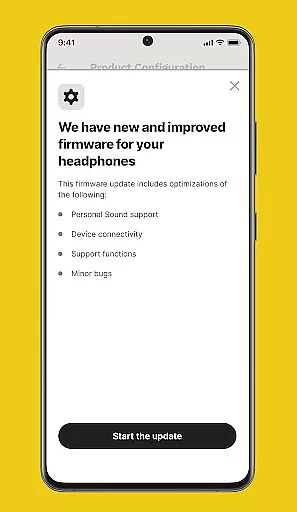
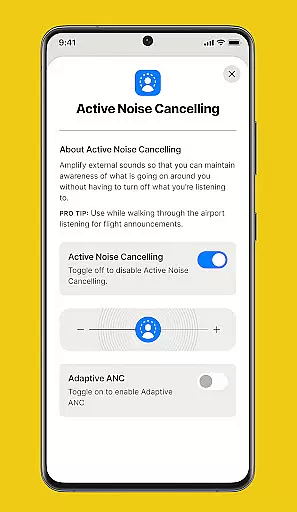
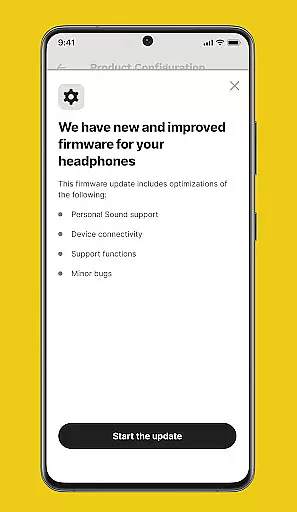
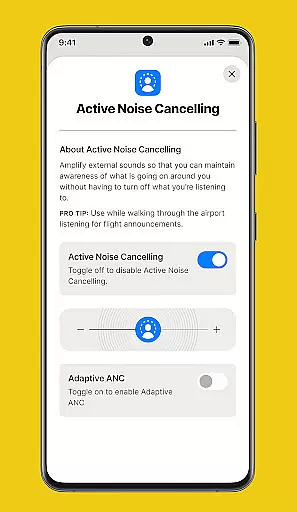
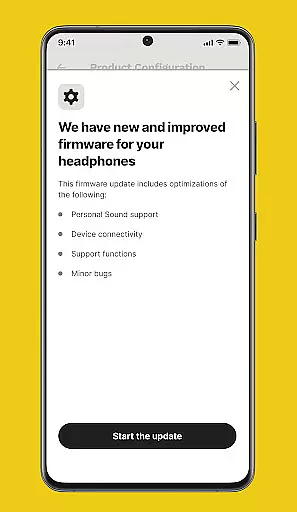
In addition to Personal Sound, the app includes Equalizers & Hearing Modes which can be adjusted based on the surrounding environment or listening preferences. Firmware updates are regularly provided through the app, ensuring that users always have access to the latest improvements and features for their Skullcandy products.
The Skullcandy app offers a unique audio experience by focusing on personalized sound profiles rather than maintaining an extensive music library. This approach ensures that the content delivered is fully authentic and tailored to individual hearing assessments.
Through its innovative Personal Sound feature, users can take a simple hearing test to generate a customized audio profile. This guarantees that every sound heard is optimized for their unique auditory capabilities, enhancing both music quality and listening comfort.
While the app doesn't provide a traditional music library, it emphasizes quality over quantity by ensuring all audio enhancements are legitimate and authorized by Skullcandy's audio engineering team. The company's firmware updates further reinforce this commitment to authenticity.
Users benefit from regular product upgrades that maintain the highest audio standards. These updates ensure that the listening experience remains cutting-edge while preserving the integrity of the original audio content through verified enhancement features.
Skullcandy app provides exceptional audio quality options through its advanced equalizer settings and specialized hearing modes. Users can customize their listening experience based on different environments and personal preferences.
The application features multiple equalizer presets that allow precise control over audio frequencies. These options range from bass-heavy configurations to balanced sound profiles, catering to diverse musical tastes and genres.
Unique hearing modes enable users to adapt their audio experience to various noise environments. Whether in a quiet room or noisy street, these intelligent settings automatically adjust audio parameters for optimal clarity and enjoyment.
Firmware updates regularly enhance these audio quality options, introducing new features and improvements. This commitment to continuous enhancement ensures users always have access to the latest advancements in audio technology, maintaining Skullcandy's reputation for superior sound quality.
User-friendly interface
Personalized sound profiles
Regular firmware updates
Comprehensive user guides
Equalizer customization
Limited to Skullcandy products
Requires initial setup time
Dependent on device compatibility
Occasional update bugs
No iOS version available

SqueezePlayer turns your Android phone or tablet into a SqueezeBox on its own!
 4.60
4.60
A synth that really lets you shape your sounds!
4.50
A High-Precision Audio Spectrum Analysis App
4.20
Super Sound Editor, Song Maker & Mixer, Vocal Remover, Voice Recorder & Changer!
4.60
Music, News & Sports Radio Tuner App. Tune in Live FM & AM Radio Stations.
4.80
Make songs with AI! Any genre, custom lyric, song generator for music creation!
4.80
Turn your Android phone into a professional audio analyser with up to 120 bands.
4.00
Full featured mp3 and audio player with Chromecast and Android Auto support.
4.40
Get alarms that fit your lifestyle and wake up to the sounds you love.
4.80
Tune in to the greatest hits on UK Radio | The home of Capital, Smooth & Heart.
4.90
Play your hearts out on TouchTunes jukeboxes & connect with fellow music lovers.
4.80
Most Advanced AI Song Generator and Music Creator. Rap, Pop, Rock, Gospel & more
4.70
Bass Booster & Volume Equalizer Pro improves your music and video sound quality
4.60
Ringtone Maker is free app create ringtone from music files or your recording.
4.40
Powerful 10-Band equalizer pro with sound booster improves Android audio quality
4.30
Sing, record, and create music together — enhanced by smart voice tools.
4.00
Turn your phone into a musical instrument from the future!
3.90
Powerful beat maker & DJ mixer to remix tracks, make music, & perform DJ mix
3.70
MilkDrop for Android TV
3.00


User Reviews