
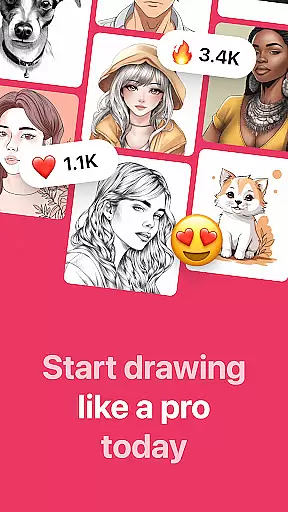
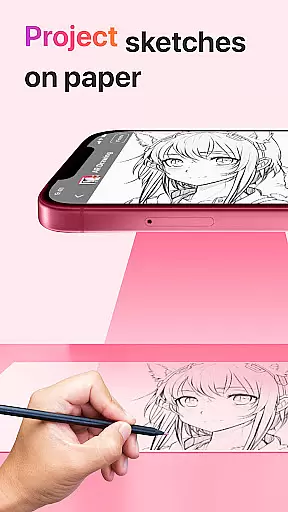
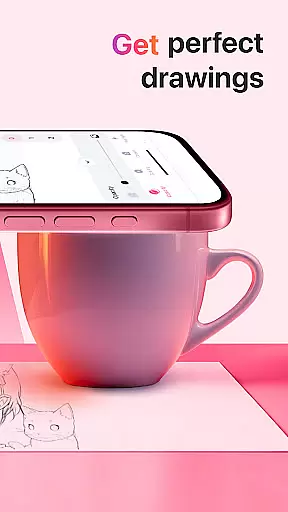
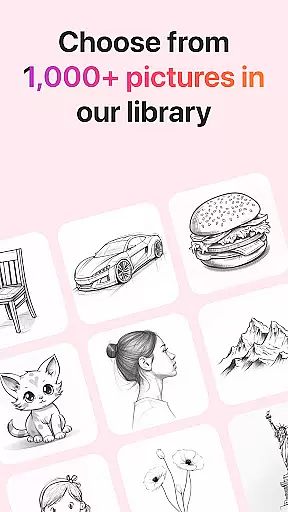
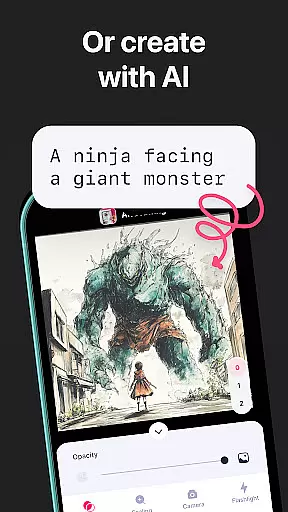
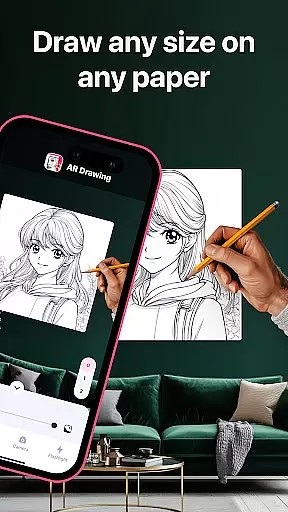
AR Drawing: Sketch & Paint is an innovative mobile application that utilizes augmented reality technology to help users learn drawing and create impressive artworks. The app projects images onto paper through the phone camera, allowing users to trace and color these projections easily. With a wide range of tracing templates covering categories like Animals, Cars, Nature, Food, and Anime, it caters to various interests and skill levels.
Besides its primary function, AR Drawing also features a built-in flashlight for better visibility, video recording of the drawing process, and a gallery to save completed works. Whether you're an experienced artist or a beginner, this app provides the tools necessary to explore your creativity and improve your skills in just a few days. Its unique approach makes drawing accessible and enjoyable for everyone.
One of the standout features of AR Drawing: Sketch & Paint is its extensive library of tracing templates. These templates cover a broad spectrum of subjects including Animals, Cars, Nature, Food, and Anime, ensuring there's something for every user. This diversity not only keeps the drawing experience fresh and engaging but also helps users develop their skills across different themes and styles.
In addition to its rich template library, the app includes practical functionalities such as a built-in flashlight for improved visibility during nighttime drawing sessions, and the ability to record videos of the drawing and painting process. Users can save their finished drawings in an in-app gallery and even share them with friends directly from the app. These features collectively enhance the overall user experience, making it both educational and entertaining.
The app's use of augmented reality technology sets it apart from traditional drawing apps. By projecting images onto any surface, it allows users to draw anywhere, thus breaking the confines of conventional art spaces. This flexibility, combined with intuitive sketching and painting tools, empowers users to unleash their creativity without limitations.
AR Drawing: Sketch & Paint offers a comprehensive suite of creative tools that cater to both novice and experienced artists. The app provides various tracing templates, including Animals, Cars, Nature, Food, and Anime, which serve as a perfect starting point for beginners.
One of the standout features is the ability to use your phone camera for drawing on any surface, effectively turning the world around you into a canvas. This innovative approach is powered by augmented reality technology, enhancing traditional drawing with digital capabilities.
The inclusion of a built-in flashlight expands the usability of the app, allowing for drawing in different lighting conditions. Additionally, users can save their artwork in an in-app gallery, record videos of their creative process, and share their finished pieces with friends.
This complete set of creative tools not only helps users learn how to draw in a short period but also allows them to explore new artistic possibilities, making it an essential app for anyone interested in art and design.
Flexibility in canvas and format options is crucial for artists to fully express their creativity, and AR Drawing: Sketch & Paint excels in this area. The app allows users to draw anything they want on any surface, breaking free from the limitations of traditional mediums.
With the ability to make sketches and paint them using augmented reality, the app supports a wide range of artistic expressions. Whether you're sketching a quick outline or working on a detailed painting, the app adapts to your needs.
Moreover, the feature to record the drawing and painting process adds another layer of format flexibility, enabling time-lapse videos that can be shared or used for review. Artists can experiment with different styles and techniques without worrying about the constraints of physical materials.
By offering such versatile canvas and format options, AR Drawing empowers artists to push the boundaries of their creativity and redefine what's possible in art and design.
User-friendly interface
Wide range of templates
Augmented reality features
Built-in flashlight
Video recording option
Limited free content
Requires good lighting
Occasional bugs
Ads in free version
Subscription cost

Premium version of Shimeji-ee app with no ads & no limit active shimeji
 4.3
4.3
Floor Plan Creator lets you create, edit and share floor plans.
4.00
Design your dream room with AI. Get decor ideas & plan home interiors
3.90
Easy 3D drawing design maker & creator. Model designing, Sculpting. Create&paint
4.00
Draw anime & manga drawing, art with templates to create stunning picture!
4.50
See Color, Paint Color
4.90
Novices can also easily complete diamond painting masters
4.70
Get an overview over all your embroidery threads, projects and more.
4.60
Inky runs Inkscape on Android devices and Chromebooks
2.90
Make your phone cooler and have a fantastic experience
4.80
Turn your drawings into flipbook-style animations with simple creative tools
4.60
Draw, fidget, and spin glow art! Relax and express your creativity with a finger
4.60
Create color palette from Image, RGB & RYB Color wheel harmonies, Color Scheme
4.50
Draw, make movies & animate cartoons easily with our 2D animation maker app
4.40
Remove Background, Magic Eraser, Photo Enhancer, Story Templates, Collage Maker
4.30
Nano Banana AI Image Generator, Anime Filter, AI Portrait, AI Photo Generator
4.30
Unleash Your Creativity with Draw Cartoon - AR Drawing App
4.10
Pose and morph realistic male and female models! 3D poser app
3.00
Retouch photos. Create or edit images. Endless capabilities.
2.70


User Reviews