
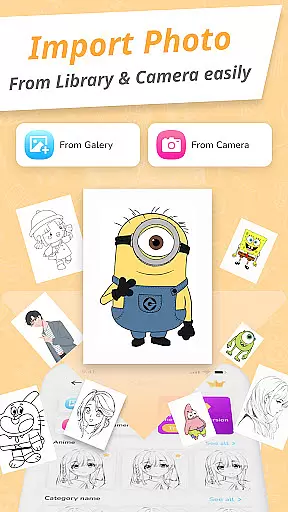
Draw Cartoon - AR Drawing App is an innovative art application that allows users to create stunning augmented reality drawings. The app utilizes your device's camera to project real-world elements into sketches, offering a unique blend of digital and physical art creation.
With features like adjustable opacity, flashlight control, and image locking, the app caters to both amateur and professional artists. Users can choose from various cartoon templates including popular characters like Pikachu and Scooby-Doo, making it versatile for different artistic styles.
This app is particularly useful for aspiring artists who want to improve their skills while having fun with AR technology. By providing a platform to trace, sketch, and save artwork, Draw Cartoon enhances creativity and helps users track their artistic progress over time.
Draw Cartoon offers a comprehensive set of features designed to enhance the drawing experience. The app's main attraction is its powerful AR drawing capability, which lets users incorporate real-world objects into their artwork through the device's camera.
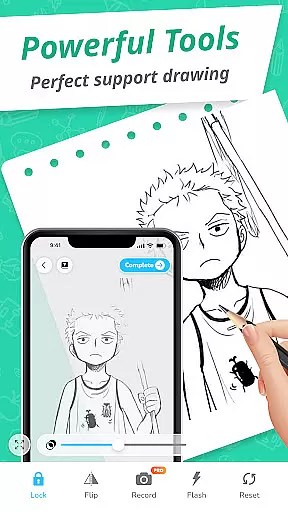
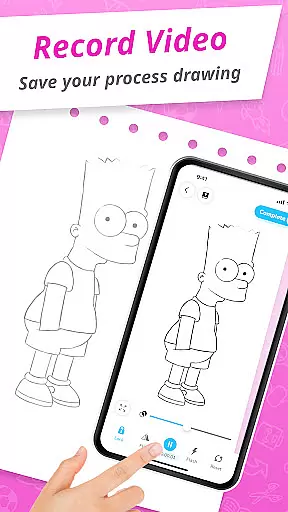
The app includes several advanced options such as video recording, photo capture, and opacity adjustment. These tools help users refine their creations and maintain precision while drawing. Additionally, features like flashlight control and image locking provide greater flexibility during sketching sessions.
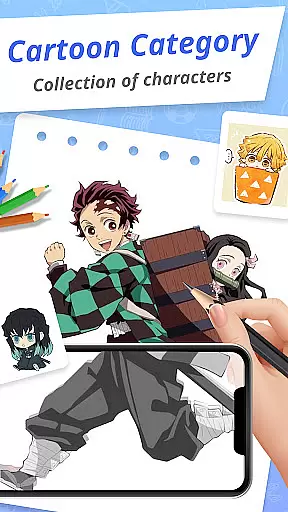
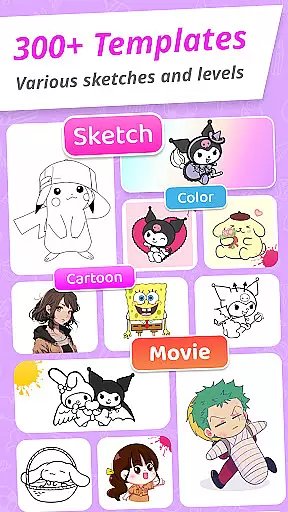
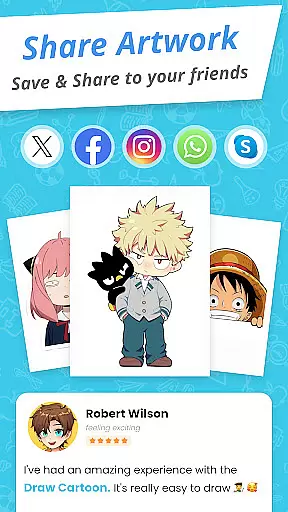
Another notable feature is the collection of amazing AR sketch templates. These free samples cover various cartoon themes, allowing users to experiment with different styles. The My Artwork section lets users save and share their creations, tracking their progress and achievements in augmented reality art.
In the realm of digital art, having a comprehensive set of creative tools is essential for artists to fully express their visions. Draw Cartoon - AR Drawing App rises to the occasion by offering an impressive suite of features tailored for cartoon enthusiasts and aspiring artists.
The app's powerful AR Cartoon Drawing functionality allows users to incorporate real-world elements into their sketches through their device's camera. This feature is enriched with advanced options such as recording video, taking photos, adjusting opacity, controlling the flashlight, and locking or resetting your work.
Moreover, the app provides amazing AR Sketch Cartoon Templates that include free samples of painting and tracing templates, spanning a delightful variety of cartoon themes like Pikachu and Scooby-Doo. These templates serve as excellent starting points for beginners and offer inspiration for more experienced artists.
With these robust tools at their disposal, users can seamlessly transition from novice to professional, exploring new dimensions in augmented reality art while enjoying an intuitive interface that caters to both amateur artists and seasoned creatives.
A versatile canvas is the foundation of any artist's digital workspace, allowing them to experiment with different formats and styles. Draw Cartoon - AR Drawing App embraces this need by providing flexible solutions that adapt to various artistic requirements.
Users are guided on how to sketch using augmented reality by positioning their phone parallel to their drawing surface, which effectively transforms their environment into a dynamic canvas. The app projects images in an inverted fashion onto this improvised canvas, enabling unique tracing opportunities that were previously unimaginable.
Additionally, My Artwork feature permits saving or sharing creations effortlessly with friends and family. Artists can track their progress over time, gaining valuable insights into their artistic journey within the world of augmented reality art.
This level of canvas and format flexibility ensures that every user can customize their experience according to personal preferences while maintaining high-quality standards throughout their artwork production process.
User-friendly interface
Wide range of templates
Advanced drawing tools
AR functionality
Progress tracking
Limited free content
Device compatibility issues
Occasional glitches
Ads between sessions
Steep learning curve

Discover Cartoon Dream : Unleash Your Creativity with CuttingEdge AI
 4.50
4.50
Art of Combination Wear OS Watch faces
4.4
Your Essential Color Theory Guide: Red, Yellow, Blue (RYB)
4.0
Art of Combination Wear OS Watch faces
4.1
AR Anime Drawing: How to draw anime with AR drawing & sketching apps!
4.00
Android 14 style widgets and wallpapers app.
4.5
Your homescreen as an elegant glass with customized blur, lighting, and visuals.
3.70
Bring One UI 8.5 Icons to life -elegant dark icons with a modern, premium touch.
4.30
Sketch and paint on your device with the feel and freedom of drawing on paper
4.00
Novices can also easily complete diamond painting masters
4.70
Convert image to JPG PNG HEIC PDF, support almost all kinds of image formats
4.70
Castle is social media for creating and playing games!
4.60
Unleash the artist in you with our AR drawing and tracing tool for photo drawing
4.10
Turning simple sketches into captivating tales filled with life and motion
3.90
Create sweet, cool and unique couple avatars easily, in just a few steps!
3.40
Vidu is an AI video generator made for creators and aspiring makers.
3.30
Sketch, trace and master AR drawing with awesome anime art!
3.30
Draw anime easily with AR guidance, sketch templates & trace tools!
3.10
Inky runs Inkscape on Android devices and Chromebooks
2.90


User Reviews