
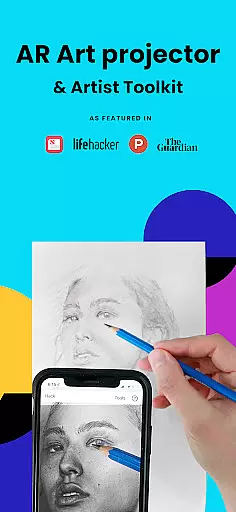
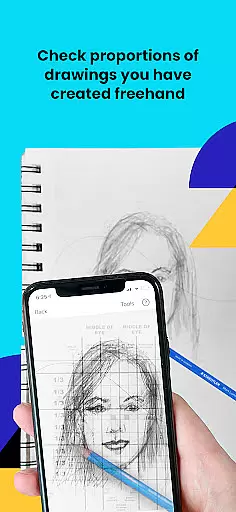
Da Vinci Eye's AR Art Projector is a revolutionary tool for artists of all skill levels, offering an augmented reality tracing and sketching experience. This app allows users to create hyper-realistic drawings by projecting images onto their canvas, making it easier to capture accurate proportions and details.
The application goes beyond simple tracing by providing advanced features like color layer separation, time-lapse recording, and step-by-step drawing instructions. With its supportive artist community and comprehensive learning resources, the app serves as an all-in-one solution for improving drawing skills while creating professional-quality artwork.
Perfect for various creative professionals from bakers to animators, this app helps users master light and shadow placement through innovative AR technology. The ability to zoom into micro-details and use specialized filters makes it an indispensable tool for precision work in any artistic medium.
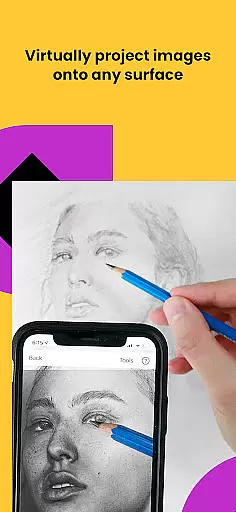
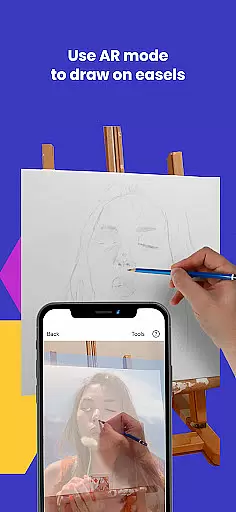
Da Vinci Eye stands out with its unique combination of traditional art techniques and cutting-edge AR technology. The app's main feature is its digital version of a Camera Lucida, allowing artists to view both their reference image and canvas simultaneously through their device's camera.
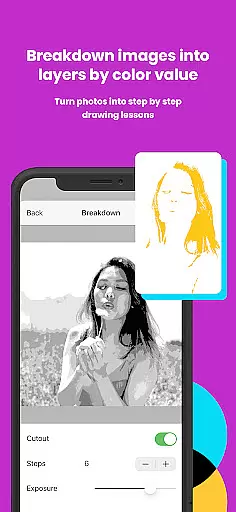
Advanced functionality includes the ability to separate images into color value layers, helping artists understand light and shadow placement more effectively. The app's strobe feature enables hyper-realistic drawing capabilities while the time-lapse recording function documents the entire creative process.
What sets this app apart is its dual-mode functionality, offering both AR Tracing Mode for dynamic canvas tracking and Classic Mode for traditional projection. The inclusion of video tutorials, step-by-step lessons, and a supportive artist community creates a comprehensive learning environment that adapts to different artistic styles and skill levels.
In the realm of digital artistry, having access to comprehensive creative tools is paramount. AR Art Projector offers an extensive suite of features that cater to artists across various disciplines. From bakers to animators, this app provides functionalities such as the ability to separate images into layers by color value, which can then be viewed on your canvas. This feature alone revolutionizes the way artists approach light and shadow in their work.
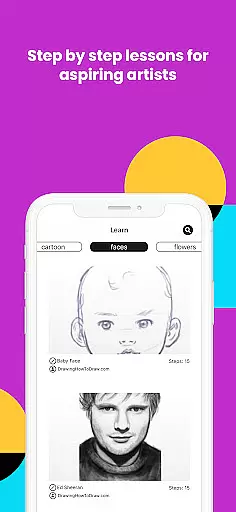
Moreover, the app includes a unique patent-pending learning method with video tutorials and the option to turn any photo into a step-by-step shading drawing lesson using the AR tracing tool. These educational resources are invaluable for users looking to refine their skills or learn new techniques. The inclusion of time-lapse recording further enhances the creative process, allowing artists to review and share their artistic journey.
The versatility of AR Art Projector extends beyond just tracing; it encompasses a supportive community where artwork can be shared, critiqued, and celebrated. With insanely fast customer support, users can expect their queries and issues to be resolved promptly, ensuring minimal disruption to their creative flow. Such a robust set of tools empowers artists to push the boundaries of their creativity.
Flexibility in canvas and format options is crucial for artists who demand precision and adaptability in their work. AR Art Projector excels in providing a dynamic workspace that supports a wide array of surfaces and formats. By suspending your device above or in front of your canvas with a stand or other household objects, you can view both the image and the canvas simultaneously. This setup mirrors the functionality of an art projector or lightbox but with enhanced capabilities.
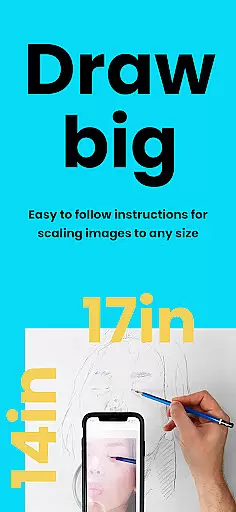
One of the standout features is the ability to zoom in and capture micro-details in your drawings, which is particularly beneficial when working on intricate designs or fine art pieces. Whether you're sketching on paper or painting on an easel, the app's AR tracing mode anchors your image to real-world objects, allowing for seamless movement of your canvas or phone without losing alignment. This ensures that every stroke and line is precisely where it needs to be.
Furthermore, the app supports both AR and Classic drawing modes, catering to different preferences and workflows. While AR mode offers advanced anchoring and movement tracking, Classic mode provides a more traditional experience akin to using a standard art projector. Regardless of the mode chosen, AR Art Projector delivers unparalleled flexibility, empowering artists to create with confidence and precision.
User-friendly interface
Innovative AR features
Comprehensive learning tools
Versatile artistic applications
Active artist community
Device compatibility issues
Subscription fees required
Learning curve present
Occasional glitches reported
High-end hardware needed

Discover Cartoon Dream : Unleash Your Creativity with CuttingEdge AI
 4.50
4.50
Digital illustration drawing & painting pad app to paint Anime and Manga art
4.50
Photo blender app to create overlay photos & double exposure.
4.40
Create stunning art with AI.
4.80
Inky runs Inkscape on Android devices and Chromebooks
2.90
Retouch photos. Create or edit images. Endless capabilities.
2.70
Sketch and paint on your device with the feel and freedom of drawing on paper
4.00
Explore future self face age filter & remove background image for a unique look.
3.50
AI-powered photo & video creation—fast, fun, and effortless with Quick Actions
4.60
Make your phone cooler and have a fantastic experience
4.80
Logo Generator powered by AI: Create stunning logos effortlessly!
4.70
Turn your drawings into flipbook-style animations with simple creative tools
4.60
Text to Image, Image to Video & AI Chat
4.20
Get creative and make art with your Sesame Friends!
4.00
Design your dream room with AI. Get decor ideas & plan home interiors
3.90
AI Face Swap, Video Effects Editor, Realtime Morph, Funny Video FX,AI Filters
3.70
AI Assistant, powered by ChatGPT GPT-4 & GPT-4o. Your intelligent companion.
3.50
Create sweet, cool and unique couple avatars easily, in just a few steps!
3.40
Android 14 style widgets and wallpapers app.
4.5


User Reviews