
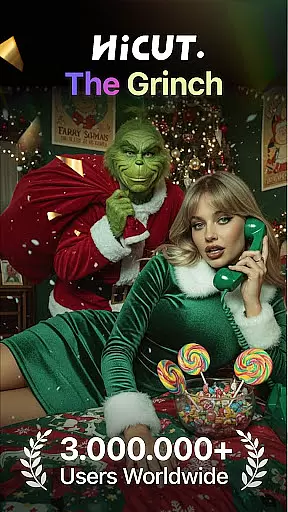
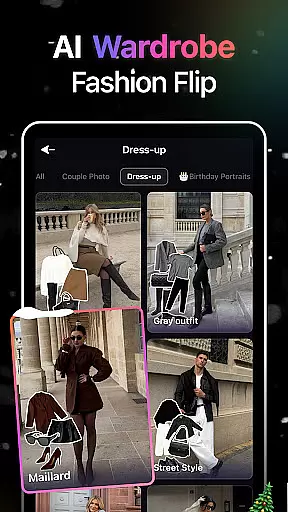
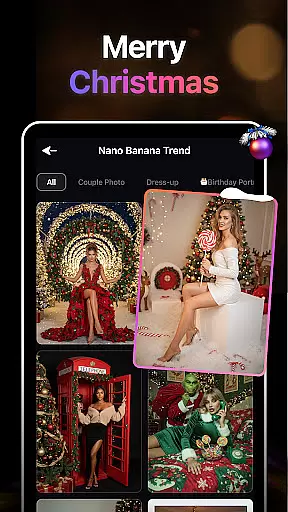
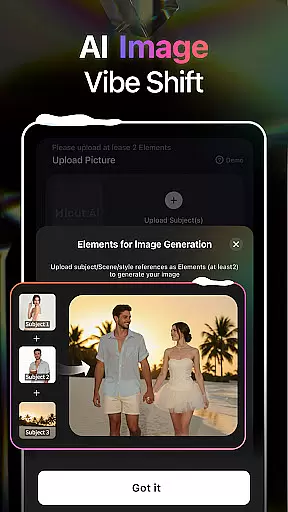
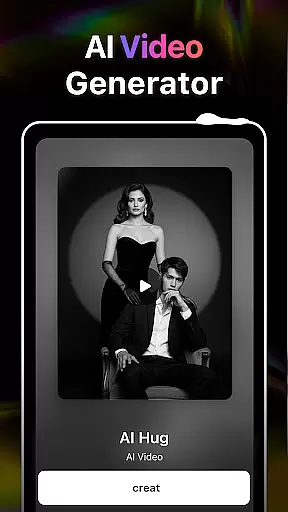
HiCut is an innovative AI-powered photo editing and video creation application designed for creative enthusiasts. The app's core functionality lies in its ability to transform ordinary photos into stunning anime, comic, or game-style visuals using advanced AI filters. With features like the exclusive AI Hugging Video technology, users can create realistic virtual hugs by uploading two single-person photos, transcending time and space to share emotional moments.
In addition to its groundbreaking hugging video feature, HiCut offers a variety of tools such as Anime Photo Editor, Cartoon Filters, and Game Character Maker. These tools allow users to explore hundreds of artistic styles, from retro pixel art to futuristic cyberpunk designs. Whether you're looking to create personalized avatars, design unique characters, or produce visually captivating content, HiCut provides all the necessary resources to unleash your creativity.
Perfect for artists, designers, and casual users alike, HiCut caters to anyone who wants to experiment with cutting-edge AI technology in art and design. By combining powerful editing capabilities with user-friendly interfaces, this app ensures that even beginners can achieve professional-grade results while offering seasoned creators new ways to innovate.
HiCut stands out with its diverse range of AI-driven features tailored for both photo editing and video creation. One of its most notable innovations is the AI Hugging Video technology, which uses sophisticated algorithms to generate lifelike virtual hugs from uploaded photos. This feature not only bridges physical distances but also allows users to relive cherished memories with loved ones who may no longer be present.
The app also includes an Anime Photo Editor that converts regular images into vibrant anime-style illustrations. With hundreds of customizable styles available, users can explore everything from classic manga aesthetics to modern graphic novel designs. Additionally, HiCut's Cartoon Filters and Game Character Maker enable users to create playful cartoon avatars or immersive game characters across various genres, including cyberpunk, noir, and simulation themes.
Each feature within HiCut is meticulously crafted to provide practical value while inspiring creativity. For instance, the Game Character Maker empowers users to design NPCs (non-playable characters) for gaming projects, while the Cartoon Filters add a fun twist to social media posts. By integrating these functionalities seamlessly, HiCut positions itself as a versatile tool for digital storytelling and artistic expression.
In the realm of digital creativity, having a comprehensive suite of tools is paramount. AI Video Generator-HiCut rises to this occasion by offering an extensive array of features that cater to photo editing and video creation aficionados. The application boasts AI filters, video style conversion, and the pioneering AI hugging video technology, which collectively ensure users have everything they need for their creative pursuits.
HiCut's capabilities extend from transforming still images into animated works of art in various styles such as anime, comic, game characters, and sketches to generating virtual hugs that transcend the barriers of time and space. This vast selection empowers users not only to innovate content and personalize avatars but also to immortalize precious moments with loved ones through advanced AI-driven tools.
The true value of HiCut lies in its ability to provide creators with all-encompassing resources that are both cutting-edge and user-centric. Whether you're looking to explore anime aesthetics or craft unique gaming personas, HiCut equips you with the necessary instruments to bring your visions to life while ensuring each tool is powered by state-of-the-art AI technology for an unparalleled creative experience.
Flexibility in canvas and format options is crucial for unleashing artistic expression without constraints. AI Video Generator-HiCut understands this need and offers versatile solutions that adapt to various creative requirements. Users can manipulate their digital canvases with ease, thanks to HiCut's adaptive design that supports multiple dimensions and resolutions tailored for different projects.
From creating two-dimensional anime images using specialized filters to cartoonizing photos with a superhero comic book feel, HiCut provides the flexibility needed for diverse artistic endeavors. The application further enhances this versatility by enabling users to generate unique game characters in styles ranging from retro to cyberpunk, ensuring every vision can be realized on the appropriate canvas.
By prioritizing canvas and format flexibility, HiCut not only meets but exceeds the expectations of modern creators who demand both variety and specificity in their workspaces. With HiCutu2019s adaptable platform, artists and designers can seamlessly transition between different formats, secure in the knowledge that their creative possibilities are virtually limitless.
User-friendly interface
Advanced AI technology
Versatile style options
Emotional connection features
Ideal for creative projects
May require high device specs
Limited free features
Subscription costs
Learning curve for beginners
Occasional rendering delays

Paint with oils and sketch with natural tools on a realistic virtual canvas.
 3.80
3.80
Unleash Your Creativity with Draw Cartoon - AR Drawing App
4.10
AI Art Generator transforms your words into AI generated art & paintings.
3.70
AR Anime Drawing: How to draw anime with AR drawing & sketching apps!
4.00
Minecraft & Roblox Clothes
4.70
Get an overview over all your embroidery threads, projects and more.
4.60
A luxurious gold watch face for an elegant and refined look.
4.2
Create Logos, Tattoos, AI Art & more with our AI Photo Generator & Design Editor
4.20
Sketch and paint on your device with the feel and freedom of drawing on paper
4.00
Learn how to draw with step-by-step tutorials, fun lessons & multiplayer drawing
4.70
Convert image to JPG PNG HEIC PDF, support almost all kinds of image formats
4.70
Create neon drawing with magic doodle and fun doodle art effects!
4.50
AI Tattoo Generator: Create Tattoo Designs & Get Ideas! Ink & Stencil Maker
4.50
Draw, make movies & animate cartoons easily with our 2D animation maker app
4.40
Trace, draw, and create art with AR - from memes to masterpieces!
4.30
Text to Image, Image to Video & AI Chat
4.20
Your homescreen as an elegant glass with customized blur, lighting, and visuals.
3.70
Art of Combination Wear OS Watch Faces
3.30
Premium version of Shimeji-ee app with no ads & no limit active shimeji
4.2


User Reviews