
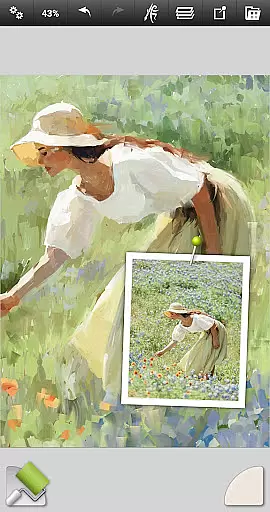
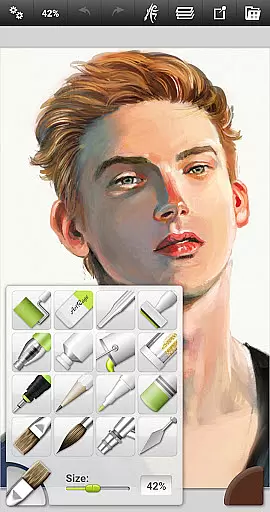
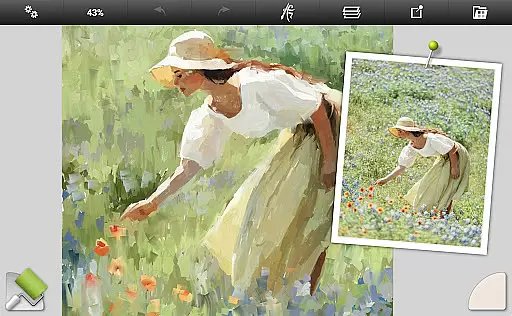
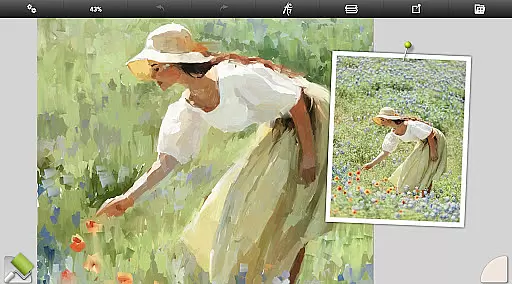
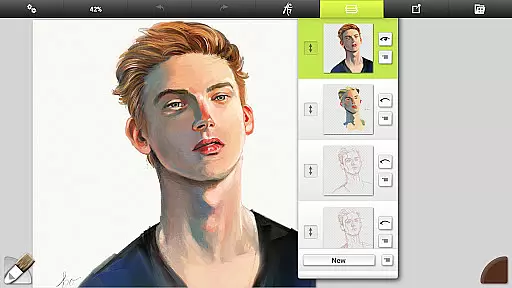
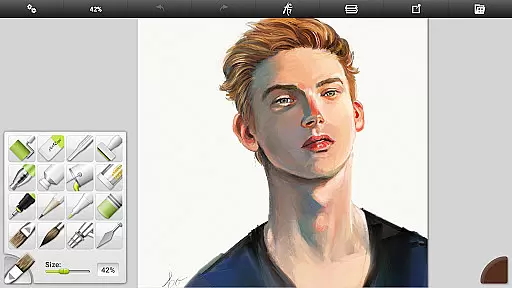
ArtRage Vitae Mobile Painting is a premium natural painting application designed for artists who want to create realistic artwork on mobile devices. The app offers an impressive range of professional-grade tools that mimic real-world art supplies, allowing users to mix oil paints, draw with pencils, and blend watercolors seamlessly. With support for canvas sizes up to 4096px x 4096px and tool sizes up to 500%, it provides the flexibility needed for detailed work.
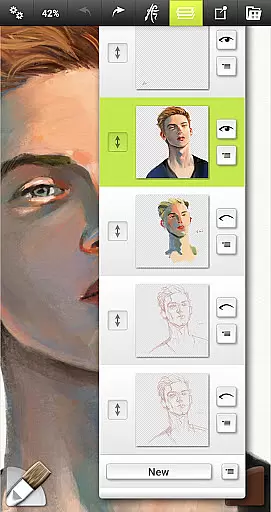
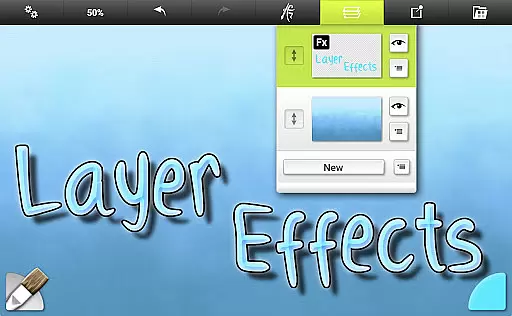
In addition to its natural painting tools, ArtRage Vitae includes powerful digital utilities such as layers, blend modes, tracing images, and tool presets. These features make it suitable for both beginners and professionals. Whether you're sketching ideas or creating finished pieces, this app supports your creative process while offering advanced options like layer effects and texture adjustments. Its intuitive interface ensures ease of use without compromising functionality.
The app's ability to export projects in industry-standard formats and its compatibility with desktop versions of ArtRage make it a versatile choice for artists. By joining the active ArtRage community, users can share their creations and get support through forums or direct email assistance. This combination of realistic tools, robust features, and strong community support makes ArtRage Vitae an excellent choice for mobile digital art.
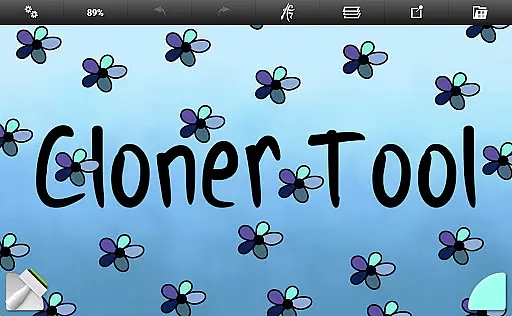
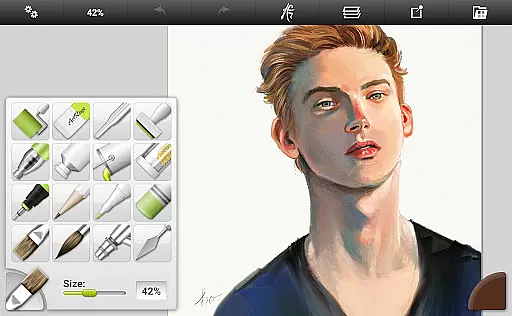
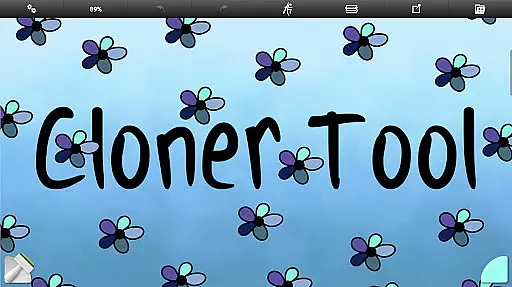
ArtRage Vitae stands out with its comprehensive set of 16 tools, each offering countless variations through presets and settings. These include natural painting tools like the Oil Brush, Watercolor, and Palette Knife, as well as sketching and drawing tools such as the Pencil, Ink Pen, and Wax/Chalk Pastel. Special effect tools like the Cloner and Glitter Tube add unique touches to artworks. Each tool reflects natural properties, such as paint thickness or pencil softness, enhancing the authenticity of the creative experience.
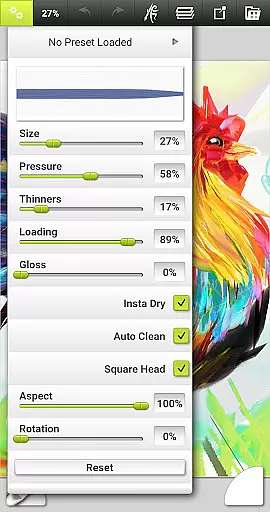
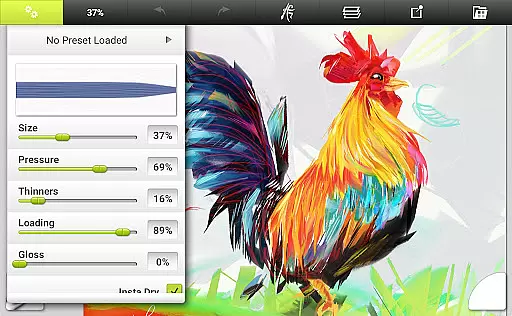
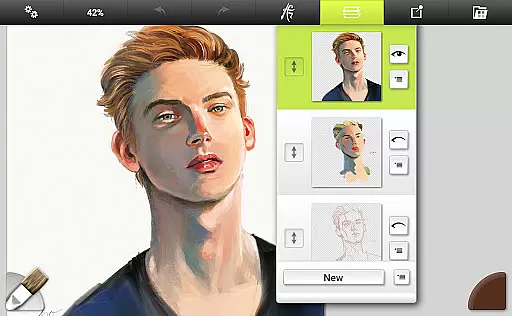
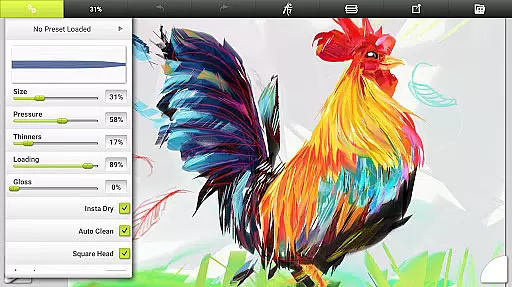
Beyond its diverse toolset, ArtRage Vitae provides essential utilities that streamline the artistic process. Users can store custom presets for their favorite tool settings, import images for tracing or reference, and work with transparent layers that offer opacity control. The app also supports industry-standard layer blend modes and unlimited undo/redo functions, ensuring precision and flexibility. Multi-touch canvas manipulation and stylus-only mode further enhance usability, making it adaptable to various workflows.
ArtRage Vitae excels not only in functionality but also in accessibility. Its interface is designed to maximize creative space while keeping critical functions easily accessible. Artists can manage their paintings in the built-in gallery, export files in JPG or PNG formats via Android's sharing system, and even record scripts of their sessions for playback on desktop versions. With free product support available through forums or email, users can resolve issues quickly and continue focusing on their art.
ArtRage Vitae Mobile Painting offers an extensive suite of creative tools that cater to both amateur and professional artists. With 16 distinct tools, each offering countless variations through presets and settings, users can explore a wide range of artistic expressions.
The natural painting tools such as the Oil Brush, Watercolor, and Palette Knife simulate real-world counterparts, providing an authentic experience. Sketching and drawing tools like the Pencil, Wax/Chalk Pastel, and Eraser allow for detailed work, while utility tools such as Flood Fill and Color Sampler enhance productivity.
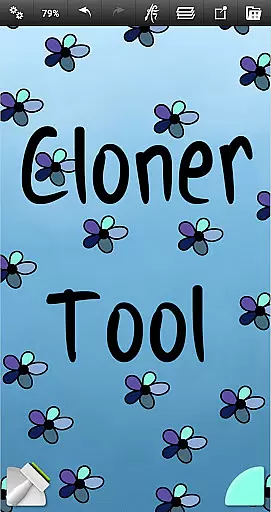
Special effect tools including the Cloner and Glitter Tube add unique touches to artworks. The app's ability to adjust canvas texture and real color blending options further enriches the creative process, making it a comprehensive mobile art studio.
Flexibility in canvas and format options is crucial for digital artists, and ArtRage Vitae excels in this area. The maximum canvas size has been increased to 4096px x 4096px on all devices, allowing for highly detailed work without compromising quality.
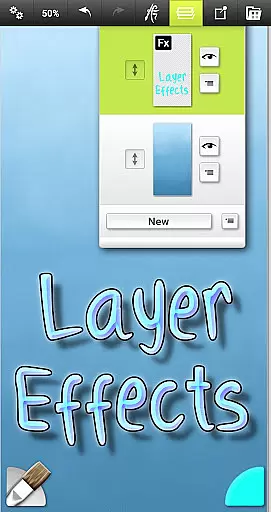
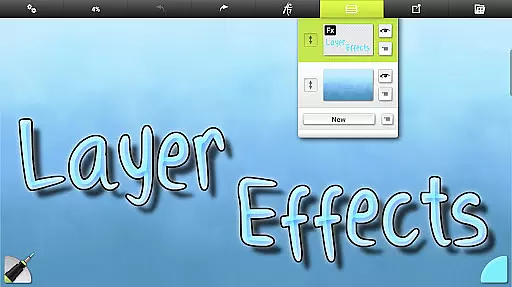
Artists can adjust canvas textures to mimic various surfaces, from coarse to smooth papers, enhancing the realism of their digital paintings. Layer effects enable the addition of highlights, shadows, and 3D effects, giving depth to individual layers.
The app supports exporting and sharing artwork as JPG or PNG via Androidu2019s sharing system, ensuring compatibility across different platforms. Additionally, its compatibility with desktop versions of ArtRage allows seamless transitions between mobile and desktop workflows.
User-friendly interface
Realistic painting tools
Extensive customization options
Active community support
Cross-platform compatibility
Higher cost compared to similar apps
Steep learning curve for beginners
Limited free features
Occasional performance lags
Requires significant storage space

Customizable Outlined Fonts. Watch Face Format. Battery friendly Digital Clock.
 4.20
4.20
Design your dream room with AI. Get decor ideas & plan home interiors
3.90
Passport size photo maker, create ID photo and visa photo in seconds
4.80
Art of Combination Wear OS Watch Faces
3.30
Mobile pixel art editor. Simple. Fast. Portable.
4.80
Share the joy of painting with ibis Paint! Drawing anime and manga art.
4.50
Video AI: Revolutionize Your Content Creation with Advanced Video Generation
4.50
Create cute cat emojis & PFPs! Fun, custom avatars for cat lovers.
3.70
Multiplayer Drawing game, Coloring, Painting・Sketch, Handwriting・Paint, draw
4.30
Image resizer to resize, crop, rotate, flip, change dpi photo or picture in bulk
4.60
Turn your drawings into flipbook-style animations with simple creative tools
4.60
Digital illustration drawing & painting pad app to paint Anime and Manga art
4.50
Unleash your drawing and painting potential
4.50
The perfect place to start sketching! Use Sketchbook to draw and paint sketches.
4.50
Nano Banana AI Image Generator, Anime Filter, AI Portrait, AI Photo Generator
4.30
Floor Plan Creator lets you create, edit and share floor plans.
4.00
Get creative and make art with your Sesame Friends!
4.00
Download now for a stylish and functional timepiece
4.3
Art of Combination Wear OS Watch Faces
4.0


User Reviews