
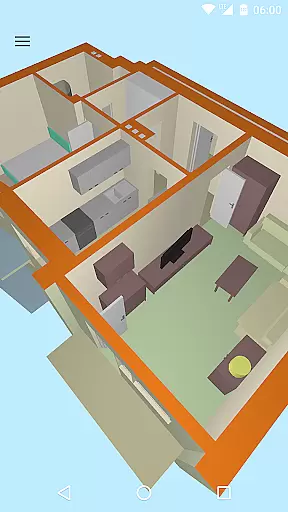
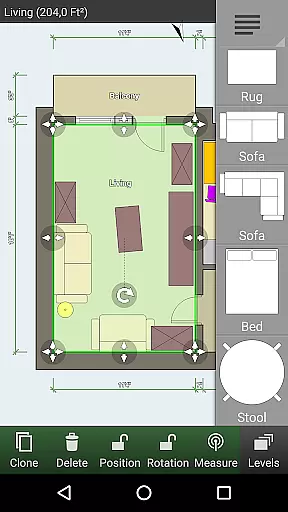
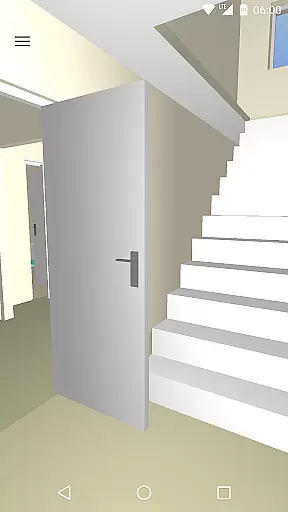
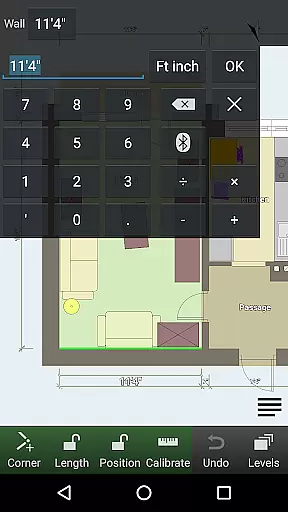
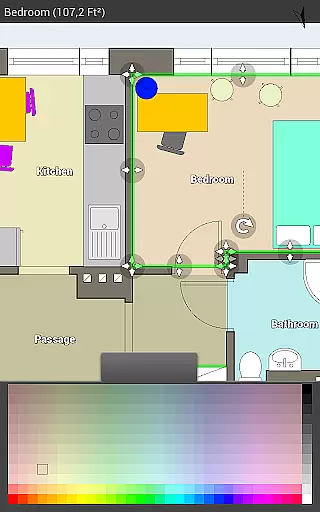
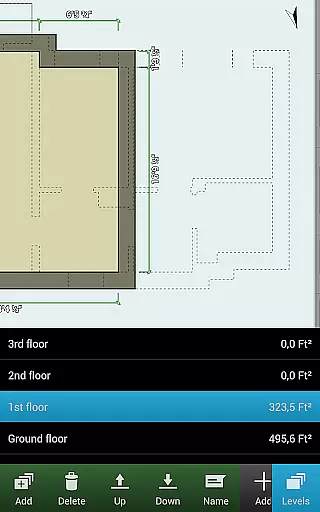
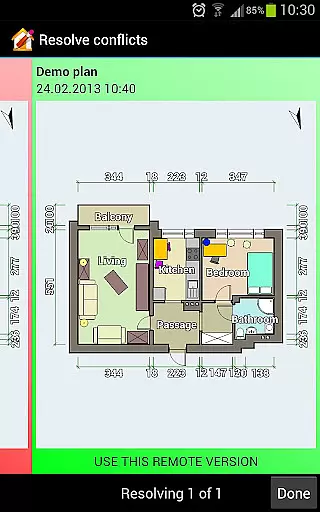
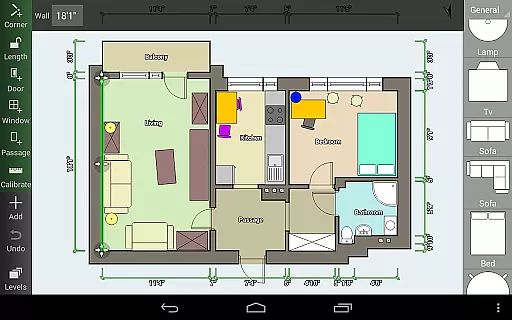
Floor Plan Creator is a comprehensive design tool that allows users to create detailed and precise floor plans with ease. The app supports multiple floors per project, automatic calculations for room dimensions, and includes a 3D tour mode for realistic visualization.
With its extensive symbol library and support for user-defined dimension lines, this app caters to both amateur home designers and professionals. Whether you're planning a home renovation or shopping for new furniture, Floor Plan Creator ensures your plans are accurate and portable.
The app boasts an array of features including S-Pen and mouse support, cloud synchronization for automatic backups and sharing across devices, and the ability to edit plans on a computer. These tools ensure a seamless transition from mobile to desktop editing.
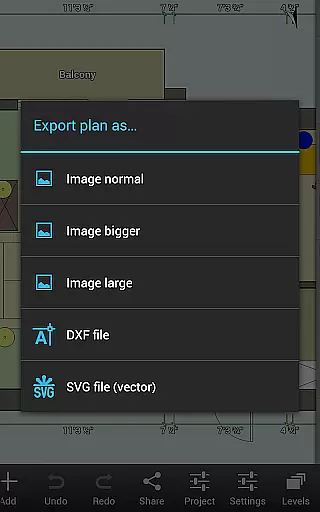
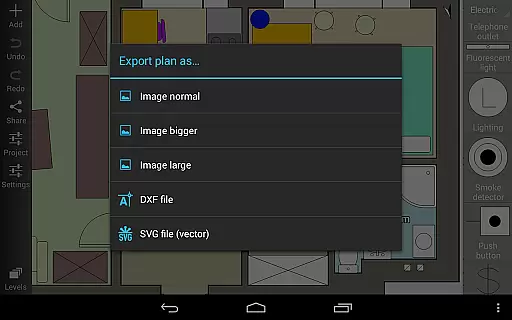
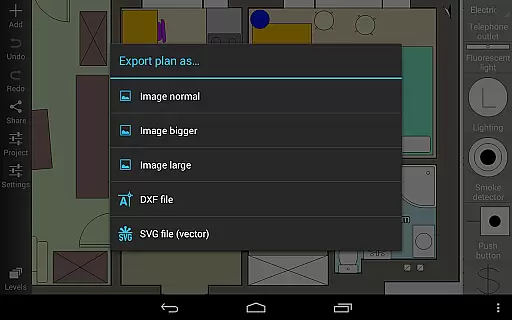
Export options are versatile, allowing users to save their work as images, PDFs, DXF, or SVG files. Additionally, integration with various bluetooth laser meters provides precision in measurements, making it an indispensable tool for anyone involved in interior design or architecture.
In the realm of Art & Design, Floor Plan Creator stands out with its comprehensive suite of creative tools tailored for designing detailed and precise floor plans.
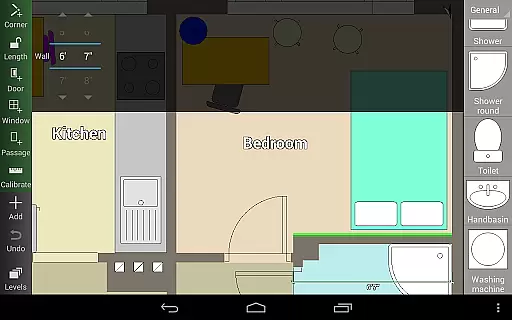
This application allows users to craft projects with multiple floors, each capable of hosting rooms of any shape, albeit with straight walls only. The inclusion of an extensive symbol library featuring doors, windows, furniture, electrical components, and fire survey elements ensures that every design aspect is covered.
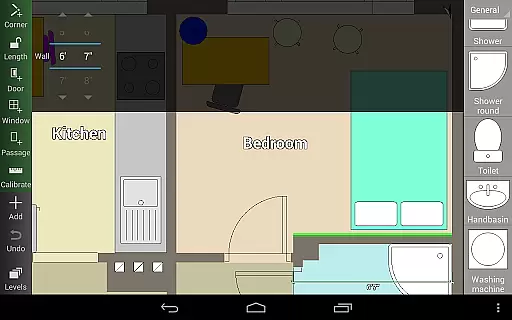
Moreover, the automatic calculation of room dimensions, wall areas, level area, perimeter, and counts of symbols enhances the precision and efficiency of your design process. With user-defined dimension lines, designers can easily show and modify distances and sizes, providing unparalleled flexibility in planning.
The app further supports S-Pen and mouse usage, making it versatile for different design preferences and styles. This complete set of creative tools empowers users to bring their architectural visions to life with accuracy and ease.
Flexibility in canvas and format options is crucial for a seamless design experience, and Floor Plan Creator excels in this domain by offering versatile solutions tailored to various project needs.
Users can export their designs in multiple formats including image, PDF, DXF, and SVG, catering to diverse presentation and sharing requirements. For those needing physical copies, the option to print to scale is available, although it falls under paid features.
The app also provides cloud synchronization, enabling automatic backups and effortless sharing of plans between devices. This feature ensures that your work is always accessible, whether you're on a mobile device or editing plans on a computer via https://floorplancreator.net.
Additionally, support for both metric and imperial units adds another layer of adaptability, accommodating global standards and personal preferences. Such canvas and format flexibility makes Floor Plan Creator a robust tool for all your design endeavors.
User-friendly interface
Comprehensive feature set
Cloud synchronization
Versatile export options
3D visualization mode
Paid features necessary
Complex for beginners
Limited free exports
Occasional bugs reported
Advanced tools may overwhelm

Customizable Outlined Fonts. Watch Face Format. Battery friendly Digital Clock.
 4.20
4.20
Custom Character Creator & PFP Maker!
4.20
Create neon drawing with magic doodle and fun doodle art effects!
4.50
Art of Combination Wear OS Watch faces
4.2
Art of Combination Wear OS Watch Faces
4.5
Draw beautiful mandala's very easily
4.60
Your AI soulmate — meaningful chats, and unique emotional moments
4.70
Mobile pixel art editor. Simple. Fast. Portable.
4.80
Unleash the artist in you with our AR drawing and tracing tool for photo drawing
4.10
Everything you need to create hand drawn animation, anywhere you go!
4.40
Just trace a projected picture on paper and color! Draw & Paint with AR drawing
4.40
OneUI 8.5 icons ✨ Smooth, modern & based on the latest Play Store design ??
4.10
Paint with oils and sketch with natural tools on a realistic virtual canvas.
3.80
Your homescreen as an elegant glass with customized blur, lighting, and visuals.
3.70
Art of Combination Wear OS Watch Faces
3.30
Create stunning video, photo & magic from text with FlixAI GPT video generator.
3.10
Download now for a stylish and functional timepiece
4.2
Transform photos into amazing monochrome dither art with professional algorithms
4.0
Your Essential Color Theory Guide: Red, Yellow, Blue (RYB)
4.0


User Reviews