
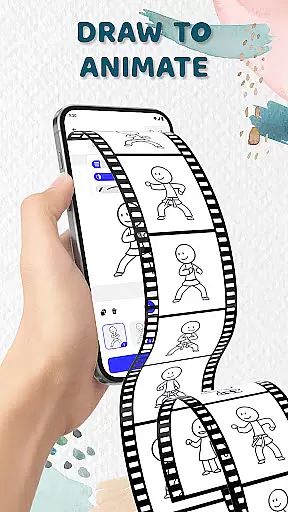
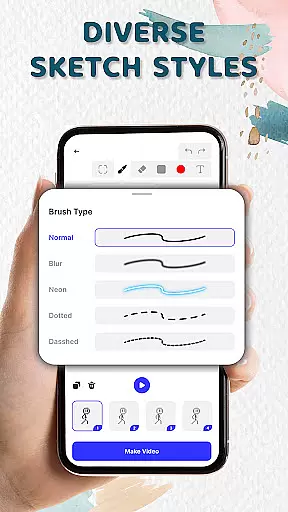
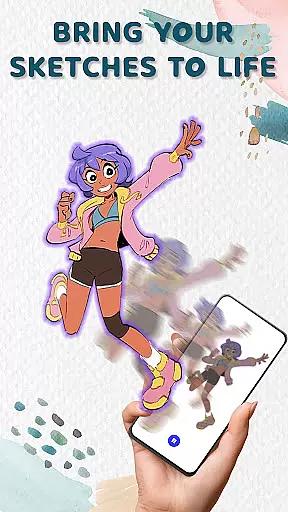
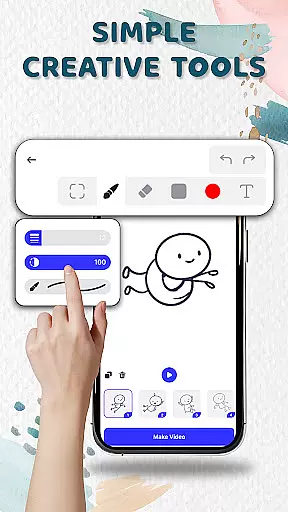
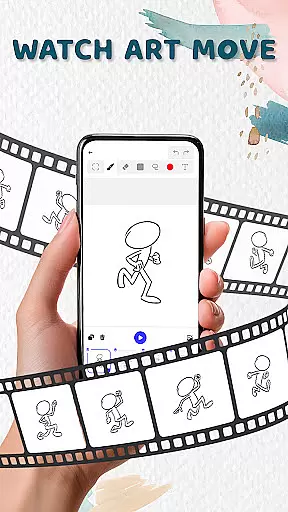
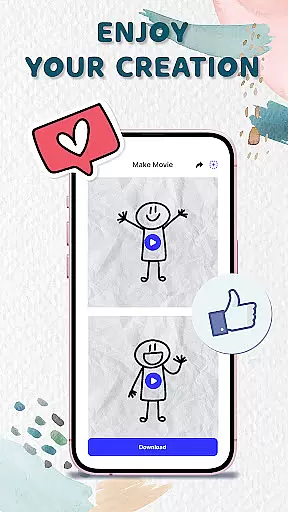
Animation Draw: Flip Maker is a creative app designed for artists and hobbyists who want to bring their sketches to life through animation. The app offers an intuitive platform where users can create frame-by-frame animations, transforming simple drawings into dynamic cartoons or short stories. With tools tailored for both beginners and experienced animators, it provides features like onion skinning, customizable pen sizes, and color options that ensure smooth and expressive animations.
One of the standout aspects of Animation Draw is its ability to replicate the classic flipbook style in a digital format. Each frame adds incremental movement, allowing static sketches to evolve into lively scenes. Whether you're crafting stickman adventures, short comics, or experimenting with various art styles, this app serves as your pocket studio for creativity. It's particularly useful for those who enjoy storytelling through visuals or simply want to explore the joy of animation in a user-friendly environment.
Animation Draw: Flip Maker stands out with its comprehensive set of features tailored for animators. The app allows users to draw directly on the screen, adding frames step by step to build fluid animations. Its onion skinning feature lets creators see previous frames as a reference, ensuring smoother transitions between movements. This functionality is crucial for creating professional-quality animations without requiring advanced technical skills.
In addition to its robust drawing tools, Animation Draw supports exporting animations in popular formats such as GIF and MP4. This makes it easy to share your creations with friends, family, or a wider audience online. The app also includes adjustable pen sizes and color palettes, giving users the flexibility to experiment with different artistic styles. Whether you're a beginner learning the basics of animation or an enthusiast refining your craft, these features provide everything needed to produce engaging animated content.
In the realm of digital artistry, having a comprehensive suite of creative tools is essential for unleashing an artist's full potential. Animation Draw: Flip Maker offers a robust set of features that cater to both budding animators and seasoned creators.
With options to adjust pen size and colors, the app ensures precision and personalization in every stroke. The inclusion of onion skinning provides a professional touch, allowing for seamless transitions between frames and fostering smooth motion in animations.
This versatile toolkit empowers users to experiment with confidence, whether they're crafting simple stickman sketches or elaborate animated narratives. By bridging traditional drawing techniques with modern technology, Animation Draw: Flip Maker becomes an indispensable companion for anyone looking to explore the art of animation.
The true test of any art application lies in its ability to adapt to the unique visions of its users. Animation Draw: Flip Maker excels in this regard by offering remarkable canvas and format flexibility.
Artists can manipulate their workspace to fit their specific needs, ensuring that each creation is not confined by technical limitations. This freedom allows for boundless creativity, from single-frame masterpieces to complex multi-scene animations.
Moreover, the app supports exporting finished works in universally compatible formats such as GIF and MP4. This versatility enables creators to share their animations across various platforms, reaching wider audiences without compromising on quality or original intent.
User-friendly interface
Powerful drawing tools
Supports multiple formats
Perfect for beginners
Encourages creativity
Limited advanced tools
No collaborative features
Fewer tutorials
Basic export options
Occasional bugs

The ultimate tool for creating animations
 4.60
4.60
Download now for a stylish and functional timepiece
4.5
Custom Character Creator & PFP Maker!
4.20
AR Anime Drawing: How to draw anime with AR drawing & sketching apps!
4.00
Image resizer to resize, crop, rotate, flip, change dpi photo or picture in bulk
4.60
2D animation studio for Android tablets - unlimited layers, infinite timeline
4.70
Create cute cat emojis & PFPs! Fun, custom avatars for cat lovers.
3.70
Draw, fidget, and spin glow art! Relax and express your creativity with a finger
4.60
Draw, make movies & animate cartoons easily with our 2D animation maker app
4.40
Passport size photo maker, create ID photo and visa photo in seconds
4.80
Make your phone cooler and have a fantastic experience
4.80
Digital, Abstract, Classic - all types of color wheels in one app!
4.60
Create color palette from Image, RGB & RYB Color wheel harmonies, Color Scheme
4.50
AI Tattoo Generator: Create Tattoo Designs & Get Ideas! Ink & Stencil Maker
4.50
Trace, draw, and create art with AR - from memes to masterpieces!
4.30
800+ Drawing, Painting Lessons App to Practice, Sketch & Paint Art.
4.30
Vidu is an AI video generator made for creators and aspiring makers.
3.30
Sketch, trace and master AR drawing with awesome anime art!
3.30
A luxurious gold watch face for an elegant and refined look.
4.4


User Reviews