
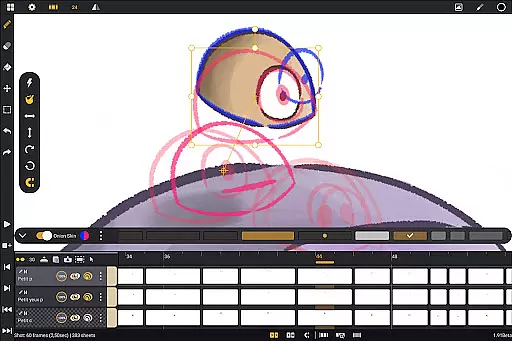
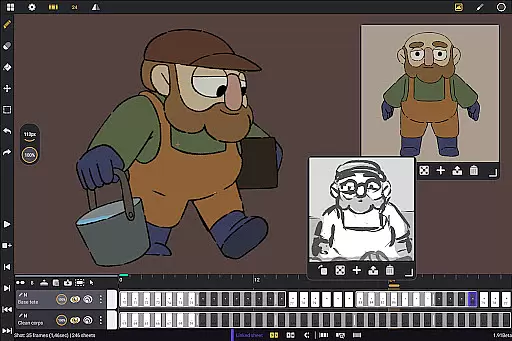
Callipeg is a professional-grade 2D hand-drawn animation application tailored for both seasoned animators and beginners. The app brings the functionality of a full-fledged animation studio to Android devices, particularly optimized for tablets with stylus support. With features like studio-like organization, adjustable frame rates up to 4K canvas size, unlimited layer support, and comprehensive drawing tools, Callipeg enables users to create high-quality animations anywhere.
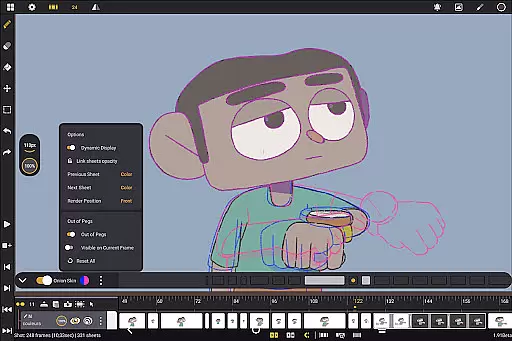
The app provides essential tools for animation production including onion skinning, customizable workspaces, and flexible import-export options in multiple formats such as .mp4, .gif, and .png. These capabilities ensure that whether you are working on storyboards, keyframe animations, or complete shots, Callipeg supports your entire workflow. Additionally, its active community and learning resources make it an ideal choice for both learning and professional use.
Callipeg stands out with its extensive feature set designed to cater to various animation needs. One of its core strengths is the studio-like organization, allowing users to manage their projects efficiently by arranging shots, applying color tags, and using filters. This organizational capability is complemented by an integrated search function, making asset management seamless.
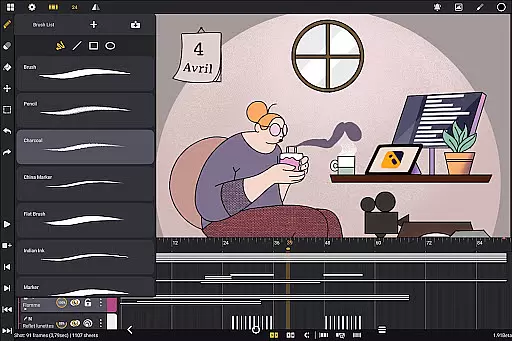
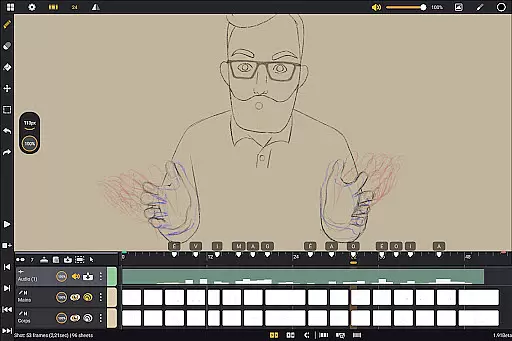
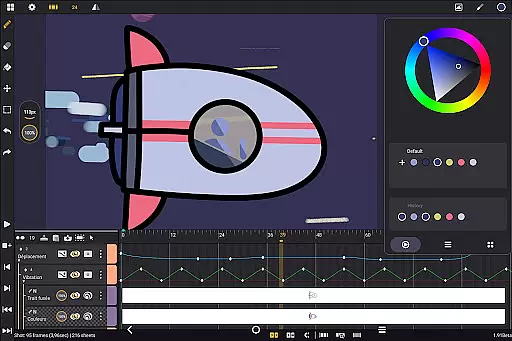
The app offers adjustable frame rates and supports large canvas sizes up to 4K, accommodating professional standards. Its unlimited layer support includes diverse types such as drawing, video, transformation, audio, and group layers. Users can import images, video clips, and audio files, enhancing creative possibilities. Furthermore, Callipeg's comprehensive drawing tools provide versatile brushes like pencil, charcoal, and ink, which can be customized for smoothing, tip shape, and texture, ensuring a natural drawing experience.
In the realm of digital art and animation, having a comprehensive suite of creative tools is essential for bringing ideas to life. Callipeg stands out by offering an extensive array of features that cater to both professional animators and beginners alike. The app provides users with versatile brush sets including pencil, charcoal, and ink options, each customizable in terms of smoothing, tip shape, and texture.
Furthermore, Callipeg supports unlimited layers across various types such as drawing, video, transformation, audio, or group layers. This flexibility allows artists to import images, video clips, and audio files directly into their projects for advanced techniques like rotoscopy or lip-syncing animations. With support for high-resolution canvases up to 4K and adjustable frame rates ranging from 12 to 60 frames per second, creators can achieve industry-standard quality within a mobile environment.
The inclusion of onion skinning further enhances workflow efficiency by displaying multiple frames simultaneously with adjustable opacity settings. Such robust functionality ensures that whether you're crafting detailed storyboards or producing complete animated shots, Callipeg equips you with everything needed for a seamless creative process on your Android device.
Flexibility in canvas size and format compatibility is crucial for digital artists who require precision and adaptability in their workspaces. Callipeg addresses this need by providing a large canvas option that supports resolutions up to 4K, ensuring that every detail of your artwork can be captured with clarity. Whether you are working on expansive scenes or intricate close-ups, the ability to adjust your workspace to such high standards empowers creators to maintain professional-grade output.
In addition to its impressive canvas capabilities, Callipeg offers flexible import and export options that enhance project portability and collaboration. Animations can be exported in multiple formats including .mp4, .gif, .png, .tga, .psd, and .pegu2014catering to diverse presentation needs and post-production workflows. Project files themselves can also be saved in widely recognized formats like .json, .xdts, and .oca which preserve timing and layer structures when transitioning between different software environments.
This level of format flexibility not only streamlines individual artistic processes but also facilitates smoother interactions within the broader creative community. By supporting these varied file types alongside an intuitive interface design that includes customizable sidebars and inverted canvas viewing modes for proportion checks, Callipeg ensures that artists have all they need at their fingertips regardless of where inspiration strikes next.
Professional-grade tools
No subscription model
Active user community
Flexible export options
Regular updates
Limited to Android
Stylus-dependent features
Complex for beginners
Fewer tutorials
High system requirements

AI generated images & photos, turn your words into drawing, painting & pictures.
 4.30
4.30
Learn how to draw with step-by-step tutorials, fun lessons & multiplayer drawing
4.70
Art of Combination Wear OS Watch faces (for Wear OS 5+ devices)
3.00
Create stunning video, photo & magic from text with FlixAI GPT video generator.
3.10
Novices can also easily complete diamond painting masters
4.70
Get an overview over all your embroidery threads, projects and more.
4.60
Your homescreen as an elegant glass with customized blur, lighting, and visuals.
3.70
AI-powered photo & video creation—fast, fun, and effortless with Quick Actions
4.60
All-in-One art, logo & collage maker. Design photos and edit video backgrounds
4.80
Logo Generator powered by AI: Create stunning logos effortlessly!
4.70
Your AI soulmate — meaningful chats, and unique emotional moments
4.70
The ultimate tool for creating animations
4.60
Draw beautiful mandala's very easily
4.60
Turn your drawings into flipbook-style animations with simple creative tools
4.60
Digital illustration drawing & painting pad app to paint Anime and Manga art
4.50
Create stylish invitation cards using templates for weddings, birthdays & RSVP.
4.20
AI Art Generator transforms your words into AI generated art & paintings.
3.70
AI Assistant, powered by ChatGPT GPT-4 & GPT-4o. Your intelligent companion.
3.50
Retouch photos. Create or edit images. Endless capabilities.
2.70


User Reviews