
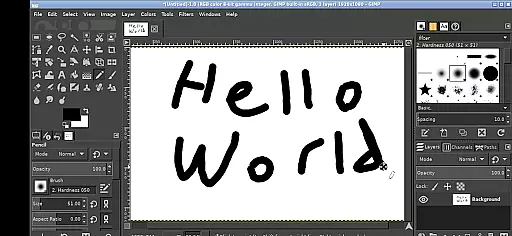
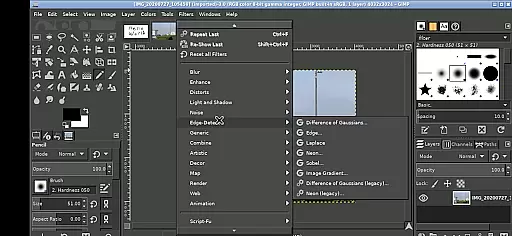
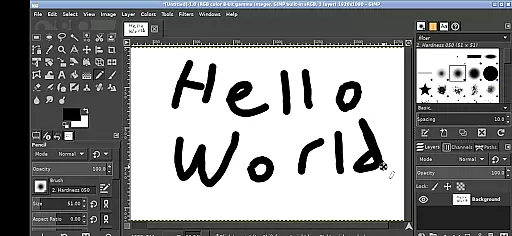
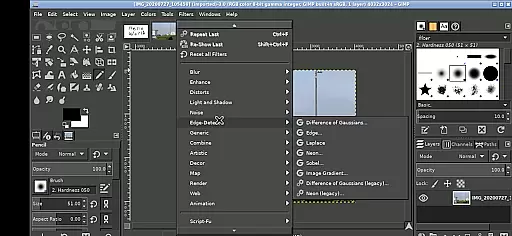
GIMP, the GNU Image Manipulation Program, is a powerful and versatile tool for photo retouching, image composition, and image authoring. This Android version brings the full-featured desktop application to your mobile device, allowing users to perform professional-grade editing on the go.
The app supports a wide range of image formats and offers advanced tools for painting, color correction, cloning, selection, and enhancement. Its adaptability makes it suitable for graphic designers, photographers, and illustrators who need a mobile solution without compromising functionality.
With its intuitive touch interface, GIMP provides an accessible platform for creative professionals to edit images directly on their tablets or smartphones. The ability to access files across Android directories streamlines workflows and enhances productivity.
GIMP stands out with its comprehensive set of tools that rival those found in desktop applications. Users can perform tasks ranging from simple retouching to complex image manipulations using layers, paths, channels, and masks.
The Android version maintains the core functionalities while adapting to touch controls. Features like one-finger tapping for left-clicks, pinch-to-zoom, and two-finger scrolling ensure precision when working on detailed projects. Additionally, the app allows direct access to Android's file system, eliminating the need for cumbersome file transfers.
One of the key advantages of GIMP on Android is its open-source nature. Released under GPLv3, it encourages community contributions and ensures transparency. This version also integrates seamlessly with other apps through Android's sharing capabilities, making it a flexible addition to any creative workflow.
GIMP for Android offers a comprehensive suite of creative tools that rivals its desktop counterpart. This includes advanced selection tools, customizable brushes, gradient editing, and path tools, all optimized for mobile use.
The application supports layers and channels, essential features for professional image editing. Users can perform complex image manipulations such as color correction, cloning, and healing, directly on their mobile devices with precision.
One significant advantage is the seamless integration with Android's file system. The app provides direct access to user directories, enabling efficient workflow without the need for importing or exporting files.
This complete set of professional-grade tools ensures that graphic designers and photographers can achieve the same level of editing sophistication on-the-go as they would in their studios.
The Android version of GIMP maintains exceptional canvas and format flexibility. Users can work with various image formats including PSD, supporting complex projects with multiple layers and high-resolution assets.
Canvas dimensions are highly adjustable, allowing users to create everything from small icons to large-scale digital paintings. The pinch-to-zoom functionality makes working with detailed elements more manageable on mobile devices.
Special attention has been given to touch interface optimization. The app supports both finger and stylus input, with gesture controls specifically designed for precise image manipulation on tablets and smartphones.
This flexibility extends to project compatibility - files can be easily shared between desktop and mobile versions, maintaining all layer information and effects regardless of the device used.
User-friendly interface
Extensive format support
Advanced editing tools
Open-source flexibility
Cross-platform compatibility
Steep learning curve
Resource-intensive
Limited mobile optimizations
No native cloud integration
Complex navigation

Floor Plan Creator lets you create, edit and share floor plans.
 4.00
4.00
Image/ Text to Video Generator
4.40
Easy 3D drawing design maker & creator. Model designing, Sculpting. Create&paint
4.00
Draw anime & manga drawing, art with templates to create stunning picture!
4.50
Minecraft & Roblox Clothes
4.70
Mobile pixel art editor. Simple. Fast. Portable.
4.80
Share the joy of painting with ibis Paint! Drawing anime and manga art.
4.50
AI Tattoo Generator: Create Tattoo Designs & Get Ideas! Ink & Stencil Maker
4.50
An intuitive, high-performance painting app that lets you focus on creating
4.40
Your AI soulmate — meaningful chats, and unique emotional moments
4.70
Draw glowing spinners, relax, and spin your creative art
4.60
The perfect place to start sketching! Use Sketchbook to draw and paint sketches.
4.50
Video AI: Revolutionize Your Content Creation with Advanced Video Generation
4.50
Bring One UI 8.5 Icons to life -elegant dark icons with a modern, premium touch.
4.30
Powerful home decoration & house design that allows you to design dream home.
3.80
Apply cartoon, caricature, and portrait effects to make your photos stand out!
3.60
Experience next-gen icons with a modern liquid glass look.
3.60
Create trending AI photos & videos with powerful effects and 3D styles.
3.20
Art of Combination Wear OS Watch faces
4.1


User Reviews