
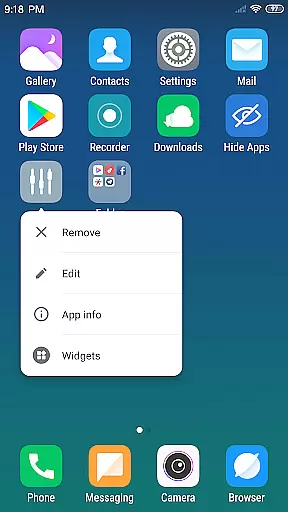
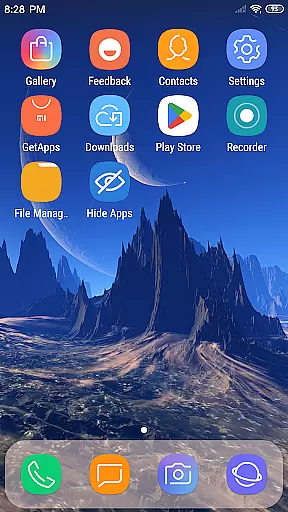
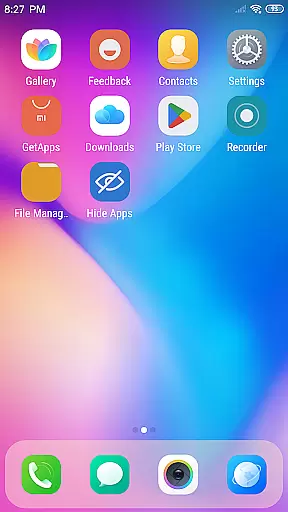
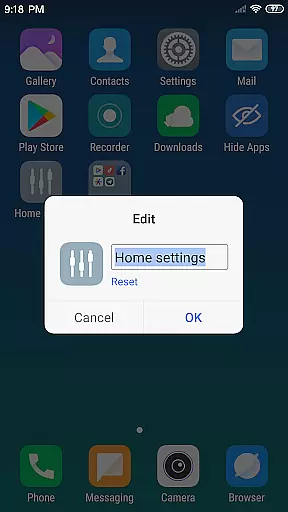
X Launcher Pro is a premium launcher app designed for users seeking a sleek, ad-free mobile experience. Based on flat design principles, it transforms the entire appearance and functionality of your smartphone, offering a visually stunning interface with customizable features.
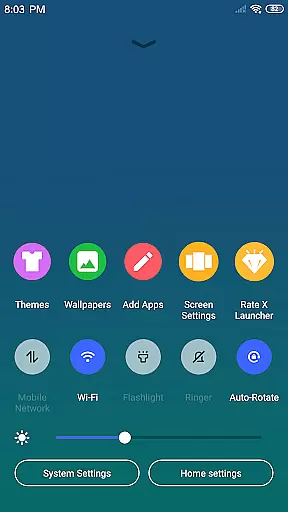
The app provides essential tools like an App Manager for organizing local apps, a Control Center for quick settings access, and a Theme Store with various themes and wallpapers. Its unique features include app hiding, icon customization, and adjustable grid layouts, making it a versatile choice for personalizing your device.
Whether you want to streamline your home screen or create a unique aesthetic, X Launcher Pro delivers a smooth and immersive user experience, ideal for those who value both form and function in their mobile interactions.
X Launcher Pro stands out with its rich feature set tailored to enhance usability and aesthetics. The app removes all ads, ensuring an uninterrupted and immersive experience while you work or browse. Its App Manager simplifies app organization by allowing users to quickly locate and drop apps onto the desktop.
The Control Center offers quick access to essential phone functions such as WiFi, brightness, volume, and camera controls. With a swipe, users can manage these settings effortlessly. Additionally, the Theme Store provides a diverse selection of themes and wallpapers, adapting dynamically to user preferences for a personalized look.
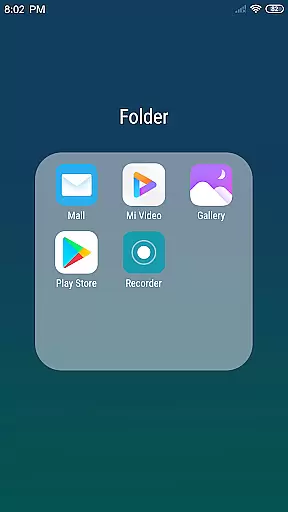
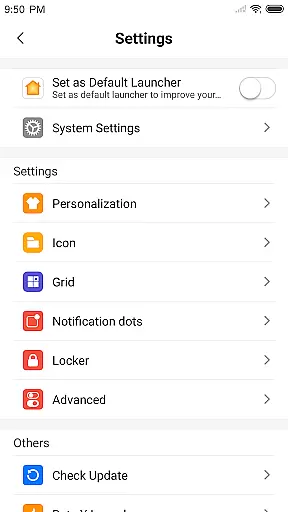
Customization is at the core of this app, enabling users to modify app icons and names, crop local images for custom icons, and adjust the layout grid. Features like Flat Style Folders and app hiding further enhance usability, making X Launcher Pro a top choice for design-conscious users.
In the realm of Art & Design, X Launcher Pro emerges as a paragon of creative tool completeness. This launcher is not just about beautifying your phone with its flat design; it's an arsenal for personalization and functionality enhancement.
With features like App Manager and Control Center, users can enjoy seamless multitasking and app management. The App Manager allows swift access to local apps, while the Control Center provides quick settings adjustments, making daily operations more fluid and efficient.
The true artistry shines through its Theme Store and customization capabilities. Users can choose from various themes and latest wallpapers, ensuring their device remains a canvas of self-expression. Moreover, the ability to modify app icons and names adds another layer of personal touch.
X Launcher Pro redefines canvas/format flexibility in mobile launchers. It offers users the power to tailor their home screens precisely to their liking, which is crucial for both aesthetic satisfaction and functional efficiency.
One standout feature is the customizable grid system. Users have the autonomy to change the number of rows and columns on their launcher, allowing for optimized screen real estate usage based on individual preferences or needs.
Furthermore, the Flat Style Folder introduces simplicity and elegance into app organization. By enabling users to drag one app onto another to create folders, it simplifies navigation and declutters the workspace without compromising style.
Ad-free experience
Highly customizable
Intuitive app manager
Versatile theme options
User-friendly interface
Paid version only
Storage permission required
Limited default icons
No live support
Occasional bugs

Discover Cartoon Dream : Unleash Your Creativity with CuttingEdge AI
 4.50
4.50
The ultimate tool for creating animations
4.60
Learn how to draw with step-by-step tutorials, fun lessons & multiplayer drawing
4.70
Text to Image, Image to Video & AI Chat
4.20
Photo blender app to create overlay photos & double exposure.
4.40
Digital, Abstract, Classic - all types of color wheels in one app!
4.60
AI Art Generator transforms your words into AI generated art & paintings.
3.70
Resize photos and print photos in exact size with our powerful photo printer!
3.80
Create Logos, Tattoos, AI Art & more with our AI Photo Generator & Design Editor
4.20
Castle is social media for creating and playing games!
4.60
Draw beautiful mandala's very easily
4.60
Unleash your drawing and painting potential
4.50
Customizable Outlined Fonts. Watch Face Format. Battery friendly Digital Clock.
4.20
Custom Character Creator & PFP Maker!
4.20
Turning simple sketches into captivating tales filled with life and motion
3.90
Create sweet, cool and unique couple avatars easily, in just a few steps!
3.40
Meet the magic aı 3d photo generator and smart AI video generator app.
3.20
Draw anime easily with AR guidance, sketch templates & trace tools!
3.10
Retouch photos. Create or edit images. Endless capabilities.
2.70


User Reviews