
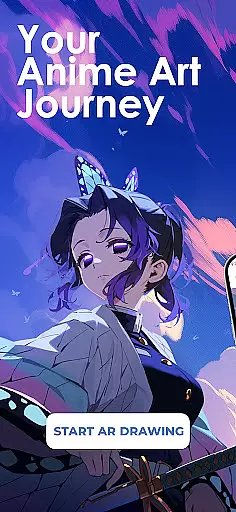
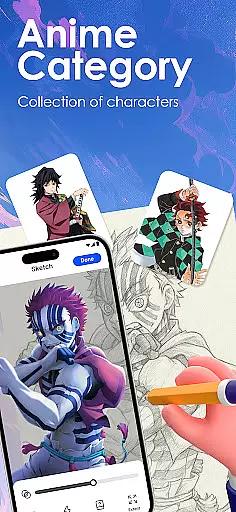
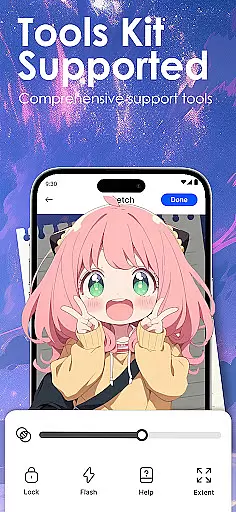
Draw Anime: AR Sketch & Trace is a revolutionary drawing application designed specifically for anime enthusiasts and artists. This app combines the power of augmented reality (AR) with traditional sketching techniques, allowing users to create stunning anime artwork with ease. Whether you're a beginner or a professional artist, this tool offers an innovative way to bring your anime ideas to life.
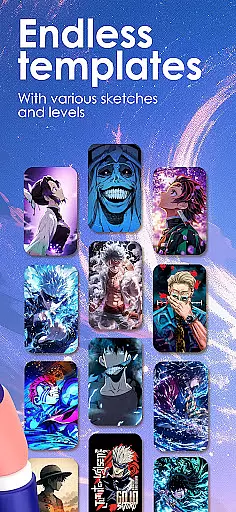
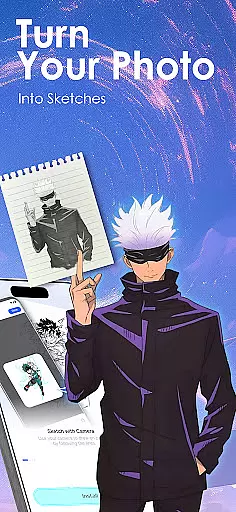
The core feature of Draw Anime is its AR Guidance technology. By using your phone's camera, the app projects clear outlines onto paper, enabling precise tracing of anime characters, real objects, or custom designs. The app also includes a comprehensive library of anime templates, including manga, chibi, and fanart styles, catering to various skill levels. Additionally, users can import personal photos and convert them into traceable outlines, providing unlimited creative possibilities.
This app is particularly useful for those looking to improve their anime drawing skills. With step-by-step tutorials, adjustable drawing parameters, and personalized learning options, Draw Anime helps artists refine their techniques in anatomy, proportions, and art style. The ability to record and share progress adds a social dimension, making it an ideal tool for both personal growth and community engagement within the anime art world.
Draw Anime: AR Sketch & Trace stands out with its diverse range of features tailored for anime artists. The app's most notable characteristic is its Augmented Reality (AR) drawing guidance system. This innovative feature allows users to trace through their device's camera, projecting accurate outlines onto physical paper. The AR system supports various drawing styles, from simple sketches to complex anime character designs, making it suitable for all skill levels.
Beyond AR capabilities, the app provides extensive learning resources. Users can access a growing library of anime templates, categorized by difficulty and style, including manga, chibi, and fanart. The app's smart conversion technology transforms complex images into simplified sketch outlines, enabling easier tracing and practice. Advanced features include adjustable opacity settings, zoom controls, and drawing process recording, giving artists complete control over their creative workflow.
Another key aspect is the app's community-focused features. Artists can save their progress, create time-lapse videos of their work, and share finished pieces with fellow creators. The personalized learning system tracks individual progress and recommends content based on preferred anime genres and skill level. These features collectively create a comprehensive ecosystem for anime artists to learn, grow, and connect with others in the global art community.
In the realm of digital artistry, having a comprehensive set of creative tools is paramount. Draw Anime: AR Sketch & Trace offers an extensive suite designed to cater to anime enthusiasts and artists at all levels.
From beginners seeking guidance to professionals refining their craft, this app provides functionalities such as AR Guidance for precise tracing, a library filled with diverse templates including anime, manga, and chibi styles, and features that allow importing personal photos to transform into traceable outlines.
The application stands out by integrating advanced Augmented Reality (AR) technology which projects clear outlines onto paper through the camera, enabling users to confidently sketch complex designs. This feature not only aids in accurate replication but also enhances learning by allowing artists to practice anatomy and proportions unique to anime art.
By delivering these robust capabilities within an intuitive interface, Draw Anime empowers creators worldwide to unlock their potential and bring their imaginative ideas to life effortlessly.
A canvas that adapts to the artist's needs is essential for creative freedom. Draw Anime: AR Sketch & Trace excels in providing canvas and format flexibility tailored specifically for anime art creation.
Artists can adjust opacity levels, zoom in on intricate details, and even record their drawing process u2013 ensuring every stroke is captured perfectly. The ability to personalize learning paths further enriches this adaptability, catering content towards individual preferences whether they lean towards fanart or traditional manga styles.
This level of customization extends beyond mere aesthetics; it encompasses practical aspects like saving progress videos which serve both reflective purposes for self-improvement as well as sharing milestones within communities.
Such versatile formatting options ensure that regardless of oneu2019s preferred style or genre within anime artistry, Draw Anime equips them with everything necessary from initial concept sketches right through final polished pieces ready for showcasing online or offline exhibitions alike.
User-friendly interface
Extensive template library
Advanced AR features
Personalized learning paths
Active artist community
Requires steady hand
Learning curve present
Premium content locked
Device compatibility issues
Limited offline features

AI Face Swap, Video Effects Editor, Realtime Morph, Funny Video FX,AI Filters
 3.70
3.70
Draw beautiful mandala's very easily
4.60
Draw Trace image sketch by, AR art projector app, Easy to trace any image.
4.50
Bring One UI 8.5 Icons to life -elegant dark icons with a modern, premium touch.
4.30
Everything you need to create hand drawn animation, anywhere you go!
4.40
Create and Design Custom Logos in Seconds with AI-Powered Tools!
4.40
Sketch and paint on your device with the feel and freedom of drawing on paper
4.00
How to draw anime step by step for beginner easily by AR drawing sketch & paint.
3.60
All-in-One art, logo & collage maker. Design photos and edit video backgrounds
4.80
Your AI soulmate — meaningful chats, and unique emotional moments
4.70
2D animation studio for Android tablets - unlimited layers, infinite timeline
4.70
Draw glowing spinners, relax, and spin your creative art
4.60
Photo editor for art, avatars, filters & fun transformations.
4.60
Turn your drawings into flipbook-style animations with simple creative tools
4.60
Discover Cartoon Dream : Unleash Your Creativity with CuttingEdge AI
4.50
Customizable Outlined Fonts. Watch Face Format. Battery friendly Digital Clock.
4.20
Digital Drawing: Draw & Paint
4.10
Pose and morph realistic male and female models! 3D poser app
3.00
Art of Combination Wear OS Watch faces (for Wear OS 5+ devices)
3.00


User Reviews