
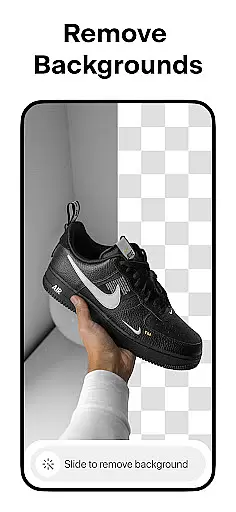
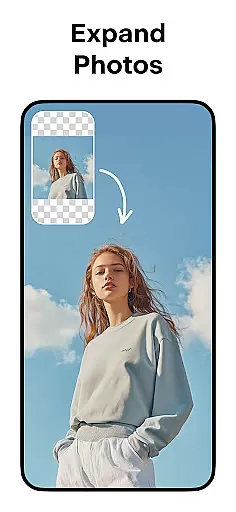

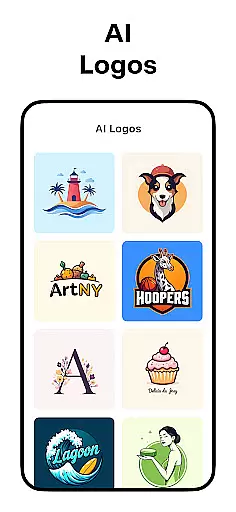
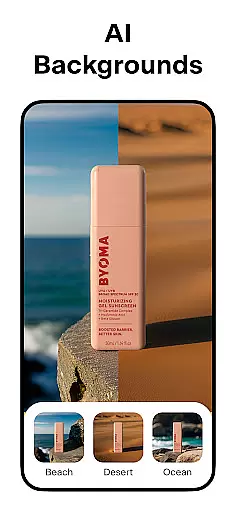
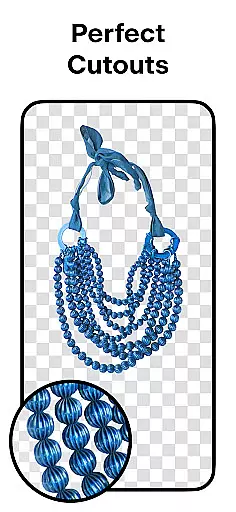
Pixelcut AI Photo Editor is a comprehensive design tool tailored for creators, marketers, and e-commerce businesses. This all-in-one photo editor leverages artificial intelligence to simplify complex design tasks, allowing users to create professional-quality images in seconds. The app's standout feature is its ability to instantly remove backgrounds with precision, making product photography seamless.
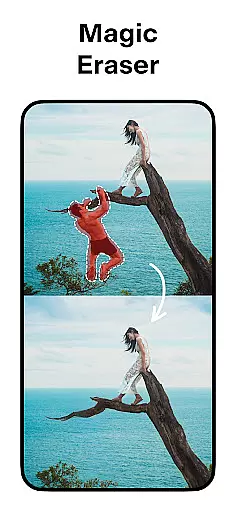
In addition to background removal, Pixelcut offers tools like the Magic Eraser for cleaning up photos, AI Photoshoot for generating unlimited product images, and Magic Writer for crafting engaging copy using AI. With templates designed specifically for shopping platforms, stunning collages, and creative text overlays, this app empowers users to enhance their social media presence on platforms like Instagram and Shopify. Whether you're a small business owner or a content creator, Pixelcut streamlines workflows while delivering visually appealing results.
Pixelcut AI Photo Editor stands out with its robust set of AI-powered features. One of its core functionalities is the Background Remover, which allows users to erase backgrounds from any image effortlessly, ensuring clean cutouts for professional use. Paired with the AI Photoshoot feature, users can generate an endless array of product photos optimized for e-commerce stores, saving both time and resources.
The app also includes creative tools such as Collage Maker, which provides dozens of customizable layouts, and Text Styles, enabling users to overlay beautifully styled text onto images. For those managing social media accounts, the Magic Writer tool generates captions, hashtags, and product descriptions powered by advanced AI technology. With additional options like shadow control, color backdrops, and community-driven templates, Pixelcut ensures every design need is met efficiently and effectively.
Pixelcut AI Photo Editor stands out as a comprehensive creative suite for both amateur and professional designers. The app integrates multiple advanced tools that cater to various design needs, ensuring users have everything required to produce high-quality visuals.
One of the key features is the Background Remover, which allows users to instantly remove backgrounds from any photo with precision. This tool is complemented by the Magic Eraser, enabling the removal of unwanted objects, thus providing a seamless cleanup process for images.
In addition to these, Pixelcut offers an AI Photoshoot feature, generating endless product photos using artificial intelligence. This makes it exceptionally easy to create appealing e-commerce product photography. The inclusion of a Reels Maker further enhances video creation capabilities, making it versatile for different content types.
The availability of thousands of templates, stunning color backgrounds, and text styles ensures that users can customize their projects extensively. These creative tools collectively empower users to craft unique designs tailored to their specific requirements, whether for social media or business storefronts.
Flexibility in canvas and format options is crucial for accommodating diverse design projects, and Pixelcut AI Photo Editor excels in this aspect. Users can choose from a variety of canvas sizes and formats, allowing them to tailor their workspace according to the project's needs.
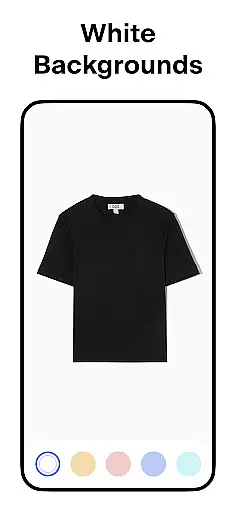
Pixelcut provides beautiful collage layouts, where users can arrange multiple photos creatively. This feature is particularly useful for crafting engaging social media posts or personalized photo albums. Additionally, the ability to place products on simple white or colorful backdrops ensures that images meet specific aesthetic criteria.
Moreover, the app supports shadows and text overlays, giving users control over the visual depth and textual elements within their designs. These features ensure that the final output looks professional and polished, regardless of the intended platform or purpose.
With its flexible canvas and format options, Pixelcut enables creators to produce content that stands out across various platforms like Instagram, Shopify, and YouTube. This adaptability not only enhances creativity but also boosts the effectiveness of marketing materials, helping businesses grow their presence online.
AI-powered efficiency
User-friendly interface
Versatile design tools
Instant background removal
Professional templates
Premium features locked
Subscription cost
Limited free usage
Internet connection required
Advanced tools may overwhelm beginners

Draw anime & manga drawing, art with templates to create stunning picture!
 4.50
4.50
Meet the magic aı 3d photo generator and smart AI video generator app.
3.20
Apply cartoon, caricature, and portrait effects to make your photos stand out!
3.60
Unleash your drawing and painting potential
4.50
Convert image to JPG PNG HEIC PDF, support almost all kinds of image formats
4.70
Digital, Abstract, Classic - all types of color wheels in one app!
4.60
Minecraft & Roblox Clothes
4.70
Art of Combination Wear OS Watch faces (for Wear OS 5+ devices)
3.90
All-in-One art, logo & collage maker. Design photos and edit video backgrounds
4.80
Logo Generator powered by AI: Create stunning logos effortlessly!
4.70
Draw on screen: FP sDraw is a simple and lightweight drawing app
4.70
Your AI soulmate — meaningful chats, and unique emotional moments
4.70
Create color palette from Image, RGB & RYB Color wheel harmonies, Color Scheme
4.50
Draw Trace image sketch by, AR art projector app, Easy to trace any image.
4.50
Painting, drawing, & sketching
4.50
Floor Plan Creator lets you create, edit and share floor plans.
4.00
Design unique, funny and adorable cat stickers that reflect your own style!
3.80
Experience next-gen icons with a modern liquid glass look.
3.60
AI Assistant, powered by ChatGPT GPT-4 & GPT-4o. Your intelligent companion.
3.50


User Reviews