
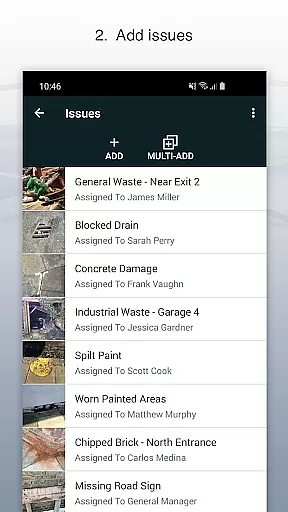
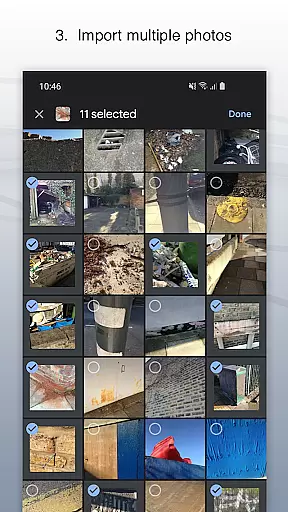
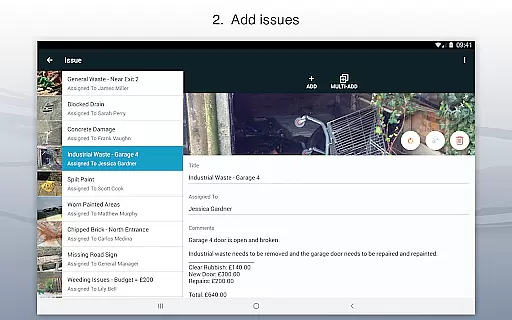
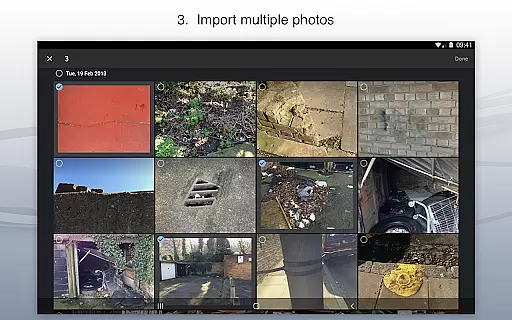
Site Audit Pro is a powerful productivity tool designed to simplify the auditing process for businesses across various industries. This mobile application allows users to efficiently record issues by capturing photos, adding descriptive titles, assigning tasks to specific individuals, and including relevant comments. The app's intuitive interface makes it easy to annotate images, highlighting critical information directly on the photos.
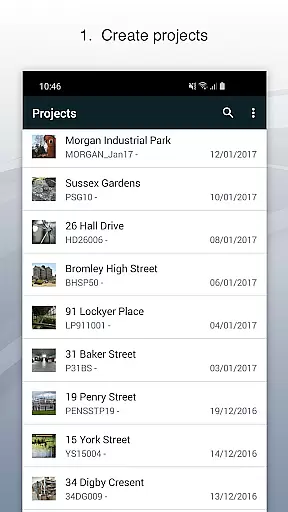
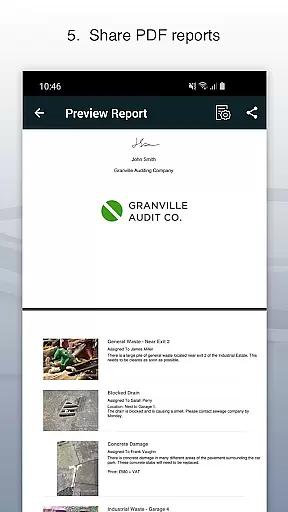
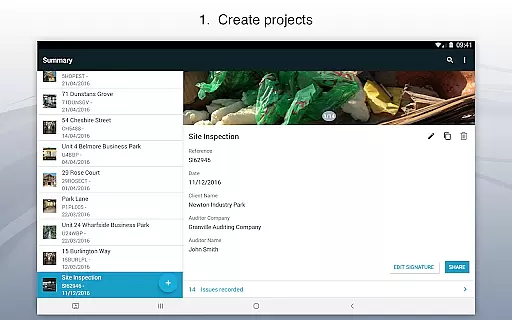
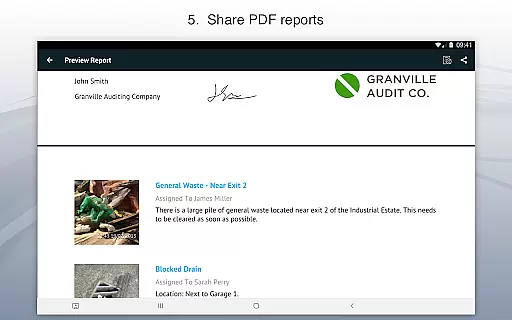
One of Site Audit Pro's standout features is its ability to organize identified issues into distinct projects, incorporating detailed site and client information unique to each audit. This ensures that all data remains well-structured and easily accessible. Additionally, the app enables users to instantly generate and share professional audit reports in PDF format via email or cloud services like Dropbox, eliminating the need to return to the office for report creation.
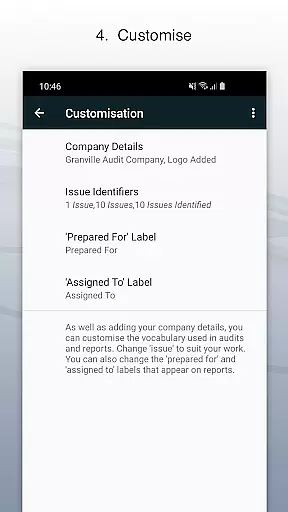
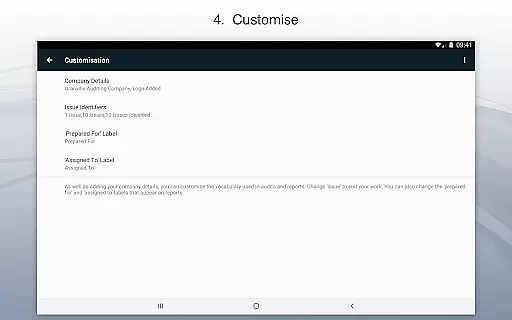
This application is particularly beneficial for professionals conducting safety inspections, creating punch lists, performing snagging tasks, or providing quotations. With customizable reporting options, users can add personal touches such as company logos, auditor names, and signatures, enhancing the professionalism of each report. Site Audit Pro adapts to different industry terminologies and offers eight customizable report designs, making it an invaluable asset for streamlining audit processes and improving overall productivity.
Site Audit Pro stands out with its comprehensive feature set tailored specifically for efficient auditing and inspection workflows. At its core, the application allows users to document issues through photographs while providing space for detailed descriptions, assignee assignments, and additional comments. The photo annotation functionality enables auditors to draw attention to specific areas within images, ensuring that crucial details are not overlooked during the review process.
The app's project management capabilities are equally impressive, allowing users to categorize findings into separate projects with dedicated site and client information. This organizational structure helps maintain clarity when handling multiple audits simultaneously. Moreover, Site Audit Pro excels in its reporting functions, offering instant generation of professional-grade audit reports that can be customized with company branding elements and personalized content.
What truly sets Site Audit Pro apart is its adaptability to different industries and use cases. Users can modify report language and formats to align with their specific sector requirements, whether they're conducting standard audits, performing site walks, managing checklists, or handling punch lists. The availability of eight distinct report templates provides flexibility in presentation style while maintaining a professional appearance. These features collectively contribute to significant time savings and enhanced productivity for businesses relying on regular auditing procedures.
Effective task management is essential for productivity-focused applications like Site Audit Pro. This app allows users to record issues, assign tasks, and add relevant comments seamlessly.
The application simplifies task organization by enabling users to categorize issues into specific projects. Each project can include detailed site and client information, ensuring that every task is contextual and clear.
With the ability to annotate photos and highlight critical details, Site Audit Pro ensures that all recorded tasks are precise and informative. This feature significantly enhances communication among team members, leading to more efficient task resolution.
Ultimately, this functionality helps businesses improve their workflow efficiency, making audits and inspections quicker to execute and easier to manage, thereby saving valuable time and resources.
Cross-device synchronization is a vital feature for users who need consistent access to their data across multiple devices. Site Audit Pro excels in this area by ensuring that all recorded issues and project details are reliably synced.
This means that whether you're using a smartphone or tablet, your data remains up-to-date and accessible wherever you go. The app's robust syncing capabilities ensure that no information is lost, providing peace of mind for professionals on the move.
In addition to reliable synchronization, Site Audit Pro offers instant sharing of audit reports. Users can share professional reports as PDFs via email or cloud services like Dropbox without needing to return to the office.
This seamless cross-device experience not only saves time but also enhances collaboration among team members, allowing them to access and act on the same data in real-time, thus improving overall productivity.
User-friendly interface
Comprehensive reporting tools
Customizable templates
Real-time collaboration
Cloud integration
Limited free version
Occasional bugs
Steep learning curve
High subscription cost
Offline limitations

A Revolutionary All-in-One Artificial Intelligence Tools
 3.80
3.80
Experience real multitasking on your Android!
4.00
Mega cloud explorer plugin for Solid Explorer
3.80
Professional calendar app for Google Calendar, MS Outlook & Exchange
4.20
Android Wallet Password Manager
4.80
App Lock with fingerprint, password: Lock apps & hide photos with lock screens
4.60
Multilingual translator for text, voice, and image translation!
4.90
Best Tool for the professionals Electrician, Electrical contractors, etc.
4.90
Understand anything with a personalized AI research assistant
4.80
Use powerful, industry-leading AI tools to generate visual charts from any data
4.80
Secure, fast, open-source, VNC and SSH Remote Desktop for Windows, Linux and Mac
4.70
Functional QR scanner and barcode reader that requires little storage space.
4.60
To do list widget with a notebook organizer, checklist, simple shopping list
4.60
Fill, sign & send docs, forms, agreements & contracts via electronic signature.
4.50
This small app MUST BE INSTALLED after purchase, else license won't work
4.40
Easily read and manage all your PDF files
4.10
Smart PDF reader & editor to view, organize and manage PDF documents easily.
3.70
ID.me Authenticator is a simple and free Two Factor Authentication solution
3.50
A simple, portable logger for POTA, SOTA, Field Day, and more
4.1


User Reviews