
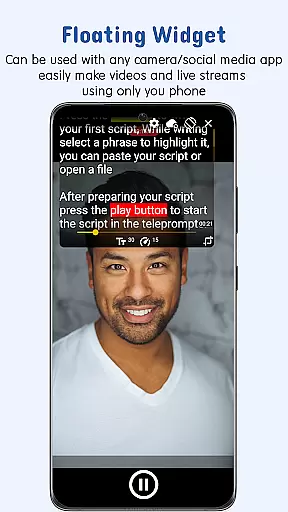
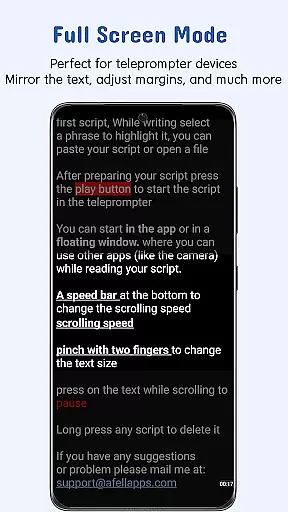
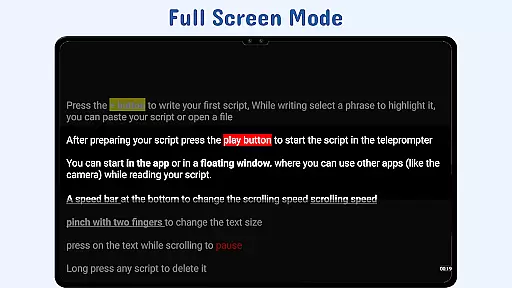
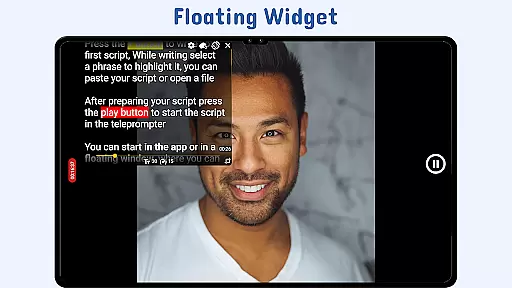
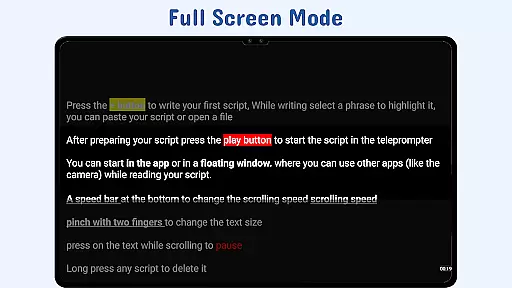
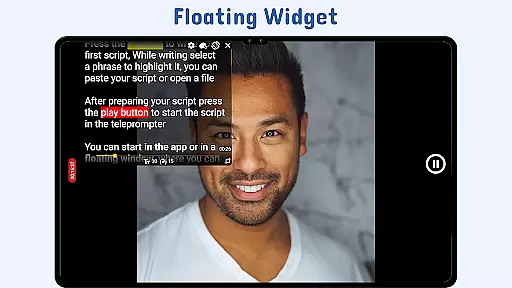
Nano Teleprompter is a versatile productivity tool designed to streamline the process of script reading during video recordings, live streams, and public speaking engagements. The app's standout feature is its floating teleprompter widget, which can be freely resized and positioned on-screen while recording in both landscape and portrait orientations. This ensures uninterrupted camera operation without compromising the ability to read your script.
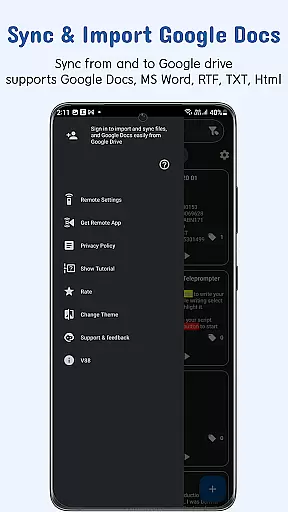
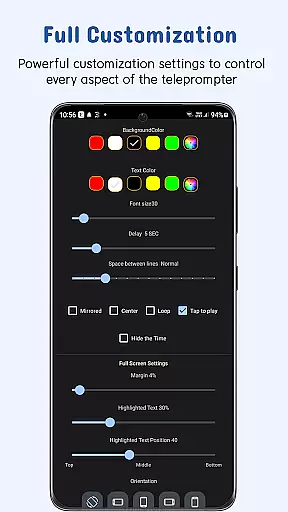
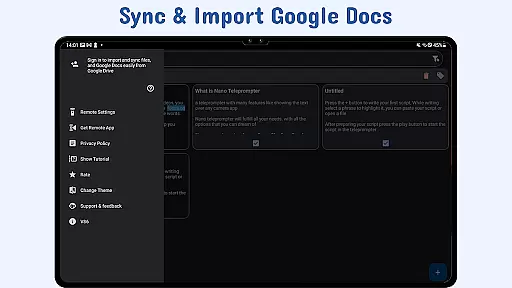
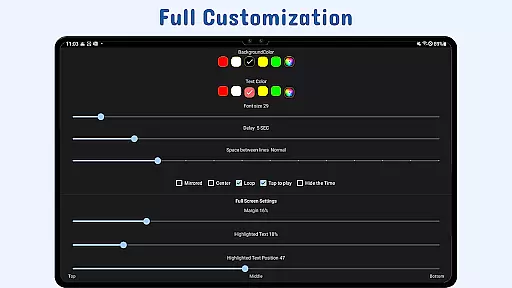
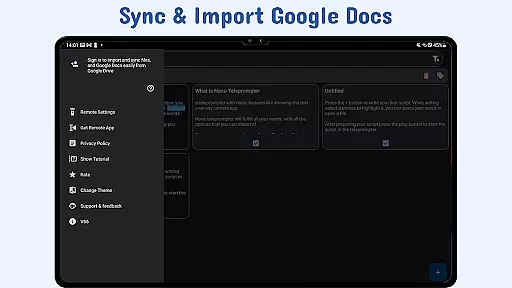
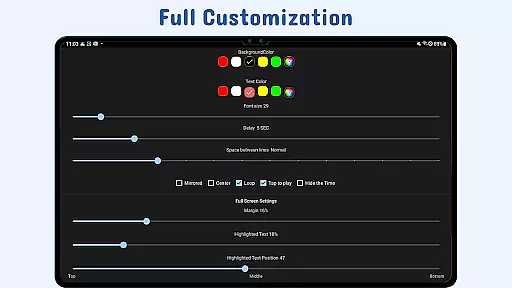
Another key strength of Nano Teleprompter is its seamless integration with Google Drive. Users can create, edit, and manage their scripts directly in Google Drive, with automatic real-time syncing across devices. The app supports multiple file formats including Google Docs, MS Word, RTF, TXT, and HTML, making it adaptable to various workflow preferences. Its customizable text display options allow users to adjust font size, color, background opacity, margins, and line spacing for optimal readability.
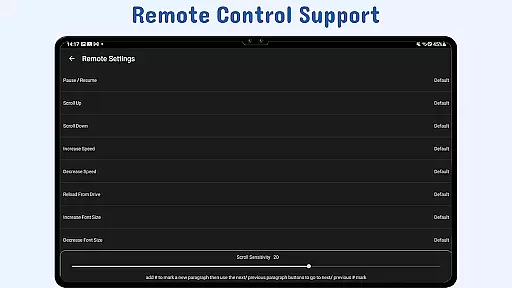
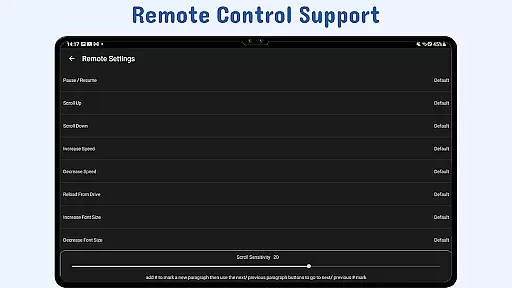
The app also offers practical features like gesture controls for zooming and resizing, adjustable scroll delay settings, and remote control support for hands-free operation. These capabilities make Nano Teleprompter particularly valuable for content creators, educators, and professionals who require precise control over their presentations while maintaining a natural delivery style.
Nano Teleprompter distinguishes itself through several innovative features that enhance user experience. First among these is the floating teleprompter widget, which provides unparalleled flexibility by allowing users to overlay their scripts on any camera app interface. This widget can be freely moved, resized, and customized to suit individual preferences, ensuring minimal disruption to the recording process.
The app's real-time Google Drive synchronization sets it apart from competitors. By linking directly to Google Drive, Nano Teleprompter enables users to work on their scripts from any device while automatically updating changes across all platforms. This cloud-based approach not only ensures data security but also facilitates collaboration and easy access to script files regardless of location or device.
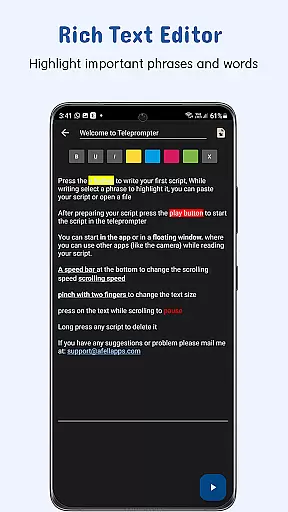
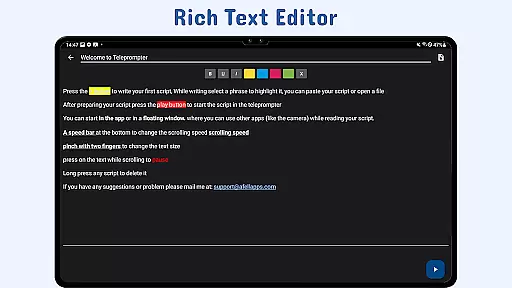
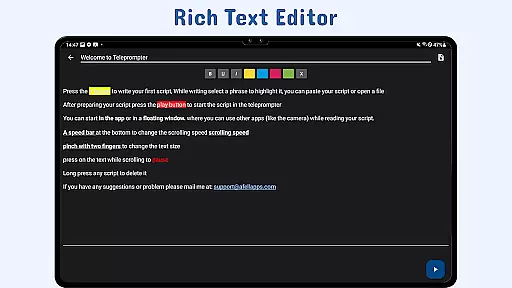
Additional notable features include advanced text customization options, gesture-based controls, and remote management capabilities. Users can highlight key phrases for emphasis, adjust scrolling speed with precision, and control the teleprompter hands-free using customizable remote buttons. These comprehensive tools collectively create a robust solution for anyone requiring professional-grade teleprompting functionality in their mobile device.
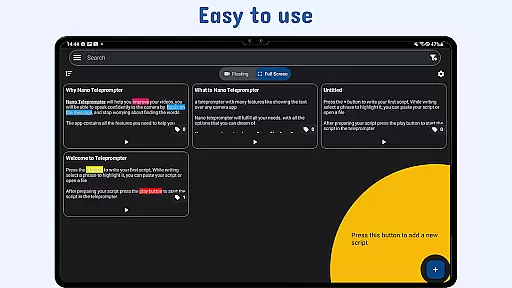
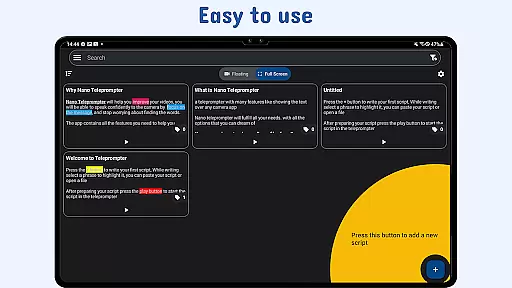
At the heart of Nano Teleprompter lies its robust core task management system, designed to streamline your workflow. This feature allows users to create, edit, and manage scripts directly through Google Drive, ensuring that all content is up-to-date and readily accessible. The seamless integration with cloud storage means you can work on your scripts from any device, at any time.
The app's automatic sync functionality ensures that changes made in Google Drive are instantly reflected within Nano Teleprompter. Whether you're collaborating with a team or working solo, this real-time update capability keeps everyone on the same page. Users can import files in various formats including Google Docs, MS Word, RTF, TXT, and HTML, making it versatile for different types of projects.
With customizable text options such as size, color, background opacity, margins, and line spacing, Nano Teleprompter empowers users to tailor their reading experience for optimal clarity. These personalization features not only enhance readability but also allow presenters to maintain focus without being distracted by inadequate script presentation.
Nano Teleprompter excels in cross-device synchronization reliability, offering a consistent experience across all your devices. By leveraging Google Drive, the app ensures that every change, no matter how small, is backed up and available wherever you go. This level of data integrity provides peace of mind, knowing that your scripts are safe and always current.
The ability to access scripts from multiple devices enhances productivity and flexibility. Whether switching between a phone, tablet, or computer, users will find their work environment familiar and functional. With Nano Teleprompteru2019s floating widget, scripts remain visible while using other apps, which is particularly useful during live broadcasts or video recordings.
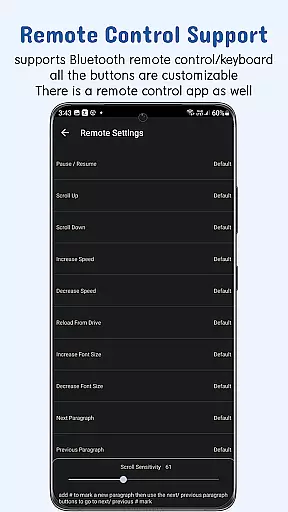
Moreover, remote control support adds another layer of convenience, allowing users to manage their scripts hands-free. Customizable buttons enable actions like pausing, resuming, scrolling, adjusting speed, and navigating through the script effortlessly. Such features make Nano Teleprompter an indispensable tool for professionals who demand efficiency and precision in their teleprompting solutions.
User-friendly interface
Real-time cloud sync
Flexible widget positioning
Multi-format compatibility
Remote control support
Limited offline functionality
Premium feature lock
Occasional sync delays
Device compatibility issues
Learning curve for new users

Seamlessly integrate data and reports to build your presentation to impress
 4.80
4.80
Experience real multitasking on your Android!
4.00
Easily read and manage all your PDF files
4.10
Device's storage information in a simple and clear graphical form (infographics)
4.10
Remotely view listen control and record cameras.
3.70
App lock - lock apps with fingerprint, password, pin or pattern, protect privacy
4.70
Access, manage and transfer files on Android, PC, Mac, NAS and cloud storages.
4.30
A beautiful digital clock with autostart and many other functions
4.70
Secure your apps with lock screens, use custom themes and different features.
4.40
Great calculator for Android named one of USA TODAY's "25 Essential Apps".
4.90
Use powerful, industry-leading AI tools to generate visual charts from any data
4.80
Calendar 2023 widget for Android. Appointment scheduler, planner, and reminder
4.60
The Pro Version of Android's tiniest Notepad app. Just 0.3MB but feature-packed!
4.60
Experience Reading - Night Mode for Documents
4.40 4.20
4.20
Todo reminder
4.10
Intelligent AI Assistant
4.10
Auto-shutoff Alarm with Sunrise, Sunset & Fixed Options.
3.50
Easiest event planning, volunteer signups & parent teacher conference scheduling
2.20


User Reviews