

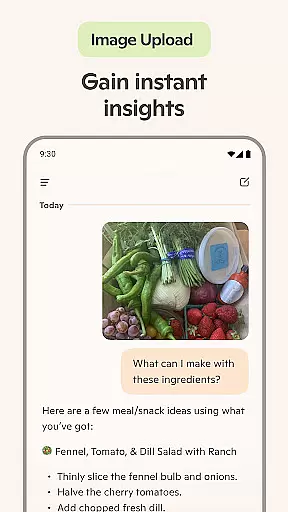
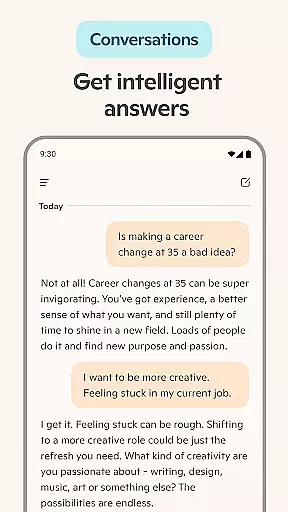
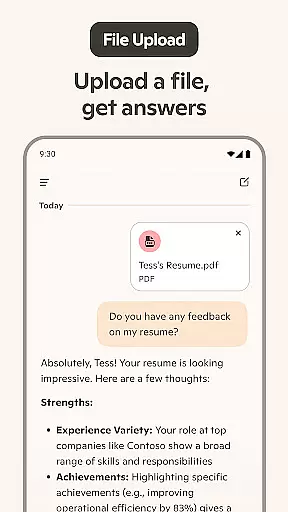
Microsoft Copilot is an advanced AI productivity tool designed to enhance your daily workflow. This powerful application combines the latest OpenAI and Microsoft AI models, offering users a comprehensive AI assistant experience. The app's core functionality lies in its ability to handle complex tasks through simple conversations.
The application provides multiple features including AI-powered chat assistance, voice interaction, and an innovative AI photo generator. These capabilities make it suitable for professionals seeking efficient content creation and business optimization. Whether you need help with writing, research, or visual content generation, Microsoft Copilot delivers intelligent solutions that save time and boost productivity.
One notable use case is the app's ability to streamline professional communication. Users can compose emails, create presentations, and develop marketing materials with remarkable efficiency. The AI assistant's multilingual support and smart summarization features make it invaluable for international teams and busy professionals who need quick, accurate information processing.
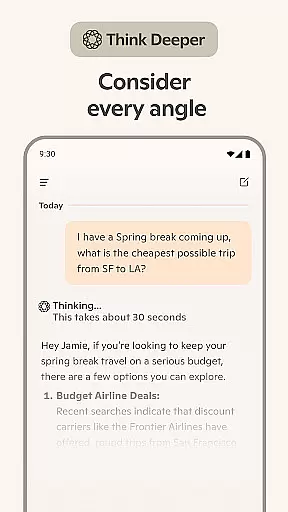
Microsoft Copilot distinguishes itself through several remarkable features. The application's Smart Mode utilizes GPT-5 technology, representing the pinnacle of AI reasoning and conversational capabilities. This integration allows users to receive sophisticated responses to complex queries while maintaining intuitive interaction patterns.
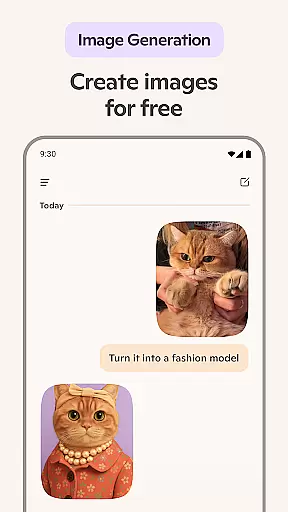
A key innovation is the app's multimodal interface, supporting both text-based and voice-driven interactions. The AI photo generator stands out as a particularly valuable tool, capable of transforming textual descriptions into high-quality visuals. From photorealistic images to abstract designs, the generator supports various creative needs including logo design, children's book illustrations, and social media content creation.
The application also excels in professional writing assistance. Its document composition features include email drafting, resume building, and cover letter creation. The AI-powered language translation and proofreading tools support hundreds of languages, including regional dialects. Additionally, the app's smart summarization and rewriting capabilities help users quickly process large volumes of information while maintaining accuracy and context.
At the heart of Microsoft Copilot lies its robust core task management capabilities, designed to streamline your daily workflow. This feature allows users to efficiently organize and prioritize their tasks, ensuring that nothing important slips through the cracks. With smart AI technology, Copilot provides summarized answers and straightforward solutions to complex questions, all derived from simple conversations with the AI helper.
The application takes productivity a step further by integrating an AI chat assistant that can simplify the creation of grocery lists or weekly meal prep lists through smart suggestions. It also offers the ability to translate and proofread across multiple languages, optimizing text in hundreds of languages including regional dialects. This makes it an indispensable tool for those working in multilingual environments or looking to reach broader audiences.
Moreover, Copilot's AI writing assistant aids in composing and drafting various types of documents such as emails, cover letters, and even updating resumes. By leveraging the latest OpenAI and Microsoft AI models, Copilot ensures that every piece of content is not only well-written but also tailored to meet individual needs. Whether you're crafting a professional email or updating your resume, Copilot stands ready to assist, making task management both seamless and efficient.
Microsoft Copilot excels in providing reliable cross-device synchronization, ensuring that your data and preferences are consistently up-to-date across all your devices. This functionality is crucial for users who rely on multiple devices throughout their day, allowing them to pick up right where they left off, regardless of the device they are using. The synchronization process is seamless and automatic, eliminating the need for manual updates and ensuring that your information is always current.
In addition to maintaining consistency across devices, Copilot's synchronization reliability extends to its AI photo generator and other creative tools. Users can create images from words or turn abstract concepts into stunning visuals, knowing that these creations will be accessible wherever they go. This level of integration ensures that whether you're at home, in the office, or on the move, your creative projects remain intact and readily available.
Copilot's commitment to synchronization reliability also encompasses its AI chat assistant, which supports voice chat and text-based interactions. This means that whether you're composing stories, generating high-quality visuals, or sparking inspiration for new tasks, your progress is saved and synchronized in real-time. With Microsoft Copilot, you can trust that your work and creative endeavors are securely backed up and easily accessible, empowering you to achieve more with confidence.
Advanced AI capabilities
Intuitive user interface
Multimodal interaction
Professional writing tools
Image generation feature
Premium subscription required
Occasional response delays
Limited offline functionality
High system requirements
Learning curve present

Client for Nextcloud Deck
 4.60
4.60
Planet Free VPN - The best Fast Unlimited and Secure VPN Without Logs
4.50
Automates browsing any website and notifies you of important changes or events
4.30
Smart PDF reader & editor to view, organize and manage PDF documents easily.
3.70
⏰ Finally a timer app which can run multiple timers simultaneously on your watch
3.90
Stay on top of your to-dos with Google Tasks, part of Google Workspace.
4.60
Subscribe to Webcal & .ics calendars and keep them up-to-date!
4.50
A comprehensive suite of tools designed specifically for Lactation Consultants
4.2
Quickly and easily keep track of your work shifts
4.70
We're working to become the best machining app on the market! www.cncdirt.com
4.80
App lock - lock apps with fingerprint, password, pin or pattern, protect privacy
4.70
Scan paperwork into PDF/JPG, generate your own e-signature and send fax or email
4.70
The AI assistant that thinks with you - write, code, and solve complex tasks
4.60
Fill, sign & send docs, forms, agreements & contracts via electronic signature.
4.50
Make apps & sites with natural language prompts
4.10
Secure, open-source, SPICE and SSH Remote Desktop for QEMU KVM virtual machines
4.00
ID.me Authenticator is a simple and free Two Factor Authentication solution
3.50
Experience and share your SolidWorks designs on your Android® phone and tablet.
2.50
The upgraded version of Name Wheel with AI and the power to add your own wheels.
4.2


User Reviews