
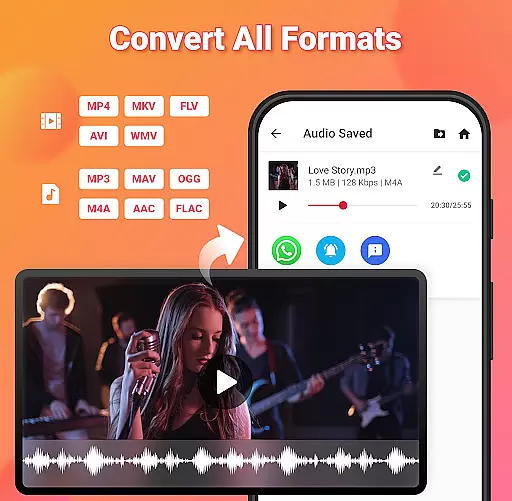
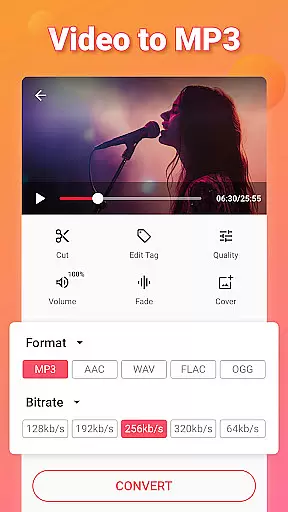
Video to MP3 is a versatile media converter tool that allows users to convert video files to high-quality audio formats. The app supports batch conversion, enabling users to process up to 15 videos at once. With its fast and efficient conversion capabilities, users can easily extract mp3 songs from videos in various formats including MP4, MKV, AVI, and more.
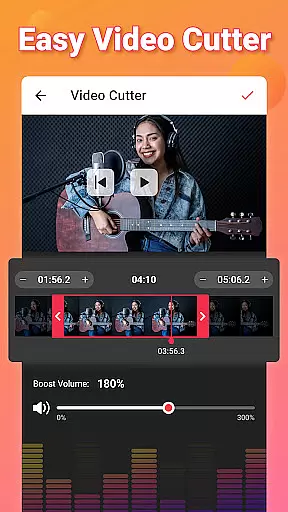
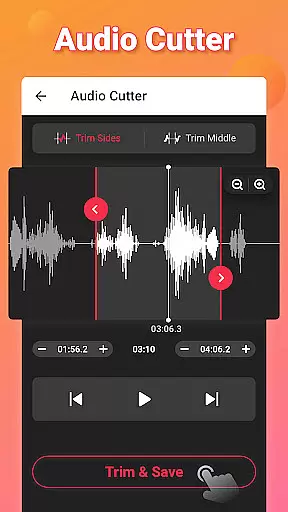
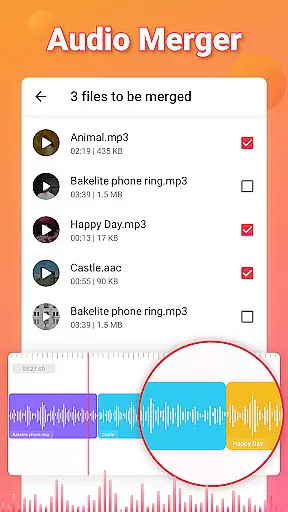
In addition to its core conversion feature, the app offers advanced editing options such as trimming and cutting both video and audio files. Users can also merge audio tracks, adjust sound levels with the Sound Boost feature, and apply fade-in and fade-out effects. The app's comprehensive format support extends to popular audio codecs like MP3, AAC, and FLAC, making it an all-in-one solution for media conversion needs.
This application is particularly useful for content creators and mobile users who need to repurpose video content into audio files for podcasts, music libraries, or personal use. Its intuitive interface and robust feature set make it a valuable tool for anyone working with digital media on their Android device.
Video to MP3 stands out with its comprehensive feature set designed for both casual users and media professionals. The app's batch processing capability allows conversion of multiple files simultaneously, significantly reducing processing time. Advanced format support includes popular video formats like MOV, MKV, and AVI, alongside audio formats such as MP3, WAV, and FLAC.
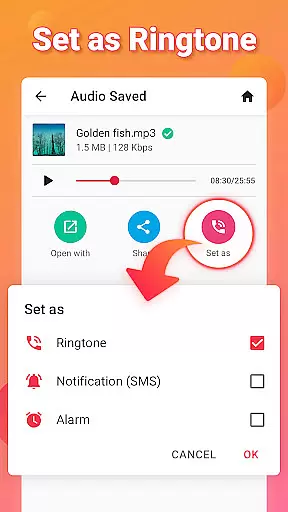
The application provides precise editing tools including an MP3 cutter, video trimmer, and audio merger. Users can create custom ringtones, notification sounds, and alarms with specific bitrate settings ranging from 32kb/s to 320kb/s. The built-in metadata editor enables modification of audio file information including title, album, artist, and genre details.
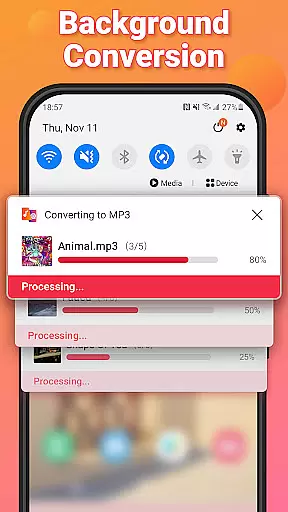
Additional features include background conversion for uninterrupted multitasking, customizable fade effects for professional-grade audio editing, and the ability to add music covers to MP3 files. The app's user-friendly interface combines these powerful features into an accessible package, making sophisticated media editing available to users of all skill levels.
Video to MP3 stands out with its extensive video format compatibility, ensuring users can convert nearly any video file to audio. The app supports a wide array of video formats including MP4, MKV, FLV, AVI, and WMV.
This broad compatibility is crucial for users who work with various video sources, allowing them to focus on content creation rather than format limitations. Whether it's converting MOV to MP4 or MKV to MP4, the app handles these tasks seamlessly.
The importance of such versatility cannot be overstated in today's multimedia environment. Users benefit from not having to pre-convert files to specific formats before processing, saving both time and effort.
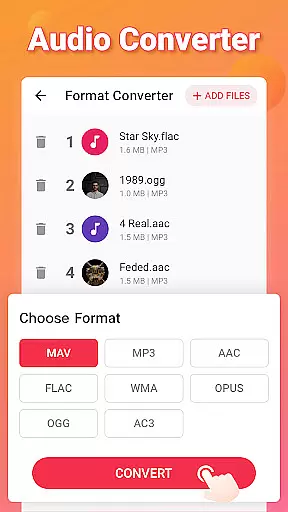
Moreover, this app doesn't just stop at video conversion; it extends its capabilities to audio conversion as well, supporting formats like mp3, wav, ogg, m4a, acc, and flac. This dual capability makes it an indispensable tool for anyone looking to efficiently manage their media files.
Beyond basic conversion, Video to MP3 incorporates AI-powered editing features that significantly enhance user experience. These include smart tools for cutting and trimming videos, merging audio files, and even boosting sound levels automatically.
The integration of artificial intelligence allows for precise editing without manual calculations or adjustments. For instance, users can effortlessly cut video segments, merge multiple audio tracks, and adjust volume levels with minimal effort.
Additionally, the app offers advanced options like fade-in and fade-out effects, bitrate settings ranging from 32kb/s to 320kb/s, and the ability to edit metadata tags such as Title, Album, and Artist information. These features collectively provide a comprehensive editing suite within a single application.
Such sophisticated yet user-friendly functionalities make Video to MP3 not just a converter but a complete media management solution, appealing to both casual users and professionals seeking efficient workflow solutions.
User-friendly interface
Batch conversion support
Wide format compatibility
Advanced editing tools
Completely free to use
Limited advanced features
No cloud integration
Basic UI design
Occasional ads
Large file size

A full editing room to accompany your Insta360 cameras and handheld gimbals.
 3.30
3.30
?100% FREE! Download & save videos? safely in this app. All formats supported.
4.60
Full HD Video mp3 Player, MP4 player play 1080p, File manager, Video Downloader
4.40
Play ALL formats in 4K & HD. Video downloader, MP3 player, Chromecast & more.
4.80
HD video maker with no watermark, no ads & vlog maker with music, PIP, text
4.50
Find, download, and play torrents with the official BitTorrent® Pro app
4.70
All in one multi protocols stream receiver for AirPlay, Cast and DLNA.
3.60
Video player with 4K & 1080P support, popup play, background play and subtitle.
4.20
Make videos you’re proud to share with Edits, a video editor for creators.
4.70
Flud is a simple and beautiful BitTorrent client for Android.
4.80
Download videos and play them offline
4.70
Auto video maker with music & exclusive filters. Video editing made simple.
4.50
Fast & Private HD Video Downloader with Built-in Proxy Browser and Video Player.
4.50
Create & edit videos with AI
4.30
Turn your phone into a wireless camera!
4.20
Stream Web Videos to Chromecast, Samsung, LG, Sony, Roku, Fire TV, DLNA + more
4.00
Kodi media center, a free and open source cross-platform entertainment hub
3.60
Client application for NextPVR software
3.00
Powerful HD video player with support for all formats & subtitles.
4.2


User Reviews