
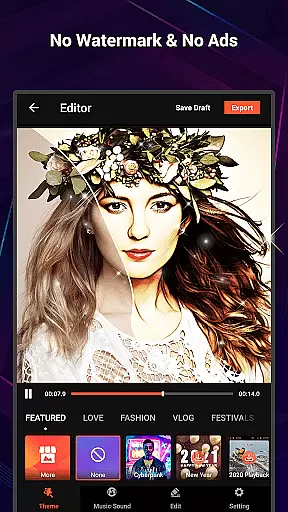
VideoShow Pro is a premium video editing application designed for both amateur and professional content creators. This app offers advanced features such as 4K video support, no watermarking, and an ad-free experience, making it ideal for users who demand high-quality video production. With its intuitive interface, VideoShow Pro allows users to create stunning videos by integrating photos, music, filters, and various effects seamlessly.
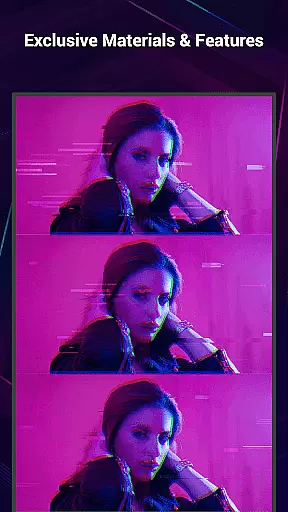
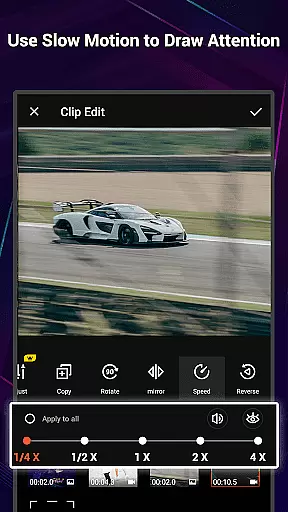
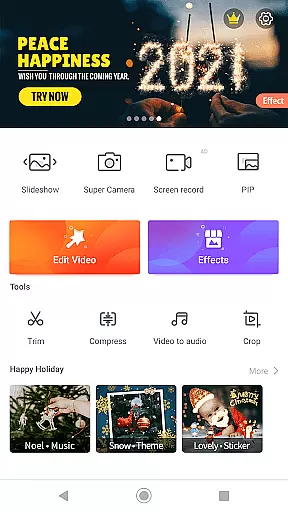
The application stands out with its exclusive materials and up to 20 FX effects per video, enabling creators to express their unique style. Whether you're editing a vlog, promotional video, or personal montage, VideoShow Pro provides all the necessary tools to produce professional-grade content with minimal effort. Its comprehensive toolbox includes features like ultra cut, fast trim, and video compression, ensuring that your final product meets industry standards.
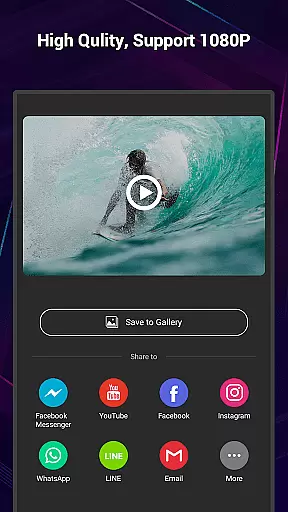
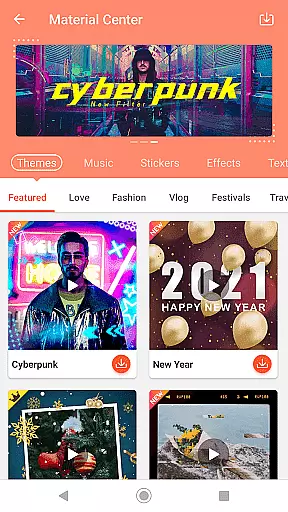
VideoShow Pro boasts a rich set of features tailored to enhance the video editing process. One of its key strengths is the ability to export videos in 1080p and 4K resolution, providing crystal-clear quality for viewers. The app also includes a fantastic materials store where users can access themes, music, text styles, stickers, sound effects, and fonts, allowing for endless creative possibilities.
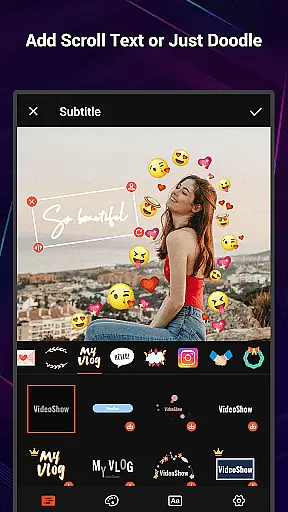
In addition to its core editing capabilities, VideoShow Pro offers specialized tools such as zoom and rotate functions, multi-music support, and live dubbing options. Users can apply stunning filters with just one tap, add elaborate themes for instant customization, and even record their own voiceovers. These features collectively ensure that every video created with VideoShow Pro is not only visually appealing but also highly personalized and engaging.
VideoShow Pro stands out with its exceptional video format compatibility, ensuring users can work seamlessly across various file types. The application supports a wide range of formats, including but not limited to MP4, AVI, MOV, and even the high-resolution 4K video format.
This extensive compatibility allows creators to import videos from different sources without worrying about format issues. Whether you're editing footage from a professional camera or smartphone, VideoShow Pro provides a smooth experience that caters to both amateur and expert videographers.
Moreover, the app's ability to export videos in 1080p ensures that your final product maintains high quality. This feature is crucial for users who wish to preserve the integrity of their content when sharing across multiple platforms or devices.
The absence of a watermark further enhances the professional feel of the exported videos, making VideoShow Pro an ideal choice for those looking to create polished content without any distracting elements.
VideoShow Pro incorporates advanced AI-powered editing features that revolutionize the video creation process. With intelligent tools that assist in beautifying videos, users can apply stunning filters, add unique sound effects, and even record their own voiceovers with ease.
The AI technology extends to automating complex tasks such as video trimming and compression, allowing users to focus on the creative aspects of video production. These smart features ensure that even those with minimal editing experience can produce professional-quality videos.
Additionally, the app offers a fantastic materials store powered by AI, which suggests themes, music, text styles, stickers, and fonts tailored to the project at hand. This personalization enhances storytelling and helps creators craft videos that resonate with their audience.
By integrating these sophisticated AI capabilities, VideoShow Pro not only simplifies the editing process but also elevates the overall user experience, enabling creators to bring their visions to life effortlessly.
High-quality 4K support
No watermarks or ads
Exclusive editing materials
Intuitive user interface
Comprehensive toolbox
Premium version costly
Advanced features complex
Limited free materials
Occasional bugs reported
Large app size

Video Player - Unlimited features, 30 days money back guarantee.
 4.60
4.60
Save photos and videos from social apps in one tap.
3.60
Video Trimmer, Video to MP3 Converter. Extract music from video, Easy & Fast.
4.80
KMPlayer Plus (Divx Codec) officially support Divx codec.
4.30
AirMirror Receiver - Screen mirroring/cast web videos to Android TV by AirPlay.
4.40
GENRAL PRO - General Pro is the best video player that fully supports all formats.
4.70
Play and download HD videos from all sources — fast, simple, and all-in-one.
4.5
Fast & Private Video Downloader App. Save all videos easily from the Internet.
4.40
Make videos you’re proud to share with Edits, a video editor for creators.
4.70
Flud is a simple and beautiful BitTorrent client for Android.
4.80
An easy-to-use and all-round screen recorder with audio
4.80
AI Video Editor with Music, Filter, Slideshow, Effect, Merge & Trim Video.
4.80
Cast movies, tv shows and live streams to Chromecast, Roku, DLNA, Fire TV & more
4.60
Auto video maker with music & exclusive filters. Video editing made simple.
4.50
AI Video Editor:AI Music, Text to Video,Text to Speech,Auto Caption,Video Effect
4.00
Connect 2 UVC devices for recording and broadcast video/audio stream
3.90
Livestream, news, & gaming content. Watch, chat, and upload. Join Rumble today!
3.80
Video player with powerful streaming playback and various convenient features.
2.10
The smartest M3U IPTV Player your playlists have ever seen.
4.5


User Reviews