






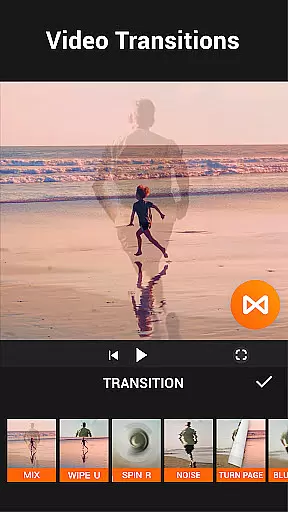



YouCut is a versatile video editing application designed for both casual users and professional content creators. This free video editor offers an extensive range of features including AI-powered tools, multi-layer timeline editing, chroma key effects, and more. With its user-friendly interface, YouCut allows users to create high-quality videos with custom music, filters, and effects suitable for various social media platforms.
One of the standout features of YouCut is its AI Video Boost, which includes auto captions, background removal, and video enhancement capabilities. The app also provides essential editing functions such as video merging, cutting, trimming, slicing, speed control, and slideshow creation. Users can adjust video parameters like brightness, contrast, and saturation, change aspect ratios, and apply creative filters and FX effects.
YouCut's practical applications extend to making engaging YouTube videos, Instagram stories, TikTok clips, and other social media content without watermarks or intrusive ads during the editing process. Its powerful yet accessible tools make it an ideal choice for anyone looking to produce polished, professional-grade videos directly from their mobile device.
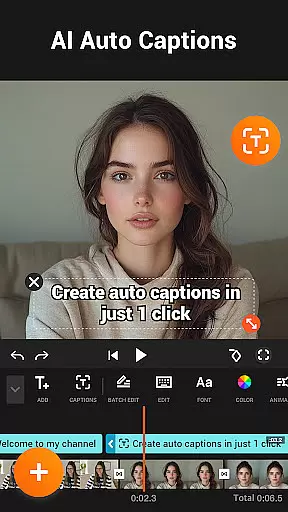
YouCut distinguishes itself through a comprehensive suite of advanced editing features. The AI Video Boost functionality automatically generates captions using speech-to-text technology, removes backgrounds seamlessly, enhances video/photo quality instantly, and creates smooth slow-motion effects. These AI-driven tools streamline the editing process while maintaining high output quality.
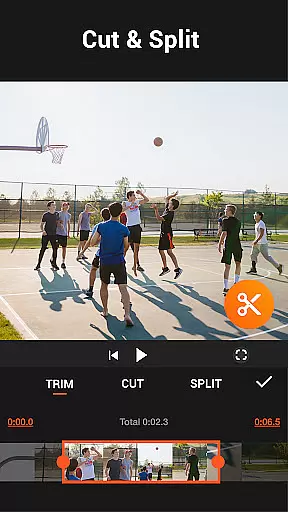
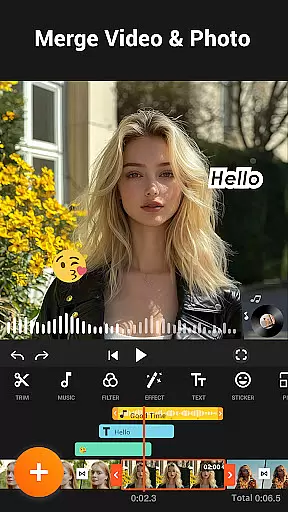
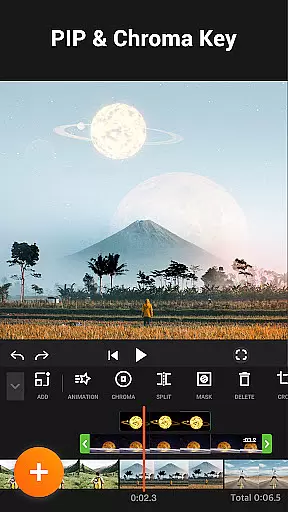
In addition to AI enhancements, YouCut offers traditional yet robust video editing capabilities. Users can merge multiple videos into one cohesive piece, cut and trim footage precisely, slice videos into separate clips, and control playback speed from 0.2× to 100×. The app supports multi-layer timelines and green screen effects, enabling complex compositions typically found in desktop editing software.
Further enhancing its utility, YouCut includes photo slideshow creation, music integration, color adjustment options, aspect ratio customization, background modification, and video compression without significant quality loss. These features collectively empower users to craft visually appealing and technically sophisticated videos optimized for different platforms and audience preferences.
Video format compatibility is a crucial feature for any video editing application, ensuring that users can work with a wide range of video files without conversion hassles. YouCut stands out by supporting multiple formats, allowing creators to import and export videos in their desired resolutions and codecs.
The app's ability to handle high-resolution footage up to 4K ensures that professionals and amateurs alike can achieve excellent quality outputs. This flexibility empowers users to create content tailored for various platforms, from YouTube to Instagram, without worrying about format restrictions.
YouCut also offers a video compressor tool, which helps reduce file sizes significantly while maintaining good quality. This feature is particularly beneficial for sharing videos on social media or via messaging apps where file size limits may apply.
By providing comprehensive format support and efficient compression options, YouCut enhances the creative process, enabling seamless video production and sharing across different devices and platforms.
AI-powered editing features are revolutionizing the way users interact with video editing software, making advanced tools accessible even to beginners. YouCut incorporates AI technology to offer innovative functionalities like auto captions, background removal, and video enhancement, streamlining the editing process.
The auto captions feature uses speech-to-text algorithms to generate accurate subtitles for talking videos, saving time and effort for content creators. Meanwhile, the background removal tool allows users to instantly erase video backgrounds, opening up possibilities for green screen effects and creative compositions.
YouCut's AI enhancements extend to improving video and photo quality with just a tap, as well as creating smooth slow-motion effects. These intelligent features enable users to elevate their projects with professional-grade edits without requiring extensive technical knowledge.
By integrating these cutting-edge AI capabilities, YouCut positions itself at the forefront of video editing innovation, offering users powerful tools to produce stunning visual content efficiently.
User-friendly interface
Extensive feature set
No watermark on exports
Powerful AI tools
High-quality output
Limited advanced options
Occasional performance lag
Ads outside editing mode
Basic tutorials only
Device compatibility issues

IPTV-Smarters Player Pro M3U - Watch Live Stream TV Channels with Chromecast
 4.00
4.00
Watch full episodes of your favorite Cartoon Network and Cartoonito shows!
3.50
Video Trimmer, Video to MP3 Converter. Extract music from video, Easy & Fast.
4.80
HD video maker with no watermark, no ads & vlog maker with music, PIP, text
4.50
Live TV, anywhere in your home
3.80
Fast & Private Video Downloader App. Save all videos easily from the Internet.
4.40
Cast to Smart TV, Fire TV. Cast video, photo - Fast & Stable!
3.90
Add date and time watermark to photos and videos
4.50
A Simple app to download Video & Music from the Internet.
4.70
Snaptubè Video Downloader app allows to download videos and music in Snaptube. .
4.60
Seamlessly connect and control your smart devices, anytime, anywhere with ease.
4.60
Fast & easy HD video downloader for all formats, support 4K playback & download.
4.60
Video Downloader, Multiple Resolution Options, Video Player
4.50
Viddo: Generate Action Figure, AI Anime, AI kiss, AI hug Video from image & text
4.40
Turn your phone into a wireless camera!
4.20
All format media Player, no need video converter any more!
4.00
Livestream, news, & gaming content. Watch, chat, and upload. Join Rumble today!
3.80
Kodi media center, a free and open source cross-platform entertainment hub
3.60
The smartest M3U IPTV Player your playlists have ever seen.
4.1


User Reviews