
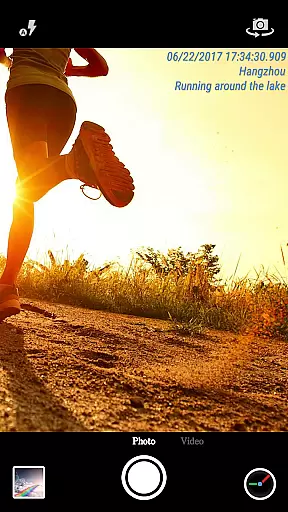
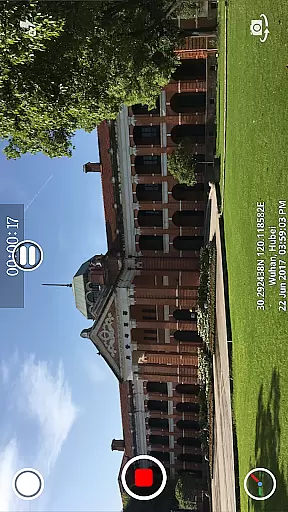
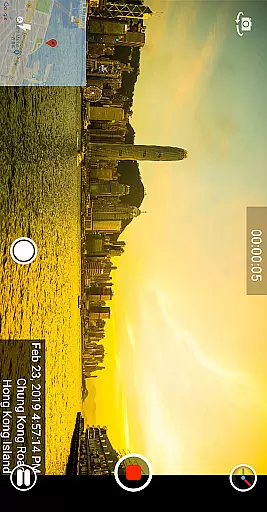
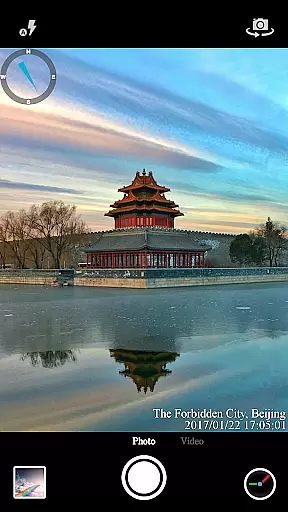
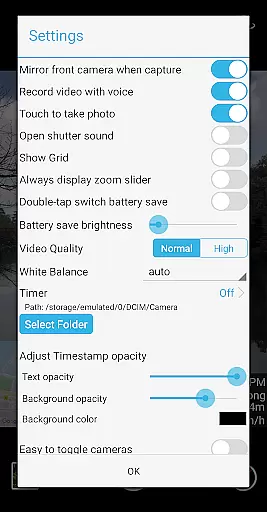
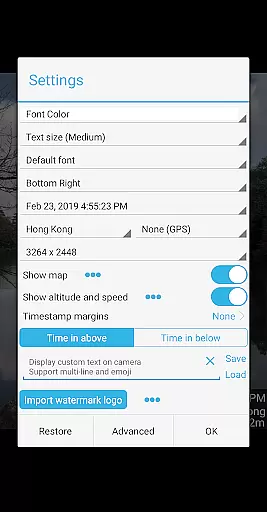

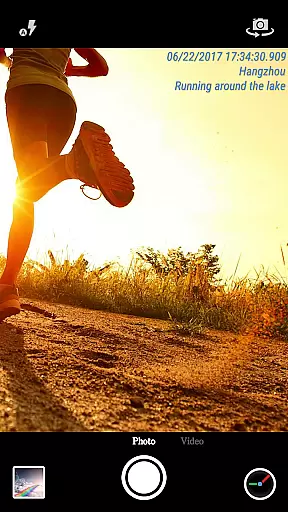
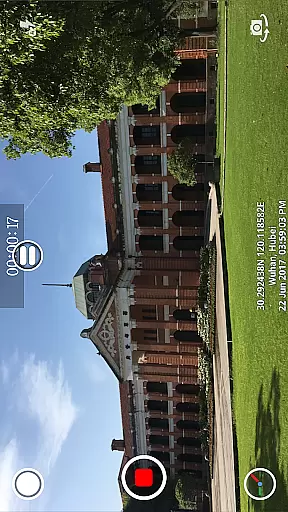
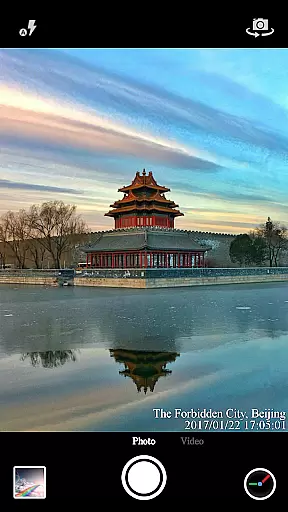
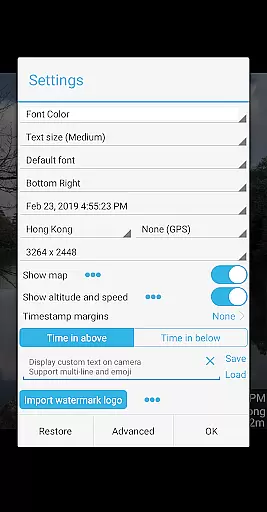

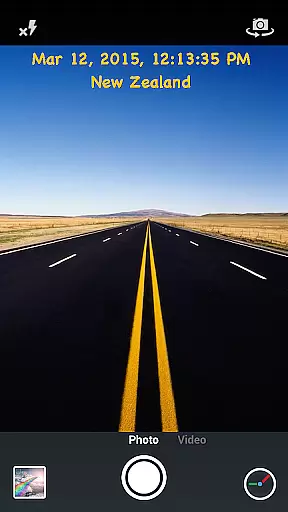
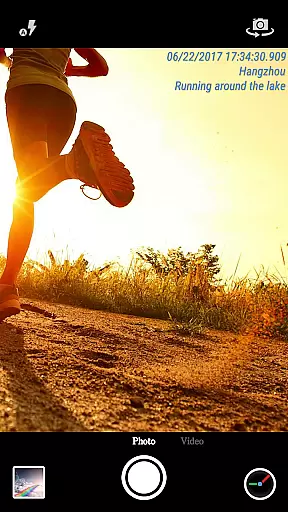
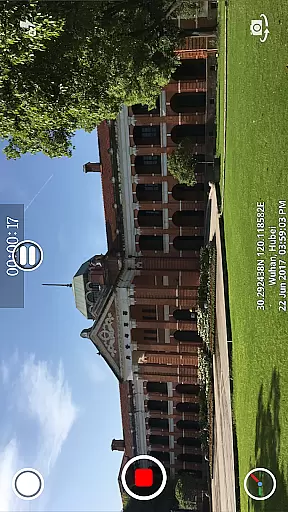
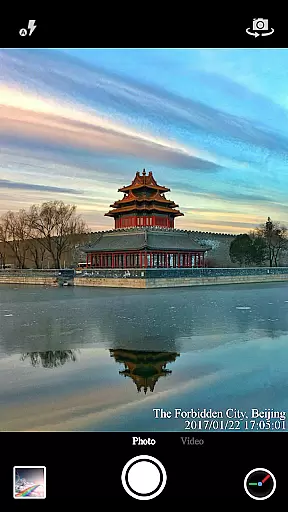
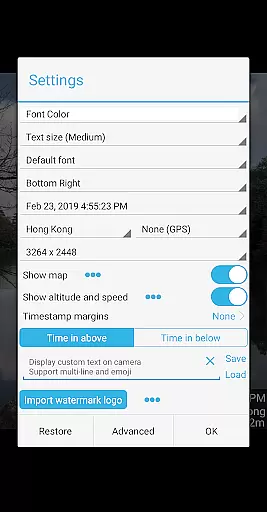

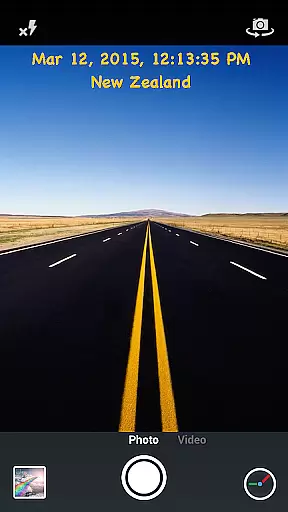
Timestamp Camera Pro is a powerful video and photo editing application that specializes in adding real-time timestamp watermarks to your media. The app allows users to capture photos and record videos while displaying the current time, location, and other customizable details directly on the camera interface. With support for 61 timestamp formats, adjustable font styles, sizes, colors, and positions, this app offers extensive customization options. Additionally, it provides advanced features such as millisecond accuracy, GPS data inclusion, altitude, and speed display, making it an ideal tool for professionals who require precise documentation of time and location.
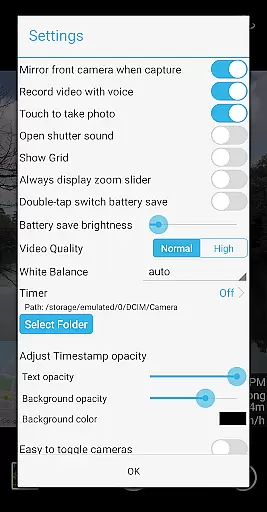
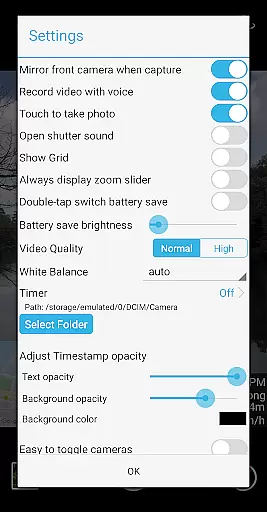
One of the standout features of Timestamp Camera Pro is its ability to add custom text, emoji, logos, and even maps with adjustable transparency and size onto your photos and videos. It also supports battery-saving modes, audio-free video recording, and shutter sound toggling. Whether you're documenting events, conducting surveillance, or simply enhancing your personal media, Timestamp Camera Pro ensures that every piece of content is both informative and professional.
Timestamp Camera Pro stands out due to its comprehensive feature set tailored for users who need detailed and accurate timestamping. The app supports real-time effects during both photo capture and video recording, including the ability to toggle between front and back cameras seamlessly. Users can choose from 61 different timestamp formats and position their timestamps in seven distinct locations on the screen, ensuring maximum flexibility in presentation.
In addition to timestamps, the app allows users to overlay custom text, emojis, logos, and interactive maps. These overlays are fully customizable in terms of size, transparency, and placement, giving users creative control over their media. Advanced functionalities like millisecond-accurate timestamps, GPS coordinates, altitude, and speed displays cater to specific professional needs. Furthermore, the app's support for various resolutions, landscape and portrait orientations, and direct saving to SD cards enhances its versatility, making it suitable for a wide range of devices and use cases.
Timestamp Camera Pro stands out with its extensive video format compatibility, ensuring that users can work with a wide array of file types without any hitches. The app supports popular formats such as MP4, AVI, and MOV, making it versatile for various devices and platforms.
Beyond just basic playback, the app allows real-time effects to be applied to videos regardless of their format. This includes adding timestamps with millisecond accuracy, custom text, emoji overlays, and even map displays with adjustable transparency and size.
For content creators and editors, this compatibility ensures that projects started on one device can be seamlessly continued on another, maintaining all added effects and watermarks. This interoperability is crucial for professionals who require flexibility in their video editing tools.
The AI-powered editing features of Timestamp Camera Pro revolutionize how users interact with their media files. By leveraging advanced algorithms, the app can automatically adjust settings like brightness, contrast, and color balance to optimize video quality without manual input.
One standout feature is the automatic timestamp generation, which uses AI to ensure precise time tracking down to the millisecond. Additionally, the app's AI can suggest optimal font sizes, colors, and positions for timestamps based on the video content, enhancing readability while maintaining aesthetic appeal.
These intelligent editing capabilities not only save time but also elevate the overall production value of videos, making Timestamp Camera Pro an indispensable tool for both amateur and professional videographers seeking efficient yet powerful editing solutions.
Highly customizable
Real-time effects
Millisecond accuracy
Supports multiple formats
User-friendly interface
No free version available
Occasional bugs reported
Advanced features may overwhelm beginners
Limited design templates
Requires manual updates

Auto video maker with music & exclusive filters. Video editing made simple.
 4.50
4.50
Cast to Chromecast, Xbox, Fire Stick, Roku, DLNA, Smart TV & No Feature Limited!
4.50
Snaptubè Video Downloader app allows to download videos and music in Snaptube. .
4.60
KMPlayer Plus (Divx Codec) officially support Divx codec.
4.30
Download videos easily & play them all in one smart, powerful video manager.
3.40
GENRAL PRO - General Pro is the best video player that fully supports all formats.
4.70
Browser for Sony TV to stream web videos, online movies and live tv
3.20
Flud is a simple and beautiful BitTorrent client for Android.
4.80
Screen recorder with audio to take live videos & Screenshot in high quality!
4.70
Video Trimmer, Video to MP3 Converter. Extract music from video, Easy & Fast.
4.80
Play ALL formats in 4K & HD. Video downloader, MP3 player, Chromecast & more.
4.80
IPTV Loader, loads your own Playlist. DOES NOT CONTAIN ANY LIST OR CHANNELS
4.60
Photo and Music Video Creator into Stunning Videos—Effortlessly
4.40
Full HD Video mp3 Player, MP4 player play 1080p, File manager, Video Downloader
4.40
Download website videos fast&privacy
4.40
Powerful Video Editor & Photo Editing App —— Quick Edits & Stunning Effects!
4.30
1)AirPlay/DLNA Mirroring/Streaming, up to 4 connections; 2)Samba/NAS/DMS Player.
4.00
Make your own Animations, Video and Photo Edits, Visual Effects, and more!
4.00
The smartest M3U IPTV Player your playlists have ever seen.
4.0


User Reviews