
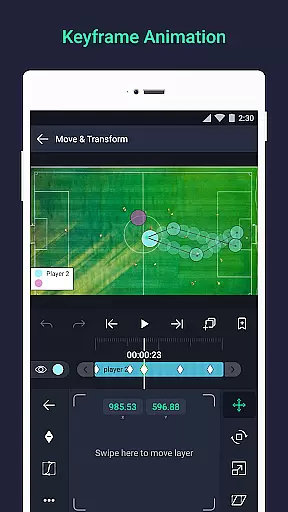
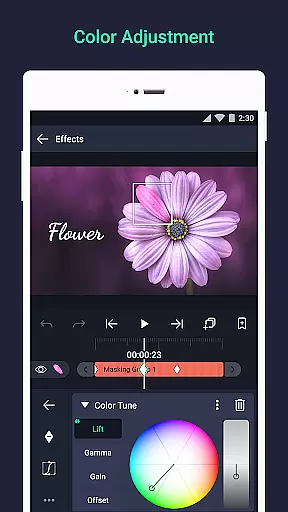
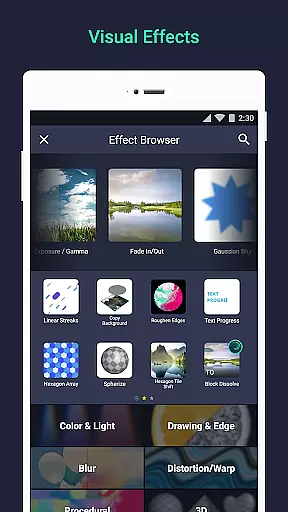

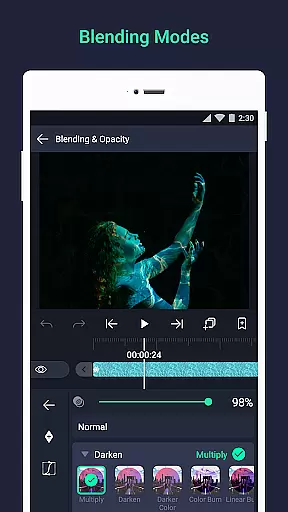
Alight Motion is a pioneering motion design app that brings professional-quality animation and video editing capabilities to your mobile device. This application allows users to create sophisticated visual effects, motion graphics, and video composites with ease. With support for both vector and bitmap images, Alight Motion stands out by enabling detailed edits directly on your phone.
The app's versatility extends to its multi-layered approach, accommodating graphics, video, and audio seamlessly. Users can leverage 160+ effect building blocks, keyframe animations, and advanced features like camera tools and color adjustments. Whether you're a hobbyist or a professional, Alight Motion offers the tools necessary to produce high-quality content, making it an invaluable asset for creative projects.
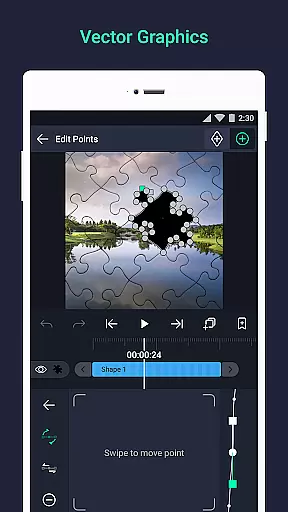
Alight Motion boasts an impressive array of features designed to cater to various creative needs. The app supports multiple layers of graphics, video, and audio, allowing complex compositions. Its vector and bitmap support means users can edit vector graphics directly on their devices, providing unparalleled flexibility.
One of the standout features is the availability of 160+ basic effect building blocks, which can be combined to create intricate visual effects. Keyframe animation is available for all settings, ensuring smooth transitions and dynamic motion. Additionally, advanced functionalities such as linking parent and child layers, rigging character joints, and using cameras with pan, zoom, and focus blur capabilities make Alight Motion a comprehensive tool for professional-grade projects.
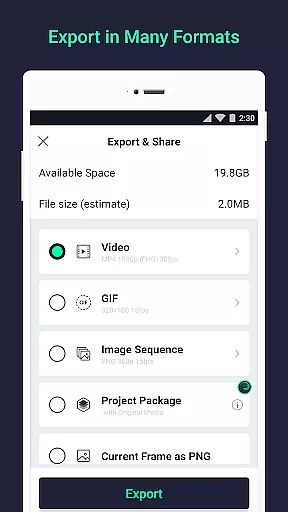
Video format compatibility is a crucial feature for any video editing application, ensuring that users can work with a wide range of file types. Alight Motion supports multiple formats including MP4 video, GIF animation, and PNG sequences, making it versatile for various projects.
The app's ability to handle both vector and bitmap graphics adds another layer of flexibility. This means you can import and edit different graphic types without worrying about format limitations, streamlining your creative process.
With the option to export in several formats, Alight Motion empowers creators to share their work across different platforms seamlessly. Whether you're producing content for social media or professional presentations, this compatibility ensures your videos will be accessible to your intended audience.
AI-powered editing features are revolutionizing the way we create and edit videos, offering tools that enhance efficiency and creativity. Alight Motion incorporates such innovations through its sophisticated visual effects and animation easing capabilities.
The app provides 160+ basic effect building blocks, which can be combined to craft complex visual effects. These AI-driven tools allow users to manipulate elements like cameras, borders, shadows, and strokes with precision, elevating the quality of motion graphics.
Additionally, Alight Motion's animation easing presets enable more fluid motion in videos. Users can pick from existing timing curves or customize their own, adding a professional touch to their animations. This blend of AI technology with user control delivers a powerful editing experience.
User-friendly interface
Extensive feature set
Professional-quality output
Regular updates
Cross-platform compatibility
Subscription fees apply
High system requirements
Complex for beginners
Limited free version
Occasional bugs

Video player, file manager for all formats, 4K/HD media player supports subtitle
 4.30
4.30
A full editing room to accompany your Insta360 cameras and handheld gimbals.
3.30
A Quick and Pro Video Editor
4.70
Full HD Video mp3 Player, MP4 player play 1080p, File manager, Video Downloader
4.40
AirMirror Receiver - Screen mirroring/cast web videos to Android TV by AirPlay.
4.40
Flud is a simple and beautiful BitTorrent client for Android.
4.80
Fast & Private HD Video Downloader with Built-in Proxy Browser and Video Player.
4.50
Fast private browser with secure, seamless access & supported video downloads!
4.00
convenient, safe and fast at Video Downloader & Player
4.60
Download Hub, easy and private way to download and enjoy your videos offline
4.80
Cast movies, tv shows and live streams to Chromecast, Roku, DLNA, Fire TV & more
4.60
Fast, private downloading, video saving, social media
4.50
Photo and Music Video Creator into Stunning Videos—Effortlessly
4.40
Video player with 4K & 1080P support, popup play, background play and subtitle.
4.20
Explore the largest library of free GIFs, Stickers & Memes - or create your own!
3.90
Cast to Smart TV, Fire TV. Cast video, photo - Fast & Stable!
3.90
IPTV Player - Watch live TV from m3m & m3u8 playlist, stream IPTV on mobile
3.30
The essential companion to your Blue Iris PC software
2.50
The smartest M3U IPTV Player your playlists have ever seen.
4.5


User Reviews