
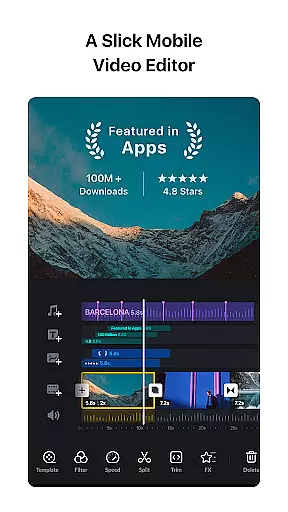
VN is a versatile video editing app that combines professional-grade features with an intuitive interface, making it accessible for both amateur and experienced editors. The app offers a comprehensive suite of tools including multi-track editing, keyframe animation, and advanced color grading options.
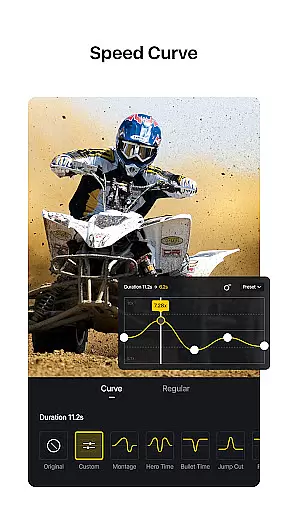
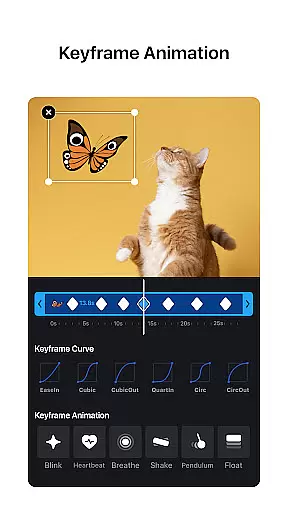
One of VN's standout features is its precise editing capabilities. Users can make frame-accurate cuts as short as 0.05 seconds, apply speed curves similar to Time Remapping in Adobe Premiere Pro, and utilize 19 built-in keyframe animation effects. These features enable creators to produce high-quality videos with cinematic effects.
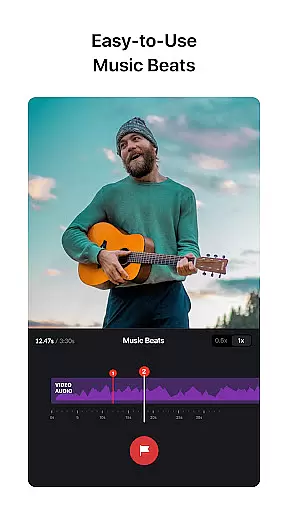
The app's user-friendly design extends to its music editing capabilities, allowing users to add voiceovers and sync video cuts to music beats effortlessly. With support for 4K resolution export and seamless project transfer between devices via Google Drive or OneDrive, VN provides a complete solution for mobile video editing across various skill levels.
VN distinguishes itself through its sophisticated feature set tailored for video creators. The app's multi-track timeline supports picture-in-picture editing, text overlays, and customizable animations through keyframe technology. Its non-destructive editing approach ensures original files remain intact while enabling unlimited undo/redo actions.
Advanced editing tools include speed curve adjustments, reverse playback effects, and freeze-frame capabilities. Users can import LUT (.cube) files for professional color grading and access 6 preset speed curves for dynamic video pacing. The app also offers creative transitions and overlay effects that enhance video storytelling.
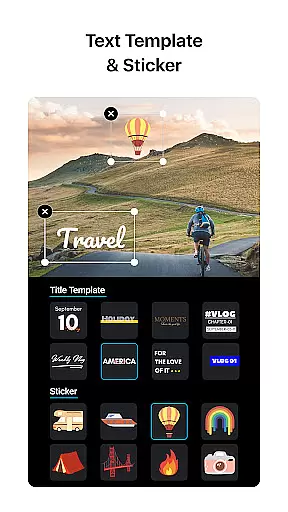
For content creators focused on branding, VN provides customizable text templates, font styles, and material libraries. The app supports secure project sharing through password protection and expiration dates for drafts. Additionally, its flexible import system allows bulk material uploads via Wi-Fi, WhatsApp, Telegram, or ZIP files, streamlining the creative workflow.
One of VN's standout features is its extensive video format compatibility, ensuring users can work with a wide array of file types without the need for prior conversion. This flexibility allows both amateur and professional editors to import and export videos in formats that suit their specific needs, from common MP4 files to high-quality 4K videos at 60 FPS.
The app supports non-destructive editing, which means users can make alterations to their videos without overwriting the original data. This feature is crucial for preserving the quality of the initial footage, allowing creators to experiment with different edits while always having the option to revert to the original material if needed.
Moreover, VN offers customizable export settings, letting users adjust the resolution, frame rate, and bit rate of their final product. Whether it's for professional broadcasting or sharing on social media, this adaptability ensures that your content will meet platform specifications and audience expectations alike.
By providing such comprehensive video format support, VN empowers creators to focus on storytelling and creativity rather than technical limitations, making it an invaluable tool for anyone looking to produce high-quality video content.
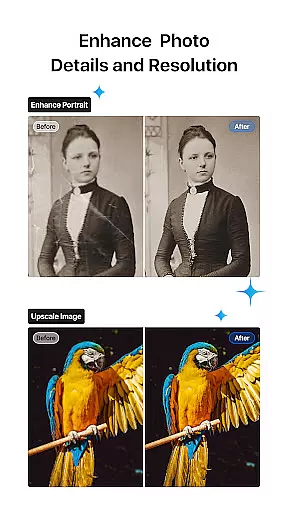
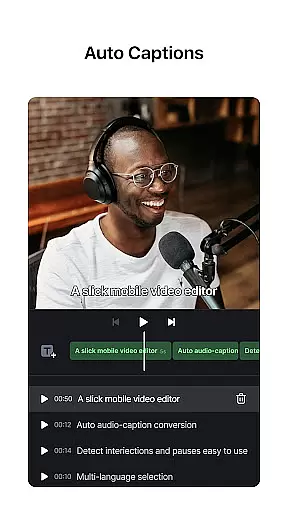
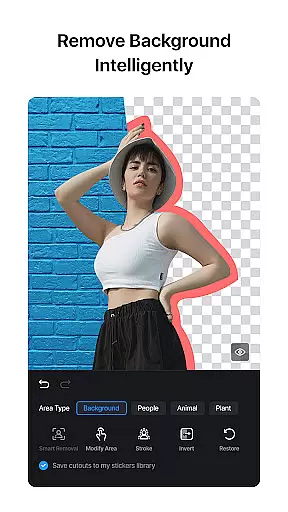
VN incorporates AI-powered editing features that significantly enhance the video creation process. These intelligent tools assist users in executing complex tasks with minimal effort, thus democratizing video production and enabling creators of all skill levels to achieve professional-grade results.
Among these features is the Speed Curve tool, which functions similarly to Time Remapping in Adobe Premiere Pro. It allows users to accelerate or decelerate video playback using preset curves, adding dynamic pacing to narratives. Additionally, Music Beats technology enables editors to synchronize video cuts with musical rhythms automatically, elevating the impact of their visual storytelling.
Keyframe Animation further exemplifies VN's commitment to accessible sophistication by offering 19 built-in effects that can be customized extensively. Users can also apply transitions and overlays with adjustable timing and speed, crafting unique visual experiences that captivate audiences.
These AI-driven capabilities not only streamline workflows but also inspire innovation, encouraging users to explore new creative possibilities within an intuitive interface designed for efficiency and excellence.
User-friendly interface
Professional editing tools
High-quality export options
Secure project management
Flexible material import
Limited advanced color features
No direct cloud integration
Occasional performance issues
Basic audio effects
Interface learning curve

The smartest M3U IPTV Player your playlists have ever seen.
 4.5
4.5
?100% FREE! Download & save videos? safely in this app. All formats supported.
4.60
Watch a large amount of high-definition short drama content
4.60
Fast video downloader & private browser. Save HD clips to watch offline.
4.40
KMPlayer Plus (Divx Codec) officially support Divx codec.
4.30
Pro video editor app for Instagram, edit video with song, AI, effect & slowmo.
4.80
An easy-to-use and all-round screen recorder with audio
4.80
Download videos and play them offline
4.70
#1 Torrent App on Android ** No Ads Ever + Battery Saver **
4.80
Download Hub, easy and private way to download and enjoy your videos offline
4.80
Seamlessly connect and control your smart devices, anytime, anywhere with ease.
4.60
Video Player - Unlimited features, 30 days money back guarantee.
4.60
Photo and Music Video Creator into Stunning Videos—Effortlessly
4.40
KineMaster, Your Ultimate Video Editor!
4.40
This app was created to edit the metadata of music files.
4.20
IPTV-Smarters Player Pro M3U - Watch Live Stream TV Channels with Chromecast
4.00
Cast to Smart TV, Fire TV. Cast video, photo - Fast & Stable!
3.90
All in one multi protocols stream receiver for AirPlay, Cast and DLNA.
3.60
A full editing room to accompany your Insta360 cameras and handheld gimbals.
3.30


User Reviews