
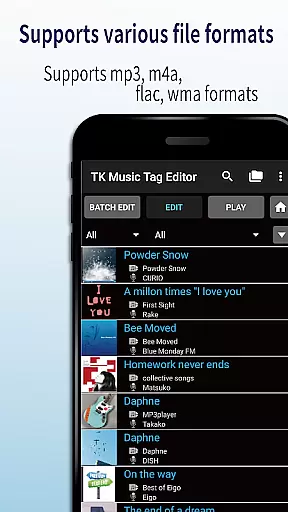
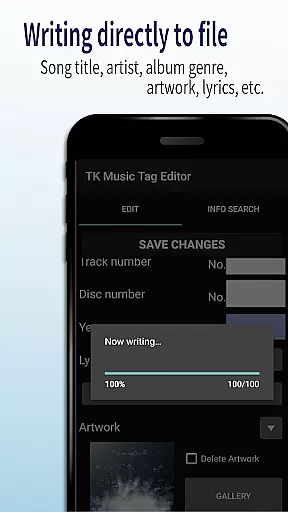
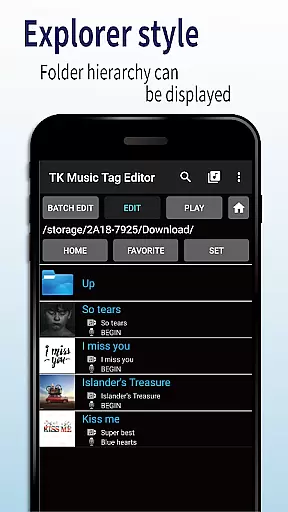
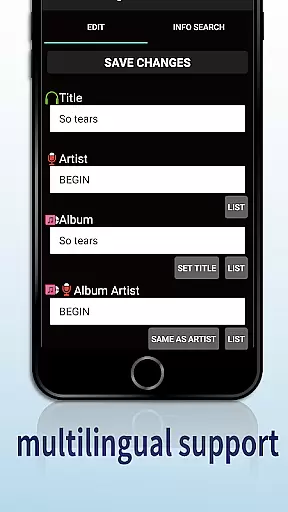
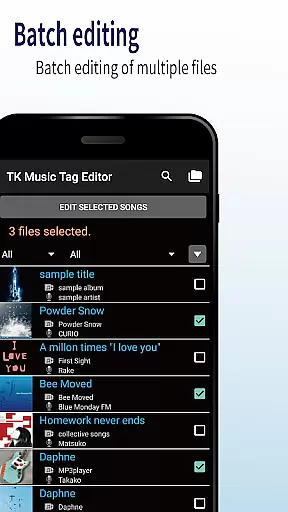
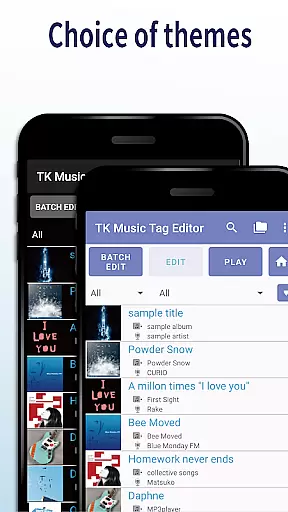
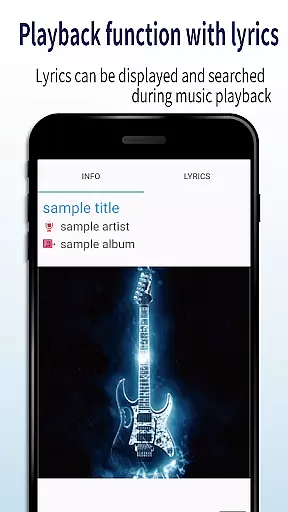
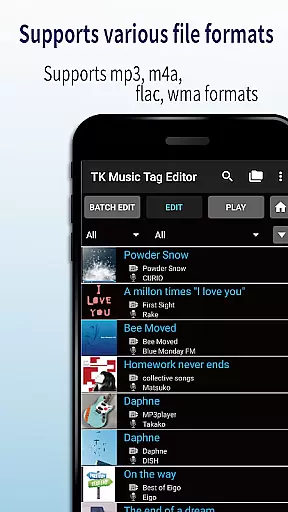
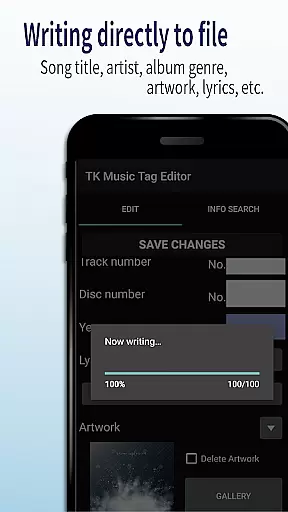
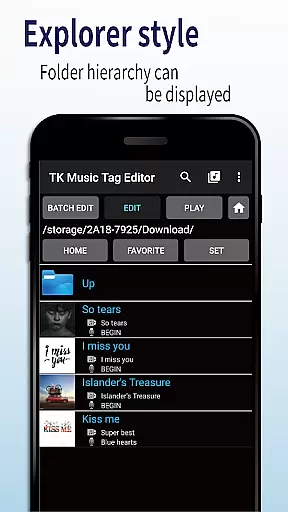
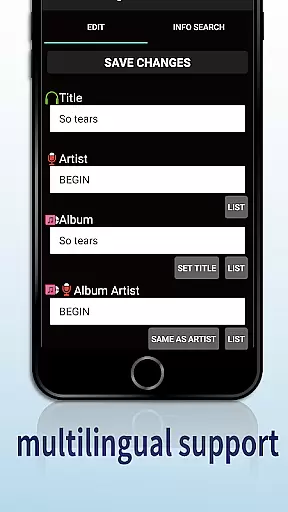
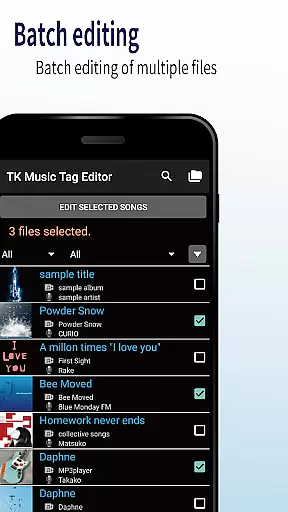
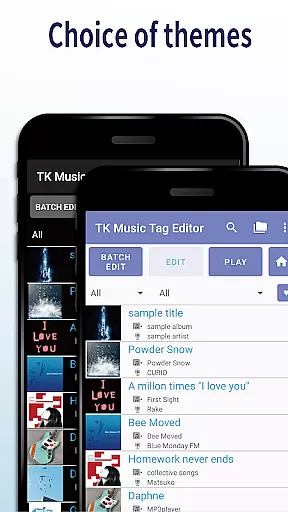
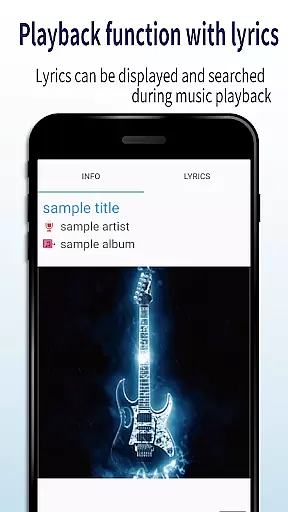
TK Music Tag Editor -Complete- is a comprehensive metadata editing tool designed for music enthusiasts who need precise control over their audio files. This application allows users to edit essential metadata fields such as artist, album, cover art, and lyrics directly within mp3, m4a, flac, and wma files. The changes are written directly into the music files, ensuring that the metadata remains intact across different devices, including PCs.
In addition to basic tag editing, the app offers advanced features like simultaneous filename editing, playlist creation, and support for multiple file formats. Whether you're organizing a large music library or preparing tracks for distribution, TK Music Tag Editor provides the necessary tools to manage your audio files efficiently. Its intuitive interface and reliable functionality make it an indispensable tool for anyone serious about their music collection.
One of the standout features of TK Music Tag Editor is its ability to write tags directly into music files. This ensures that metadata such as title, artist, album, cover art, and lyrics remain consistent, regardless of where the files are accessed. Users can also simultaneously edit filenames, allowing for streamlined organization and easy identification of tracks.
The app supports the creation and editing of playlists, enabling users to curate personalized listening experiences. With compatibility for various file formats including mp3, m4a, flac, and wma, TK Music Tag Editor offers versatile editing capabilities. It even detects mp3 files with incorrect m4a formats and allows users to correct the file extension, ensuring broad compatibility across devices and platforms.
Looking ahead, the developers plan to introduce additional editable metadata fields, further enhancing the app's functionality. User feedback is highly valued, and the team encourages users to reach out with suggestions for new features. While editing is performed at the user's own risk, the app provides a robust platform for managing and enhancing music libraries with confidence.
TK Music Tag Editor -Complete- offers extensive video format compatibility, ensuring that users can edit metadata for a wide range of audio files including mp3, m4a, flac, and wma formats. This versatility allows the app to cater to various user needs and preferences.
The application's ability to detect mp3 files with m4a formats and convert them to the correct .m4a extension showcases its intelligent design and attention to detail. This feature ensures that files are correctly identified and processed, providing a seamless experience across different platforms and devices.
By supporting multiple file formats, TK Music Tag Editor enables users to maintain consistency in their music libraries regardless of the source or original format of their audio files. This flexibility is crucial for users who manage large collections or require interoperability between different systems.
While TK Music Tag Editor -Complete- does not explicitly market AI-powered editing features, it incorporates several advanced functionalities that enhance the editing process. One standout feature is the direct writing of tags to music files, ensuring metadata remains intact across devices, which mimics the reliability expected from AI enhancements.
The app also supports simultaneous editing of music filenames alongside metadata, streamlining the organization process. This dual-editing capability reduces manual effort and potential errors, akin to the efficiency provided by AI-driven tools in other applications.
Additionally, the creation and easy editing of playlists demonstrate an intuitive approach to music management. Although not AI in the traditional sense, these smart features significantly improve user interaction and satisfaction by simplifying complex tasks and offering a more personalized experience.
User-friendly interface
Direct tag writing
Multi-format support
Playlist creation
Filename editing
No batch editing
Limited advanced options
Basic UI design
No cloud sync
Manual updates only

Your media, on your terms.
 4.10
4.10
?100% FREE! Download & save videos? safely in this app. All formats supported.
4.60
Fast video downloader & private browser. Save HD clips to watch offline.
4.40
Support 1000+ Video Format, Subtitle Download, mp3 & Background Play, Cast On TV
4.60
Video player with powerful streaming playback and various convenient features.
2.10
Seamlessly connect and control your smart devices, anytime, anywhere with ease.
4.60
Movie maker & video editing app with AI effects and green screen
4.30
Add date and time watermark to photos and videos
4.50
Video&Drama Player All Format is a HD video player, music player
3.00
Pro video editor app for Instagram, edit video with song, AI, effect & slowmo.
4.80
Flud is a simple and beautiful BitTorrent client for Android.
4.80
Browser + Remote for Roku to stream webvideos, online movies and livestreams
4.60
Full HD Video mp3 Player, MP4 player play 1080p, File manager, Video Downloader
4.40
Powerful Video Editor & Photo Editing App —— Quick Edits & Stunning Effects!
4.30
Turn your phone into a wireless camera!
4.20
1)AirPlay/DLNA Mirroring/Streaming, up to 4 connections; 2)Samba/NAS/DMS Player.
4.00
HD video & music player - All format support with floating & PIP mode!
3.80
Livestream, news, & gaming content. Watch, chat, and upload. Join Rumble today!
3.80
Connect EasyCap or UVC devices for recording and broadcast video/audio stream
3.60


User Reviews