
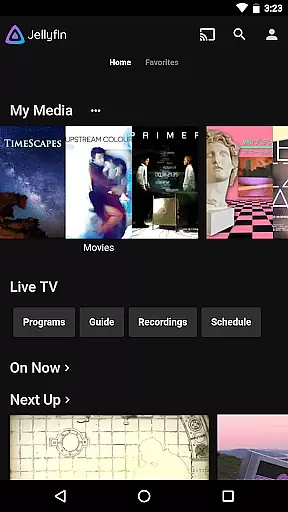
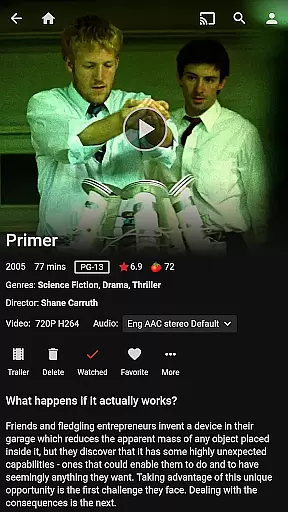



Jellyfin is an open-source media server and player that gives you complete control over your personal media library. This Android app serves as the official mobile client, allowing users to stream their stored audio, video, and photo collections directly to their mobile devices. With no fees or tracking, Jellyfin offers a privacy-focused solution for enjoying media on the go.
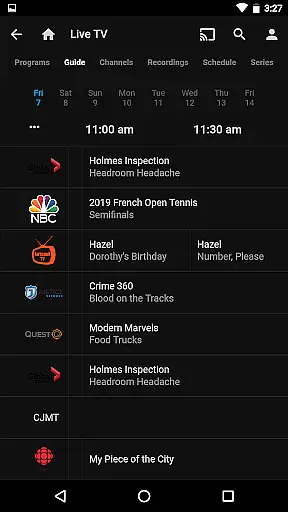
The app supports key functionalities like Live TV streaming, Chromecast integration, and an intuitive user interface for easy navigation. Whether you're looking to access your movie collection during travel or listen to music via Android Auto, Jellyfin provides a seamless experience tailored to your preferences.
Jellyfin stands out with its robust feature set designed for media enthusiasts. The app allows you to connect to your personal Jellyfin server, which must be set up separately, and stream content without limitations. It supports advanced features such as Live TV and DVR functionality, provided you have the necessary hardware configured on your server.
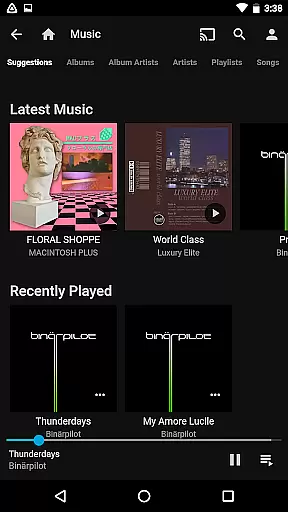
Additional capabilities include Chromecast support for streaming to larger screens, offline media playback options, and a clean, user-friendly interface. The app also integrates with Android Auto for music playback, making it versatile for various use cases. These features ensure that Jellyfin remains a top choice for those seeking a customizable and unrestricted media experience.
Video format compatibility is a crucial feature for any video player, ensuring that users can enjoy their media without worrying about technical limitations. Jellyfin excels in this area by supporting a wide range of video formats, from common ones like MP4 and AVI to more specialized codecs such as MKV and OGG.
The app's robust decoding capabilities allow seamless playback of high-definition and even 4K content directly on Android devices. This versatility means you can stream your entire media library without the need for format conversion or additional plugins.
For users with diverse media collections, this comprehensive format support translates into significant time savings and enhanced viewing convenience. Whether you're watching live TV recordings or streaming movies, Jellyfin ensures consistent performance across all compatible formats.
Moreover, the application maintains excellent performance even when handling high-bitrate files, making it suitable for both casual viewers and home theater enthusiasts who demand the best possible quality from their media server solution.
While primarily a media streaming application, Jellyfin incorporates several innovative features that enhance the viewing experience through intelligent processing. Although not a traditional video editor, the app utilizes AI-powered algorithms to optimize video playback and provide users with valuable organizational tools.
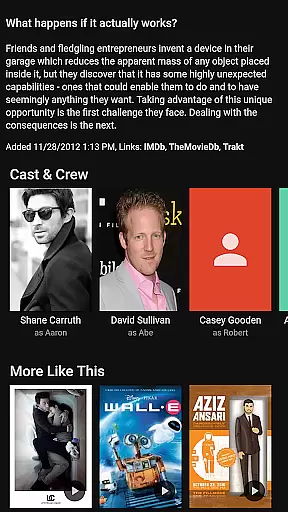
The application's smart library management system automatically categorizes your media collection using advanced metadata analysis and image recognition technologies. This feature helps create a well-organized digital library where movies are properly tagged, artwork is automatically downloaded, and similar content is grouped together for easy discovery.
Jellyfin also implements adaptive streaming technology that intelligently adjusts video quality based on your network conditions. This AI-driven approach ensures smooth playback even in challenging network environments while maintaining optimal visual fidelity.
Additionally, the app offers automated chapter generation and scene detection capabilities, allowing users to quickly navigate through long videos. These features demonstrate how Jellyfin leverages artificial intelligence to create a more intuitive and enjoyable media consumption experience without compromising its core functionality as a video player and streamer.
User-friendly interface
Free and open-source
Chromecast support
No hidden fees
Privacy-focused
Requires separate server setup
Limited Android Auto
No built-in media storage
Dependent on network quality
Advanced features need extra hardware

The smartest M3U IPTV Player your playlists have ever seen.
 4.2
4.2
Fast, private downloading, video saving, social media
4.50
Support 1000+ Video Format, Subtitle Download, mp3 & Background Play, Cast On TV
4.60
GENRAL PRO - General Pro is the best video player that fully supports all formats.
4.70
Download videos and play them offline
4.70
The essential companion to your Blue Iris PC software
2.50
LumaFusion: The Ultimate Storytelling Experience for Video Editing
4.10
Enjoy your favorite videos and channels with the official YouTube app.
3.90
Manage your YouTube channel on the go
4.40
Tik & Story Saver-Download ALL social media videos, photos & reels no watermark.
4.80
Pro video editor app for Instagram, edit video with song, AI, effect & slowmo.
4.80
An easy-to-use and all-round screen recorder with audio
4.80
Video Player - Unlimited features, 30 days money back guarantee.
4.60
Cast Videos from Web Browser, IPTV to Roku, Chromecast, DLNA, Smart TV +more
4.60
Seamlessly connect and control your smart devices, anytime, anywhere with ease.
4.60
KineMaster, Your Ultimate Video Editor!
4.40
Browser for Fire TV to stream webvideos, online movies, livestreams in HD
4.40
Explore the largest library of free GIFs, Stickers & Memes - or create your own!
3.90
This app is an emulator of some specific IPTV boxes
3.50


User Reviews