
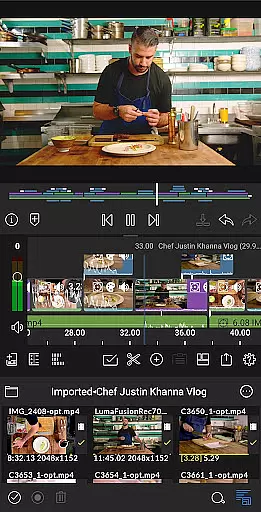
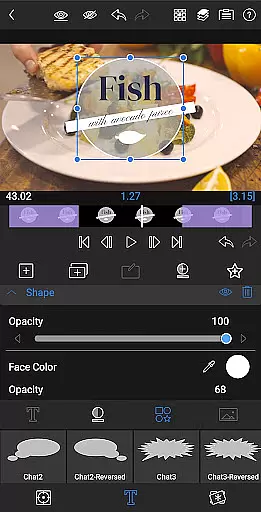
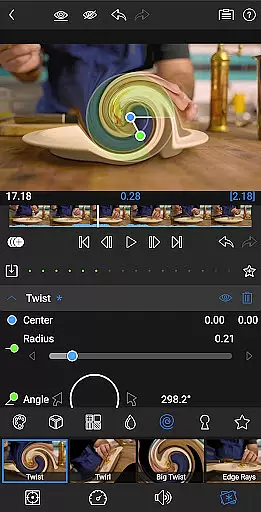
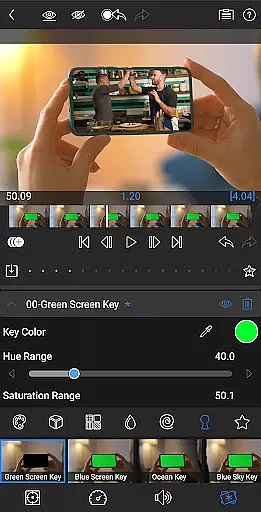
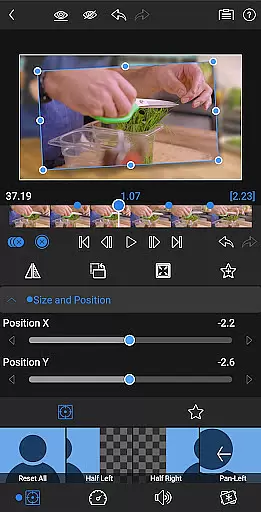
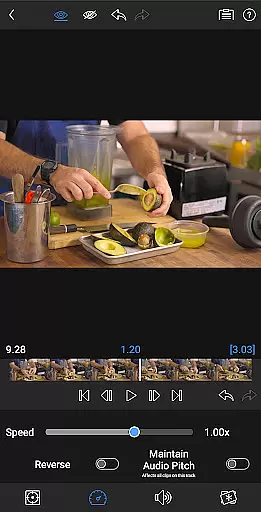
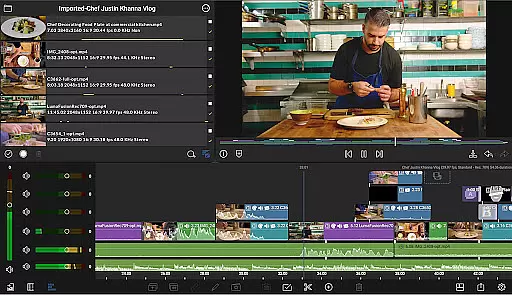
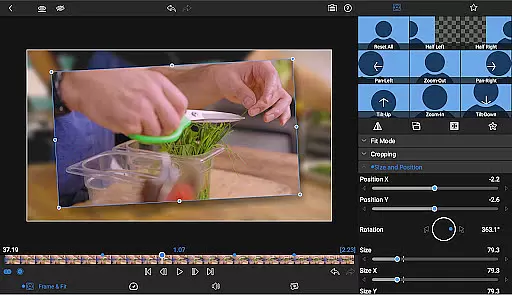
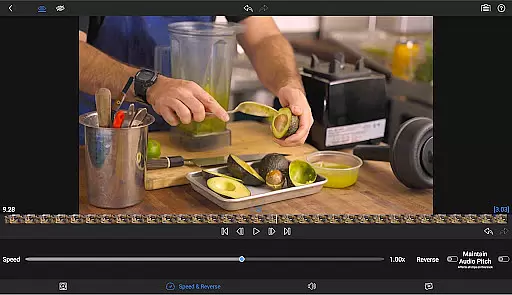
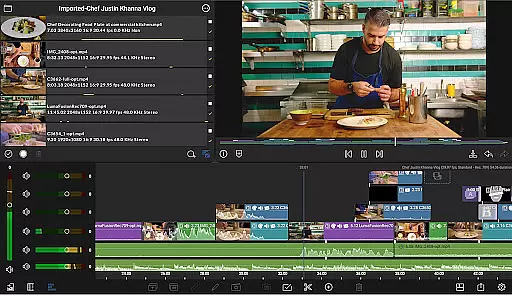
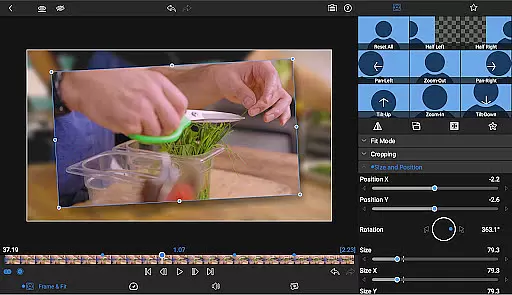
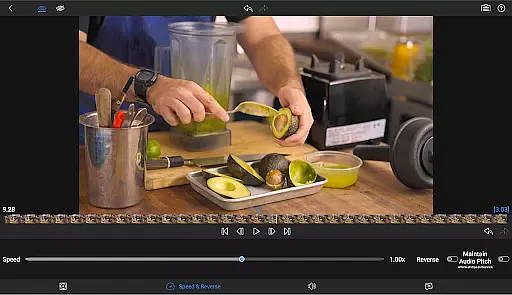
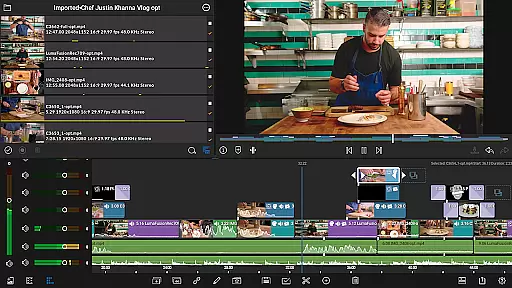
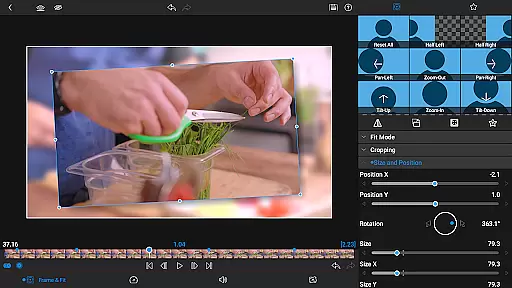

LumaFusion stands as a premier mobile video editing application, offering professional-grade tools for storytellers and content creators. With its intuitive touch-screen interface, users can seamlessly edit videos up to 4K resolution across six versatile video tracks. The app's sophisticated timeline allows for both track-based and magnetic editing, ensuring smooth media handling and creative freedom.
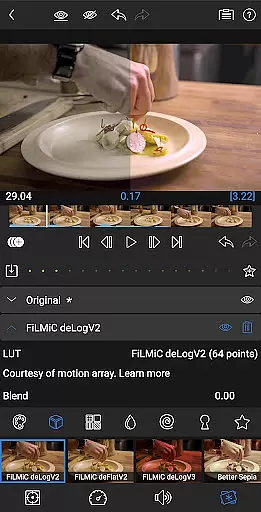
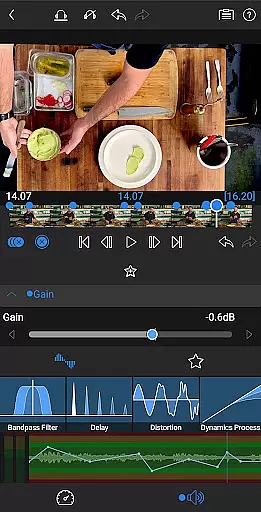
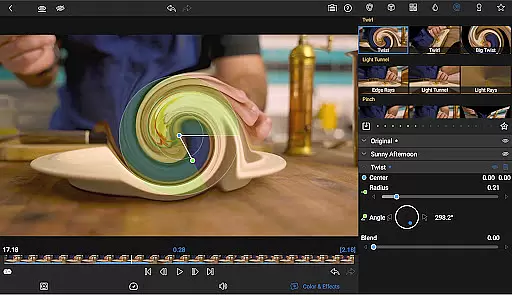
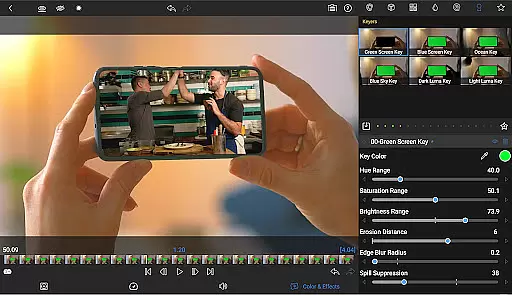
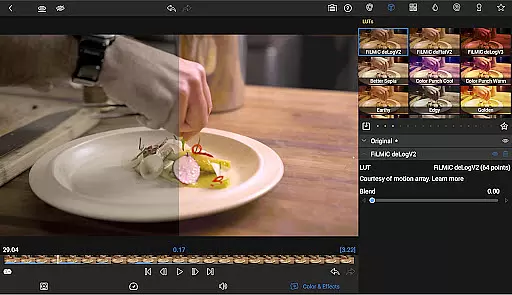
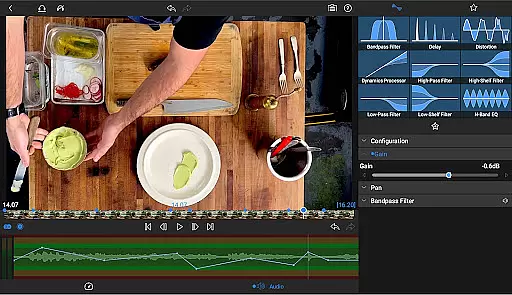
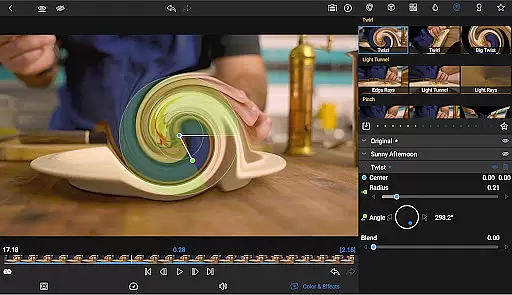
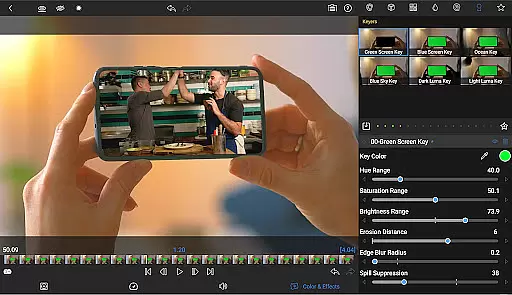
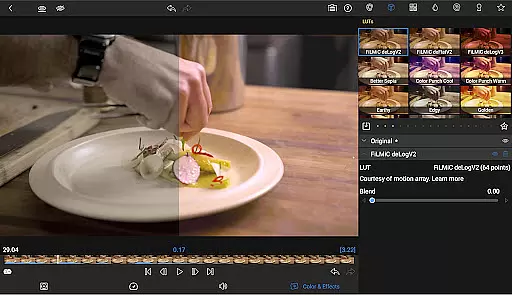
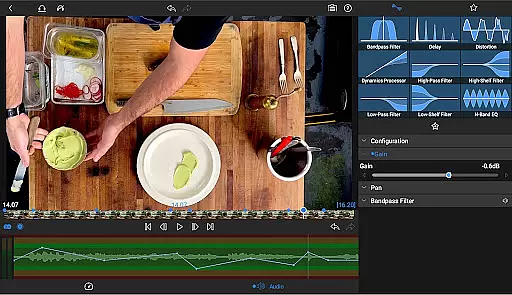
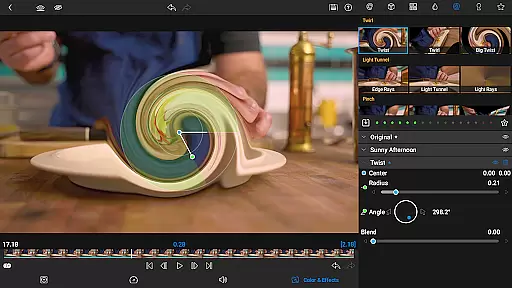
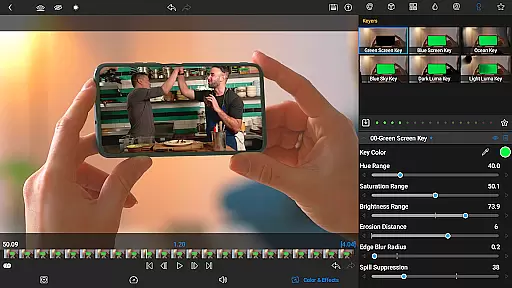
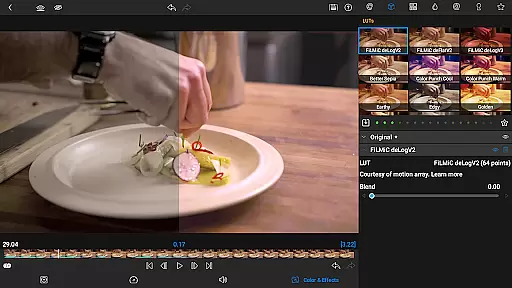
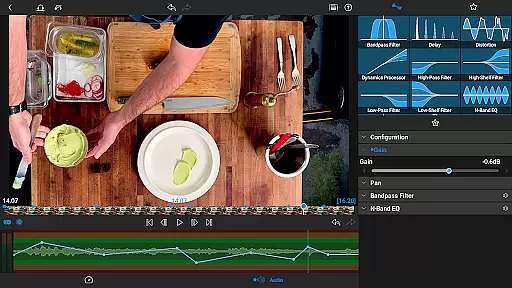
Beyond basic editing, LumaFusion provides advanced features such as layered effects, color correction, and audio controls. Users can apply green screen effects, utilize waveform and vector scopes, and import custom LUTs for professional color grading. The app also supports complex audio editing with EQ adjustments and ducking capabilities, making it an all-in-one solution for video production on the go.
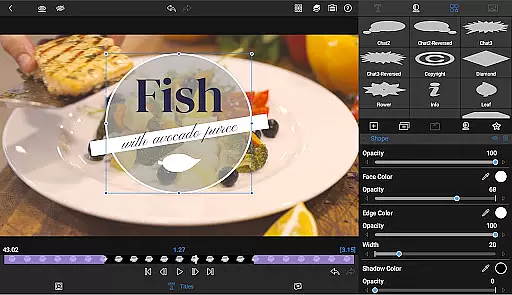
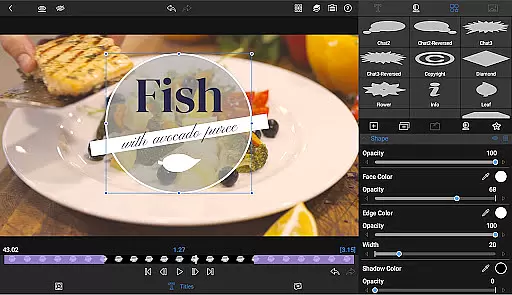
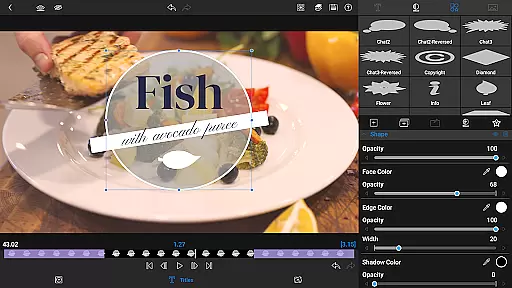
Designed for flexibility, LumaFusion caters to various project requirements with adjustable aspect ratios and frame rates. Creators can enhance their projects with multilayer text options, customizable titles, and access to a vast media library. Whether producing cinematic masterpieces or social media content, LumaFusion empowers users to achieve exceptional results directly from their mobile devices.
LumaFusion distinguishes itself through its comprehensive feature set tailored for professional video editors. The app's six video and six audio tracks provide ample space for complex compositions, while its magnetic timeline revolutionizes the editing process with fluid media manipulation. Advanced transition options and Dex Mode capabilities ensure that users can maintain workflow efficiency and preview projects on larger displays.
The application excels in visual effects and color grading, offering chroma keying, powerful correction tools, and scope analysis. Users can implement precise animations using unlimited keyframes and Bézier curves, available through a one-time in-app purchase or Creator Pass subscription. This subscription also grants access to Storyblocks, providing millions of royalty-free assets to elevate video projects.
Audio professionals will appreciate LumaFusion's sophisticated sound control features, including parametric EQ and keyframe automation. The app supports both stereo and dual-mono configurations, essential for interview scenarios. Additionally, its robust text and title system allows for brand-consistent graphics creation. With flexible export options and cross-device project transfer capabilities, LumaFusion ensures that creators can efficiently share their work across multiple platforms.
Video format compatibility is a crucial feature for any video editing application, and LumaFusion excels in this area. The app supports a wide range of video formats, allowing creators to import and edit media without worrying about conversion issues. This flexibility ensures that users can work with footage from various sources, including professional cameras, smartphones, and stock video libraries.
LumaFusion's robust handling of different formats extends to resolutions up to 4K, providing editors with the ability to maintain high-quality output throughout their projects. The app's capability to manage multiple layers of video-with-audio or graphic tracks means that creators can build complex compositions while retaining smooth playback performance. This level of support for diverse video standards makes LumaFusion suitable for both amateur and professional use.
The benefit to users is significant time savings and increased creative freedom. Editors can focus on storytelling rather than technical limitations, knowing that their final export will meet industry standards. With LumaFusion's comprehensive format support, content creators can confidently produce videos for various platforms, from cinema screens to social media channels.
While LumaFusion primarily focuses on traditional editing techniques, its advanced features incorporate elements of AI-powered functionality that streamline the editing process. The app's sophisticated tools, such as automatic audio ducking and intelligent color correction, help editors achieve professional results more efficiently. These smart features analyze audio levels and visual elements to automatically adjust settings, saving valuable production time.
The implementation of AI extends to organizational tools like markers, tags, and notes, which help maintain project structure across large editing teams. LumaFusion's magnetic timeline and Dex Mode capabilities demonstrate how intelligent design can enhance the editing workflow. The app's ability to handle complex animations through Bu00e9zier curves and precise keyframing shows a thoughtful integration of automation in traditionally manual processes.
These AI-enhanced features provide substantial value to users by reducing repetitive tasks and enabling more creative focus. Editors can work more intuitively, trusting that the software will handle technical adjustments automatically. This combination of traditional editing power with intelligent assistance makes LumaFusion a versatile tool for modern content creators who need both control and efficiency in their workflow.
Intuitive Interface
Professional Tools
Advanced Timeline
Comprehensive Audio
Flexible Export
Subscription Required
Complex for Beginners
High System Demands
Limited Free Features
Occasional Bugs

Powerful, professional, versatile teleprompter. Developed by an active film crew
 4.00
4.00
Cast Videos from Web Browser, IPTV to Roku, Chromecast, DLNA, Smart TV +more
4.60
Snaptubè Video Downloader app allows to download videos and music in Snaptube. .
4.60
All format media Player, no need video converter any more!
4.00
Live TV, anywhere in your home
3.80
KMPlayer Plus (Divx Codec) officially support Divx codec.
4.30
Powerful Video Editor & Photo Editing App —— Quick Edits & Stunning Effects!
4.30
Powerful video player with advanced hardware acceleration and subtitle supports
4.20
Enjoy your favorite videos and channels with the official YouTube app.
3.90
Fast & Private Video Downloader App. Save all videos easily from the Internet.
4.40
This app was created to edit the metadata of music files.
4.20
VLC for Android is the best open source video and music player, fast and easy!
4.10
Make your own Animations, Video and Photo Edits, Visual Effects, and more!
4.00
Capture images & record videos for USB Camera, Webcam, Microscopes, Endoscopes
3.80
Manage your IPTV live channels and VOD playlists (no playlist included)
3.80
Watch full episodes of your favorite Cartoon Network and Cartoonito shows!
3.50
Client application for NextPVR software
3.00
You can play SWF format file!
2.50
The smartest M3U IPTV Player your playlists have ever seen.
4.0


User Reviews