
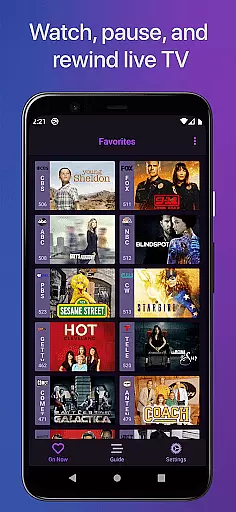
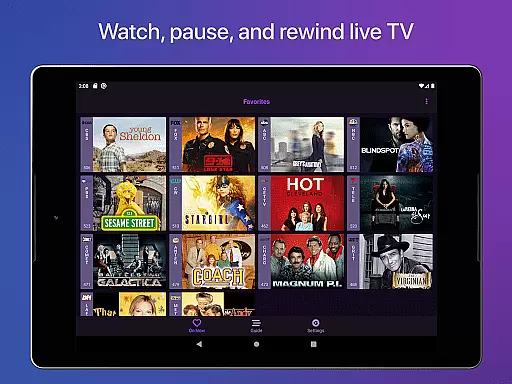
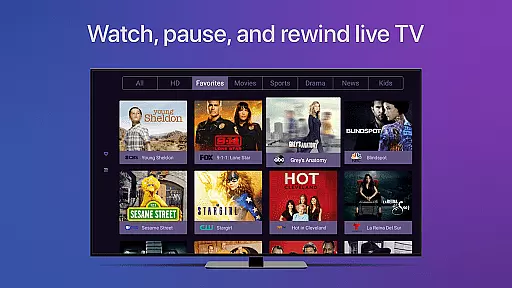
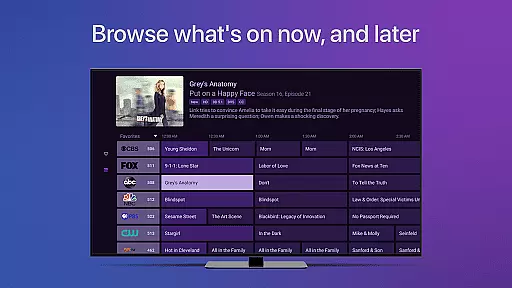
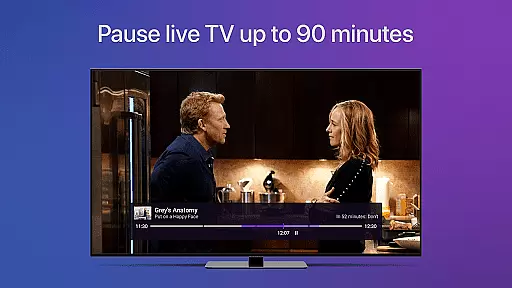
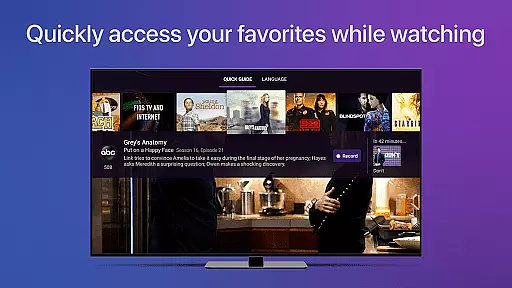
Channels for HDHomeRun is a versatile application that allows users to watch live TV directly on their Android devices. The app works seamlessly with HDHomeRun networked TV tuners, enabling users to play, pause, and rewind both local and cable TV. With features like full HD streaming, 5.1 surround sound, closed captioning, and channel favoriting, Channels offers a comprehensive TV viewing experience.
The app also supports advanced functionalities such as auto discovery of HDHomeRun devices and the ability to browse other channels while watching TV. Users can manage their HDHomeRun devices directly from the app interface. Whether you want to catch up on sports, news, or primetime TV, Channels integrates smoothly with your existing streaming apps, offering a one-stop solution for all entertainment needs.
One of the standout benefits of using Channels is its cost-effectiveness. By eliminating the need for multiple cable boxes, it allows users to enjoy live TV across various devices in the house, saving both money and space. This makes it an ideal choice for households looking to maximize their TV viewing options without additional hardware investments.
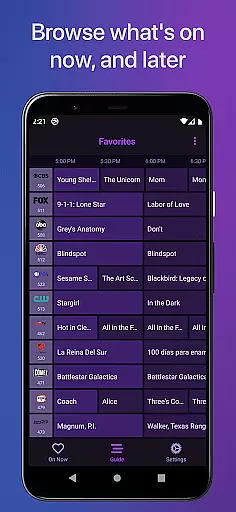
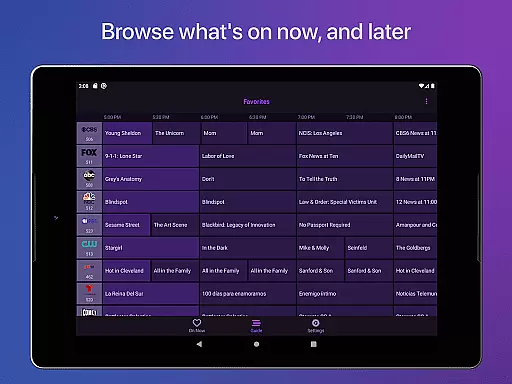
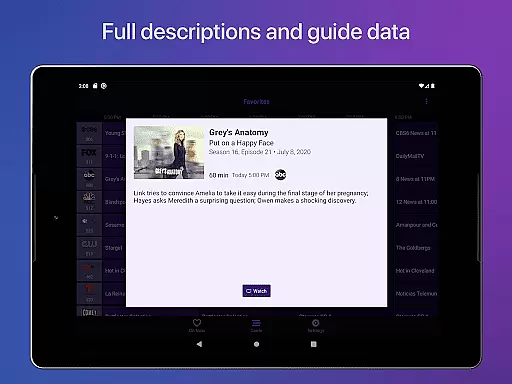
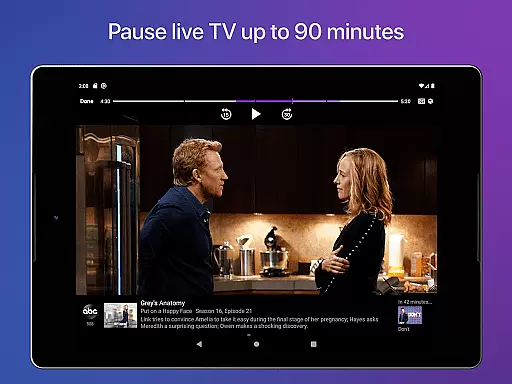
Channels for HDHomeRun boasts a wide array of features designed to enhance user experience. One of its core functionalities is the ability to pause, rewind, and fast forward live TV, providing users with greater control over their viewing schedules. The app also includes a full grid guide and guide data, making it easy to navigate through available programming and plan your viewing sessions effectively.
In addition to these primary features, Channels supports Full HD streaming and 5.1 Surround Sound, ensuring high-quality audio and video output. Closed captioning and VoiceOver support further extend accessibility options, catering to users with different needs. The app's intuitive interface allows for seamless channel favoriting and quick switching between favorite channels, enhancing overall usability.
Another notable feature is the app's capability to manage HDHomeRun devices directly from the interface. This includes functionalities like auto discovery and remote management, which simplify the setup and maintenance processes. These robust features collectively make Channels a powerful tool for anyone looking to integrate live TV into their digital lifestyle.
Channels for HDHomeRun offers extensive video format compatibility, ensuring users can stream a wide range of content without interruptions. The app supports both standard and high-definition broadcasts, allowing viewers to enjoy their favorite shows in the best possible quality.
The application leverages your home network's bandwidth to deliver Full HD streaming when conditions permit. This means that whether you're watching sports, news, or primetime television, Channels will adapt to provide optimal picture quality based on your current internet speed.
In addition to supporting various resolutions, Channels also handles different audio formats with ease. Users can experience immersive 5.1 Surround Sound, enhancing the entertainment value by providing a cinematic auditory experience right at home.
Closed captioning is another key feature supported by Channels, making it accessible for hearing-impaired audiences and those who prefer reading along with their viewing. By accommodating multiple video and audio standards, Channels ensures an inclusive and versatile media consumption environment.
While primarily a live TV streaming app, Channels for HDHomeRun incorporates AI-powered features that enhance the user's ability to manage and interact with their content effectively. Although not a traditional video editor, its intelligent system aids in organizing and accessing live broadcasts efficiently.
One standout feature is the automatic discovery of HDHomeRun devices on your network, simplifying setup and integration. This seamless connectivity allows users to quickly begin managing their tuners and channels through the intuitive interface provided by Channels.
VoiceOver support represents another layer of AI-driven accessibility within the app. By fully supporting VoiceOver, Channels makes navigation and control more straightforward for visually impaired users, demonstrating a commitment to inclusivity through smart design.
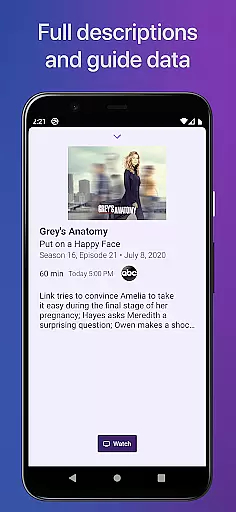
Furthermore, the appu2019s guide data and full grid guide are powered by sophisticated algorithms that ensure timely updates and accurate program listings. These AI-enhanced guides help users easily find and select programs they wish to watch, streamlining the overall viewing process.
User-friendly interface
High-quality streaming
Comprehensive channel guide
Cost-effective solution
Advanced accessibility options
Requires HDHomeRun tuner
No DRM stream support
Network dependency
Limited external use
Subscription needed for DVR

Connect 2 UVC devices for recording and broadcast video/audio stream
 3.90
3.90
IPTV-Smarters Player Pro M3U - Watch Live Stream TV Channels with Chromecast
4.00
Search & download videos from net with all video downloader, auto-detect & safe.
4.60
Create & edit videos with AI
4.30
Create photo video with music & template. AI video maker for stunning slideshow.
4.60
Play ALL formats in 4K & HD. Video downloader, MP3 player, Chromecast & more.
4.80
HD video maker with no watermark, no ads & vlog maker with music, PIP, text
4.50
Powerful Video Editor & Photo Editing App —— Quick Edits & Stunning Effects!
4.30
Download Hub, easy and private way to download and enjoy your videos offline
4.80
Cast Videos from Web Browser, IPTV to Roku, Chromecast, DLNA, Smart TV +more
4.60
Support 1000+ Video Format, Subtitle Download, mp3 & Background Play, Cast On TV
4.60
Fast & easy HD video downloader for all formats, support 4K playback & download.
4.60
Browser + Remote for Roku to stream webvideos, online movies and livestreams
4.60
Fast, private downloading, video saving, social media
4.50
KMPlayer Plus (Divx Codec) officially support Divx codec.
4.30
HD video & music player - All format support with floating & PIP mode!
3.80
Capture images & record videos for USB Camera, Webcam, Microscopes, Endoscopes
3.80
Save photos and videos from social apps in one tap.
3.60
Browser for Sony TV to stream web videos, online movies and live tv
3.20


User Reviews