
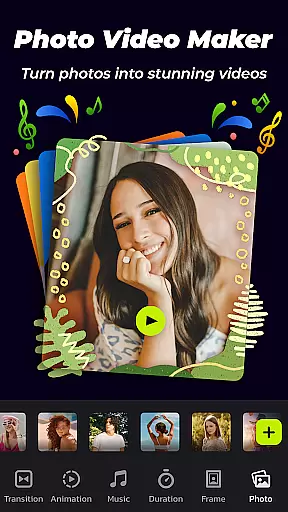
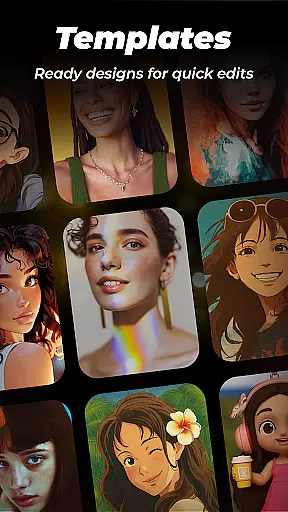

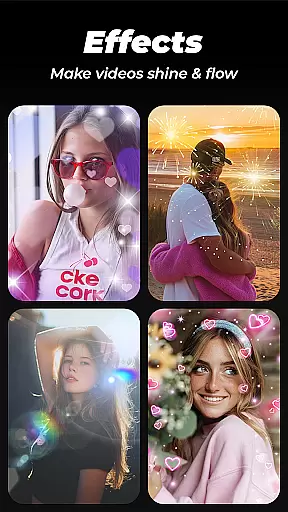
Photo Video Maker with Music - InSlide is a versatile video editing tool designed for creating engaging photo slideshows, music albums, and presentations. This app allows users to transform their photos and videos into professional-quality content by adding music, transitions, animations, and frames.
The application stands out with its user-friendly interface that supports creating stunning videos in just four easy steps. It offers abundant well-organized content libraries, continuous updates, and customization options like aspect ratio adjustment and transparency settings. Whether you're looking to revitalize dull photos or design visually appealing slideshows, InSlide provides all the necessary tools.
Perfect for sharing memories on social media platforms like Instagram, TikTok, and Twitter, this app also enables quick creation of tutorial videos with text and images. With resolution options ranging from 480P to 2K, users can tailor their projects for easy sharing or enhanced visual quality.
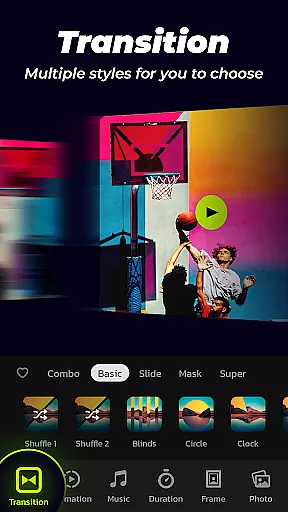
Photo Video Maker - InSlide boasts an array of powerful features tailored for both amateur and professional content creators. One of its standout capabilities is the one-click transition effects, which eliminates the need for manual selection and optimizes visual continuity between images.
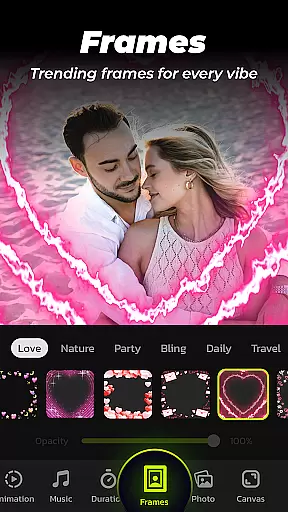
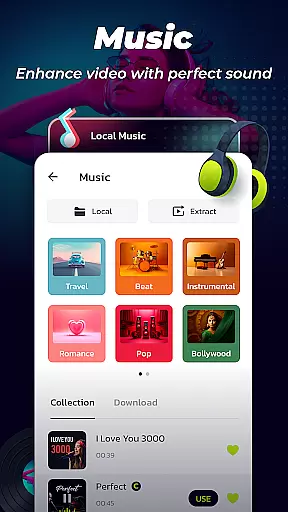
The app includes a comprehensive music library featuring various genres such as Pop, Bollywood, and Love. Users can upload personal audio files or select from recommended tracks to enhance their slideshows. Additionally, the multiple photo frames feature offers categorized themes like family, lovers, and travel, allowing seamless integration with slideshow content.
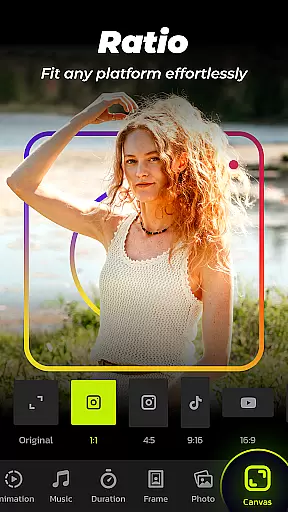
InSlide also provides advanced customization options including adjustable transition durations (from 0.5 to 8 seconds), resolution selection (480P to 2K), and aspect ratio changes suitable for platforms like YouTube, TikTok, and Facebook. The built-in Video Library helps manage created videos efficiently, enabling quick searches and easy sharing with friends and family.
Video format compatibility is crucial for any video editing tool, and Photo Video Maker with Music - InSlide excels in this area. The application supports a wide range of video resolutions, from 480P to 2K, allowing users to tailor their output according to specific needs.
This flexibility ensures that whether you're looking to share your creations easily across various platforms or aiming for the highest visual quality, InSlide has you covered. The app's resolution selection feature enables content creators to optimize their videos for different social media platforms such as YouTube, TikTok, and Instagram without any hassle.
Moreover, the ability to adjust the video aspect ratio makes it simple to fit the requirements of each platform, ensuring that your videos look professional and polished no matter where they're viewed. This versatility enhances user experience by providing seamless integration with today's most popular social networks.
By offering extensive video format support, Photo Video Maker not only meets industry standards but also empowers users to unleash their creativity without being limited by technical constraints. This ensures that your precious memories and happy moments are shared in the best possible quality.
Photo Video Maker with Music - InSlide harnesses the power of AI to provide users with advanced editing capabilities that simplify the creation process. With abundant and well-organized content libraries that are continuously updated, users have access to a vast array of resources at their fingertips.
The AI-powered features include one-click transitions, which eliminate the need for manual selection and adjustment, thus streamlining the editing process. These smart transitions enhance visual storytelling by ensuring smooth scene changes tailored to individual project aesthetics.
In addition, customizable transition durations between photos allow for precise control over pacing, ranging from snappy 0.5-second switches to more relaxed 8-second intervals. This level of personalization ensures that every slideshow feels unique and aligns perfectly with the creator's vision.
By integrating these intuitive AI-driven tools, InSlide not only accelerates workflow but also democratizes video production, making it accessible even to novices while still offering depth for seasoned editors seeking efficiency and innovation in their projects.
User-friendly interface
Extensive transition effects
Versatile music library
High-resolution output options
Efficient video management
Limited free features
Occasional ads
Premium subscription required
Advanced tools may overwhelm beginners
Export times can be lengthy

The smartest M3U IPTV Player your playlists have ever seen.
 4.1
4.1
HD Video player all format, HD Videos, Cast & Subtitle. No annoying ads.
4.60
1)AirPlay/DLNA Mirroring/Streaming, up to 4 connections; 2)Samba/NAS/DMS Player.
4.00
Fast & Private Video Downloader App. Save all videos easily from the Internet.
4.40
IPTV Loader, loads your own Playlist. DOES NOT CONTAIN ANY LIST OR CHANNELS
4.60
Mix with Virtual DJ directly from your phone or tablet !
3.10
Manage your IPTV live channels and VOD playlists (no playlist included)
3.80
This app is an emulator of some specific IPTV boxes
3.50
A Simple app to download Video & Music from the Internet.
4.70
Pro video editor app for Instagram, edit video with song, AI, effect & slowmo.
4.80
High-Quality USB Camera Viewer & HDMI Display
4.70
Browser + Remote for Roku to stream webvideos, online movies and livestreams
4.60
Movie maker & video editing app with AI effects and green screen
4.30
Video Downloader is an utility that can save videos and music from web sites
4.20
VLC for Android is the best open source video and music player, fast and easy!
4.10
Powerful, professional, versatile teleprompter. Developed by an active film crew
4.00
Save photos and videos from social apps in one tap.
3.60
AirMirror is Receiver for Screen Mirroring and Casting from Apple Devices.
3.60
Stream high quality video from your camera over NDI protocol
4.3


User Reviews