

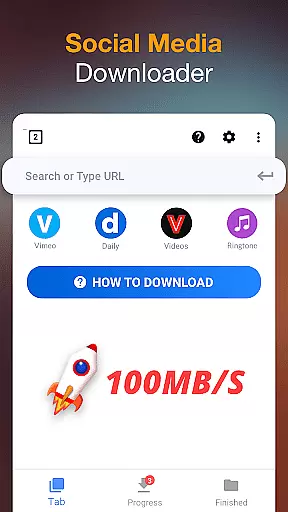
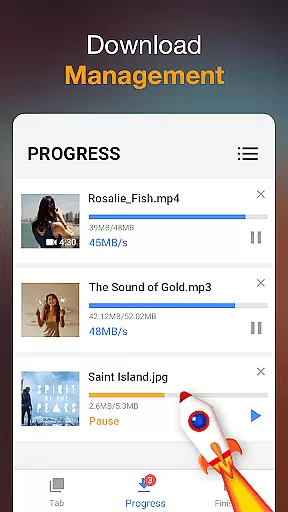

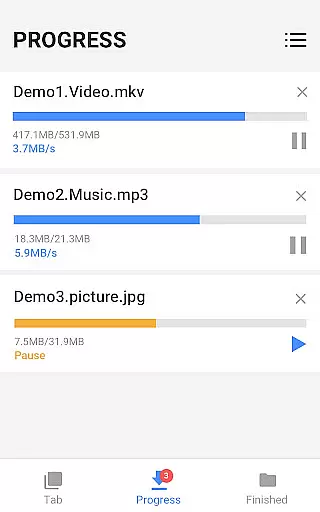

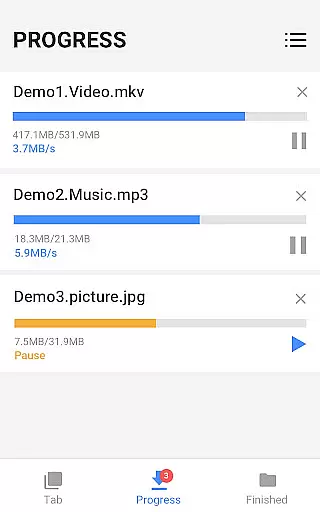

Video Downloader is a versatile tool designed for users who need to download and manage video content directly on their mobile devices. This app supports all popular video formats, including MP4, AVI, and WMV, making it an ideal solution for anyone looking to save online videos for offline viewing. The powerful download manager allows users to pause, resume, and organize multiple downloads simultaneously.
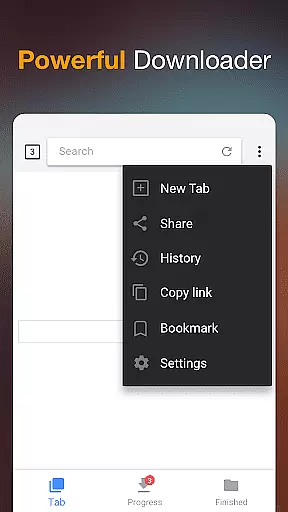
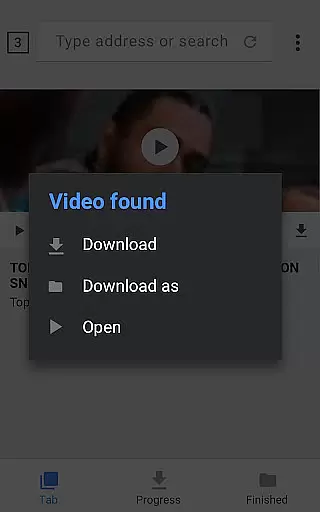
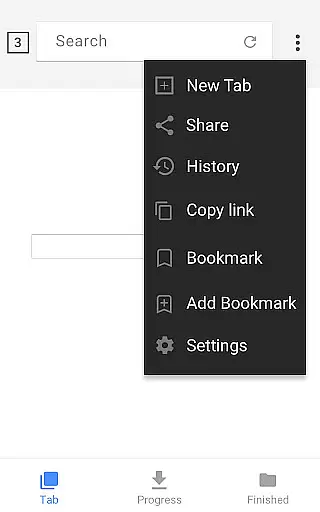
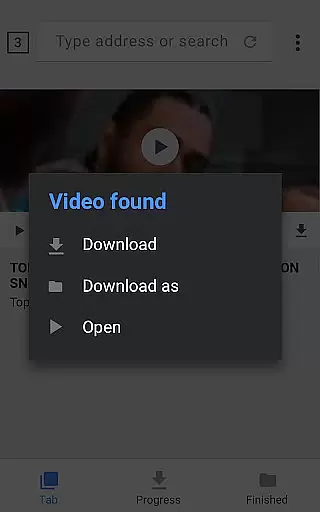
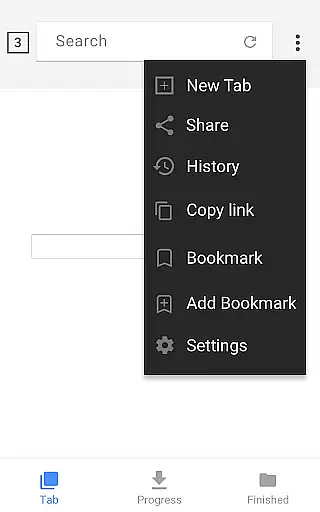
One of the standout features of Video Downloader is its built-in browser, which simplifies the process of finding and downloading videos from various websites. Users can preview videos before downloading, ensuring they save exactly what they need. Additionally, the app provides options to store downloaded files in password-protected folders, offering an extra layer of security for sensitive content. Whether you're commuting or traveling, this app ensures you have access to your favorite videos anytime, anywhere.
Video Downloader offers a comprehensive suite of features that cater to both casual users and power downloaders. Its auto-detection technology identifies downloadable videos on web pages, enabling one-click downloads with minimal effort. The app also includes a built-in media player, allowing users to play downloaded videos without needing additional software. Advanced functionalities like background downloading and support for large file sizes make it suitable for heavy use.
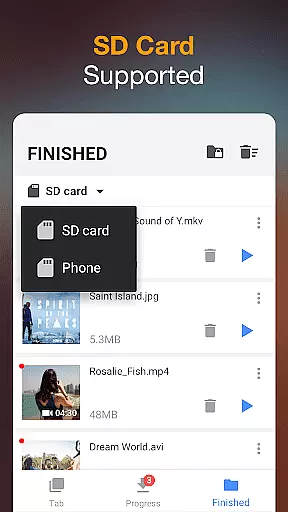
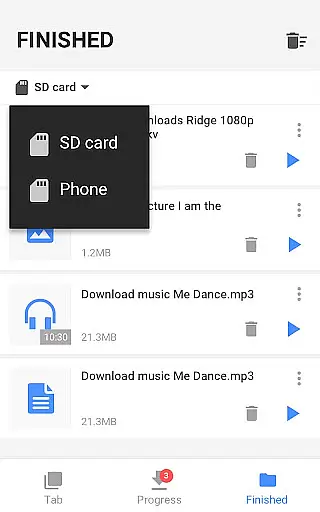
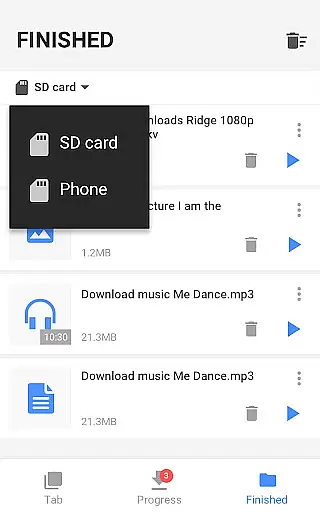
Another key feature is the ability to download multiple files simultaneously, significantly reducing wait times. The app's support for SD cards ensures users can maximize their device storage by saving files externally. With fast download speeds and the ability to resume interrupted downloads, Video Downloader delivers a seamless experience even under unstable network conditions. These capabilities, combined with its user-friendly interface, make it a top choice for managing multimedia content on mobile devices.
Video Downloader stands out for its exceptional video format compatibility, ensuring users can download and enjoy content in their preferred formats. This application supports an extensive range of formats including mp3, m4a, mp4, m4v, mov, avi, wmv, and more, catering to diverse user needs.
The app's built-in browser facilitates seamless browsing and auto-detection of videos across websites, allowing users to download videos with just a single click. Regardless of the original format of the online video, this downloader converts and saves it in the user's chosen format without compromising quality.
Moreover, Video Downloader is not limited to videos alone; it extends its compatibility to documents such as doc, xls, pdf, and txt files. This versatility makes it an all-in-one solution for downloading multimedia and document files from the internet directly onto your device.
With the increasing demand for offline content consumption, having an app that guarantees comprehensive video format support ensures that users can access their downloads anytime, anywhere, without format restrictions hindering their experience.
While Video Downloader primarily focuses on providing robust downloading capabilities, it also integrates AI-powered editing features to enhance user experience. These intelligent tools allow users to not only download but also personalize and optimize their video content effortlessly.
Upon downloading a video, users have the option to preview it before saving. The AI algorithms analyze video content in real-time, suggesting optimal trimming points or highlighting key segments for easy extraction. This feature is particularly beneficial for users looking to create concise clips or share specific moments from longer videos.
In addition to smart editing suggestions, the app offers fast download speeds and background downloading options. Users can pause, resume, and manage multiple downloads simultaneously, thanks to the powerful download manager integrated within the app. Such efficiency is powered by AI optimizations that prioritize resources based on user behavior and preferences.
By combining advanced AI technologies with practical editing functionalities, Video Downloader empowers users to curate their digital libraries effectively while enjoying a streamlined downloading process.
User-friendly interface
Fast download speeds
Supports all major formats
Powerful download manager
Secure file storage
Limited advanced editing tools
Occasional detection issues
Ads in free version
Requires permissions
No cloud integration

?100% FREE! Download & save videos? safely in this app. All formats supported.
 4.60
4.60
Watch a large amount of high-definition short drama content
4.60
Fast video downloader & private browser. Save HD clips to watch offline.
4.40
AirMirror is Receiver for Screen Mirroring and Casting from Apple Devices.
3.60
1)AirPlay/DLNA Mirroring/Streaming, up to 4 connections; 2)Samba/NAS/DMS Player.
4.00
GENRAL PRO - General Pro is the best video player that fully supports all formats.
4.70
Cast to Smart TV, Fire TV. Cast video, photo - Fast & Stable!
3.90
Connect EasyCap or UVC devices for recording and broadcast video/audio stream
3.60
Viddo: Generate Action Figure, AI Anime, AI kiss, AI hug Video from image & text
4.40
Video Trimmer, Video to MP3 Converter. Extract music from video, Easy & Fast.
4.80
Video Player - Unlimited features, 30 days money back guarantee.
4.60
Fast & Private HD Video Downloader with Built-in Proxy Browser and Video Player.
4.50
AirMirror Receiver - Screen mirroring/cast web videos to Android TV by AirPlay.
4.40
Browser for Fire TV to stream webvideos, online movies, livestreams in HD
4.40
Your media, on your terms.
4.10
AI Video Editor:AI Music, Text to Video,Text to Speech,Auto Caption,Video Effect
4.00
Capture images & record videos for USB Camera, Webcam, Microscopes, Endoscopes
3.80
Mix with Virtual DJ directly from your phone or tablet !
3.10
You can play SWF format file!
2.50


User Reviews