
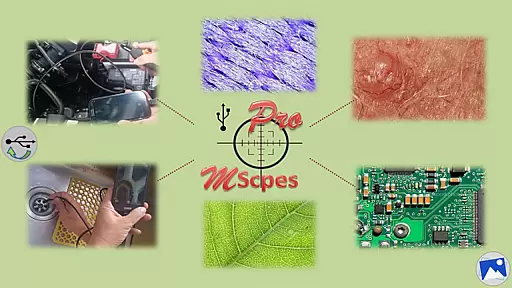
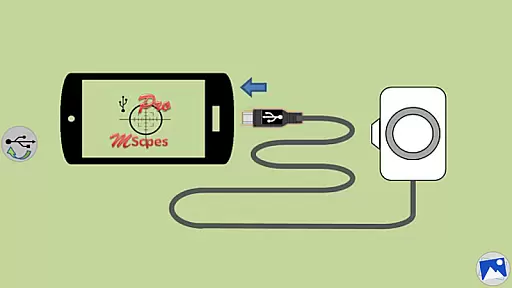
MScopesPro for USB Camera is a versatile application designed to enhance the functionality of USB video class cameras when connected to Android smartphones or tablets. This app allows users to view, capture images, and record videos from digital microscopes, endoscopes, borescopes, camcorders, or webcams via USB connection. For devices with type-A connectors, an OTG adapter is necessary to bridge the connection.
One of the standout features of MScopesPro is its ability to facilitate microscopy or endoscopy on-the-go. This portability significantly increases the convenience and flexibility of observing microscopic objects or hard-to-reach areas such as cracks, pipes, or cavities. The Pro version offers advanced functionalities including full-screen mode, zoom and pan capabilities, multiple image types, date and time stamp options, customizable notes, cross-hair display, and watermark-free images.
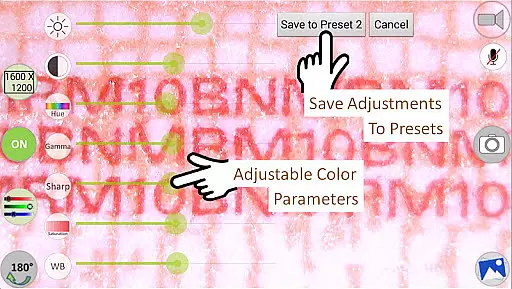
The app supports various preview sizes and adjustable color parameters like brightness, contrast, hue, gamma, sharpness, saturation, and white balance. Users can save their preferred settings to presets, toggle the microphone during video recording, and easily share or edit captured media. These features make MScopesPro an invaluable tool for professionals requiring detailed and flexible imaging solutions in the field.
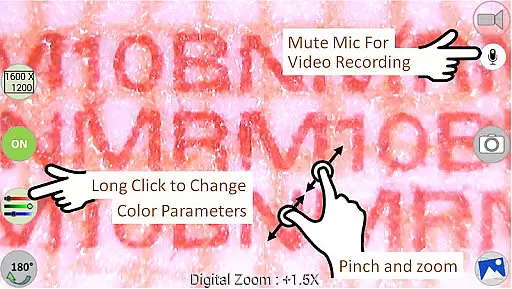
MScopesPro for USB Camera stands out due to its comprehensive feature set tailored for professional use. The app provides full-screen mode without any buttons, allowing for a 100% preview, which is crucial for detailed inspections. Users can zoom and pan using one or two fingers directly on the preview screen, offering intuitive control over the camera's view.
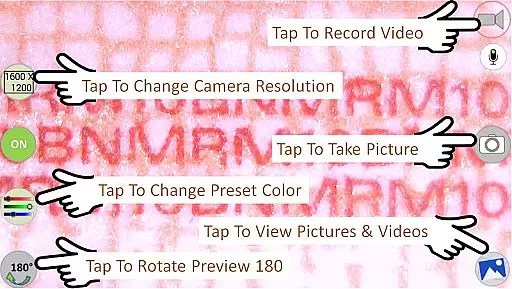
In addition to supporting JPEG and PNG image formats, MScopesPro includes options to add date and time stamps, customizable notes, and cross-hairs on previews and captured images. The app also offers pinch-to-zoom functionality and allows users to select camera resolutions and preview sizes ranging from 640x480 to 1600x1200 pixels. Adjustable color parameters such as brightness, contrast, hue, gamma, sharpness, saturation, and white balance ensure optimal image quality.
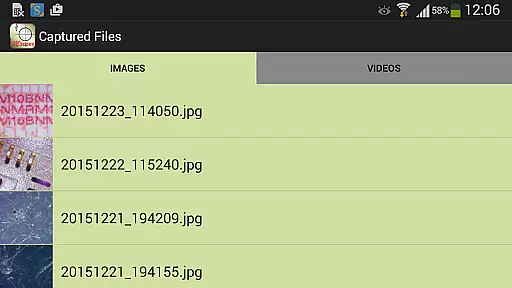
Further enhancing user experience, the app enables saving adjusted color settings into three presets, toggling the microphone on or off during video recording, and providing easy sharing, editing, and deletion of images and videos. Navigation through captured media is seamless with swipe gestures, making it efficient to review and manage content. These robust features collectively offer a powerful toolset for users needing precise and adaptable imaging capabilities.
One of the key strengths of MScopesPro for USB Camera lies in its extensive video format compatibility. The application supports multiple preview sizes including 640x480, 800x600, 1280x720, and 1600x1200, catering to a wide range of user preferences and device capabilities.
In addition to supporting various resolutions, the app is also designed to work with USB Video Class (UVC) cameras, although it's important to note that functionality may be limited on certain Android devices that do not fully support UVC. This ensures that whether you're using a digital microscope, endoscope, or webcam, MScopesPro can handle the video input effectively.
The app further enhances user experience by offering options for saving images in both JPEG and PNG formats. This flexibility allows users to choose the best format based on their specific needs for quality and file size. Whether capturing detailed microscopic images or recording videos of hard-to-reach areas, MScopesPro provides reliable performance across different formats.
MScopesPro for USB Camera incorporates several AI-powered editing features that significantly enhance the post-capture experience. Among these features is the ability to add a date and time stamp directly onto both the preview and captured images, ensuring accurate documentation of when each image was taken.
Another notable feature is the option to include up to three lines of custom notes on your images, allowing users to add contextual information or annotations directly within the app. Additionally, the software offers a cross-hair overlay on the preview, which can be invaluable for precise alignment during capture.
Furthermore, the app includes advanced color parameter adjustments such as brightness, contrast, hue, gamma, sharpness, saturation, and white balance. Users can save their preferred settings to one of three presets, streamlining future sessions and maintaining consistent image quality. These sophisticated editing tools make MScopesPro an indispensable tool for professionals requiring detailed and accurate visual documentation.
User-friendly interface
Highly customizable settings
Advanced imaging controls
Supports multiple file formats
Comprehensive preview options
Compatibility issues with some devices
Does not support Android 5.1.1
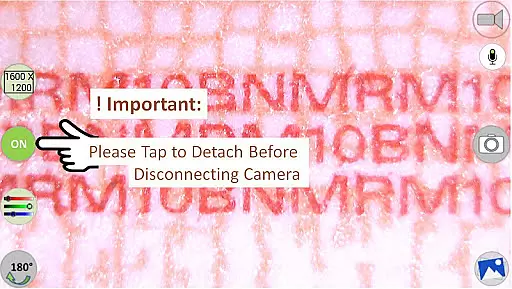
Requires OTG adapter for certain connections
Premium features locked in free version
Dependent on third-party libraries

Auto video maker with music & exclusive filters. Video editing made simple.
 4.50
4.50
Your media, on your terms.
4.10
Watch full episodes of your favorite Cartoon Network and Cartoonito shows!
3.50
Snaptubè Video Downloader app allows to download videos and music in Snaptube. .
4.60
Create photo video with music & template. AI video maker for stunning slideshow.
4.60
This app was created to edit the metadata of music files.
4.20
Support 1000+ Video Format, Subtitle Download, mp3 & Background Play, Cast On TV
4.60
Video Downloader, Multiple Resolution Options, Video Player
4.50
Video player with 4K & 1080P support, popup play, background play and subtitle.
4.20
Flud is a simple and beautiful BitTorrent client for Android.
4.80
Download Hub, easy and private way to download and enjoy your videos offline
4.80
Video Player - Unlimited features, 30 days money back guarantee.
4.60
Search & download videos from net with all video downloader, auto-detect & safe.
4.60
Fast video downloader & private browser. Save HD clips to watch offline.
4.40
1)AirPlay/DLNA Mirroring/Streaming, up to 4 connections; 2)Samba/NAS/DMS Player.
4.00
Online Videos Player
3.90
AirMirror is Receiver for Screen Mirroring and Casting from Apple Devices.
3.60
The essential companion to your Blue Iris PC software
2.50
Play and download HD videos from all sources — fast, simple, and all-in-one.
4.1


User Reviews