
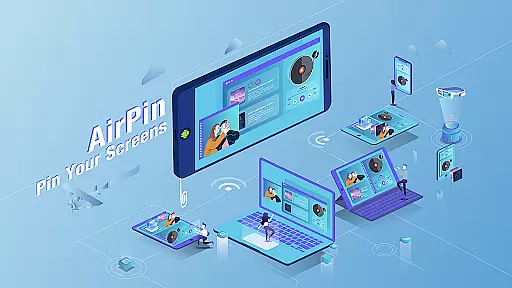

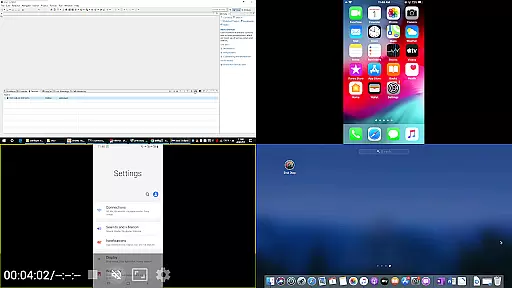

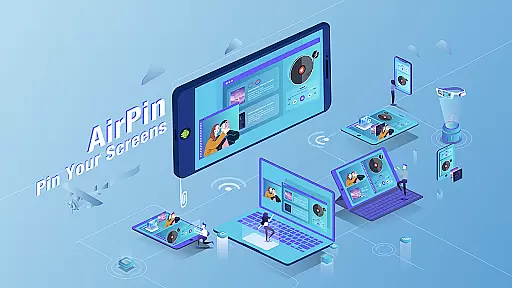

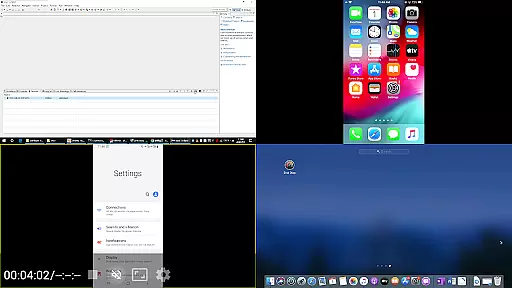


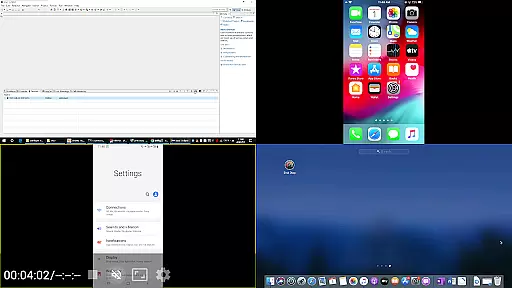
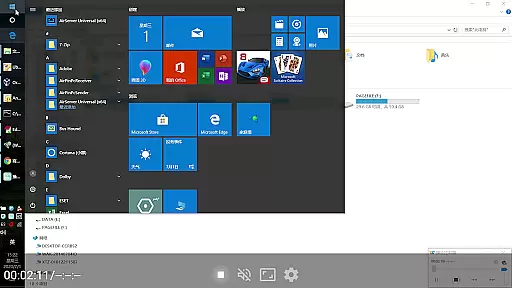

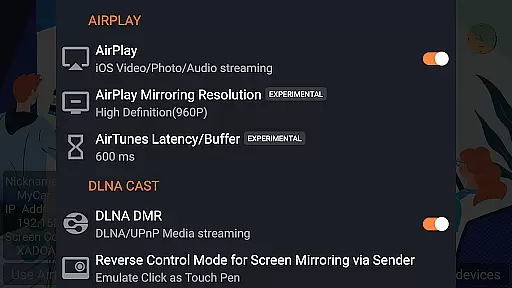

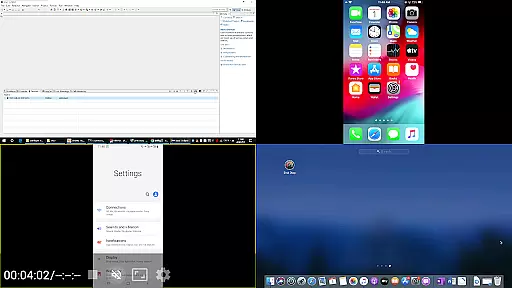
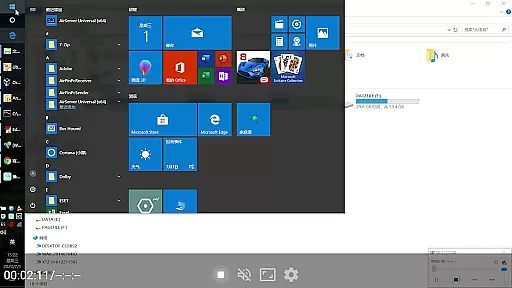

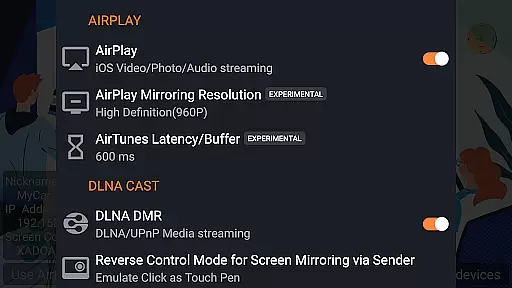
AirPin PRO is a cutting-edge screen mirroring and media streaming receiver app designed for Android phones, tablets, TVs, set-top boxes, and projectors. As the first Android application to support both AirPlay and DLNA protocols since its initial release in July 2012, it enables users to share media and screens from Apple, Windows, and Android devices onto larger displays. The PRO version stands out by allowing simultaneous display of up to four device screens, enhancing collaborative and entertainment experiences.
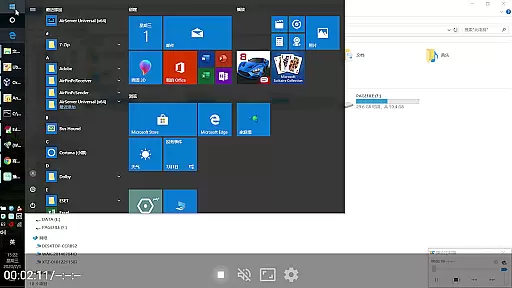
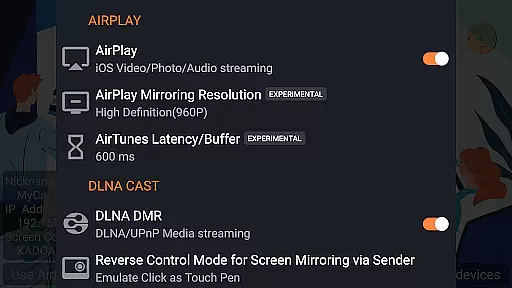
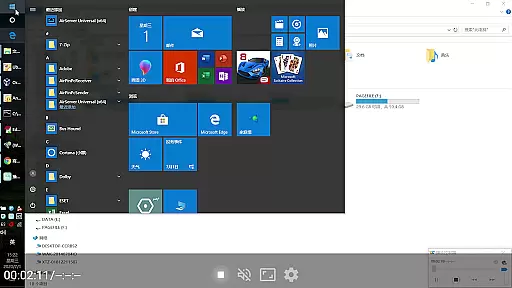
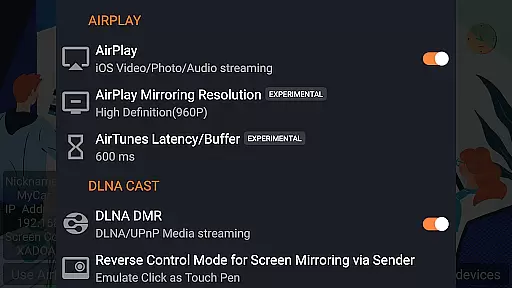
This versatile app supports a wide array of features including AirPlay video/music streaming, screen mirroring across all iOS/MacOS versions, and even the latest YouTube AirPlay streaming. It also offers unique functionalities such as slideshow support for AirPlay photo streaming, password protection, and compatibility with DLNA, UPnP, and Android-based TVs. Whether you're looking to stream content from a PC using AirPinPcSender.exe or mirror your Android device's screen via AirPinCast, AirPin PRO delivers a seamless experience tailored for both personal and professional settings.
AirPin PRO distinguishes itself through an impressive range of advanced features. One of its standout capabilities is the ability to display multiple device screens simultaneously, accommodating up to four different sources at once. This makes it ideal for presentations, collaborative work sessions, or multi-device entertainment setups. Additionally, it remains the only app that supports both Renderer and Player modes for Android-based TVs, offering unparalleled flexibility in how content is displayed and managed.
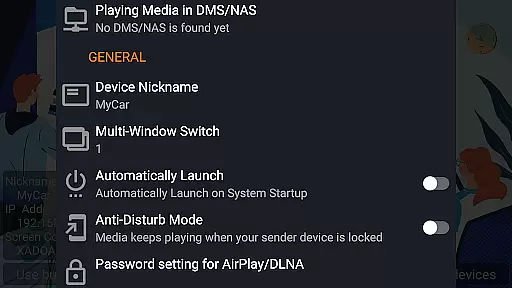
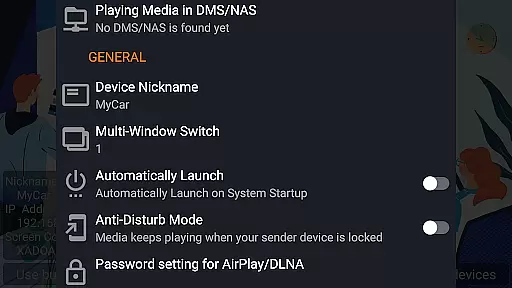
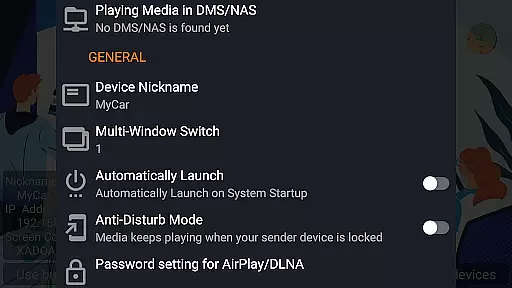
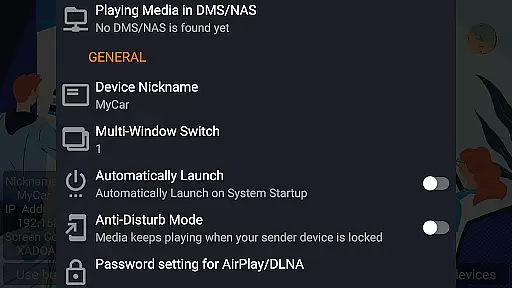
The app provides comprehensive support for various streaming protocols including AirPlay, DLNA, and UPnP, ensuring broad compatibility with different devices and ecosystems. Users can directly pull media from DLNA/NAS/Samba servers for playback, while enjoying uninterrupted audio streaming even when the app runs in the background. Other notable features include password protection for added security, automatic startup options, configurable service shutdowns, anti-disturb mode to maintain video playback when the controlling device disconnects, and the ability to resume playback from where it was paused. These robust functionalities make AirPin PRO a top choice for anyone seeking reliable and feature-rich media streaming solutions.
Video format compatibility is a crucial feature for any video player, ensuring that users can enjoy content in various formats without technical hindrances. AirPin PRO excels in this area by supporting an extensive range of video formats, making it versatile for different user needs.
This application supports both AirPlay and DLNA protocols, allowing seamless streaming from Apple, Windows, and Android devices. Whether you're sharing videos from an iPhone, iPad, or PC, AirPin PRO ensures that the format is compatible and plays smoothly on your Android device, TV, set-top box, or projector.
For users, this means freedom and flexibility. You don't have to worry about converting files or dealing with unsupported formats. With AirPin PRO, you can directly pull media from DLNA, NAS, or Samba servers and play it without delay, enhancing your viewing experience significantly.
While AirPin PRO focuses primarily on screen mirroring and media streaming, its AI-powered editing features add an extra layer of functionality. These features are designed to enhance user interaction and streamline the process of managing multimedia content.
The app allows for automatic startup and configurable service shutdown, optimizing resource usage and ensuring smooth performance. Additionally, its anti-disturb mode keeps videos playing even when the controlling side exits, providing uninterrupted entertainment.
Users benefit from features like continuing playback from the last pause point and support for external players. These functionalities not only improve usability but also offer a personalized touch, catering to individual preferences and habits. Constant updates and bug fixes further ensure that AirPin PRO remains a reliable tool for all your media streaming needs.
Supports multiple screens
First AirPlay-DLNA hybrid
Advanced security options
Broad protocol compatibility
Seamless background play
Paid PRO version needed
Complex setup required
Limited free features
Occasional bugs reported
Device compatibility issues

HD Video player all format, HD Videos, Cast & Subtitle. No annoying ads.
 4.60
4.60
You can play SWF format file!
2.50
Video Trimmer, Video to MP3 Converter. Extract music from video, Easy & Fast.
4.80
Support 1000+ Video Format, Subtitle Download, mp3 & Background Play, Cast On TV
4.60
Pro video editor app for Instagram, edit video with song, AI, effect & slowmo.
4.80
IPTV Loader, loads your own Playlist. DOES NOT CONTAIN ANY LIST OR CHANNELS
4.60
Livestream, news, & gaming content. Watch, chat, and upload. Join Rumble today!
3.80
Fast private browser with secure, seamless access & supported video downloads!
4.00
Photo editor & video maker with music and slideshows.
4.10
Search & download videos from net with all video downloader, auto-detect & safe.
4.60
Photo and Music Video Creator into Stunning Videos—Effortlessly
4.40
Fast video downloader & private browser. Save HD clips to watch offline.
4.40
AirMirror Receiver - Screen mirroring/cast web videos to Android TV by AirPlay.
4.40
Movie maker & video editing app with AI effects and green screen
4.30
Web Browser for LG TV to stream webvideos, online movies and livestreams in HD
4.20
Browser for Samsung TV to stream webvideos, online movies and livestreams in HD
4.10
LumaFusion: The Ultimate Storytelling Experience for Video Editing
4.10
Browser for Sony TV to stream web videos, online movies and live tv
3.20
Play and download HD videos from all sources — fast, simple, and all-in-one.
4.5


User Reviews