
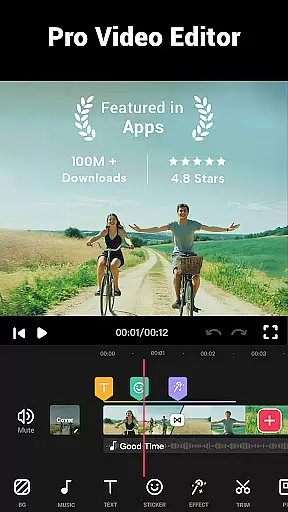
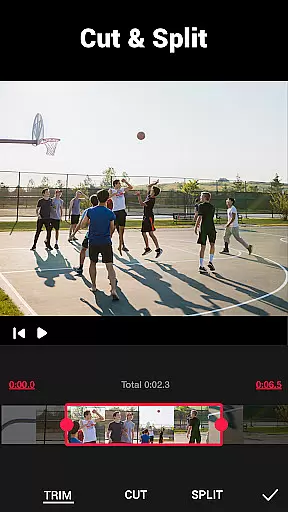


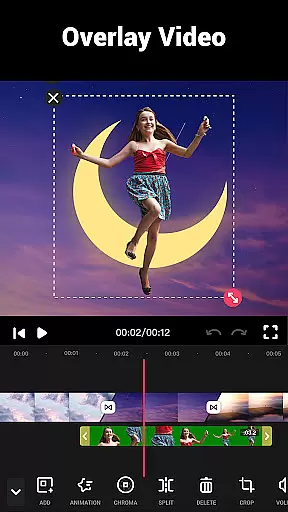
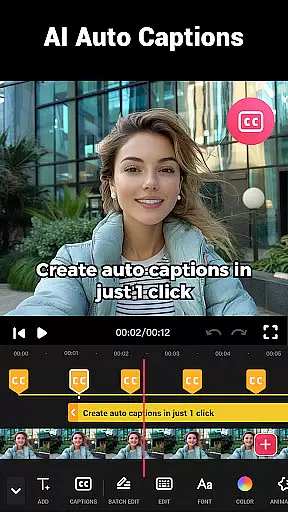
Video Maker is a versatile video editing application that allows users to create professional-quality videos directly from their Android devices. The app offers an extensive range of features including trimming, cutting, and adjusting video speed, as well as adding music, transitions, filters, and effects. With support for 4K video export and no watermark, it ensures high-quality output for sharing across various social media platforms like YouTube, Instagram, and TikTok.
This all-in-one video editor stands out with its user-friendly interface and powerful editing tools. Whether you're a beginner or a seasoned creator, the app provides everything needed to produce engaging vlogs, intro sequences, and more. Its intuitive design makes video editing accessible to everyone while maintaining advanced capabilities such as multi-layer editing, audio extraction, and custom speed adjustments.
Video Maker is particularly useful for content creators who need to quickly edit and share videos on-the-go. By combining essential editing functions with creative elements like glitch effects and stylish fonts, it empowers users to transform simple footage into compelling visual stories. The ability to save projects in high resolution and share them instantly enhances productivity and creativity.
Video Maker distinguishes itself through its comprehensive feature set tailored for both casual users and professional editors. One of its standout capabilities is the multi-layer editing system, which allows users to add multiple elements such as music tracks, voice-overs, sound effects, and text overlays to their projects. This flexibility enables complex compositions while maintaining ease of use through an intuitive interface.
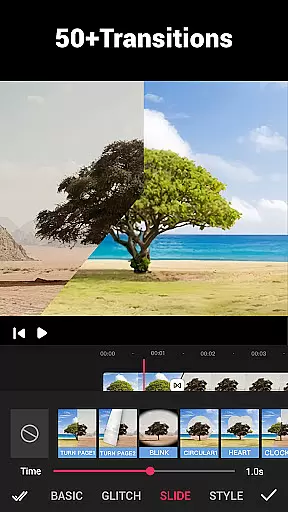
The app includes over 50 transition effects that can significantly enhance video quality by providing smooth scene changes and dynamic visual flow. Users can also extract audio from existing videos and synchronize it with new footage using beat markers. Additionally, Video Maker supports various aspect ratios including 1:1 for Instagram and 16:9 for YouTube, ensuring compatibility across different platforms without quality loss.
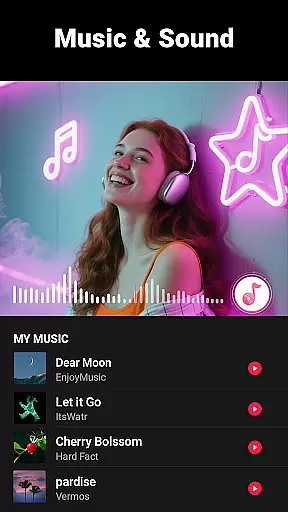
Advanced features like speed adjustment (from 0.2x to 100x), background customization with blur effects, and video compression with customizable resolutions make this app suitable for diverse editing needs. The inclusion of dozens of royalty-free music tracks and the ability to import personal audio files further expand creative possibilities. These robust tools collectively enable users to produce polished, professional-grade videos entirely on their mobile devices.
Video format compatibility is a crucial feature for any video editing application, ensuring that users can work with a wide range of video files without conversion hassles. Video Guru supports an extensive array of formats, allowing creators to import and export videos in their desired resolutions and qualities.
The app's dedication to high-quality video support means that whether you're working with standard 16:9 YouTube content or square 1:1 Instagram clips, the integrity of your footage remains intact. This flexibility empowers creators to focus on storytelling rather than technical limitations.
Moreover, Video Guru enables exporting in up to 4K resolution without watermarks, which is essential for professionals who demand pristine clarity and detail in their final products. The ability to save in HD quality ensures that every video project retains its visual impact across different platforms.
AI-powered editing features are revolutionizing how we approach video creation by automating complex tasks and offering smart suggestions. Video Guru incorporates advanced AI tools that assist users in enhancing their projects with minimal effort, making professional-grade editing accessible even to beginners.
Among these features is the capacity to extract audio from any video and adjust it according to music rhythm, adding dynamic layers to your edits. Additionally, AI-driven filters and FX effects provide a cinematic touch, transforming ordinary clips into visually stunning narratives with just a few clicks.
Furthermore, the app's AI capabilities extend to optimizing video speed and transitions, ensuring smooth playback and coherent storytelling. These intelligent functions not only streamline the editing process but also inspire creativity, enabling users to produce captivating content that stands out on platforms like YouTube and TikTok.
User-friendly interface
Extensive editing tools
High-quality export options
No watermark on exports
Versatile format support
Limited advanced color grading
Occasional performance lag
Basic audio mixing capabilities
Fewer tutorial resources
Interface may feel cluttered

Video player, file manager for all formats, 4K/HD media player supports subtitle
 4.30
4.30
Video Player - Unlimited features, 30 days money back guarantee.
4.60
Video Downloader is an utility that can save videos and music from web sites
4.20
KineMaster, Your Ultimate Video Editor!
4.40
Powerful HD video player with support for all formats & subtitles.
4.4
Live TV, anywhere in your home
3.80
Explore the largest library of free GIFs, Stickers & Memes - or create your own!
3.90
The essential companion to your Blue Iris PC software
2.50
LumaFusion: The Ultimate Storytelling Experience for Video Editing
4.10
Tik & Story Saver-Download ALL social media videos, photos & reels no watermark.
4.80
An easy-to-use and all-round screen recorder with audio
4.80
A Quick and Pro Video Editor
4.70
Search & download videos from net with all video downloader, auto-detect & safe.
4.60
Seamlessly connect and control your smart devices, anytime, anywhere with ease.
4.60
Browser + Remote for Roku to stream webvideos, online movies and livestreams
4.60
Fast private browser with secure, seamless access & supported video downloads!
4.00
Online Videos Player
3.90
Cast to Smart TV, Fire TV. Cast video, photo - Fast & Stable!
3.90
All in one multi protocols stream receiver for AirPlay, Cast and DLNA.
3.60


User Reviews