
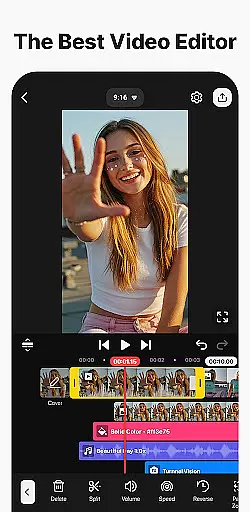
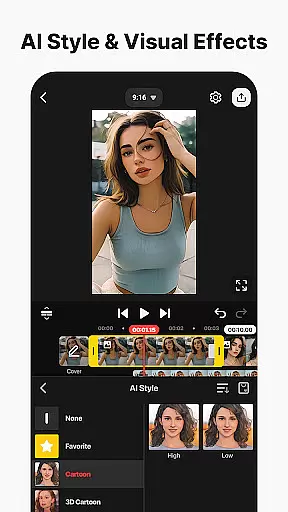
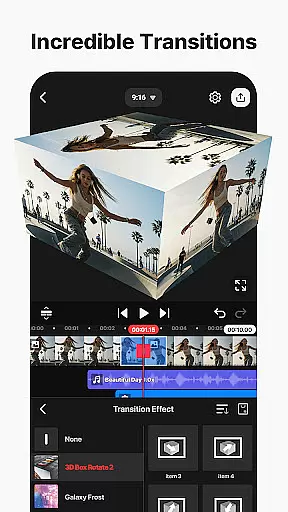
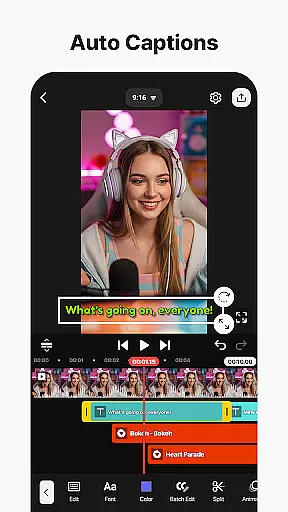
KineMaster is a powerful video editing application designed for both amateur and professional content creators. This app offers an extensive suite of AI-powered tools that simplify the process of creating complex videos. With features like AI Auto Captions, AI Text-to-Speech, and AI Noise Removal, users can enhance their video projects with minimal effort. The app also includes advanced editing capabilities such as Keyframe Animation, Chroma Key, and Speed Control, making it possible to produce high-quality content that rivals professional studios.
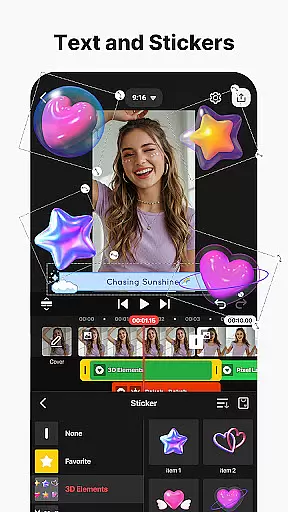
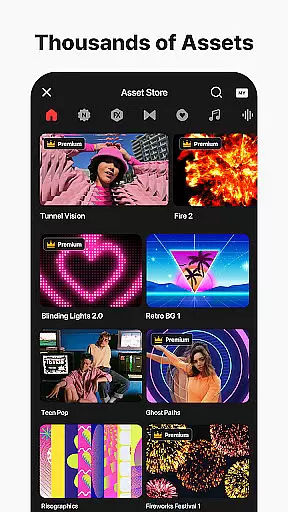
One of KineMaster's standout features is its vast library of assets, including effects, stickers, music, and fonts, which help users make their videos stand out. Whether you're looking to create engaging vlogs, dynamic short clips, or professional-grade films, KineMaster provides all the necessary tools in one place. Additionally, the app supports high-resolution output up to 4K 60 FPS, ensuring your final product looks crisp and polished on any platform.
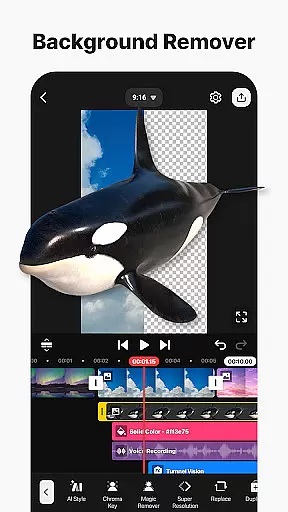
KineMaster stands out with its comprehensive set of professional video editing tools tailored for ease of use. The app incorporates AI-driven functionalities such as AI Magic Removal, AI Vocal Separator, and AI Upscaling, which allow users to perform tasks like background removal, audio splitting, and resolution enhancement effortlessly. These features are complemented by traditional yet sophisticated tools like Chroma Key (Green Screen), Speed Control, and Keyframe Animation, enabling users to craft visually stunning and technically precise videos.
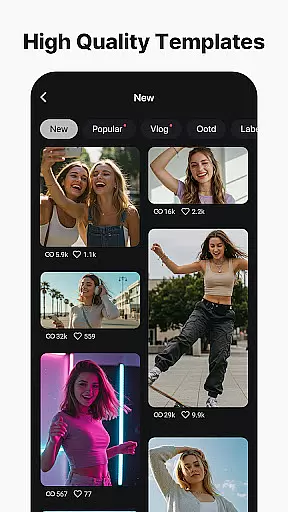
Beyond its robust editing capabilities, KineMaster offers a rich repository of creative assets. Users have access to thousands of templates, stock videos, images, and a variety of fonts and color filters. These resources not only jumpstart creativity but also ensure that every video project is unique and engaging. Furthermore, the app's support for multi-layer editing, magnetic guides, and full-screen previews enhances precision and workflow efficiency, making it an indispensable tool for anyone serious about video production.
Video format compatibility is a crucial feature for any video editing application, ensuring that users can work with a wide range of file types. KineMaster excels in this area by supporting an extensive array of video formats, allowing creators to import and export projects without worrying about conversion issues.
The app's advanced codec support enables seamless integration of various media elements, including high-resolution 4K videos at 60 frames per second. This versatility ensures that content creators can maintain the highest quality throughout their editing process while preparing files for different platforms such as YouTube, TikTok, and Instagram.
Moreover, KineMaster provides optimized settings for social media sharing, automatically adjusting video parameters to meet specific platform requirements. Users can also create videos with transparent backgrounds, expanding creative possibilities for compositing and professional-grade visual effects.
This comprehensive format support significantly enhances user experience by eliminating technical barriers and enabling smooth workflow across different devices and operating systems.
AI-powered editing features represent a revolutionary advancement in video production, making complex tasks accessible to all users. KineMaster incorporates multiple artificial intelligence tools that dramatically streamline the editing process while maintaining professional-quality results.
The application's AI capabilities include automatic caption generation from audio tracks, intelligent background removal around subjects, and sophisticated noise reduction algorithms. These features save considerable time during post-production while ensuring accuracy and precision in every edit.
Additionally, KineMaster's AI-driven music matching and vocal separation functions enable creators to produce sophisticated audio compositions with minimal effort. The AI tracking feature allows text and graphic elements to follow moving objects naturally, adding dynamic visual effects to videos.
These intelligent tools not only enhance productivity but also empower users to explore creative possibilities that were previously limited to professional studios, making high-quality video production truly democratized.
User-friendly interface
Extensive AI tools
High-quality output
Vast asset library
Multi-layer editing
Subscription fees apply
Watermark on free version
Advanced tools may overwhelm beginners
Limited offline functionality
Resource-intensive

All format media Player, no need video converter any more!
 4.00
4.00
AI Video Editor:AI Music, Text to Video,Text to Speech,Auto Caption,Video Effect
4.00
Add date and time watermark to photos and videos
4.50
Find, download, and play torrents with the official BitTorrent® Pro app
4.70
Connect EasyCap or UVC devices for recording and broadcast video/audio stream
3.60
Browser for Samsung TV to stream webvideos, online movies and livestreams in HD
4.10
LumaFusion: The Ultimate Storytelling Experience for Video Editing
4.10
AI Video Editor with Music, Filter, Slideshow, Effect, Merge & Trim Video.
4.80
Livestream, news, & gaming content. Watch, chat, and upload. Join Rumble today!
3.80
Play ALL formats in 4K & HD. Video downloader, MP3 player, Chromecast & more.
4.80
#1 Torrent App on Android ** No Ads Ever + Battery Saver **
4.80
Powerful video player with advanced hardware acceleration and subtitle supports
4.20
Your media, on your terms.
4.10
VLC for Android is the best open source video and music player, fast and easy!
4.10
Connect 2 UVC devices for recording and broadcast video/audio stream
3.90
Capture images & record videos for USB Camera, Webcam, Microscopes, Endoscopes
3.80
Download videos easily & play them all in one smart, powerful video manager.
3.40
Mix with Virtual DJ directly from your phone or tablet !
3.10
Play and download HD videos from all sources — fast, simple, and all-in-one.
4.5


User Reviews