
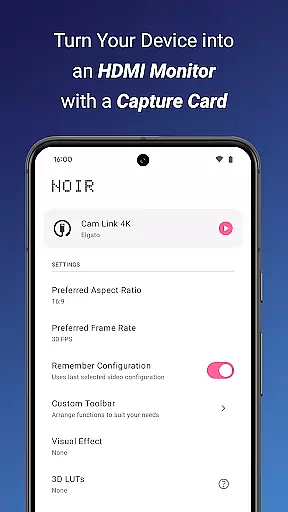
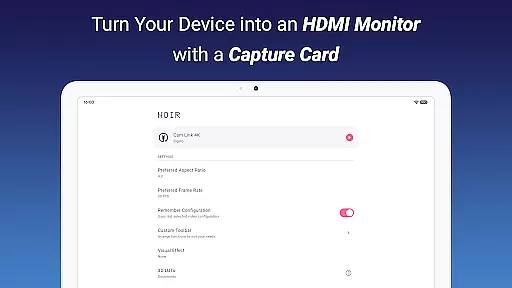
Noir Pro is a professional-grade video player and editor designed for users who require advanced features and high performance. This application transforms your device into a versatile monitor, compatible with gaming consoles, laptops, cameras, and other HDMI-output devices when used with a USB-C capture card. It supports UVC video streaming and UAC audio streaming, offering both OpenGL ES and Vulkan graphics backend options.
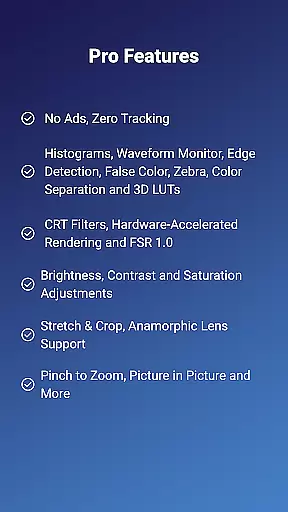
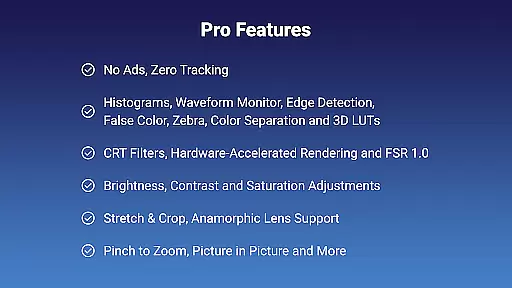
With its extensive feature set, Noir Pro includes 3D LUTs, Waveform Monitor, Histogram, Edge Detection, False Color, Zebra, Color Separation, CRT Filters, FSR 1.0, Pinch to Zoom, Stretch and Crop, Anamorphic Lens Support, and adjustments for Brightness, Contrast, and Saturation. The app also provides an app-specific Volume Control, Picture in Picture Mode, and In-app Screenshot functionality, ensuring a comprehensive user experience.
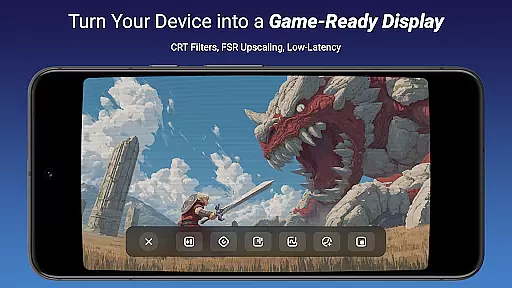
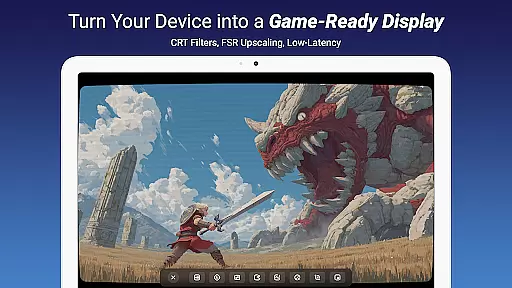
Ideal for professionals and enthusiasts alike, Noir Pro serves as a Camera Monitor, Primary Monitor for Gaming Consoles & PCs, Secondary Monitor for Laptops, and even a Drone Monitor. Its compatibility with any HDMI Output or USB Streaming device makes it an indispensable tool for various applications, from content creation to live monitoring.
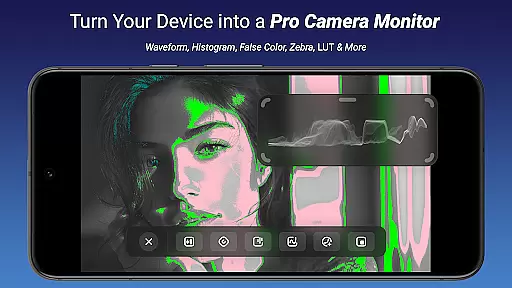
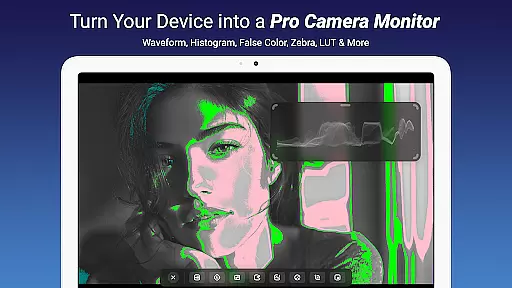
Noir Pro stands out with its robust feature set tailored for video professionals and enthusiasts. One of its key highlights is the support for 3D LUTs, allowing precise color grading and correction. The inclusion of advanced monitoring tools such as Waveform Monitor, Histogram, Edge Detection, False Color, and Zebra ensures accurate video analysis and adjustments.
The app offers unique functionalities like Color Separation and CRT Filters, providing creative control over video output. With FSR 1.0 and Pinch to Zoom, users can enhance image clarity and focus on specific details. Additionally, Noir Pro supports Stretch and Crop, Anamorphic Lens Support, and adjustments for Brightness, Contrast, and Saturation, catering to diverse video editing needs.
Practical features such as app-specific Volume Control, Picture in Picture Mode, and In-app Screenshot further enrich the user experience. These capabilities make Noir Pro not just a video player but a comprehensive tool for anyone looking to elevate their video projects with professional-grade precision and creativity.
Noir Pro stands out with its extensive video format compatibility, ensuring users can work with a wide range of video streams without any hitches. The app supports both UVC video streaming and UAC audio streaming, which means it can handle various types of multimedia content with ease.
Whether you're connecting gaming consoles, cameras, or other HDMI-output devices, Noir Pro ensures smooth playback and preview. It is designed to support high-quality formats up to 1080p, depending on the capabilities of your capture card and device. This flexibility makes it an ideal choice for professionals who require reliable performance across different devices and settings.
For optimal results, users should ensure their USB data cables and ports are compatible with the specifications of their capture cards. For instance, using USB 3.0 cables and ports will provide better performance with higher resolution videos. By prioritizing broad format support, Noir Pro delivers a seamless experience for all your video needs.
While Noir Pro may not offer traditional AI-powered editing features like automated color correction or smart cropping, it provides advanced tools that significantly enhance video editing. Features such as Waveform Monitor, Histogram, and False Color allow users to make precise adjustments to their video projects.
The inclusion of Edge Detection, Zebra, and Color Separation tools empowers creators to fine-tune every aspect of their footage. These features help in achieving professional-grade results by offering detailed control over brightness, contrast, and saturation levels. Additionally, CRT Filters and FSR 1.0 contribute to creating unique visual effects that can elevate the quality of your videos.
Noir Pro also supports app-specific volume control and Picture in Picture mode, enabling complex multi-layered edits directly within the application. With these powerful tools at your disposal, you can craft compelling narratives and stunning visuals without needing additional software. This positions Noir Pro as a versatile solution for both amateur enthusiasts and seasoned professionals alike.
Advanced color grading
Comprehensive monitoring tools
Versatile device compatibility
Professional video editing features
Enhanced user control options
Requires USB-C capture card
No free version available
Complex for beginners
High system requirements
Limited customer support

Search & download videos from net with all video downloader, auto-detect & safe.
 4.60
4.60
Full HD Video mp3 Player, MP4 player play 1080p, File manager, Video Downloader
4.40
Powerful HD video player with support for all formats & subtitles.
4.3
Turn your phone into a wireless camera!
4.20
Fast & easy HD video downloader for all formats, support 4K playback & download.
4.60
Browser for Fire TV to stream webvideos, online movies, livestreams in HD
4.40
Livestream, news, & gaming content. Watch, chat, and upload. Join Rumble today!
3.80
Video&Drama Player All Format is a HD video player, music player
3.00
convenient, safe and fast at Video Downloader & Player
4.60
A Quick and Pro Video Editor
4.70
VLC Remote lets you control your VLC Media Player on Mac, PC or Linux.
4.60
Support 1000+ Video Format, Subtitle Download, mp3 & Background Play, Cast On TV
4.60
Browser for Samsung TV to stream webvideos, online movies and livestreams in HD
4.10
LumaFusion: The Ultimate Storytelling Experience for Video Editing
4.10
Powerful, professional, versatile teleprompter. Developed by an active film crew
4.00
Fast private browser with secure, seamless access & supported video downloads!
4.00
Connect EasyCap or UVC devices for recording and broadcast video/audio stream
3.60
This app is an emulator of some specific IPTV boxes
3.50
Download videos easily & play them all in one smart, powerful video manager.
3.40


User Reviews