
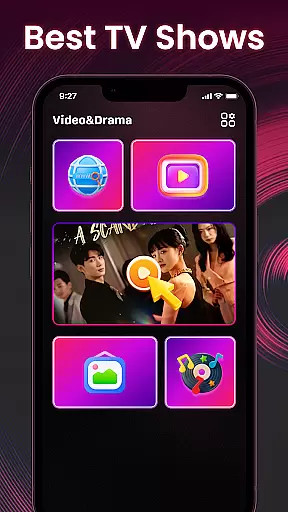


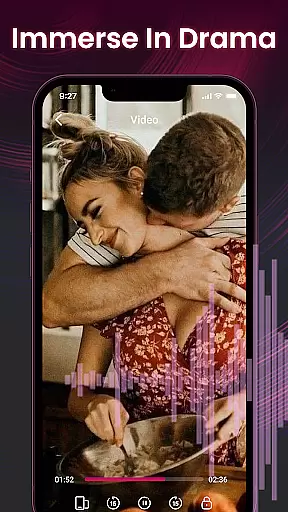

Video&Drama Player All Format is a versatile media player designed for both video and music enthusiasts. The app allows users to adjust playback speed, making it ideal for those who want more control over their viewing experience. Additionally, the built-in privacy browser enables discreet searching of online content, while the high-definition wallpaper gallery offers visually stunning options for personalization. This comprehensive app brings together essential media functions with thoughtful features that cater to user convenience and enjoyment.
The application's strength lies in its all-in-one design. Whether you're watching your favorite movies, listening to music, or customizing your device with beautiful wallpapers, this app provides a seamless experience across different media formats. Its intuitive interface ensures that even beginners can easily navigate through various features, while advanced options like playback speed adjustment satisfy more experienced users' needs.
Video&Drama Player All Format stands out with its diverse feature set tailored for multimedia lovers. The video player supports adjustable playback speeds, allowing users to watch content at their preferred pace. For music playback, users can add songs to their favorites list, creating a personalized library of beloved tracks. These features ensure an enhanced entertainment experience that adapts to individual preferences.
Beyond basic media playback, the app includes a private browsing function that lets users search for online content without leaving traces on their device. This focus on privacy extends to other areas as well, such as maintaining a history of played videos and music for easy access later. Furthermore, the high-definition wallpaper collection adds another layer of customization, letting users personalize their devices with striking visuals that suit their style.
What truly sets this app apart is how it combines these varied features into one cohesive package. From controlling playback speed to enjoying beautiful wallpapers, each element has been carefully considered to provide maximum value to users. The developers have succeeded in creating a tool that not only meets but exceeds expectations for a modern media player.
Video&Drama Player All Format stands out with its extensive video format compatibility, ensuring users can enjoy a seamless playback experience across various file types. This feature is crucial as it eliminates the need for additional conversion software, saving time and maintaining video quality.
The application supports an impressive range of formats including MP4, AVI, MKV, and many more. This versatility allows users to play videos from different sources without worrying about format restrictions. The inclusion of advanced codecs ensures that even less common formats are supported, providing a truly comprehensive solution.
Users benefit significantly from this feature as it simplifies their media consumption workflow. Whether they're watching downloaded movies or streaming content, the player automatically detects and adjusts to the appropriate format settings.
This level of compatibility not only enhances user convenience but also positions Video&Drama Player All Format as a go-to solution for diverse video playback needs, making it an essential tool for both casual viewers and media enthusiasts alike.
While primarily a video player, Video&Drama Player All Format incorporates basic AI-powered editing features that add value to the user experience. These intelligent tools help users enhance their video content through automated optimization processes, though they are not as advanced as dedicated editing software.
The application's AI capabilities focus on improving video quality through automatic brightness adjustment, color correction, and simple frame stabilization. These features work in real-time during playback, allowing users to enjoy enhanced visuals without manual adjustments. The AI algorithms analyze each frame to optimize viewing parameters based on content type and source quality.
For users, these AI-powered features provide immediate benefits by elevating standard video content to higher visual standards. The system learns from user preferences and viewing patterns to customize enhancement levels, creating a personalized viewing experience.
Although not its primary function, these editing capabilities make Video&Drama Player All Format a versatile choice for users seeking both playback and basic enhancement features in a single application, streamlining their media management process.
User-friendly interface
Customizable playback speed
Private browsing mode
HD wallpaper gallery
Playback history tracking
Limited format support
No cloud syncing
Basic equalizer settings
Occasional bugs
Ads in free version

Video player, file manager for all formats, 4K/HD media player supports subtitle
 4.30
4.30
The smartest M3U IPTV Player your playlists have ever seen.
4.1
Kodi media center, a free and open source cross-platform entertainment hub
3.60
Connect 2 UVC devices for recording and broadcast video/audio stream
3.90
Save photos and videos from social apps in one tap.
3.60
Full HD Video mp3 Player, MP4 player play 1080p, File manager, Video Downloader
4.40
Download videos easily & play them all in one smart, powerful video manager.
3.40
All in one HD video downloader & player for multiple formats with full privacy
4.70
Download videos and play them offline
4.70
Video Trimmer, Video to MP3 Converter. Extract music from video, Easy & Fast.
4.80
High-Quality USB Camera Viewer & HDMI Display
4.70
?100% FREE! Download & save videos? safely in this app. All formats supported.
4.60
Fast & Private HD Video Downloader with Built-in Proxy Browser and Video Player.
4.50
KMPlayer Plus (Divx Codec) officially support Divx codec.
4.30
Movie maker & video editing app with AI effects and green screen
4.30
Video Downloader is an utility that can save videos and music from web sites
4.20
Browser for Samsung TV to stream webvideos, online movies and livestreams in HD
4.10
Connect EasyCap or UVC devices for recording and broadcast video/audio stream
3.60
This app is an emulator of some specific IPTV boxes
3.50


User Reviews