
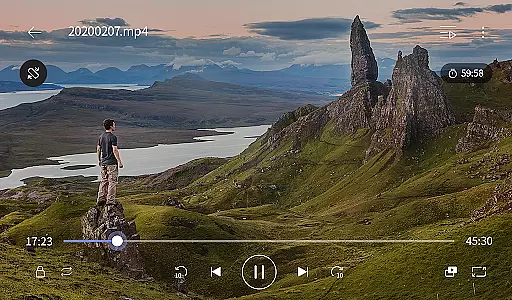
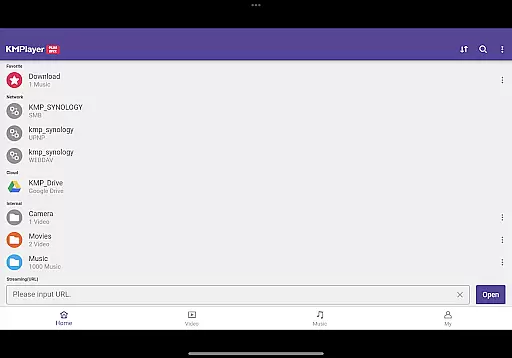
KMPlayer Plus (Divx Codec) is a versatile video player that supports Divx codec, making it ideal for users who need to play various video formats. The app offers high-definition playback for HD, 4K, and even 8K videos, ensuring an exceptional viewing experience across all resolutions.
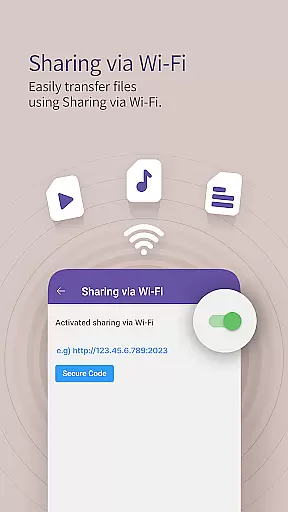
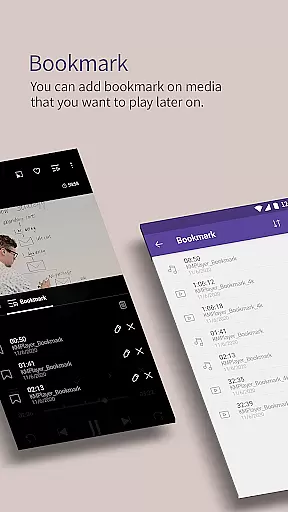
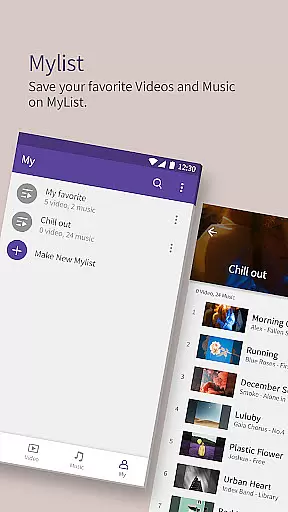
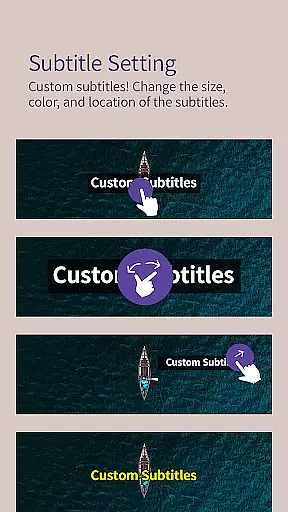
With advanced features like bookmarking, color adjustment, and subtitle settings, KMPlayer Plus enhances user control over their media. It also includes practical functions such as Wi-Fi sharing, playlist creation, and cloud integration, allowing seamless access to content from different sources.
This application is particularly useful for users who manage extensive media libraries or require specialized playback options. Its comprehensive codec support and additional VIP features make it a valuable tool for both casual viewers and media enthusiasts.
KMPlayer Plus stands out with its extensive codec support, including DXMF, DIVX, and MP4V among others, catering to diverse video formats. The app's ability to handle high-definition video playback, along with functions like zoom, section repeat, and speed control, provides users with a customizable viewing experience.
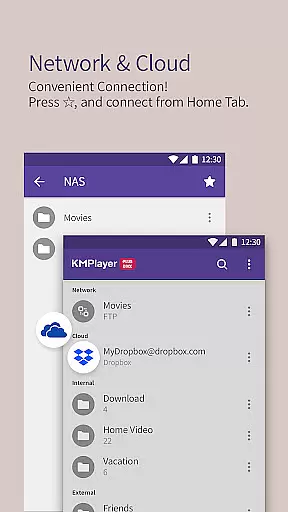
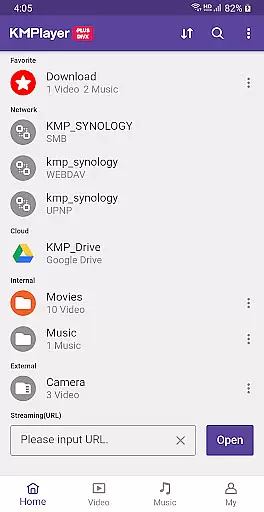
Beyond basic playback, the app offers innovative features such as popup play, equalizer settings, and network connectivity options like FTP and SMB. These functionalities allow users to stream content from private servers and cloud services, enhancing accessibility and convenience.
The VIP subscription unlocks exclusive features like real-time torrent playback, video cropping, and MP3 conversion, adding significant value for power users. With its sleek UI and robust feature set, KMPlayer Plus delivers a comprehensive solution for all video playback needs.
Video format compatibility is a critical feature for any video player, determining the range of file types it can play. KMPlayer Plus (Divx Codec) excels in this area by supporting an extensive list of codecs including DXMF, DX50, DIVX, DIV4, DIV3, and MP4V for AVI and MKV files. This ensures that users can enjoy a wide variety of video content without worrying about format issues.
The application goes beyond just basic codec support. It provides detailed information on both supported and unsupported codecs, such as DTS, EAC3, and TrueHD, helping users understand their playback capabilities. By clearly listing supported FourCC codes like eac3, mlp, trhd, dts, and others, KMPlayer Plus empowers users to manage their media libraries effectively.
Moreover, KMPlayer Plus enhances user experience with its comprehensive subtitle support. Formats like DVD, DVB, SSA/ASS Subtitle Track, SubStation Alpha (.ssa/.ass), SAMI (.smi), SubRip (.srt), MicroDVD (.sub/.txt), VobSub (.sub/.idx), SubViewer2.0 (.sub), MPL2 (.mpl/.txt), TMPlayer (.txt), Teletext, PJS (.pjs), and WebVTT (.vtt) are all supported. This extensive compatibility allows users to enjoy videos with their preferred subtitles, enhancing accessibility and viewing pleasure.
AI-powered editing features represent the cutting-edge integration of artificial intelligence into video editing, offering users advanced tools to enhance their content effortlessly. While KMPlayer Plus (Divx Codec) primarily focuses on video playback, it incorporates several intelligent functionalities that streamline the editing process. These include crop video and crop audio features, allowing users to select and edit specific sections of their media files with precision.
In addition to cropping, KMPlayer Plus offers a GIF creation tool called GIF toast. This innovative feature enables users to generate dynamic GIFs from their favorite video segments, providing a creative way to share content. The MP3 Converter is another standout AI-driven tool, extracting and converting audio from video files into MP3 format quickly and easily. Such features significantly reduce the complexity typically associated with media editing.
Furthermore, the VIP subscription unlocks exclusive functionalities like the Torrent Client, which supports real-time playback during downloads. This seamless integration of AI technologies not only enhances user convenience but also expands the app's utility beyond traditional video playback. By leveraging these smart tools, users can efficiently manage, edit, and share their multimedia content, making KMPlayer Plus a versatile choice for both casual viewers and content creators.
User-friendly interface
Wide codec support
High-definition playback
Advanced customization options
Cloud integration
Limited free trial period
Some features locked behind paywall
Requires storage permission
No native DTS support
Premium subscription cost

Snaptubè Video Downloader app allows to download videos and music in Snaptube. .
 4.60
4.60
Create & edit videos with AI
4.30
HD video maker with no watermark, no ads & vlog maker with music, PIP, text
4.50
AirMirror Receiver - Screen mirroring/cast web videos to Android TV by AirPlay.
4.40
GENRAL PRO - General Pro is the best video player that fully supports all formats.
4.70
The essential companion to your Blue Iris PC software
2.50
#1 Torrent App on Android ** No Ads Ever + Battery Saver **
4.80
AI Video Editor with Music, Filter, Slideshow, Effect, Merge & Trim Video.
4.80
Photo editor & video maker with music and slideshows.
4.10
Seamlessly connect and control your smart devices, anytime, anywhere with ease.
4.60
Fast & easy HD video downloader for all formats, support 4K playback & download.
4.60
IPTV Loader, loads your own Playlist. DOES NOT CONTAIN ANY LIST OR CHANNELS
4.60
LumaFusion: The Ultimate Storytelling Experience for Video Editing
4.10
IPTV-Smarters Player Pro M3U - Watch Live Stream TV Channels with Chromecast
4.00
Online Videos Player
3.90
Live TV, anywhere in your home
3.80
Kodi media center, a free and open source cross-platform entertainment hub
3.60
Save photos and videos from social apps in one tap.
3.60
Watch full episodes of your favorite Cartoon Network and Cartoonito shows!
3.50


User Reviews